Project Financial Control Workflow
Budget baselining, timesheet cost integration, EAC forecasting, commercial margin tracking, and portfolio P&L analysis.
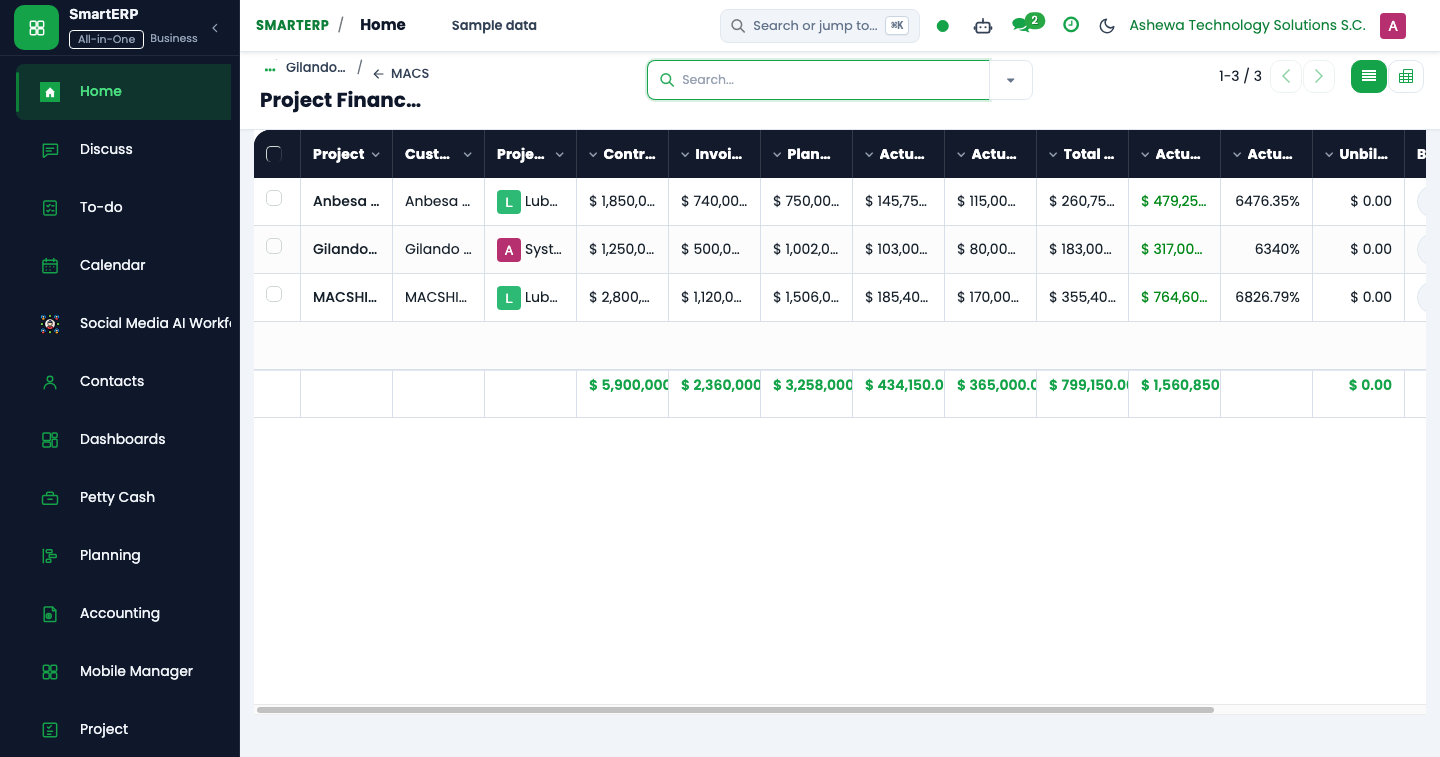
The Project Financial Control cross-module workflow connects operational project delivery with corporate cost accounting. It equips Project Managers, Finance Controllers, and Executives with live margin tracking, cost variance warnings, and automated Estimate at Completion (EAC) projections.
End-to-End Workflow Architecture#
+--------------------------------------------------------------------------+
|                  PROJECT FINANCIAL CONTROL WORKFLOW MAP                  |
+--------------------------------------------------------------------------+
| [Phase 1: Cost Category Budget Baselining]                               |
|  - Define budget baselines: Labor, Subcontracting, Materials, ODC         |
|  - Lock baseline upon Gate 1 Scope Freeze approval                       |
+--------------------------------------------------------------------------+
                                    |
                                    v
| [Phase 2: Live Operational Cost Ingestion]                               |
|  - Labor: Timesheet hours x Employee Hay grade hourly cost               |
|  - Procurement: Vendor Bills allocated to project analytic account       |
|  - Expenses: Approved travel & incidental claims                         |
+--------------------------------------------------------------------------+
                                    |
                                    v
| [Phase 3: Real-Time Variance & EAC Forecasting]                          |
|  - Compute Earned Value (EV), Actual Cost (AC), Cost Variance (CV)       |
|  - EAC Engine recomputes: EAC = AC / % Complete                          |
+--------------------------------------------------------------------------+
                                    |
                                    v
| [Phase 4: Executive Portfolio Review & Change Control]                   |
|  - Commercial P&L Tree & Pivot analysis                                  |
|  - Automated alert triggered if EAC > Baseline + 10%                     |
|  - Submit Class A/B Change Request to re-baseline budget                 |
+--------------------------------------------------------------------------+
Financial Control Formulae & Metrics#
SmartERP 19 calculates project financial health continuously using standard Earned Value Management (EVM) equations:
$$\text{Cost Variance (CV)} = \text{Earned Value (EV)} - \text{Actual Cost (AC)}$$
$$\text{Cost Performance Index (CPI)} = \frac{\text{Earned Value (EV)}}{\text{Actual Cost (AC)}}$$
$$\text{Estimate at Completion (EAC)} = \frac{\text{Actual Cost (AC)}}{\text{Percent Complete}}$$
$$\text{Normalized Margin (\%)} = \frac{\text{Invoiced Revenue} - \text{Total Actual Costs}}{\text{Invoiced Revenue}} \times 100$$
Detailed Operational Steps#
Step 1: Budget Baselining by Cost Category#
When a project passes Gate 1, the PM configures budget lines in Projects -> Project Controls:
- Labor Budget: Planned hours multiplied by the standard role billing rates.
- Subcontracting Budget: Anticipated third-party service vendor contracts.
- Direct Materials & Licenses: Software subscriptions, cloud hosting, and hardware.
- Other Direct Costs (ODC): Travel, per diem, and statutory permit expenses.
Step 2: Live Cost Ingestion & Analytic Tagging#
Every transaction in SmartERP captures the project's analytic account (account.analytic.account):
- Timesheets: When an engineer logs 8 hours on a task, SmartERP values the entry using the employee's contract hourly rate and posts it directly to project actuals.
- Vendor Bills: When Accounts Payable posts a vendor invoice for cloud hosting, tagging the project analytic line immediately registers the expense against the project's material budget.
Step 3: Monitoring Overruns & Change Control#
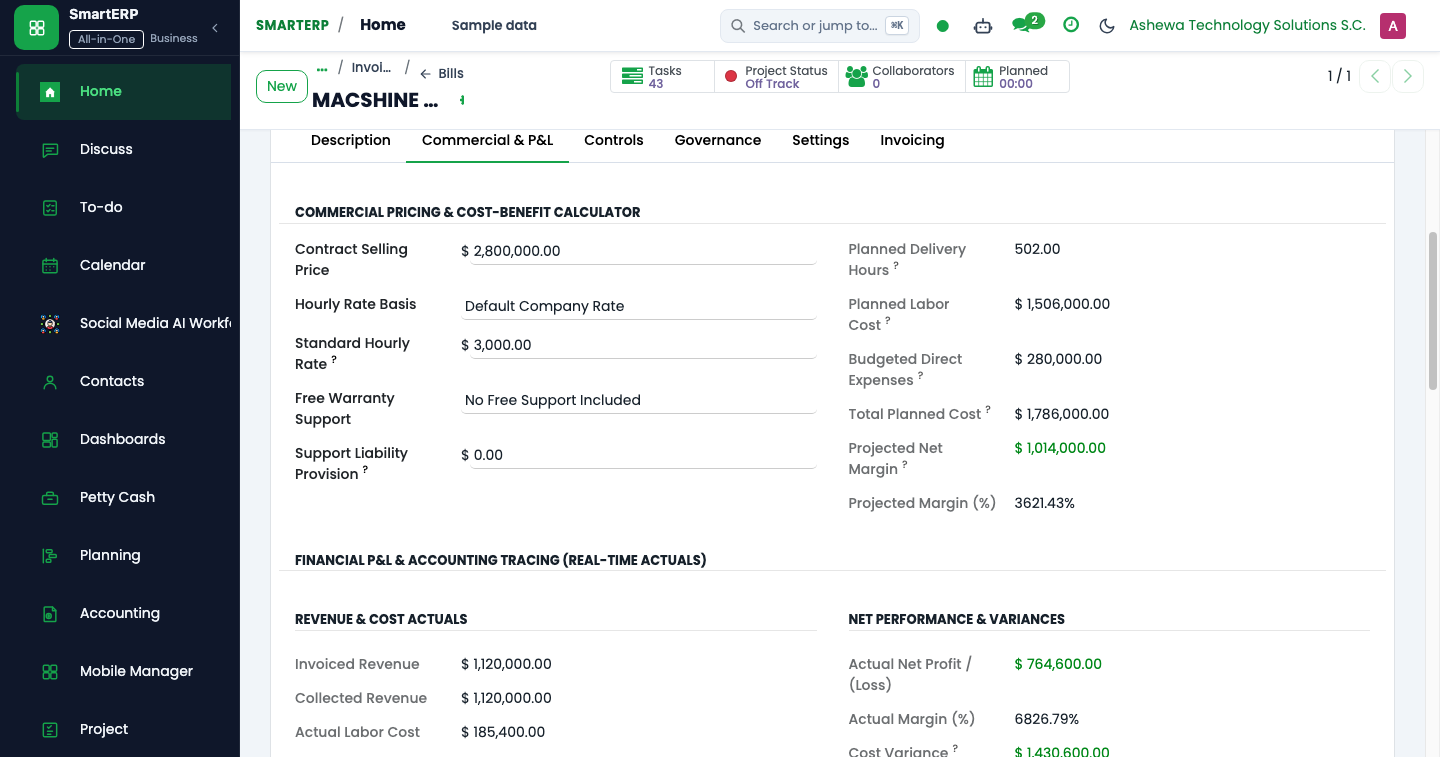
- If $\text{CPI} < 1.0$, the project is spending faster than progress is earned.
- When the projected overrun exceeds $10\%$, the project status automatically flips to Amber/Red on the Executive Dashboard.
- The PM must open a formal Change Request (CR) in Delivery Governance to request contingency budget release or de-scope contractual deliverables.