ይህ ገጽ ገና ወደ አማርኛ አልተተረጎመም። የእንግሊዝኛው ጽሑፍ ቀርቧል።
Lead to Revenue Workflow
Converting prospective leads into confirmed orders, generating VAT invoices, tracking customer receipts, and reconciling bank accounts.
The Lead to Revenue (Order to Cash) cross-module workflow connects marketing initiatives, sales pipeline opportunities, master pricing catalogs, invoicing, and treasury management into a cohesive revenue cycle.
End-to-End Workflow Architecture#
+--------------------------------------------------------------------------+
|                       LEAD TO REVENUE WORKFLOW MAP                       |
+--------------------------------------------------------------------------+
| [Phase 1: Lead Qualification & Opportunity]                              |
|  - Marketing campaigns capture inbound inquiries                         |
|  - CRM Pipeline qualifies lead -> Opportunity stage                      |
+--------------------------------------------------------------------------+
                                    |
                                    v
| [Phase 2: Master Pricing & Quotation]                                    |
|  - Sales rep builds Quotation from Master Pricing catalog                |
|  - Discount approvals routed if discount exceeds 10%                     |
+--------------------------------------------------------------------------+
                                    |
                                    v
| [Phase 3: Sales Order Confirmation & Delivery Trigger]                   |
|  - Customer accepts Quotation -> Confirm Sale                            |
|  - Triggers Governed Project creation or Warehouse Delivery              |
+--------------------------------------------------------------------------+
                                    |
                                    v
| [Phase 4: Customer Invoicing & VAT Compliance]                           |
|  - Finance generates Customer Invoice (account.move)                     |
|  - Calculates 15% VAT and records customer TIN                           |
+--------------------------------------------------------------------------+
                                    |
                                    v
| [Phase 5: Cash Receipt Voucher (CRV) & Bank Reconciliation]              |
|  - Cashier issues CRV upon bank transfer receipt                         |
|  - Automated reconciliation clears Accounts Receivable against Bank      |
+--------------------------------------------------------------------------+
Detailed Operational Steps#
Step 1: Opportunity Qualification#
- Sales representatives track leads in CRM -> Pipeline.
- As prospects meet budget and authority criteria, move them from
New$\rightarrow$Qualified$\rightarrow$Proposition.
Step 2: Quotation & Pricing Enforcement#
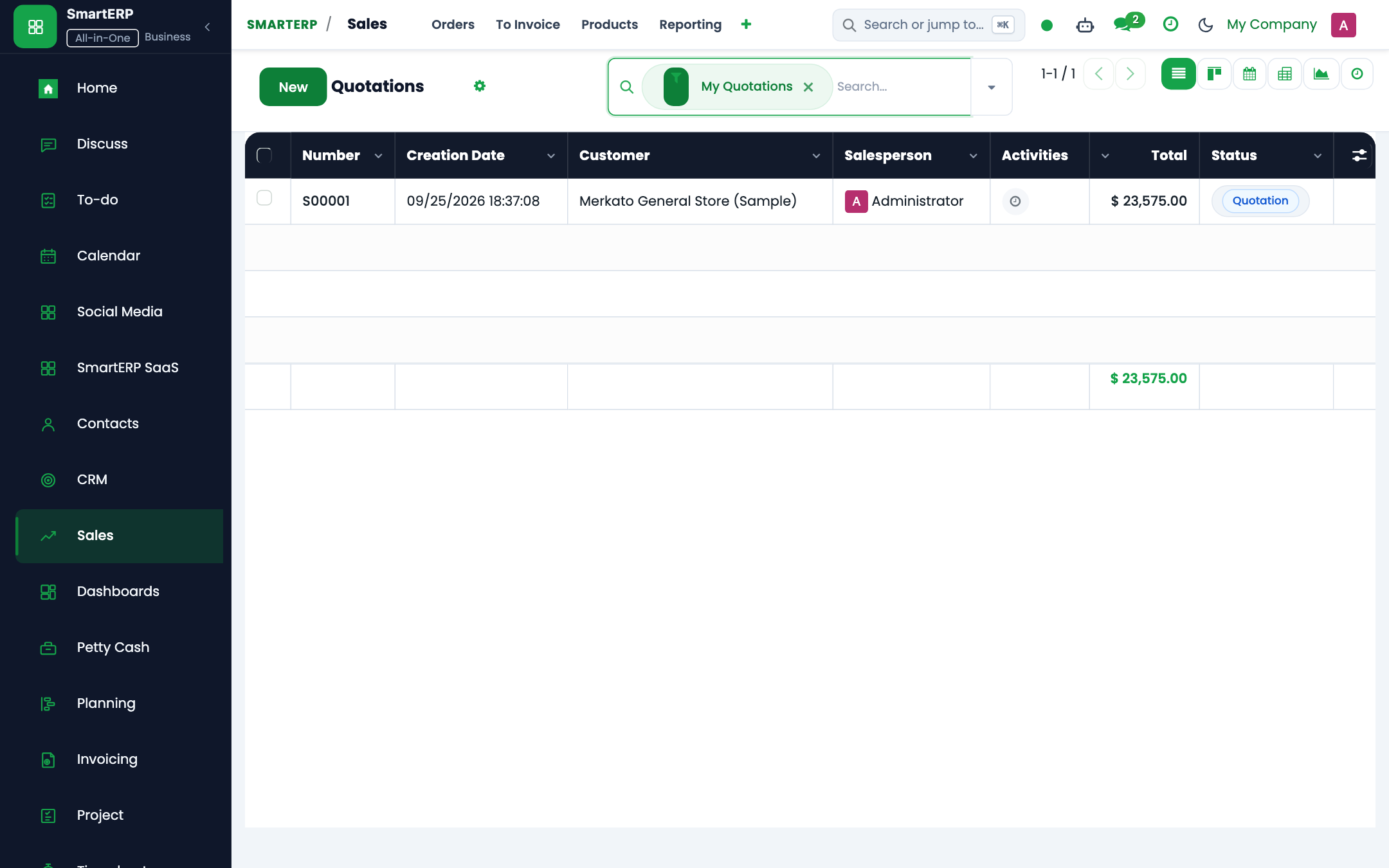
- Click New Quotation from the opportunity form.
- Select line items from the standardized Master Pricing Catalog (
product.template). - If an account manager inputs a discretionary discount exceeding authorized limits, SmartERP triggers an automated Approval Request (
smarterp.approval.request) to the Commercial Director before the quote can be sent.
Step 3: Invoicing with Ethiopian VAT Compliance#
- Upon project milestone delivery or product shipment, click Create Invoice.
- SmartERP generates a Customer Invoice (
account.movewithmove_type='out_invoice'). - The invoice automatically computes:
- Net Amount: Base billable services or goods.
- VAT (15%): Value Added Tax per Ethiopian tax proclamation.
- Customer TIN: Mandatory validation ensures commercial customers have verified TIN credentials.
Step 4: Cash Receipt Voucher (CRV) & Bank Matching#
- When the client settles via bank transfer, the treasury team navigates to Accounting -> Customers -> Payments.
- Click Register Payment to generate a Cash Receipt Voucher (CRV).
- The electronic bank statement imports automatically via
peachtree_reconciliation. - SmartERP matches the CRV reference code against the bank credit transaction, clearing the Accounts Receivable balance.
መጨረሻ የተሻሻለው: 2026-10-16