AI Workforce Monitoring Dashboard and Metrics
Real-time telemetry: agent execution heatmaps, tool invocation counts, HITL approval vs rejection ratios, and latency graphs.
1. Overview & Business Value#
This comprehensive operational guide details the architecture, business workflows, configuration parameters, and execution steps for AI Workforce Monitoring Dashboard and Metrics within SmartERP.
Real-time telemetry: agent execution heatmaps, tool invocation counts, HITL approval vs rejection ratios, and latency graphs.
{screenshot:ai-workforce-monitoring-dashboard-overview-dashboard}
2. Prerequisites & Security Access Groups#
- Required Modules:
ashewa_ai_workforce, ashewa_ai_bridge, smarterp_ai_agents - Security Groups:
AI Workforce Operator(Technical ID:ashewa_ai.group_ai_operator)AI Systems Administrator(Technical ID:ashewa_ai.group_ai_admin)Governance Officer(Technical ID:ashewa_ai.group_ai_governance)
- Master Data Dependencies: Autonomous AI agent profiles, n8n orchestrator webhooks, LLM model parameters, prompt governance rules, and human-in-the-loop approval queues.
3. Step-by-Step Configuration & Execution#
Step 1: Navigating to the Module Interface#
- Log into your SmartERP instance at
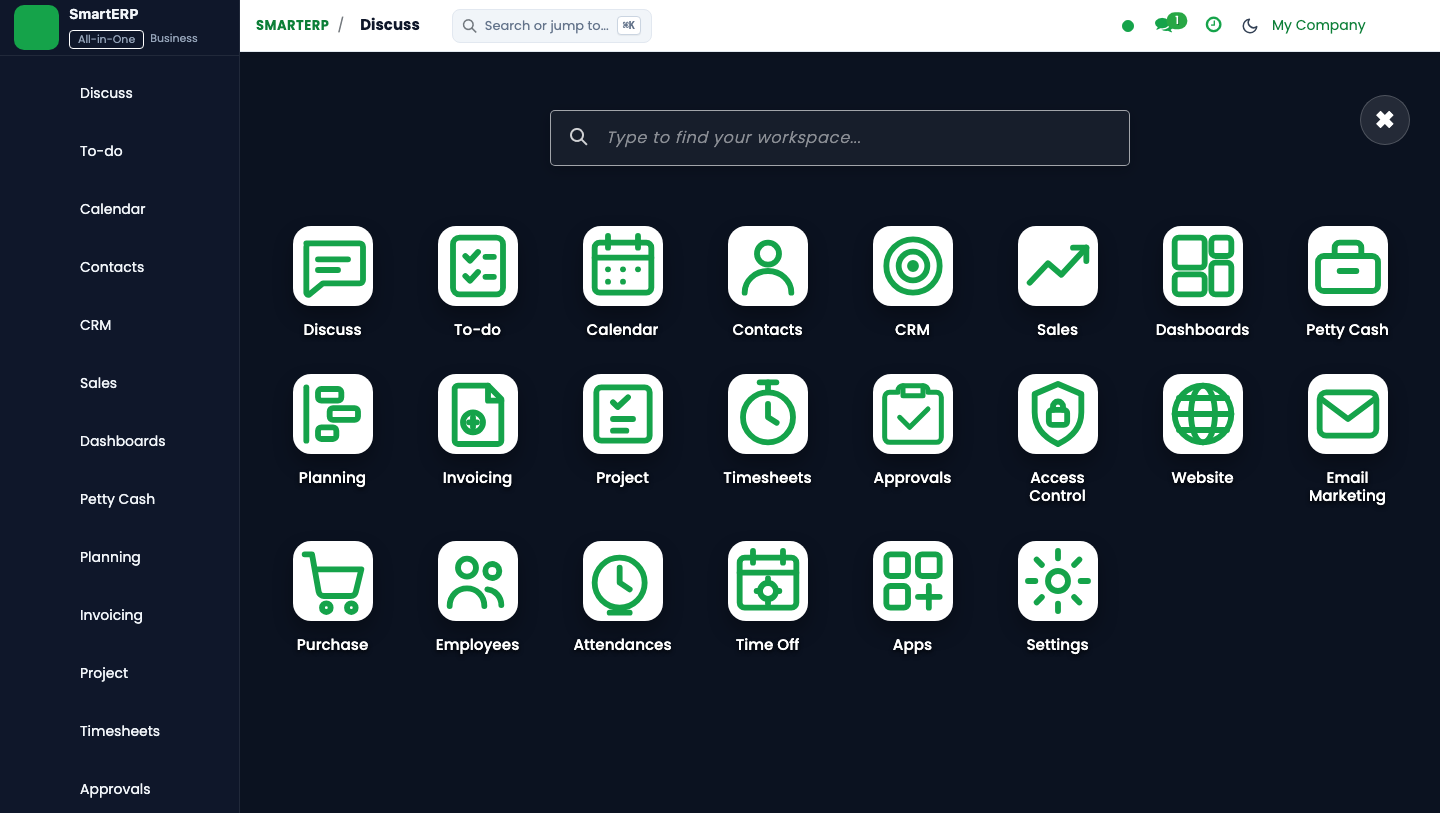
https://smarterp.et/odoo. - Open the main App Switcher (grid icon in the top-left corner).
- Select the AI Workforce app icon.
- From the top navigation bar, open AI Workforce → Copilots → Active Agents / Interaction History / Governance Queue.
{screenshot:ai-workforce-monitoring-dashboard-app-switcher-navigation}
Step 2: Creating and Parameterizing Records#
- Click the New button in the top-left control panel.
- Complete the mandatory fields in the record form:
- Agent Name & Persona (Mandatory): Specialized AI role (Financial Auditor Copilot, SCM Copilot, etc.)
- Target Operational Addon (Mandatory): Integrated SmartERP module (Accounting, HR, Inventory, Sales)
- Autonomy Level (Mandatory): Level 1 Assistive, Level 2 Supervised, Level 3 Autonomous
- Governance Gate (Mandatory): Action risk classification triggering mandatory human confirmation
- Configure optional operational parameters and localized tags as required:
- Context Truncation Limit (Optional): Maximum LLM token window before historical pruning
- Fallback Model Route (Optional): Secondary LLM provider if primary endpoint is unresponsive
- Webhook Authentication Token (Optional): Secure shared secret for n8n workflow callback
- Click the Save icon in the control bar to commit the record.
{screenshot:ai-workforce-monitoring-dashboard-record-creation-form}
Step 3: Validating and Processing Transactions#
- State Transitions: Execute operational state progression (Prompt Ingestion → Reasoning Chain → Action Proposal → Human Gate Approved → Executed).
- Ledger & System Impact: Financial and inventory transactions executed by autonomous agents generate strict audit log entries tagging the AI Agent ID and human approver credentials.
- Audit Verification: Automated recording of author ID, timestamp, and immutable revision history.
{screenshot:ai-workforce-monitoring-dashboard-transaction-processing-state}
Real-Time Operations Telemetry#
The AI Workforce Monitoring Dashboard provides real-time visibility into the performance, health, and throughput of all active digital agents.
Core Dashboard KPI Widgets#
- Active Copilot Status: Visual matrix showing the operational health and availability of all 14 agents.
- HITL Reviewer Acceptance Rate: Percentage of staged AI actions approved without modification (benchmark >90%).
- Daily Token Consumption: Breakdown of prompt tokens, completion tokens, and associated costs per model provider.
- Average Response Latency: Time taken by copilots to process prompts and execute tool calls.
4. Advanced Configuration Points#
- Automated Actions & Scheduled Tasks (Crons):
AI Bridge: Heartbeat check for n8n orchestrator nodes(ashewa_ai.ir_cron_heartbeat): Runs every 10 minutes to verify gateway connectivityAI Governance: Auto-archive cleared approval queue tickets(ashewa_ai.ir_cron_archive_audit): Runs daily at midnight to maintain governance ledger performance
- Custom Print Templates & Reports:
- AI Agent Operational Execution Audit Trail
- LLM Token Consumption & Cost Allocation Schedule
- Human-in-the-Loop Decision & Override Ledger
- Agent Workflow Error & Latency Analysis
- Multi-Company Rules: Record-level security isolation under Company 1 (
Ashewa Technology Solutions S.C.), preventing cross-company ledger leakage across parent and subsidiary legal entities.
5. Comprehensive Troubleshooting Matrix#
| Error Symptom / Exception | Probable Root Cause | Corrective Action / Resolution |
|---|---|---|
Connection Refused: n8n webhook unreachable | Endpoint URL invalid, orchestrator service offline, or network firewall block. | Check n8n service health and update bridge URL in AI Workforce Settings. |
Token Limit Exceeded: Context window exhausted | Prompt context exceeds configured model maximum token threshold. | Enable automatic context pruning and reduce historical message buffer in agent settings. |
Governance Block: High-risk action requires human approval | Agent attempted financial posting or document deletion above autonomy threshold. | Review and approve the pending transaction in the Human-in-the-Loop Governance Queue. |