Fleet Cockpit and Telematics Dashboard
Real-time fleet monitoring: active dispatches, maintenance status, upcoming renewals, and fuel efficiency gauges.
1. Overview & Business Value#
This comprehensive operational guide details the architecture, business workflows, configuration parameters, and execution steps for Fleet Cockpit and Telematics Dashboard within SmartERP.
Real-time fleet monitoring: active dispatches, maintenance status, upcoming renewals, and fuel efficiency gauges.
{screenshot:fleet-cockpit-and-telematics-dashboard-overview-dashboard}
2. Prerequisites & Security Access Groups#
- Required Modules:
fleet, smarterp_fleet_operations, smarterp_fleet_insurance - Security Groups:
Fleet Operator(Technical ID:fleet.group_fleet_user)Fleet Administrator / Transport Manager(Technical ID:fleet.group_fleet_manager)
- Master Data Dependencies: Vehicle asset cards, license plate registry, fuel cards, driver profiles, scheduled maintenance intervals, and third-party insurance policies.
3. Step-by-Step Configuration & Execution#
Step 1: Navigating to the Module Interface#
- Log into your SmartERP instance at
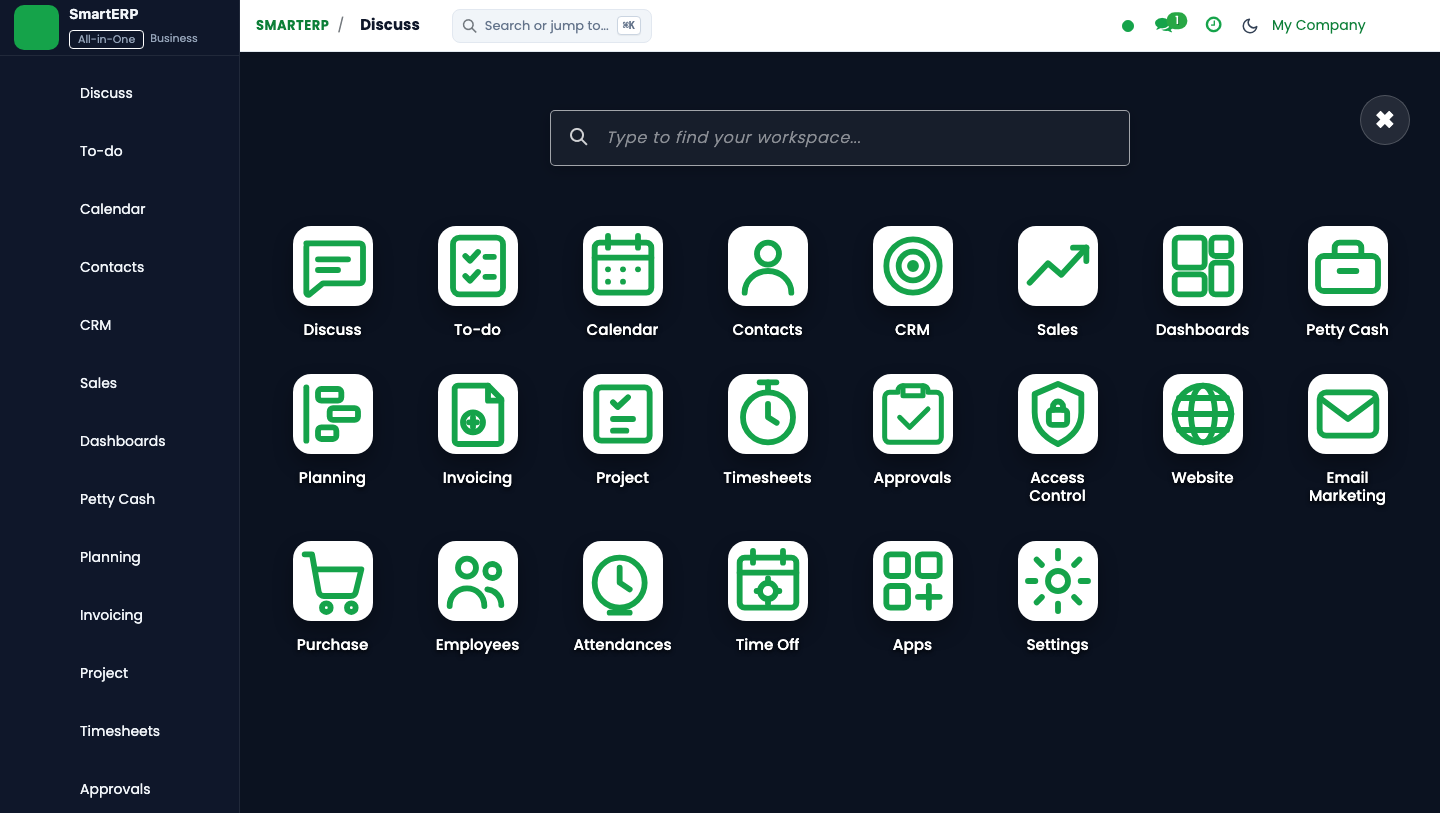
https://smarterp.et/odoo. - Open the main App Switcher (grid icon in the top-left corner).
- Select the Fleet app icon.
- From the top navigation bar, open Fleet → Vehicles → Fleet Registry / Odometer Logs / Service Logs / Insurance Policies.
{screenshot:fleet-cockpit-and-telematics-dashboard-app-switcher-navigation}
Step 2: Creating and Parameterizing Records#
- Click the New button in the top-left control panel.
- Complete the mandatory fields in the record form:
- License Plate & Vehicle Model (Mandatory): Official Ethiopian registration plate number and chassis VIN
- Assigned Driver (Mandatory): Licensed company employee or authorized transport driver
- Current Odometer Reading (Mandatory): Kilometer milestone verified against vehicle dashboard
- Insurance Policy Reference (Mandatory): Mandatory Ethiopian third-party insurance certificate details
- Configure optional operational parameters and localized tags as required:
- Fuel Card Identifier (Optional): Designated commercial petroleum electronic fuel card number
- Service Workshop Vendor (Optional): Approved maintenance garage or internal fleet workshop
- Vehicle Department / Cost Center (Optional): Analytic account absorbing vehicle operating expenditures
- Click the Save icon in the control bar to commit the record.
{screenshot:fleet-cockpit-and-telematics-dashboard-record-creation-form}
Step 3: Validating and Processing Transactions#
- State Transitions: Execute operational state progression (Available → Dispatched / En Route → In Workshop → Service Completed → Available).
- Ledger & System Impact: Service invoices and fuel receipts debit fleet vehicle operational expense accounts and credit vendor payables or fuel imprest accounts.
- Audit Verification: Automated recording of author ID, timestamp, and immutable revision history.
{screenshot:fleet-cockpit-and-telematics-dashboard-transaction-processing-state}
Fleet Operations Cockpit#
The SmartERP Fleet Cockpit synthesizes operational telematics and compliance data into actionable visual indicators.
Core Dashboard KPI Widgets#
- Fleet Availability Ratio: Active operational vehicles vs vehicles sidelined in maintenance or awaiting parts.
- Compliance Expiry Radar: Color-coded count of driver licenses, third-party stickers, and Bolo roadworthiness inspections expiring within 30 days.
- Fuel Consumption Benchmarks: Outlier radar showing vehicles exceeding target fuel consumption thresholds.
- Monthly Fleet Cost Breakdown: Stacked bar chart comparing Fuel, Preventative Maintenance, Corrective Repairs, and Insurance.
4. Advanced Configuration Points#
- Automated Actions & Scheduled Tasks (Crons):
Fleet: Trigger preventive maintenance intervals(fleet.ir_cron_service_interval): Runs daily to alert transport officers when vehicles approach service kilometer thresholdsInsurance: Alert expiring third-party liability policies(fleet.ir_cron_insurance_alert): Runs weekly to flag insurance policies expiring within 30 days
- Custom Print Templates & Reports:
- Vehicle Preventive Maintenance Work Order
- Fleet Fuel Consumption & Mileage Analysis (km/L)
- Third-Party Liability & Comprehensive Insurance Schedule
- Driver Incident & Vehicle Lifecycle Cost Ledger
- Multi-Company Rules: Record-level security isolation under Company 1 (
Ashewa Technology Solutions S.C.), preventing cross-company ledger leakage across parent and subsidiary legal entities.
5. Comprehensive Troubleshooting Matrix#
| Error Symptom / Exception | Probable Root Cause | Corrective Action / Resolution |
|---|---|---|
Service Due Warning: Odometer exceeds threshold | Vehicle operating past scheduled oil change or brake inspection kilometer mark. | Ground vehicle and schedule immediate maintenance in Fleet → Services. |
Policy Expired Block: Vehicle grounded | Mandatory statutory third-party liability insurance has elapsed. | Renew insurance policy with underwriter and update expiration date on vehicle card before release. |
Fuel Anomaly Warning: Consumption exceeds normal rate | Logged fuel volume exceeds vehicle fuel tank capacity or normal kilometer ratio. | Audit driver logbook, inspect fuel card receipts, and perform fuel tank sensor diagnostic. |