Modernized interface
Automation embedded
Complete management and visibility
Dedicated infrastructure
Healthcare Industry Challenges
Adopting Better
PracticesBetter Patient
careHealthcare
DisparitiesPatient
ExperienceRising
CostsOperational
Costs
Why choose SmartERP for your healthcare business?
All-in-One Platform
Tailored solutions to fit specific needs, adapting to changesAutomated Appointment Scheduling and Management
Efficient scheduling to optimize resource allocation and minimize wait times.Secure Billing and Insurance Integration
Streamlined billing and simplified insurance claims for improved revenue cycle management.Real-time Inventory Management
Accurate tracking of medical supplies to prevent stockouts and shortages.Easy Customization and Flexibility
Tailored solutions to fit specific needs, adapting to changes.Scheduling and Management
Easy Customization and Flexibility Tailored solutions to fit specific needs, adapting to changes.The industry
A clinic runs on stock, schedules and billing around the care, not inside it
- Consumables and medicines are ordered without seeing stock.
- Staff rosters and leave are arranged by hand.
- Billing and cash handling are reconciled late.
- Management sees costs per department only at month-end.
SmartERP customers in this sector: Teklehaimanot General Hospital. All customers
How the work flows
From the first step to the management dashboard
SmartERP covers the business side of a clinic: purchasing, stock, staff, billing and reporting on one set of records.
Beyond a generic ERP
What goes further for this industry
Appointments
Coming soon
Appointment booking on the planning engine, linked to CRM. Not offered yet.
Resource planning
Plan shifts on the visual planner.
Management visibility
What management sees
Stock, spend and revenue by department on one dashboard.
What changes
The outcome, without invented numbers
- Stock of consumables and medicines is visible before it runs out.
- Billing and cash reach accounting without retyping.
- Staff schedules and leave are in one place.
Not included: SmartERP is not a medical-records system: patient records and clinical workflows are not included.
Built for you
Who this solution is for
Private clinics and medical centres of a few to a few dozen staff that want fees, employer accounts, supplies and books on one set of records and that keep care records in a separate system.
Typical size: up to 10 people, 11 to 50 people.
How it works
Your work, step by step in SmartERP
The routine of this industry, followed from the first step to the money in the bank.
Coming soon This industry solution is being built: the processes below are what it is built around.
From an employer's group request to a matched payment
- The office logs the employer's request in the sales pipeline with the contact person, the number of staff and the preferred days.
- The office quotes a fee per person from the clinic's own fee list and confirms the quotation as an order when the employer agrees.
- Finance invoices the employer after the visits and issues a credit note for a person who did not attend.
- Finance matches the employer's bank transfer to the invoice so that the employer's account clears.
From a low supply cupboard to a paid supplier bill
- The store keeps a minimum quantity for each supply item and shows the items that have fallen below it.
- The purchasing officer asks the usual supplier and one alternative for prices and confirms a purchase order.
- The person in charge of the store books in the delivery and compares it with the order and the supplier's delivery note.
- Finance enters the supplier's bill against the order and pays it once it agrees with what was received.
From a fee charged at the desk to a recorded payment
- The cashier chooses the fee item from the clinic's own fee list and issues an invoice in the name of the person or company that pays.
- The payment is recorded as cash or bank transfer against that invoice.
- At the end of the day finance compares the cashier's sheet with the payments recorded in bank and cash.
In the product
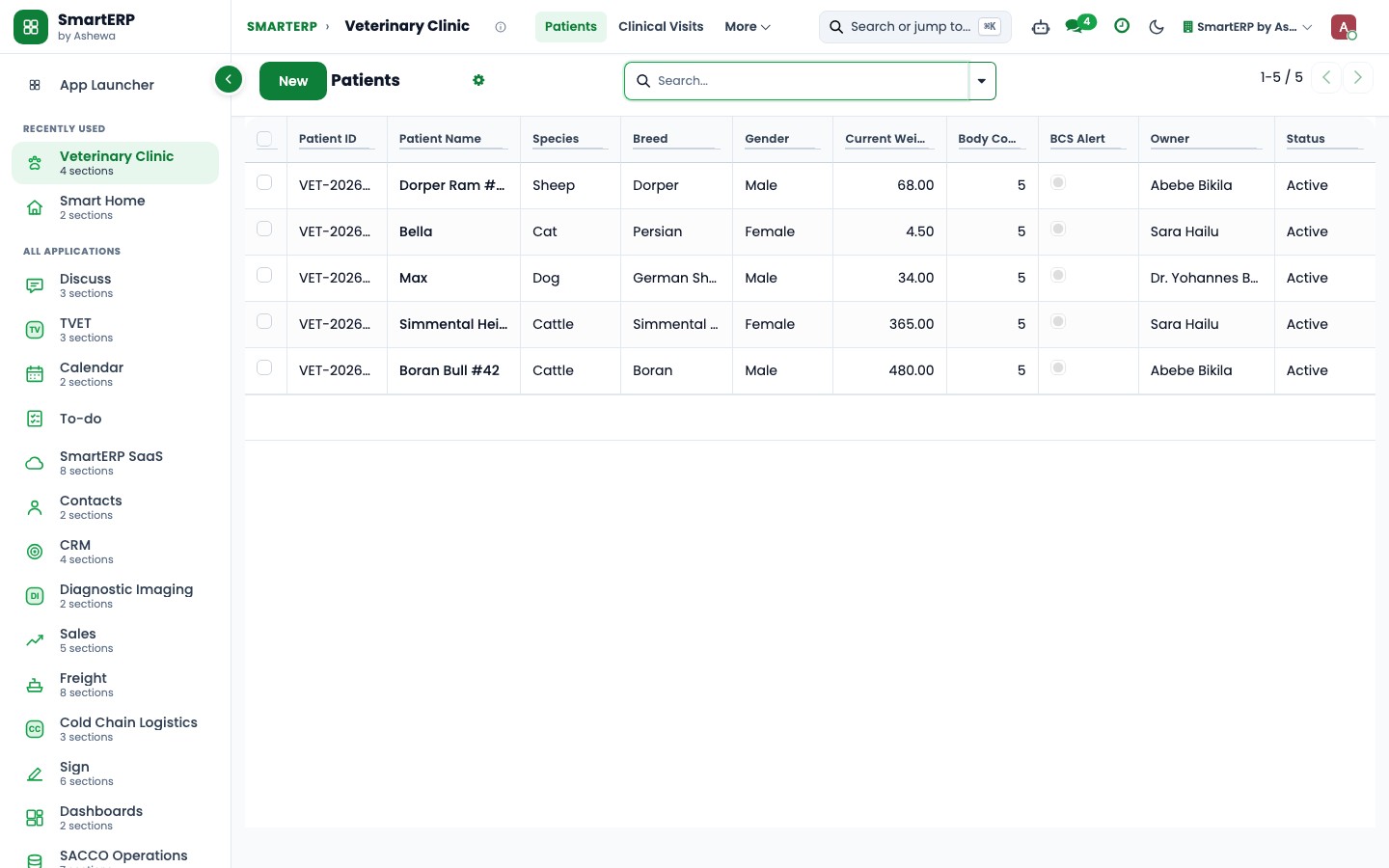
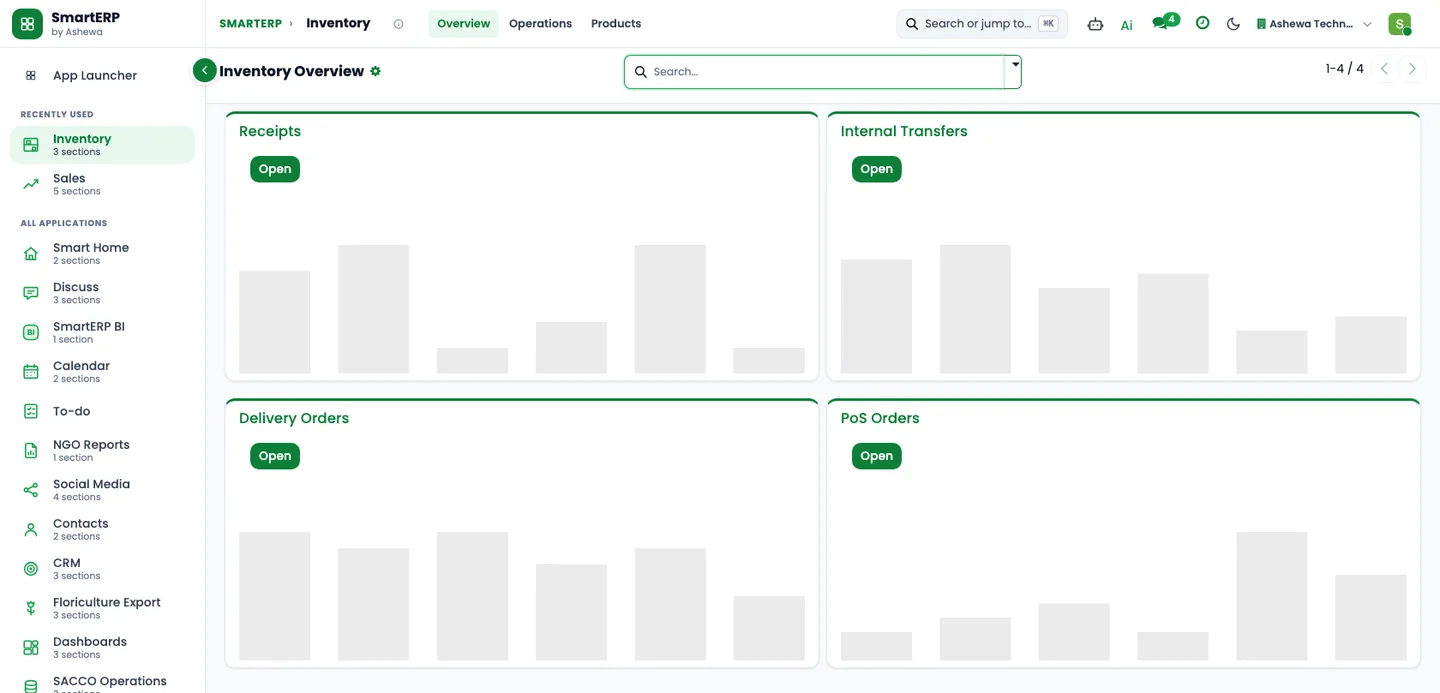
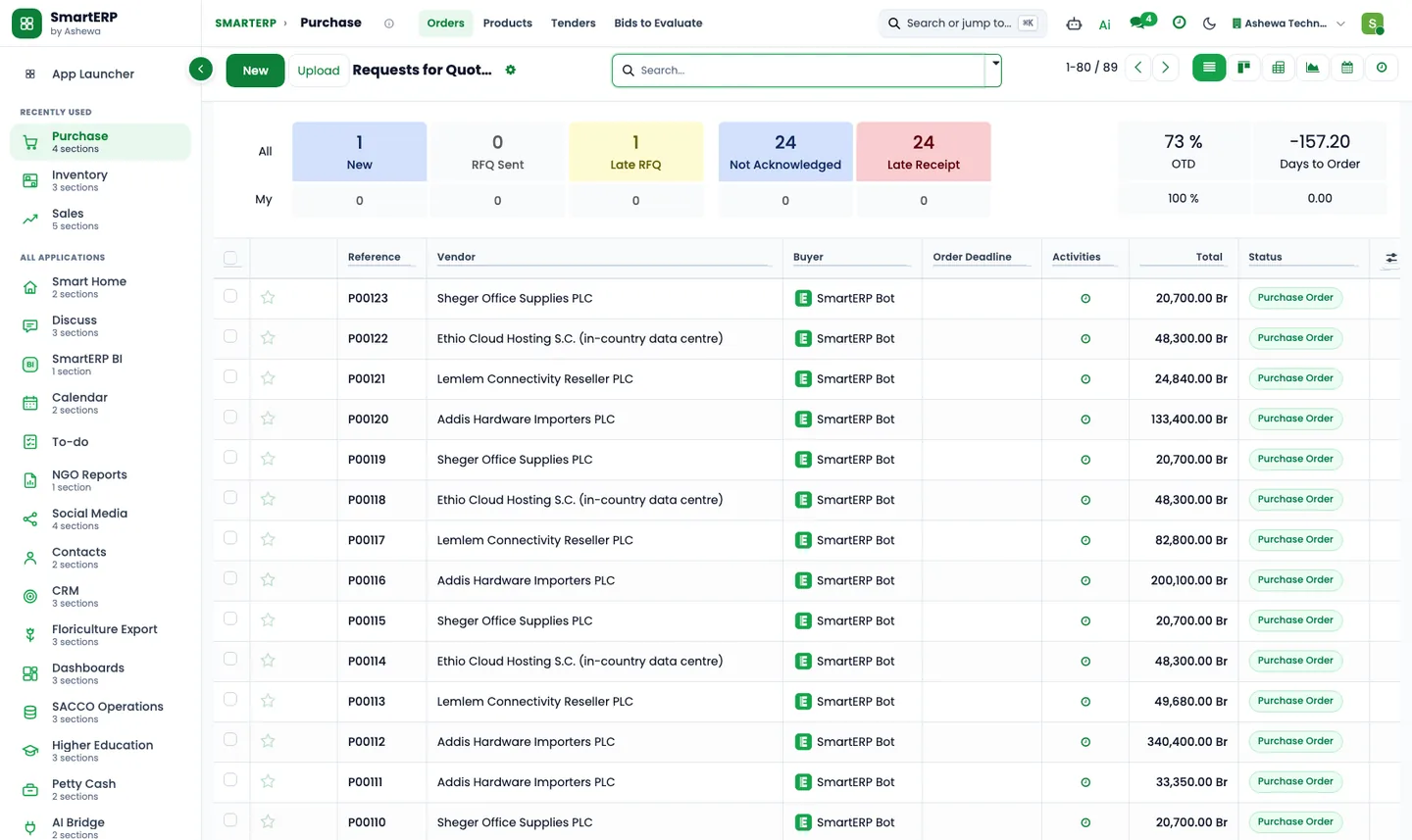
The core applications it runs on
Real SmartERP screens with sample data: every company, person and figure shown is invented.
Who uses it
Each person sees their own work
- Clinic manager
- Finance officer
- Purchasing officer
- Employer accounts officer
- Doctor or other clinician
- Nurse in charge
- Laboratory staff
- Reception and patient registration staff
- Medical records officer
Access follows the role: people see and change only what their job needs.
What you can follow
Figures management asks for
- Amount invoiced by customer and month (Finance officer) Coming soon
- Unpaid employer invoices (Finance officer) Coming soon
- Purchases by supplier (Purchasing officer) Coming soon
- Supplies on hand by item (Purchasing officer) Coming soon
- Supplies below the reorder level (Purchasing officer) Coming soon
- Employer requests by stage (Employer accounts officer) Coming soon
Documents
Printed and shared from the system
- Quotation / order
- Customer invoice
- Credit note
- Purchase order
What you get
What is included, and what comes next
What comes next Coming soon
- Patient portal or online access to records
- Amharic screens and printed documents
- An installable industry pack, a ready-made setup, sample data or a demo
What this solution does not do
patient chart, clinical record or medical record; diagnosis, prescription and treatment entry; laboratory and imaging results; visit booking and appointment scheduling; insurer claim submission and insurer billing of patients; recall of patients and clinical follow-up calls; dispensing and issuing of medicines; stock, batch and expiry control of medicines and controlled items; facility, professional or equipment licensing and registration; any statement of compliance, approval, licensing or certification; reports, returns and filings to a regulator or authority; mobile-wallet and Chapa payments; tax e-invoicing and fiscal-machine connection; Ethiopian VAT invoice layout and tax invoice formats; dates shown in the Ethiopian calendar; payroll and salary calculation; any statement that personal data handling is lawful, safe or approved. For these, SmartERP works next to other specialised software or a manual process; ask us how.
SmartERP for clinics and medical centres
Applications, pricing and next steps
Applications
Start with these applications
The starting set of the Healthcare industry edition (required and recommended applications).
Pricing
Industry edition: Healthcare
An industry edition bundles the applications this industry typically uses, priced per company per year. Pricing by application and user per year is the alternative.
Related sectors
Services for your rollout
Quick Service Request