
SmartERP for coffee export and processing
Keep each lot of coffee as its own stock record from the washing station to the export warehouse, sell it against a contract, and pay producers for what was received.

Lot-by-lot green coffee stock, sample contracts and producer payments for an exporter
An exporter sells a lot, not a commodity: the buyer cups a sample, agrees a contract and expects the shipment to match. SmartERP holds the lot, the supplier who delivered it, the sales order and the invoice on linked records. It does not keep cupping scores or handle export permits.
Start with Inventory for lots and warehouses, Purchase for coffee bought from producers and stations, Sales for buyer contracts and Accounting for invoices and payments. Delivery pricing can be added for the haul to the port.
Typical businesses: Coffee exporters · Green coffee traders · Washing stations · Coffee processors · Parchment buyers
Problem-to-Solution Matrix
How SmartERP systematically replaces traditional operational bottlenecks with automated enterprise workflows in coffee export and processing.
Lots lose their identity between purchase and shipment
Coffee from different stations and days is stacked together in the warehouse, so a buyer's approved sample can no longer be traced to the lot that is loaded.
Automated end-to-end workflow on a unified PostgreSQL database with real-time audit trail and zero duplicate entry.
Producers and washing stations are paid from a book of scraps
Deliveries of cherry or parchment are weighed and noted by hand, so amounts owed are argued and the true purchase cost of a lot is unclear.
Automated end-to-end workflow on a unified PostgreSQL database with real-time audit trail and zero duplicate entry.
A sample-based promise is not held against stock
A buyer approves a sample and a quantity, but nothing links that promise to the lots in store, so the same bags can be offered to two buyers.
Automated end-to-end workflow on a unified PostgreSQL database with real-time audit trail and zero duplicate entry.
Overseas buyers wait for invoices and balances
Roasters and importers ask what is invoiced and what remains unpaid on each contract, and the answer is assembled by hand from several files.
Automated end-to-end workflow on a unified PostgreSQL database with real-time audit trail and zero duplicate entry.
Applications in the Agriculture edition
These applications are the ones the industry edition's blueprint includes. Each opens its own page.
Often added for this industry
What each application does for coffee export and processing
Accounting
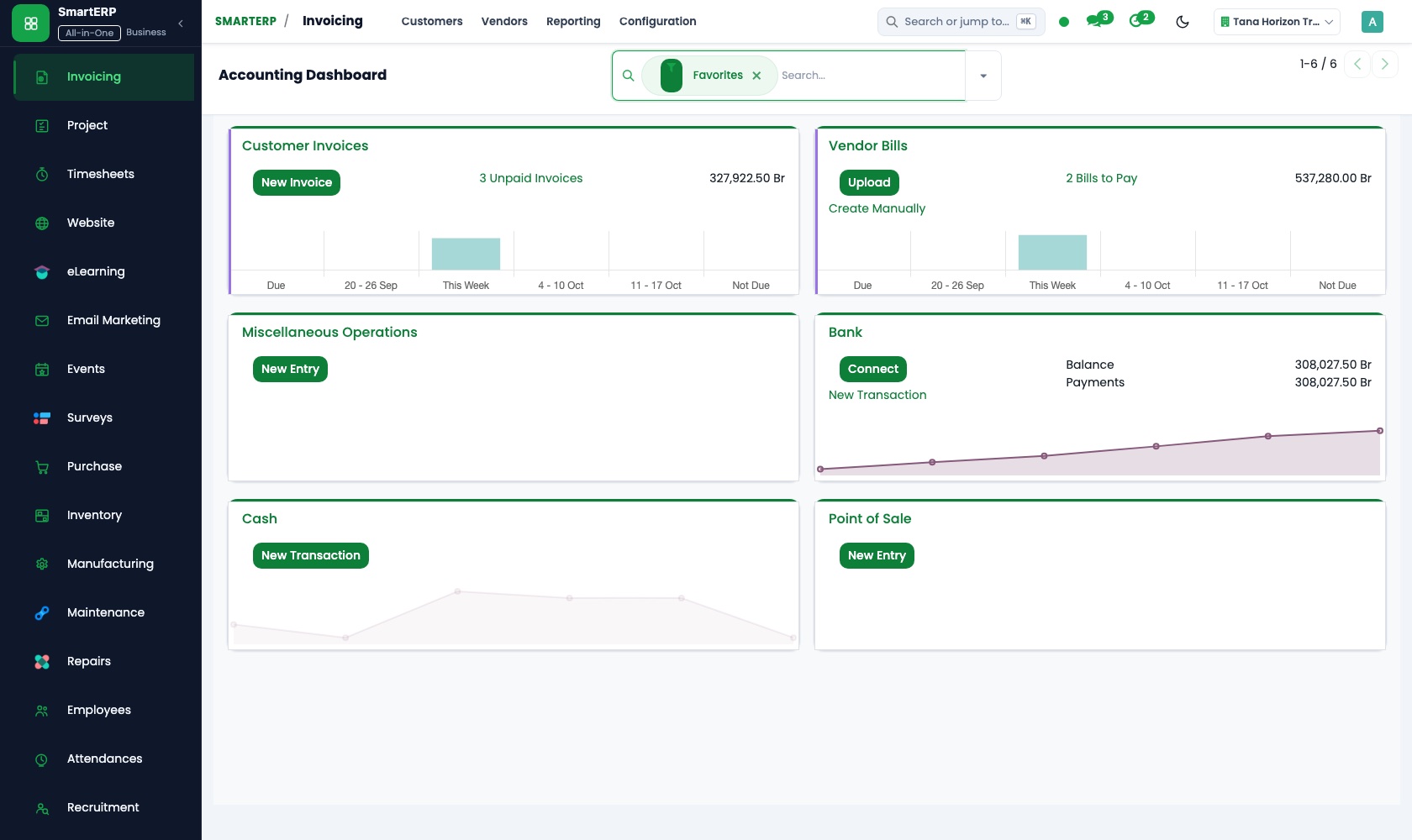
Each shipped contract is invoiced to the buyer, with a credit note for an agreed claim. Aged receivables show what each importer owes; stations are paid from vendor bills.
Sales
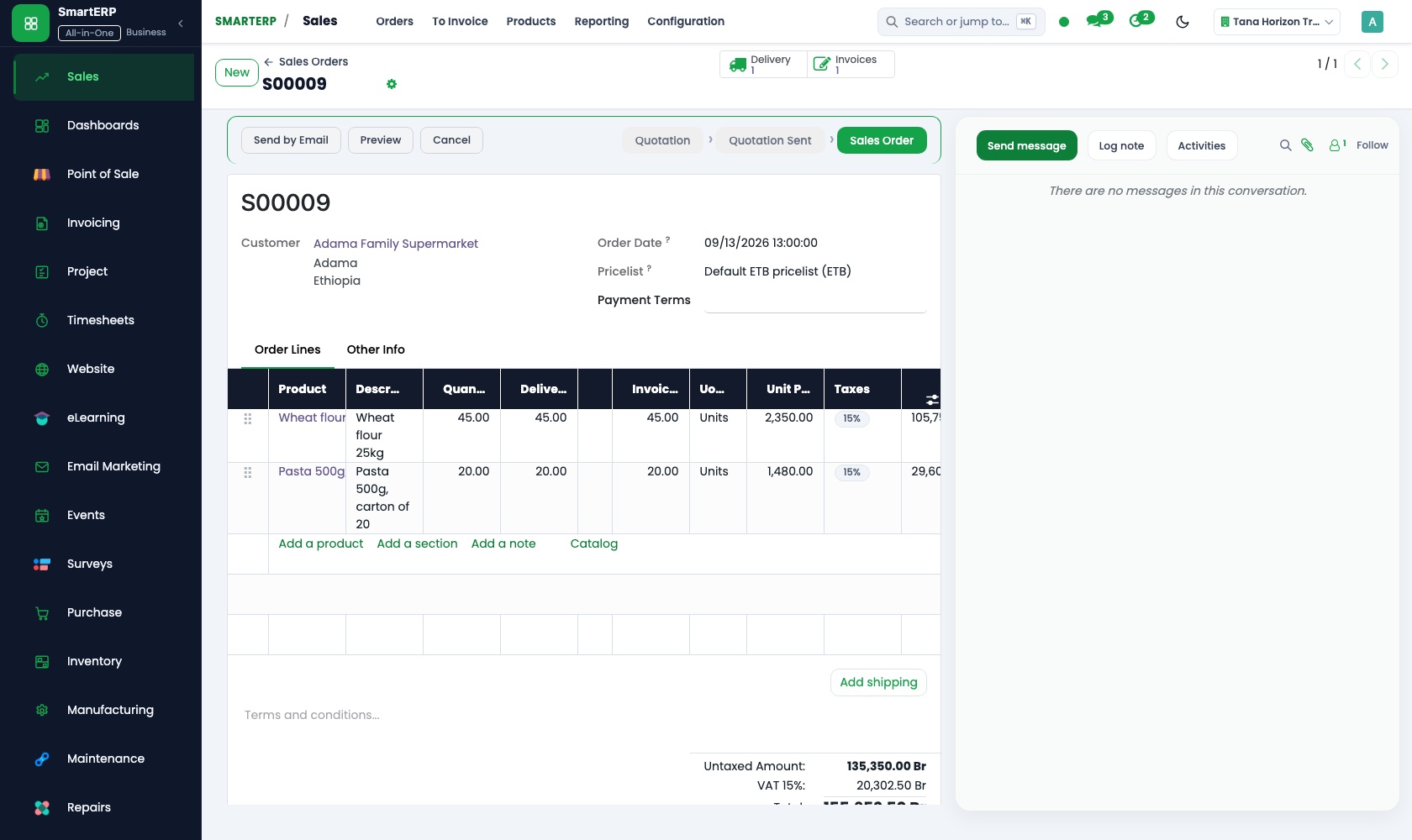
A buyer's approved sample and agreed quantity become a sales order at the contract price. Delivery and invoicing status shows which contracts have shipped in full.
Inventory
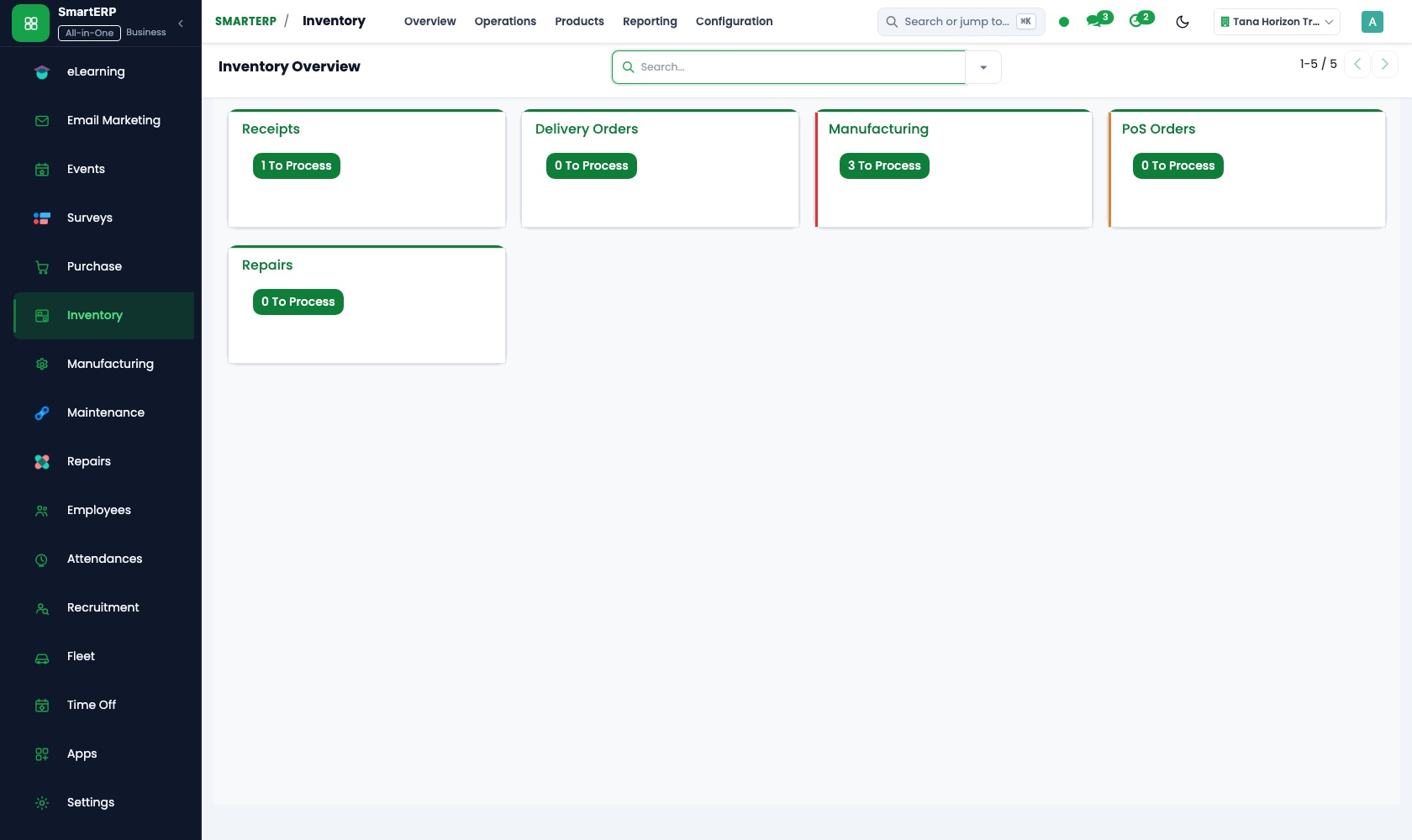
Each purchase is booked in as a lot by station and delivery day, and the lot named on a contract is the one that leaves the warehouse. Stock valuation shows its cost.
Purchase
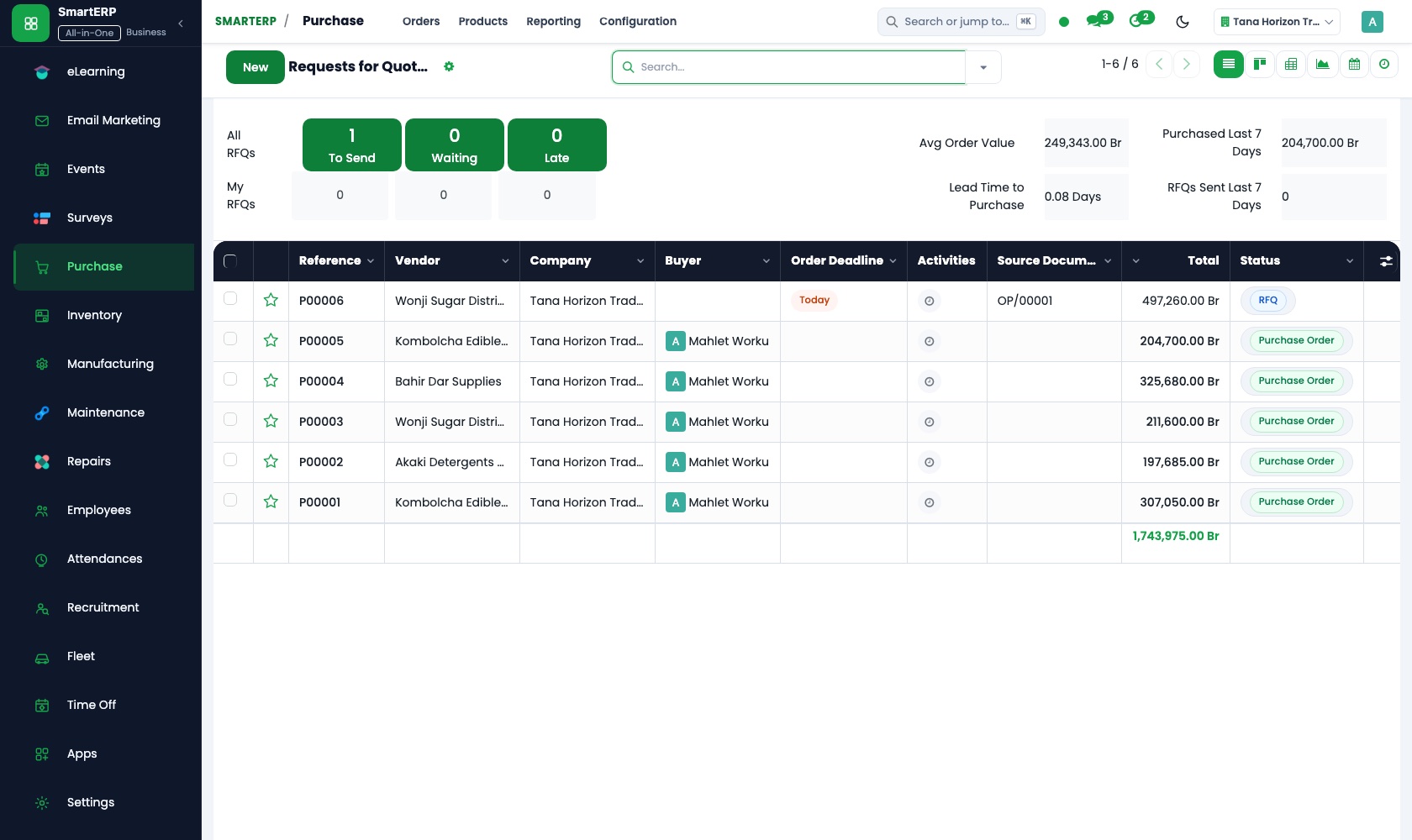
Cherry and parchment are ordered from stations and cooperatives at an agreed price. Three-way matching compares the bags counted at the warehouse with the order and the station's bill.
How the work runs on SmartERP
From an approved sample to a contract invoice
A buyer approves a sample, the contract is confirmed against a specific lot, the bags are shipped and the contract is invoiced.
- Sales: Quotations and sales orders Confirm the contract quantity and price for the lot the buyer cupped and liked.
- Inventory: Lots and serial numbers Assign the named lot to the contract, so the bags loaded are the ones the sample came from.
- Inventory: Receipts and deliveries Record the bags leaving the export warehouse for the port.
- Sales: Delivery and invoicing status See which contracts are shipped in full and which still have bags to load.
- Accounting: Customer invoices and credit notes Invoice the buyer for the shipped lot and correct it with a credit note if a claim is agreed.
From a producer's delivery to the cost of a lot
Coffee is ordered from a station or cooperative, checked on receipt, valued in stock and paid, so each lot's cost is known.
- Purchase: Vendor records Record each washing station and cooperative with the coffee it supplies and the payment terms agreed.
- Purchase: Purchase orders Agree the quantity and price before the season's deliveries arrive at the warehouse.
- Purchase: Receipts and three-way matching Compare the bags counted at the warehouse with the purchase order and the station's invoice before paying.
- Inventory: Stock valuation and adjustments Read what each lot cost as it stands in the warehouse and record any shortfall found later.
- Accounting: Vendor bills and payments Pay the producer or cooperative by bank transfer and keep the balance owed up to date.
Your first month
- First week. We agree how a lot is named, from station and delivery day to contract, and load buyers, stations, cooperatives and warehouses.
- Second week. The accountant sets up the chart of accounts, tax lines and banks, and the storekeeper enters the lots in the warehouse with bag counts and cost.
- Third week. Sales confirms one real contract against a named lot and follows it to loading and invoice. Purchasing receives a delivery from a station against its order.
- After go-live. We review the first shipped contracts with you: lot costs, open balances per buyer, and how lots are named at receipt.
What to have ready
- Buyers with billing details and the payment terms on each open contract
- Washing stations, cooperatives and producers you buy from, and what each supplies
- Your lot list today: origin, grade, bags and cost for each lot
- Open contracts with quantity, price and the lot each sample came from
- Bank account details and the opening balances your accountant agrees
Live Platform Interface
The applications on screen
Authentic SmartERP application workspaces configured for coffee export and processing workflows.
Who uses it
- Business owner or general managerSee the whole business and keep every department working on the same records.
- Finance and accountingInvoices, bills, bank and reports from one ledger.
- Sales and customer serviceLeads, quotations, orders and follow-up.
- Purchasing and storesBuy, receive and control stock.
Company sizes
- 11 to 50 people
- 51 to 100 people
What SmartERP does not cover for this industry
SmartERP does not include cupping score records, export permit and customs declarations, shipping-line bookings, letter-of-credit paperwork or hulling and grading machine data. Keep those with your export team; SmartERP holds lots, contracts and money.
Questions about SmartERP for coffee export and processing
Can SmartERP keep our cupping scores and export permits?
No. SmartERP does not keep cupping scores, export permits, customs declarations, shipping-line bookings or letter-of-credit papers. Your export team keeps those; SmartERP holds lots, contracts and money.
How does an approved sample stay tied to the bags we ship?
The contract is a sales order with the named lot assigned in Inventory. The delivery is recorded against it, so shipped bags trace to the lot the buyer cupped.
How do we know what a lot really cost us?
Purchase orders fix price and quantity with each station, and three-way matching compares order, bags received and bill. Inventory stock valuation then shows the cost per lot.
Can SmartERP arrange the shipment to the port?
Shipping and Delivery prices and records delivery of your own goods, adding the cost as a line on the quotation. It does not manage freight forwarding, customs or shipment tracking.
Do Sales, Purchase and Accounting show one figure per contract?
Yes. A sales order feeds the delivery and invoice, purchase receipts feed stock and vendor bills, and Accounting posts from both, so buyer and producer balances come from one ledger.
See it before you decide
One approved sample carried to a shipped lot and its invoice
The walkthrough confirms a contract for a lot a roaster approved, assigns that lot in the warehouse, records the shipment and issues the invoice, on sample data for a fictional exporter.
There is no self-service sandbox. The demo is a guided walkthrough on sample data, or you can start a trial workspace.
Pricing
SmartERP has an industry edition for this sector (Agriculture). The applications listed above are its applications, and the editions, their staff bands and the current prices are on the pricing page. This page shows no price.
Editions for this industry
- Starter: Up to 50 staff
- Enterprise: 51 to 100 staff
- Premium: 101 to 200 staff
The edition installs Accounting, Finance, Smart Inventory, Smart Purchase, Sales, Inventory, Purchase. This list is read from the same catalogue the sign-up uses.
See plans and pricingEnterprise Website Template for coffee export and processing
Launch your modern, responsive commercial website without writing code. This template is pre-engineered for coffee export and processing with localized Ethiopian workflows, dual English and Amharic content, and automatic SmartERP CRM lead capture.
Authentic Credentials & Client Sign-Offs in coffee export and processing
Inspect real official recommendation letters and handover documentaries from organizations running on SmartERP.
Teleport Technologies Recommendation
"Successfully delivered fully functional system managing stock, sales, financial records, and payroll for 210+ staff across Ethiopia."
Inspect Official Recommendation →Credoks Digital Implementation Sign-Off
"Exceptional technical expertise, professionalism, and deep understanding of our operational needs across procurement and payroll."
Inspect Official Recommendation →Transform Your coffee export and processing Operations with SmartERP
Experience a localized, unified cloud platform configured for Ethiopian and regional business standards. Book a live walkthrough or start your trial.