POS (Point of Sale)
Well-organized inventory control
Product procurement that works
Accounting module for financial management
What benefits can SmartERP POS bring to your restaurant?
With its flawless design and skillfully created construction, SmartERP will enable your restaurant or baroperations to run without any management challenges.
- Cost of food analysis
- Materials management
- Manage consumer loyalty programs
- Control your floors and tables.
- Employee management that is committed
- Total financial management
- Experience fine dining
- Efficient Ordering
POS (Point of Sale)
A separate operational module defines the whole retail and front desk counter management for restaurants and bars.
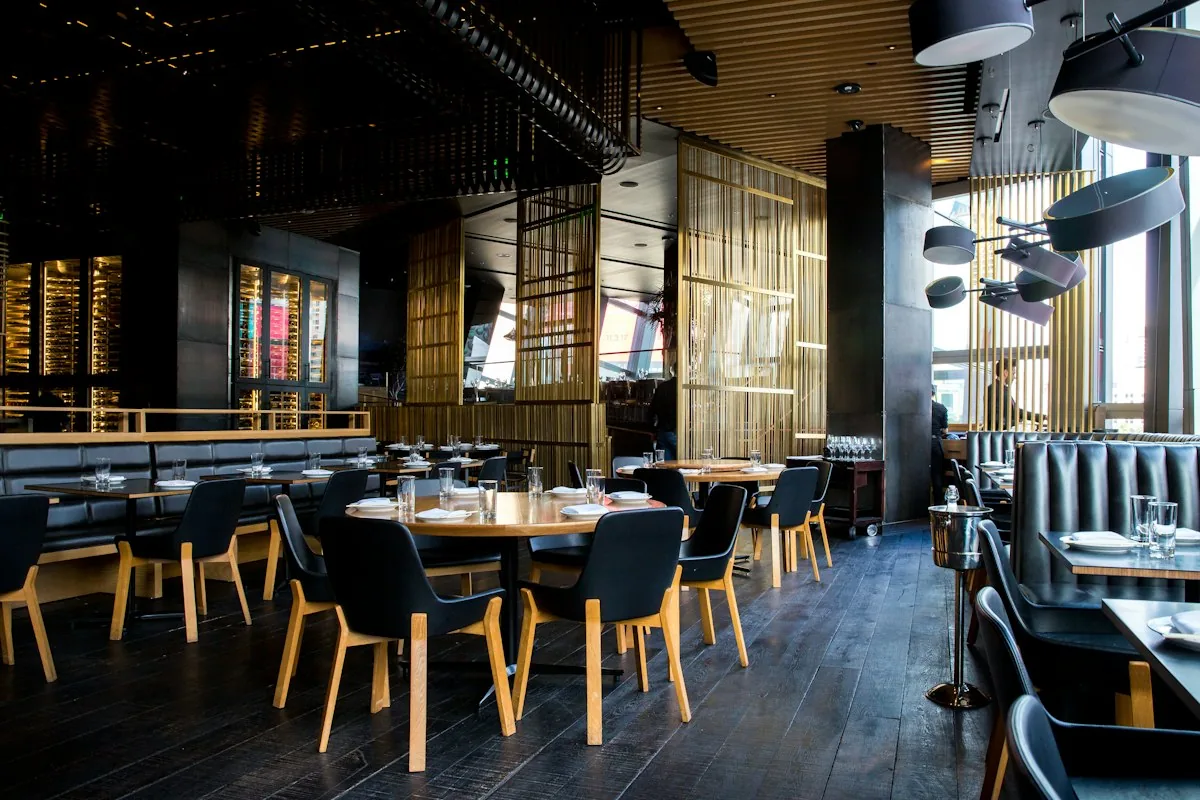
Table and trail management
Bill splitting and merging capabilities
Assign personnel to their appropriate tables
Programs to reward loyal customers
Smart touch displays are required for operation
Control of kitchen operations integrated
Send orders to kitchens directly
Price list administration
Waiters' tips
Well-organized inventory control
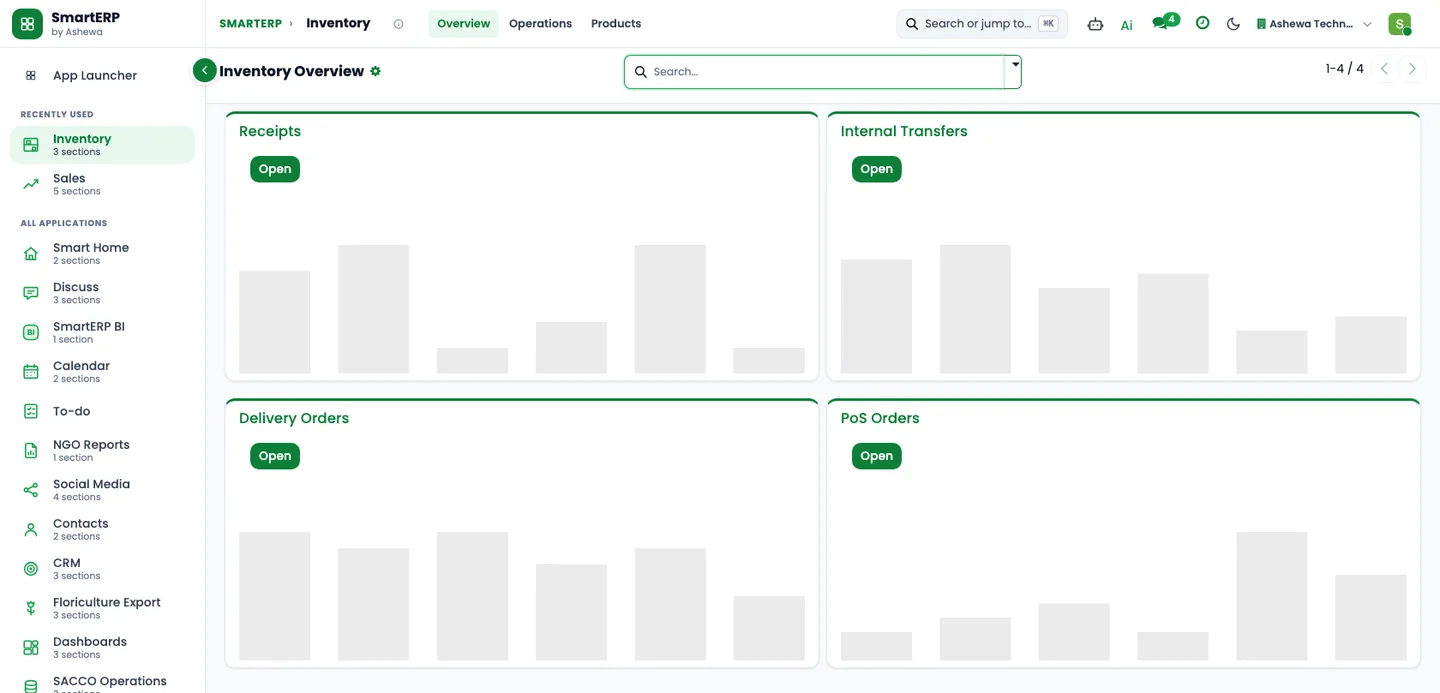
The dedicated warehouse and inventory management module will provide you comprehensive control over your restaurant or bar's ingredients as well as drink stock management.- Inventory management in real-time
- Define the product's expiration date.
- Description of serial and lot numbers
- Dedicated storage space
- Connectors for food delivery shipping
- Choosing in groups
- The packaging of a product
- Ingredients with barcodes and scanners for identification
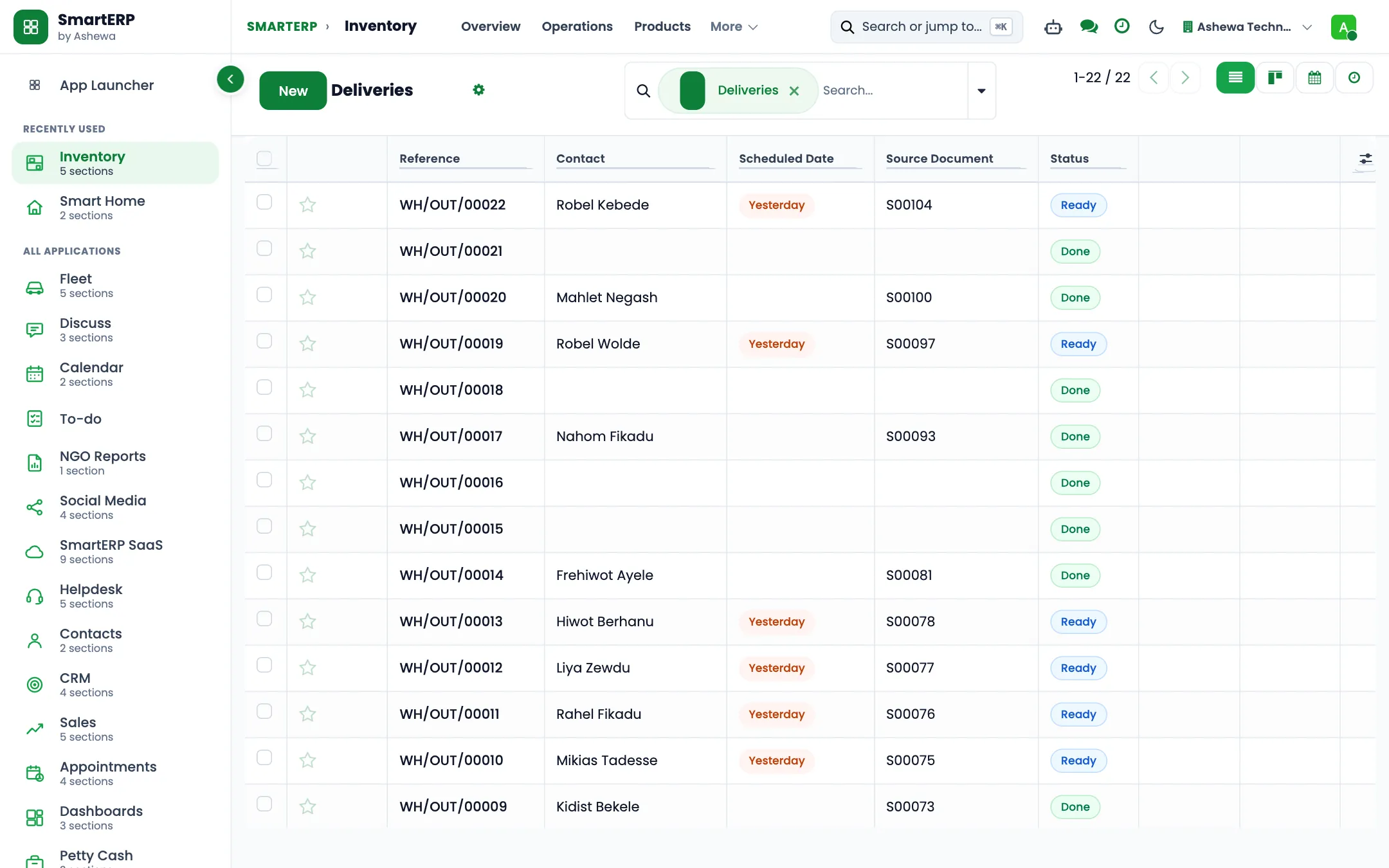
Product procurement that works
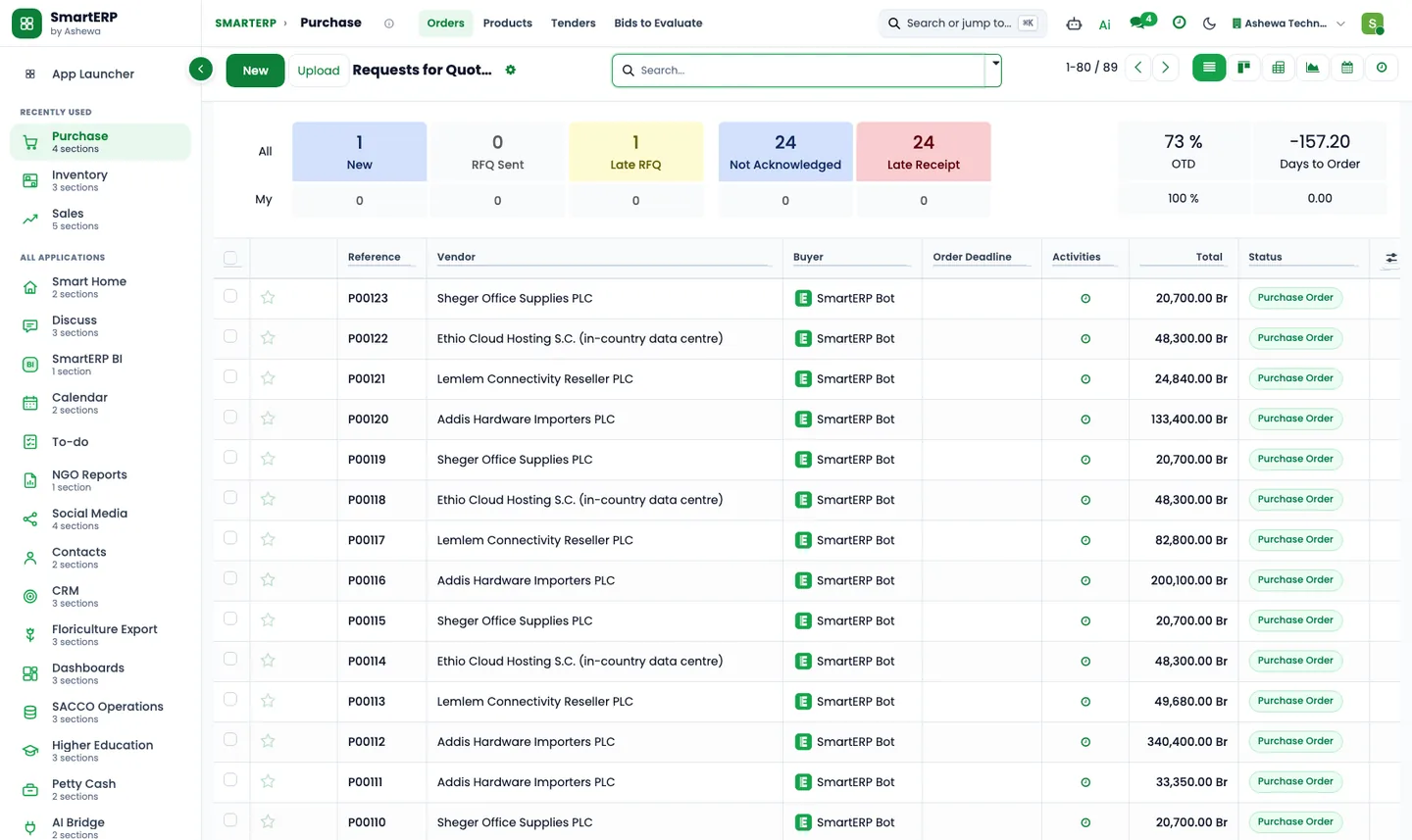
Source your materials from various sources, and use specialized tools to manage the operations successfully.
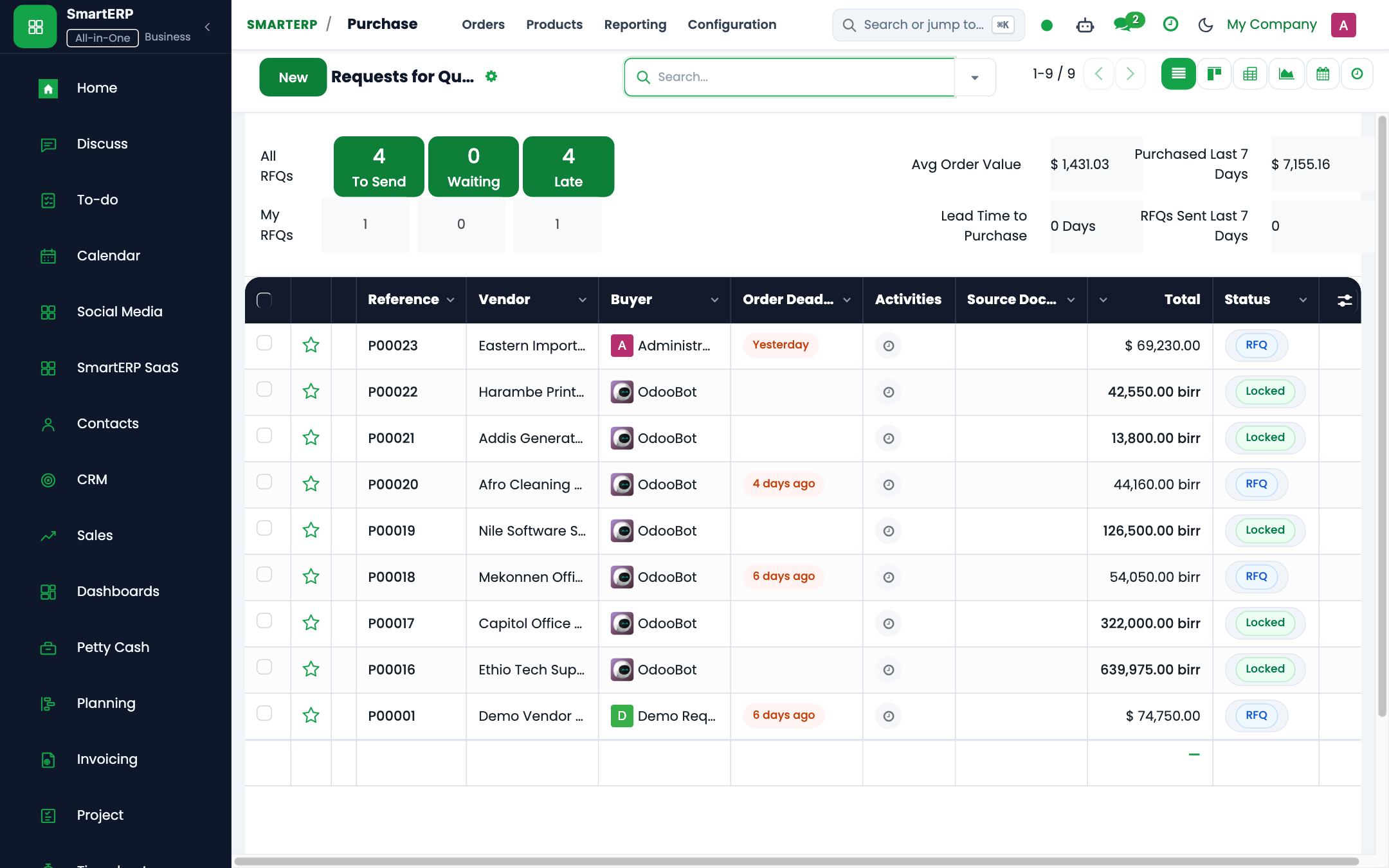
Purchase from several sellers
Tenders are being sought.
Purchase contracts
Define product categories and characteristics.
Three-way matching on purchase receipts and bills
Plan on and schedule preventive maintenance activities
Accounting module for financial management
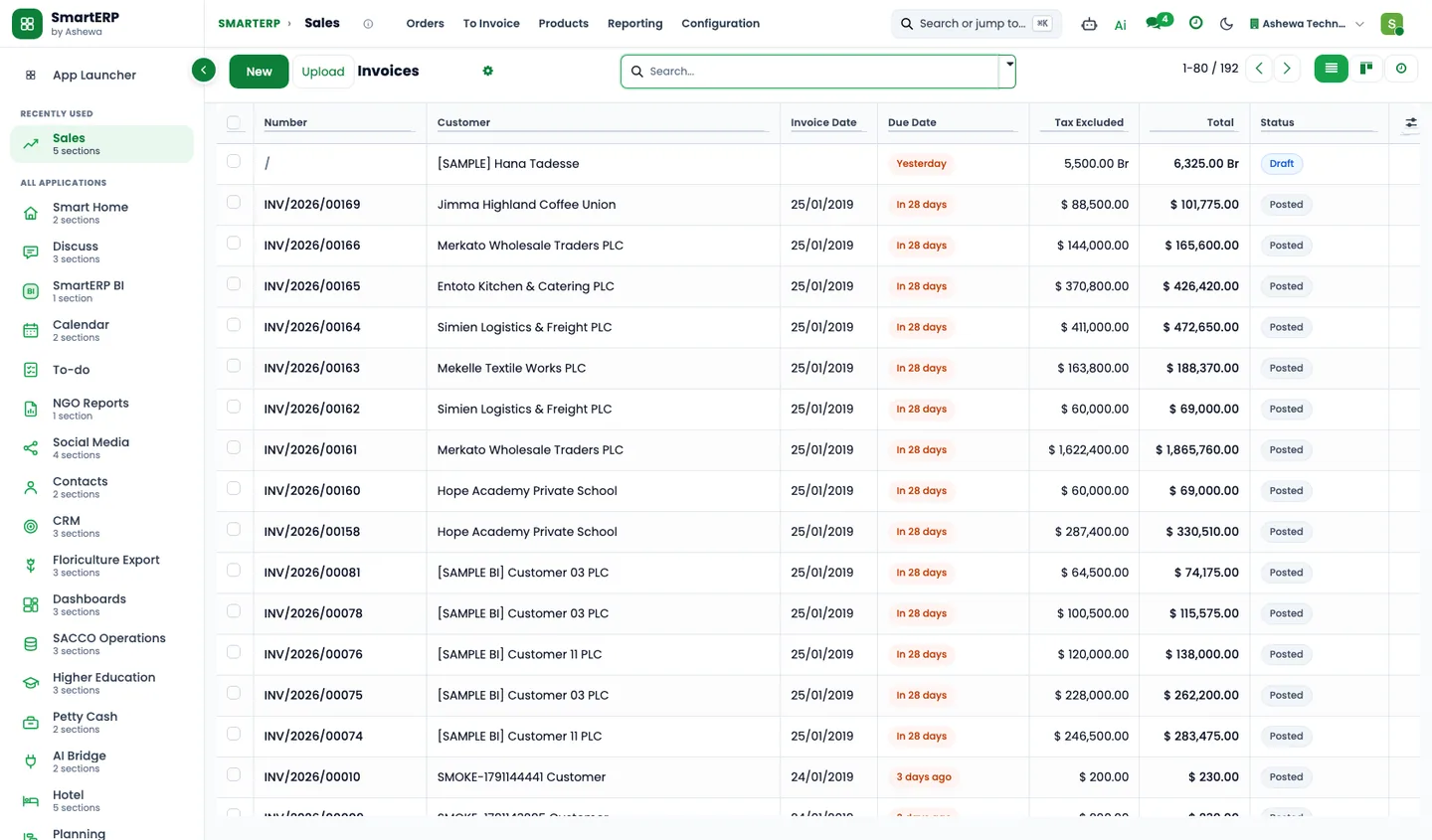
The SmartERP accounting module can handle all bill payments, invoicing, and other elements of financial operations.- Make detailed invoices.
- Payment of vendor bills
- Define the taxes associated with restaurant or bar operations.
- Payment check-ins
- Management of multiple currencies
- Transfers between banks
- Accept payments from a variety of sources.
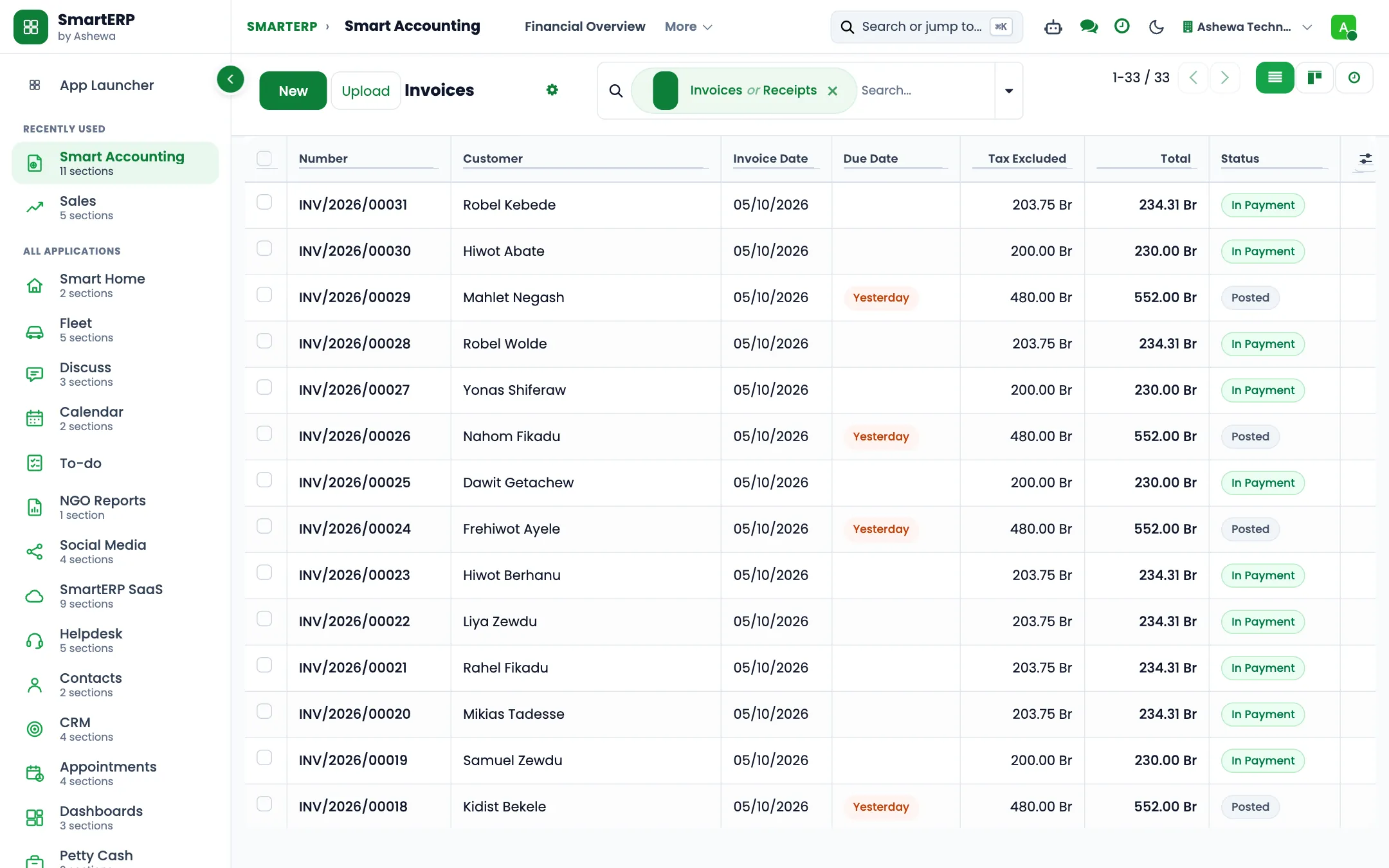
Cost Management
Track and analyze production costs, including material, labor, and overhead costs, to ensure profitability. Allocate costs to specific products or production orders for accurate cost accounting. Compare standard costs with actual production costs to identify variances and improve cost controlReporting and Analytics
Generate detailed reports on production performance, including efficiency, yield, and downtime. Analyze production costs with customizable reports to identify cost-saving opportunities. Create custom dashboards to monitor key performance indicators (KPIs) and manufacturing metrics in real time.The industry
A restaurant is a fast loop from table to kitchen to stock to till
- Orders and tables are tracked on paper, so mistakes show up at the bill.
- Food cost is guessed because recipes and stock are not connected.
- Purchasing follows habit, not what the kitchen used.
- Daily takings are reconciled by hand at the end of the day.
How the work flows
From the first step to the management dashboard
The till, the recipe list, the store and the books share records, so what is sold reduces stock and the cost of what was cooked is visible.
Beyond a generic ERP
What goes further for this industry
Tables and orders at the till
Point of Sale with a floor plan for table service.
Recipes as bills of materials
Record what goes into each dish using Manufacturing.
Industry configuration packs (hotel, construction, restaurant)
Coming soon
Ready-made starting configurations. Not offered yet.
Management visibility
What management sees
A sales dashboard by day and product, and stock and purchases next to it, from the same records as the till.
What changes
The outcome, without invented numbers
- What is sold reduces stock automatically.
- Daily takings arrive in accounting without retyping.
- Purchasing can follow what was used, not what was remembered.
Not included: Integrations with online delivery apps are not offered today.
Built for you
Who this solution is for
Owner-managed restaurants, cafes and fast-food outlets with one to a few sites that run a point-of-sale till, buy from named suppliers and keep staff on a rota.
Typical size: up to 10 people, 11 to 50 people, 51 to 100 people.
How it works
Your work, step by step in SmartERP
The routine of this industry, followed from the first step to the money in the bank.
From a served table to a closed till session
- Waiter or cashier enters the table's order on the point-of-sale till.
- The guest pays in cash or by bank transfer; each is a separate payment method.
- At closing the cashier counts the drawer and the till shows any difference.
- Finance matches the evening deposit and transfers to the day's session in bank and cash.
From a low shelf to a checked supplier delivery
- A reorder rule flags oil, flour, onions or drinks that fall below the minimum.
- The purchasing officer asks named suppliers for a quotation and confirms a purchase order.
- The storekeeper receives the delivery and compares it with the order and the supplier's paper bill.
- Finance enters the vendor bill against the order and schedules the payment.
From a catering enquiry to an invoice
- The manager prepares a quotation for a staff lunch or event dinner from the menu.
- The client confirms and the quotation becomes a sales order.
- After the event the order is invoiced and the client's payment is matched in bank and cash.
From a staff check-in to reviewed hours
- Each cook, waiter and cleaner has one employee record with a job position and department.
- Staff check in and out on the shared kiosk screen with a badge or PIN.
- The manager reviews the worked hours and corrects a missed check-out; attendance records hours only and does not calculate pay.
In the product
The core applications it runs on
Real SmartERP screens with sample data: every company, person and figure shown is invented.
Who uses it
Each person sees their own work
- Restaurant manager
- Cashier
- Kitchen manager
- Purchasing officer
- Accountant
- Storekeeper
Access follows the role: people see and change only what their job needs.
What you can follow
Figures management asks for
- Sales by product and day (Restaurant manager)
- Average order value (Restaurant manager)
- Purchases by supplier (Purchasing officer)
- Stock on hand by product (Storekeeper)
- Items below the reorder level (Kitchen manager)
- Food cost per dish (Restaurant manager) Coming soon
Documents
Printed and shared from the system
- Point-of-sale receipt
- Purchase order
- Customer invoice
What you get
What is included, and what comes next
Included from day one
- Menu categories and an ingredient catalogue
- Daily and weekly follow-up activities
- Supplier and customer tags
- Kitchen, floor and store departments and job positions
- Till categories, with the goods that are sold over the counter placed on the till
- Planning roles and shift templates for the industry's staffing pattern, applied where the SmartERP Planning module is installed
- Approval workflows by job position, applied where SmartERP Approvals is installed, with no amount limits
- Separate storage locations for stock
What comes next Coming soon
- Floor plan with table status
- Kitchen order screen
Available on request
- Recipe costing
Delivered through implementation for your business.
What this solution does not do
table reservation book; mobile-wallet payments at the till; salaries calculated from worked hours. For these, SmartERP works next to other specialised software or a manual process; ask us how.
SmartERP for restaurants
Applications, pricing and next steps
Applications
Start with these applications
The starting set of the Restaurant industry edition (required and recommended applications).
Pricing
Industry edition: Restaurant
An industry edition bundles the applications this industry typically uses, priced per company per year. Pricing by application and user per year is the alternative.
Services for your rollout
Quick Service Request