Project budgets and cost controls
How SmartERP Project Controls monitors project budgets, aggregates actual costs from timesheets and vendor bills, computes Estimate at Completion, and alerts on variances.
Project profitability depends on continuous visibility into actual expenditures against planned baselines. SmartERP Project Controls (smarterp_project_controls) automates financial tracking by linking project operational execution directly to the analytic accounting ledger.
[projects-controls-sources]
Budget lines and cost categories#
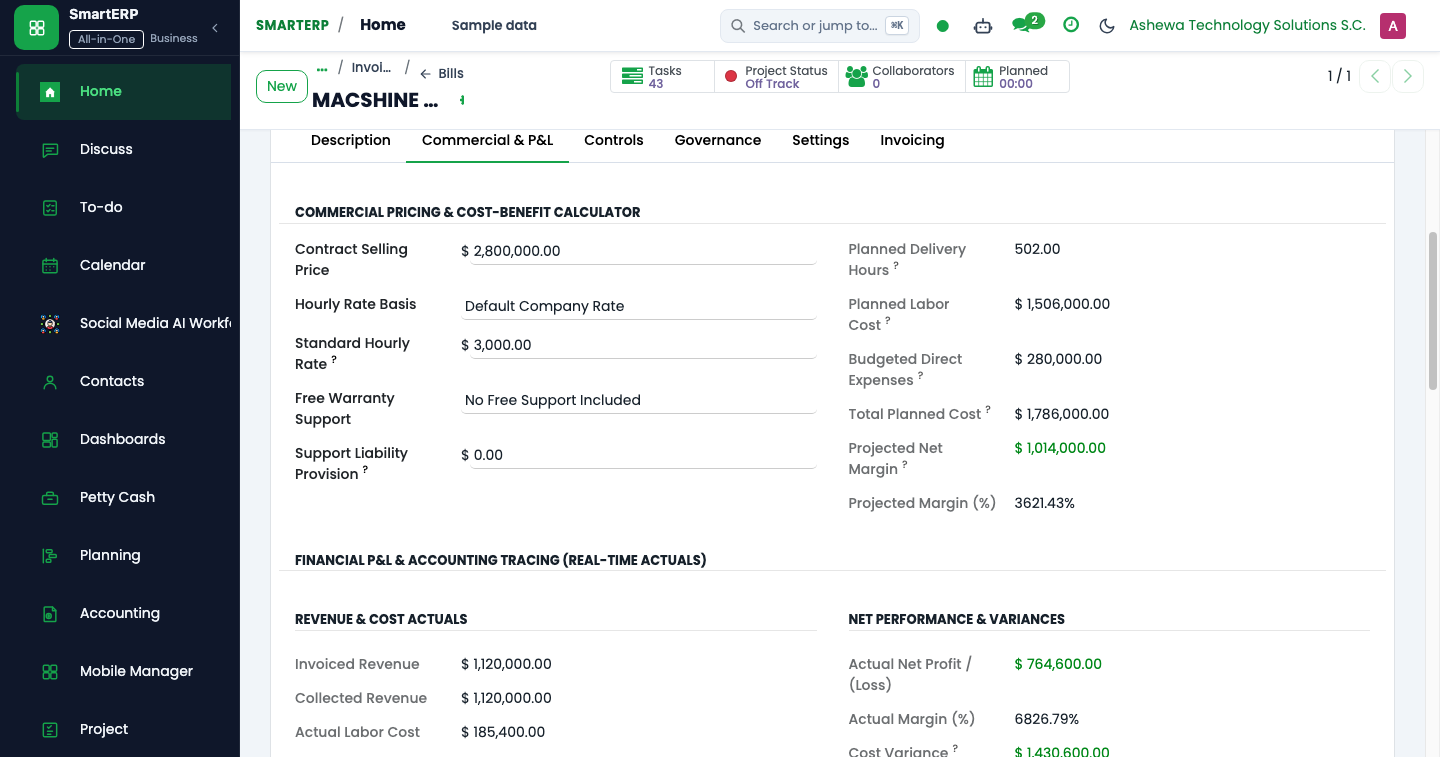
During project planning (Gate 1), the Project Manager establishes the cost baseline by defining budget lines (project.budget.line) across standardized expenditure categories:
- Internal Labor: Engineering, design, and PM timesheet costs calculated from employee hourly rates.
- External Subcontracting: Specialist consultancy, outsourced development, and vendor services.
- Software & Licenses: Third-party subscriptions, cloud infrastructure, and software licenses.
- Equipment & Hardware: On-premise server appliances, test devices, and specialized hardware.
- Travel & Incidentals: Site visits, transport allowances, and per-diem accommodations.
Each budget line records the Planned Cost, which forms the financial baseline of the project.
Aggregating actuals and Earned Value metrics#
As work proceeds, costs accumulate automatically without manual ledger entries:
- Labor Costs: When employees log hours in timesheets, SmartERP calculates labor cost by multiplying hours by the resource's analytic cost rate and posts the amount to the project's analytic account.
- Material and Vendor Costs: Vendor bills linked to the project's purchase orders post directly to the project's analytic account upon invoice validation.
- Percent Complete: Calculated dynamically from the completion ratio of deliverable tasks ($\frac{\text{Completed Deliverables}}{\text{Total Planned Deliverables}}$).
Estimate at Completion (EAC) formula#
To project whether a project will finish within budget, SmartERP computes the Earned Value metric Estimate at Completion (EAC):
$$\text{EAC} = \frac{\text{Actual Cost}}{\text{Percent Complete}}$$
If actual spending outpaces deliverable progress, the EAC expands beyond the original baseline budget, indicating impending cost overrun.
Budget health statuses#
SmartERP continuously monitors variance between budget baselines and EAC forecasts:
[projects-budget-status]
| Status | Trigger condition | Operational meaning |
|---|---|---|
No budget (none) | No budget lines have been configured for the project. | Unbudgeted project; financial controls inactive. |
On track (ok) | EAC is within baseline budget, and spending matches task progress. | Project is executing within financial parameters. |
Warning (warning) | EAC exceeds baseline budget, or burn rate exceeds progress by > 5%. | Financial variance detected; PM review required. |
Overrun (critical) | EAC or actual cost exceeds baseline budget plus contingency tolerance (> 10%). | Severe budget overrun; executive escalation triggered. |
Automated daily variance alerts#
A daily background cron (ir_cron_project_budget_status_check) evaluates financial variance across all active projects:
- Detects state transitions (e.g., from
oktowarningorcritical). - When a status degrades, SmartERP sends an immediate notification activity to the Project Manager, CFO, and Governance PMO controller.
- Prevents notification fatigue by sending exactly one alert per status transition.