Project financial reports and analytic accounting
How SmartERP filters standard accounting reports by project, isolates revenue and costs across analytic distributions, and generates financial statements.
Standard accounting ledgers aggregate financial activity across the entire legal entity, making project-specific profitability difficult to isolate. SmartERP integrates project-based reporting (project_based_report) directly into core financial statements to allow dynamic filtering by individual projects or project portfolios.
[projects-report-filters]
How project filtering works#
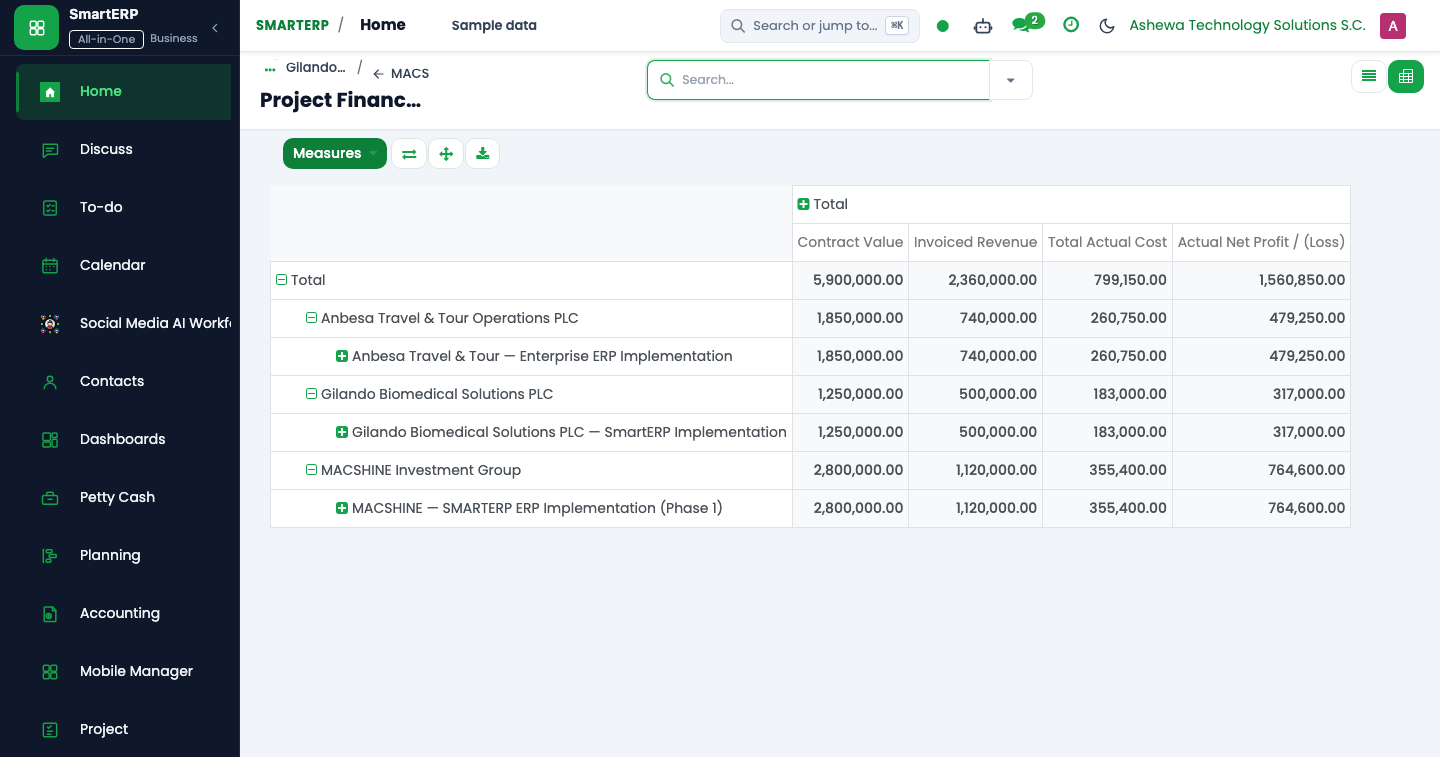
When generating financial statements, choosing a project in the report parameters applies specific analytic filters depending on the ledger type:
| Report | Filtering logic | Data source |
|---|---|---|
| General Ledger | Matches general ledger account moves where the project_id field explicitly links to the selected project. | General journal items (account.move.line). |
| Profit & Loss and Balance Sheet | Filters journal entries whose analytic distribution contains the project's linked analytic account (account.analytic.account). | Analytic lines and distribution models. |
| Cash Flow Statement | Analyzes bank and cash journal items associated with project-specific customer receipts and vendor payments. | Bank/Cash journal lines matched to project invoices/bills. |
Analytic distribution on project transactions#
SmartERP automates the tagging of financial transactions to prevent orphan costs:
- Customer Invoices: When billing milestone deliverables or timesheets, the invoice line automatically inherits the project's analytic account.
- Vendor Bills: Procurement purchase orders linked to a project pass the analytic distribution to the resulting vendor bill upon creation.
- Timesheets: Internal labor logged against project tasks creates analytic lines that credit internal labor recovery and debit project work-in-progress.
Generating and exporting reports#
To generate a project-filtered statement:
- Navigate to Accounting $\rightarrow$ Reporting $\rightarrow$ Project Based Reports.
- Select the report type (Profit and Loss, General Ledger, Balance Sheet, or Cash Flow).
- Select the target Project from the drop-down list.
- Specify the date range (supporting both Gregorian and Ethiopian fiscal periods).
- Click Preview for on-screen dynamic drill-down, or click PDF / XLSX to export formatted audit packages for project steering committees and donors.