Collections, group orders and returns for a boutique or clothing label
A fashion business sells ready pieces in several sizes and colours while also taking larger commissions for ceremonies, offices and schools, with deposits and deadlines. SmartERP holds both as sales orders and invoices against the same stock and ledger, so a deposit is never mistaken for a full payment.
Begin with CRM and Sales for enquiries and quotations, Inventory for what is on the rail, and Accounting for deposits and balances. Add the online shop and a till when the label sells beyond its own door. Measurements and tailoring jobs are not stored.
Typical businesses: Fashion boutiques · Clothing labels · Dress and suit shops · Uniform suppliers · Traditional wear stores
Problems this industry runs into
The size a shopper needs is never the one on the rail
Stock is counted by style rather than by size and colour, so a shopper is told a piece exists and then finds only the wrong fit.
Wedding and office orders run on chat messages
A bride's family or an office asks for matching outfits in a chat thread. Quantities, deposits and pickup dates are scattered, and someone rebuilds the total by hand.
Deposits and balances are tracked in a notebook
A shopper pays part now and the rest at pickup, sometimes in cash and sometimes by transfer, and the shop cannot quickly say who still owes what.
Returns and exchanges after an occasion are messy
Garments come back after an event, are swapped for another size or refunded, and stock and the books are corrected late or not at all.
Applications in the Trading and Distribution edition
These applications are the ones the industry edition's blueprint includes. Each opens its own page.
Often added for this industry
What each application does for clothing Store
Accounting
The deposit is invoiced first and the balance at pickup, so a part payment is never mistaken for a full one. A credit note records a dropped piece.
Sales
A group-order quotation template holds styles and prices for a wedding party or an office, and quantities change per family. Once accepted, everyone serving them sees the same order.
Inventory
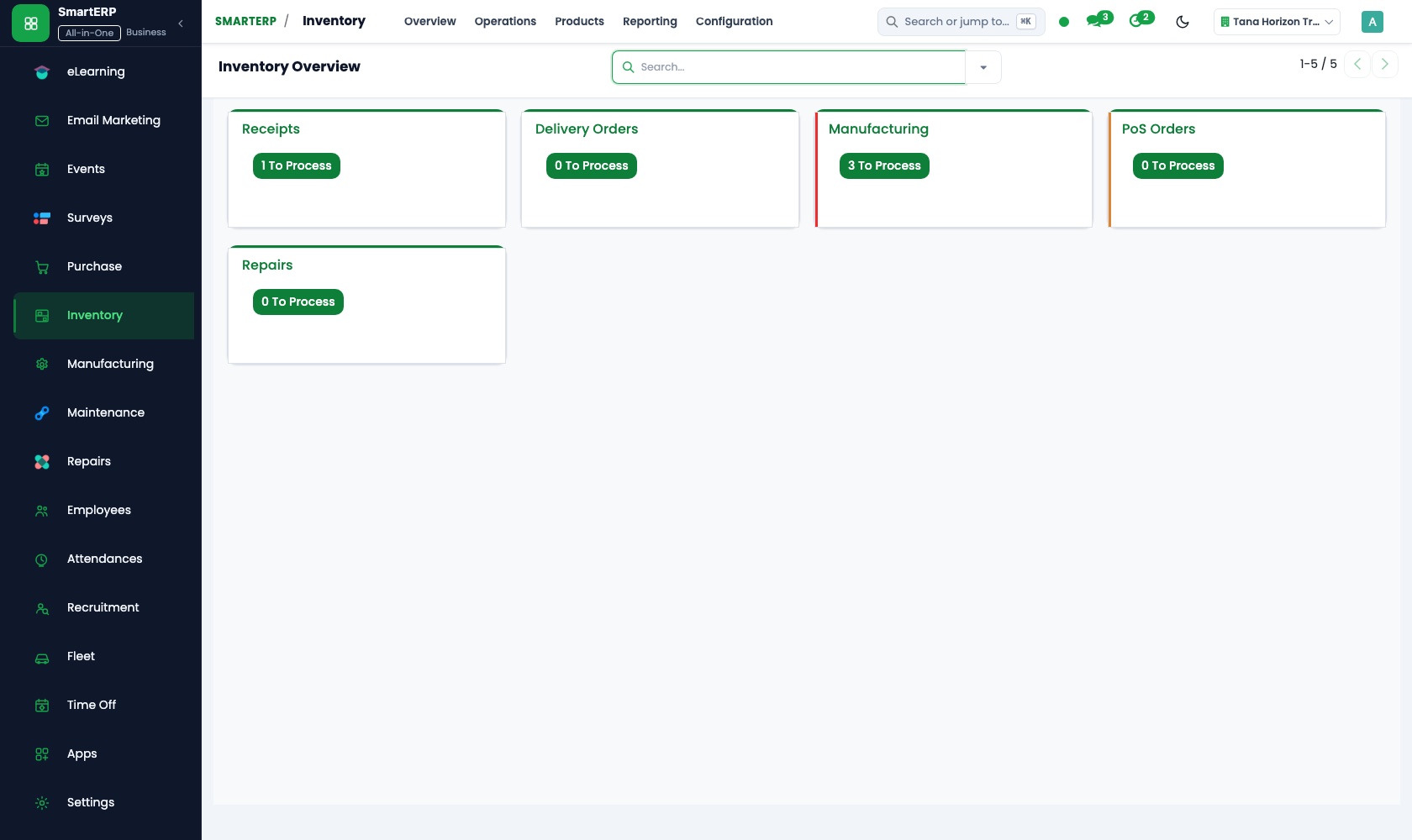
Receipts and deliveries move each piece in and out, including a garment returned after an occasion, and stock reports show what the rail really holds.
Purchase
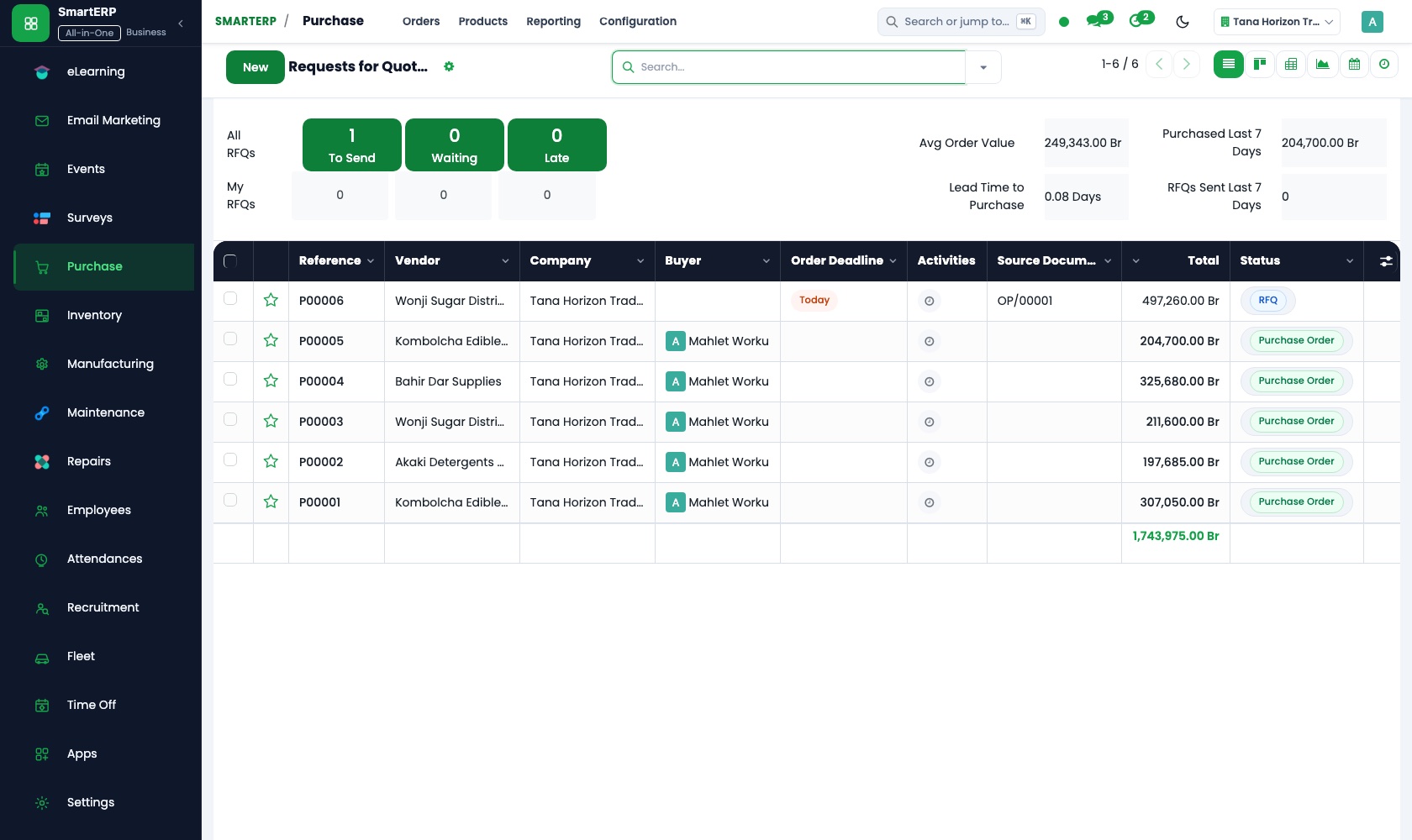
Orders to suppliers of ready pieces are purchase orders, with vendor records keeping price history and lead time. Reorder rules can turn a thin rail into a purchase need.
CRM
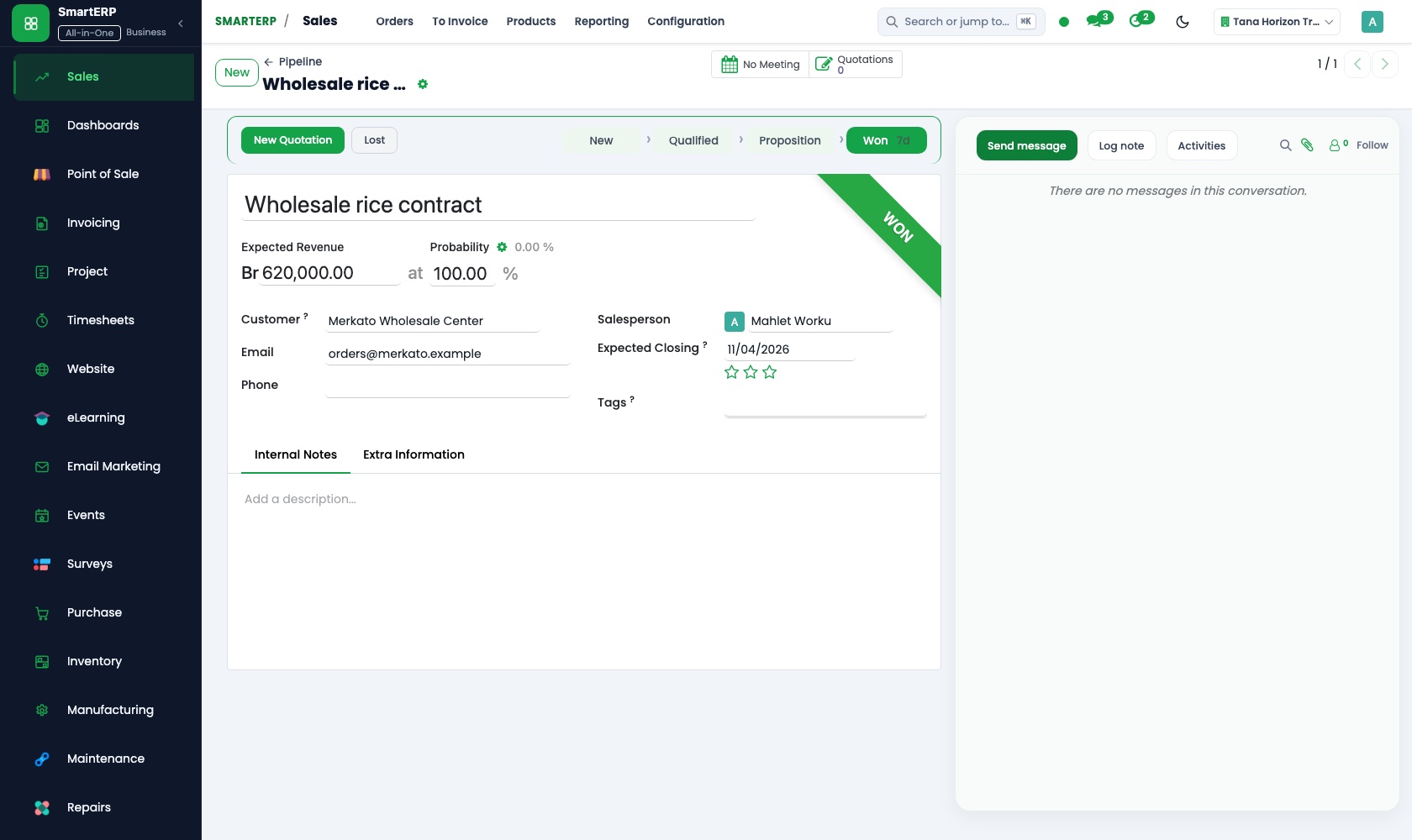
A family or office asking for matching outfits is an opportunity with the number of pieces and the ceremony date, and scheduled activities hold the follow-up call.
How the work runs on SmartERP
A matching order for a wedding party or an office
An enquiry for several outfits is quoted from a template, confirmed with a deposit, and the balance is collected before pickup.
- CRM: Leads and opportunities Log the family or office that wants matching outfits, with the number of pieces and the date of the event.
- Sales: Quotation templates Start from a group-order template and change styles, quantities and prices for this party.
- Sales: Quotations and sales orders Confirm the order once the family accepts, so everyone who serves the customer sees the same order.
- Accounting: Customer invoices and credit notes Invoice the deposit first and the balance at pickup, with a credit note if a piece is dropped.
- Accounting: Bank and cash Record the deposit and the final payment, whether cash at the counter or a bank transfer.
An online order, delivery and an exchange
A shopper orders a dress or suit online, the piece is delivered, and an exchange or refund is written up in stock and accounts.
- E-commerce: Product catalogue online Publish the collection so shoppers can look through the pieces before they visit the shop.
- E-commerce: Cart and checkout The shopper picks a piece and a size, checks out and chooses delivery or collection.
- Sales: Delivery and invoicing status Follow each order to see whether it is packed, handed to the courier or collected, and invoiced.
- Inventory: Receipts and deliveries Book a returned garment back into stock with a receipt when the customer exchanges it.
- Accounting: Customer invoices and credit notes Issue a credit note for a refunded piece or a fresh invoice for the replacement size.
Your first month
- First week. We enter your styles with sizes and colours, agree walk-in and group-order prices, and load past customers and suppliers.
- Second week. Stock is counted rail by rail as opening quantities, the group-order template is built, and your accountant sets up the accounts and bank details.
- Third week. The sales team quotes a real wedding or office order, invoices a deposit and then the balance, and books an exchanged garment back with a credit note.
- After go-live. With the owner we review open deposits, exchanges and stock counts from the first month, and adjust the template and reorder levels.
What to have ready
- Your styles with sizes, colours, cost and selling prices
- A count of the rail and the store, by size and colour
- Open group orders with quantities, deposits and pickup dates
- Suppliers with what you buy from each and lead times
- Bank accounts, opening balances and your invoice wording
The applications on screen
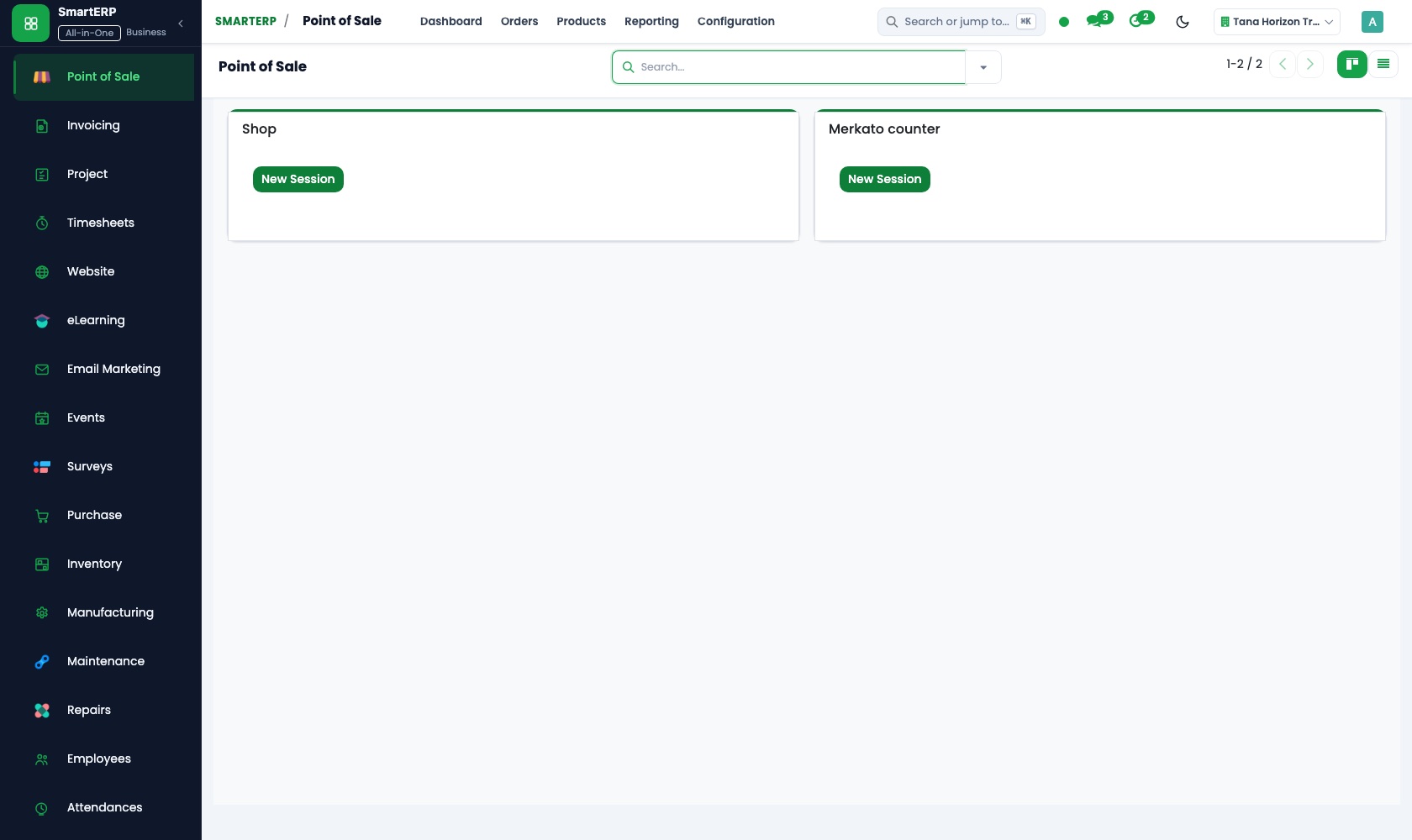
Real SmartERP screens with sample data.


Who uses it
- Business owner or general managerSee the whole business and keep every department working on the same records.
- Finance and accountingInvoices, bills, bank and reports from one ledger.
- Sales and customer serviceLeads, quotations, orders and follow-up.
- Marketing and webWebsite, campaigns and events.
Company sizes
- Up to 10 people
- 11 to 50 people
What SmartERP does not cover for this industry
SmartERP does not hold customer measurements, patterns or a tailoring job board, so made-to-measure details stay in the quotation notes or your own tools. Collection planning and fitting-room scheduling are also outside it.
Questions about SmartERP for clothing Store
Does SmartERP store customer measurements for made-to-measure orders?
No. It holds no measurements, patterns or tailoring job board, and does not plan collections or fitting-room time. Keep those details in quotation notes or your own tools.
How do we take a deposit now and the balance at pickup?
Invoice the deposit from the confirmed order, then the balance at pickup. Each payment, cash or transfer, is matched to its invoice, so the shop can list who still owes what.
Can shoppers order dresses and suits online from the same stock?
Yes, with the optional E-commerce application: the order arrives in Sales and availability comes from Inventory. Online card and mobile-money payment are not offered; use bank transfer or cash on delivery.
What happens when a garment comes back after an occasion?
It is received back into stock in Inventory, and Accounting issues a credit note for a refund or a fresh invoice for the replacement size.
Do the sales, stock and accounting applications work together?
Yes. A quotation in Sales becomes an order, its delivery leaves Inventory, and the invoice posts to Accounting. Purchase receipts join the same stock.
See it before you decide
A wedding-party order from enquiry to final payment
The walkthrough quotes matching outfits for an invented family from a template, invoices the deposit, then collects the balance and records the bank transfer.
There is no self-service sandbox. The demo is a guided walkthrough on sample data, or you can start a trial workspace.
Pricing
SmartERP has an industry edition for this sector (Trading and Distribution). The applications listed above are its applications, and the editions, their staff bands and the current prices are on the pricing page. This page shows no price.
See plans and pricingA website for your business
SmartERP can also set up a starter website for this kind of business, offered as part of a website project: Home, Shop, Collections, Size & Fit, Made to Measure, Care & Returns, Contact. How the website tools work.
Start with what your business needs first
Tell us your industry and we carry it through the guided set-up, or talk to us first.
Start SmartERP Book a demo