Fresh, dry and packaged goods received, sold and paid for in one flow
Perishables, dry goods and household items each move at their own speed, and a supermarket may also supply restaurants, offices and schools in larger quantities. SmartERP treats both as sales against the same stock, with batch numbers recorded on arrival so a spoiled batch can be traced.
Purchase and Inventory come first at the receiving door, then Sales and Accounting for what leaves and what is owed, with the Point of Sale till as an optional addition for the shop floor. Pickup slots and delivery rounds are not scheduled by SmartERP.
Typical businesses: Supermarkets · Grocery stores · Fresh food stores · Household goods marts
Problems this industry runs into
Deliveries are signed for without checking the cartons
Bread, dairy and produce arrive in a rush during opening hours, so short deliveries and wrong items are accepted and only noticed when the supplier's bill is queried.
A spoiled or recalled batch cannot be traced
When one supplier's batch goes bad, nobody can say which shelves or which restaurant orders it reached, so everything from that supplier is pulled.
Shelf prices and till prices drift apart
Prices change with the supplier's latest invoice and are updated shelf by shelf, so the label says one thing and the till another.
Restaurants and schools order by phone from a list
Bulk buyers repeat similar lists each week. Each call is jotted on paper and repriced by hand, and the invoice is prepared later from memory of what was sent.
Applications in the Trading and Distribution edition
These applications are the ones the industry edition's blueprint includes. Each opens its own page.
Often added for this industry
What each application does for grocery Store
Accounting
Supplier bills are paid on the agreed day and each account stays current. Restaurants and schools are invoiced for what was delivered, with a credit note for damaged crates.
Sales
A restaurant's or school's weekly list is saved as a quotation template, priced from its own price list and confirmed each week. Shoppers keep the shelf price.
Inventory
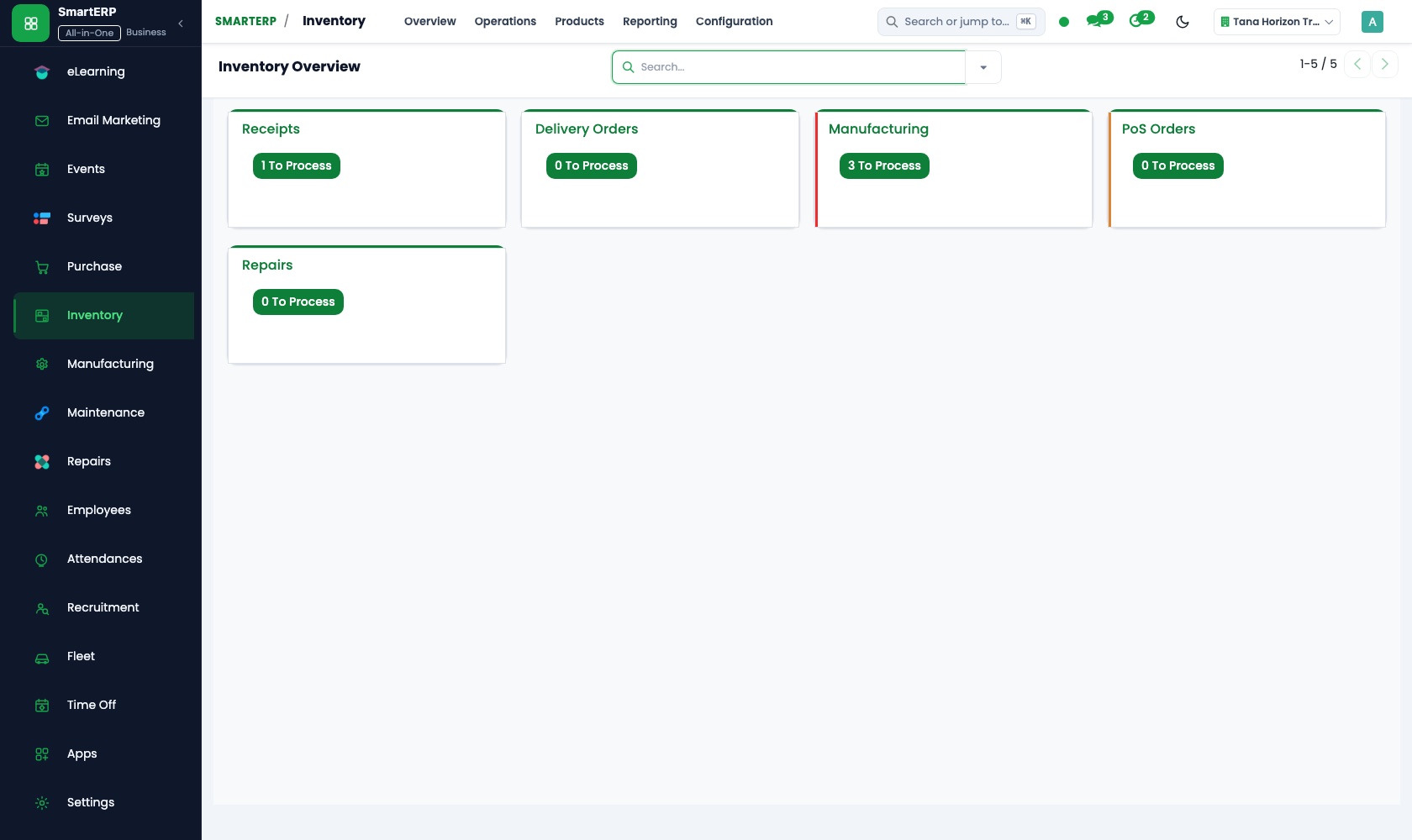
Cartons are counted against the order at the receiving door, and short items are noted at once. Batch numbers on perishable lines let a spoiled batch be traced.
Purchase
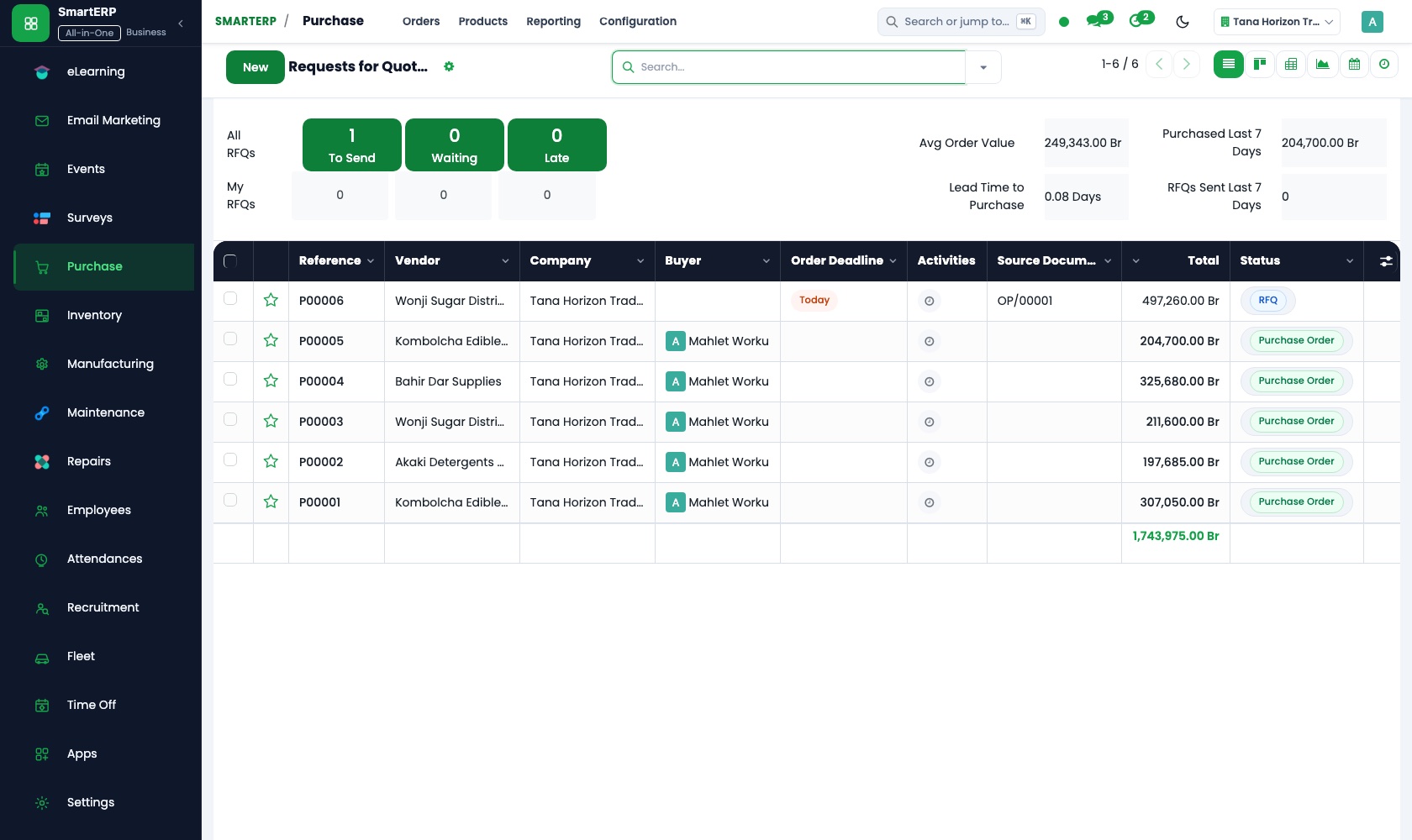
One order per supplier covers the week's dairy, bread and dry goods. Three-way matching compares what was ordered, received and billed, so a supplier is paid for what arrived.
CRM
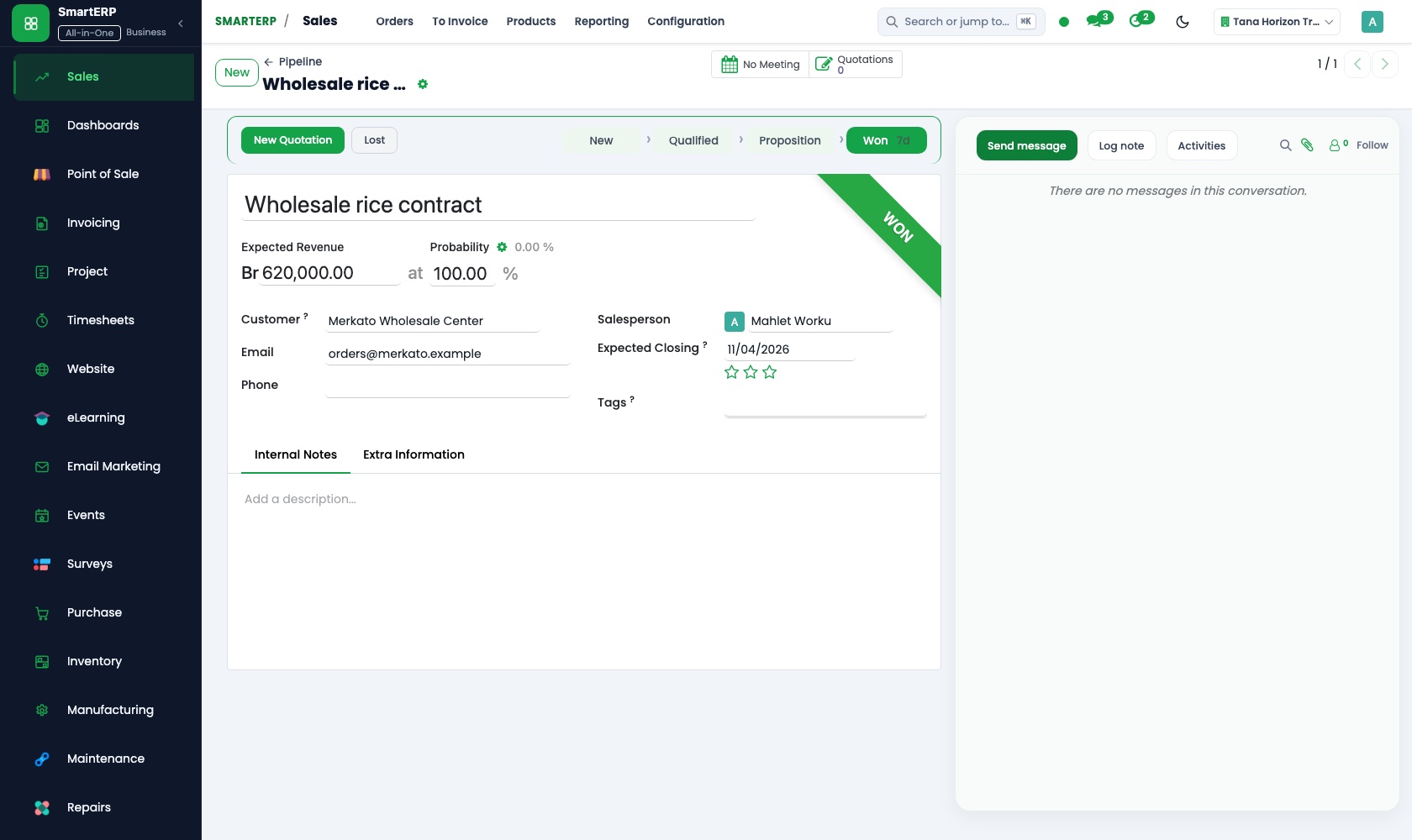
Bulk buyers such as restaurants, hotels and schools are opportunities with a scheduled next call and a named salesperson.
How the work runs on SmartERP
Receiving a supplier delivery batch by batch
Goods ordered from a supplier are counted in, tagged by batch, matched to the order and paid for once the bill agrees.
- Purchase: Purchase orders Order the week's dairy, bread and dry goods with one order per supplier.
- Inventory: Receipts and deliveries Count the cartons at the door against the order and record short or damaged items at once.
- Inventory: Lots and serial numbers Record the batch on each perishable line so the goods can be traced to what was sold.
- Purchase: Receipts and three-way matching Compare order, receipt and bill so the supplier is paid only for what was delivered.
- Accounting: Vendor bills and payments Pay the supplier by transfer or cash on the agreed day and keep their account current.
A weekly supply list for a restaurant or school
A standing list becomes a priced quotation, is confirmed each week, delivered from store stock and invoiced to the buyer.
- Sales: Quotation templates Save the restaurant's or school's usual list as a template and reuse it instead of retyping items.
- Sales: Price lists and discounts Apply the bulk price for institutions instead of the shelf price that shoppers pay.
- Sales: Quotations and sales orders Confirm this week's quantities as a sales order after the buyer changes a few lines.
- Inventory: Receipts and deliveries Prepare the delivery from store stock, so the goods leave the same stock the tills sell from.
- Accounting: Customer invoices and credit notes Invoice the delivered lines and credit anything returned, such as damaged crates or short goods.
Your first month
- First week. We load products with categories and shelf prices, suppliers with what each delivers, and bulk buyers, and agree which perishable lines carry batch numbers.
- Second week. Shelf and store locations are set up, opening stock is counted in, the institution price list is built, and your accountant prepares the accounts.
- Third week. The receiving team books in a real delivery and records a short item, and the sales desk turns a saved weekly list into an order and an invoice.
- After go-live. With the owner and the buyer we check the first supplier bills against receipts, then adjust order sizes, price lists and batch recording.
What to have ready
- Your product list with categories, cost prices and shelf prices
- Suppliers with what each delivers and the days deliveries arrive
- Standing weekly lists of restaurants, hotels and schools
- Which perishable lines you want traced by batch
- A count of the shelves and the back store today
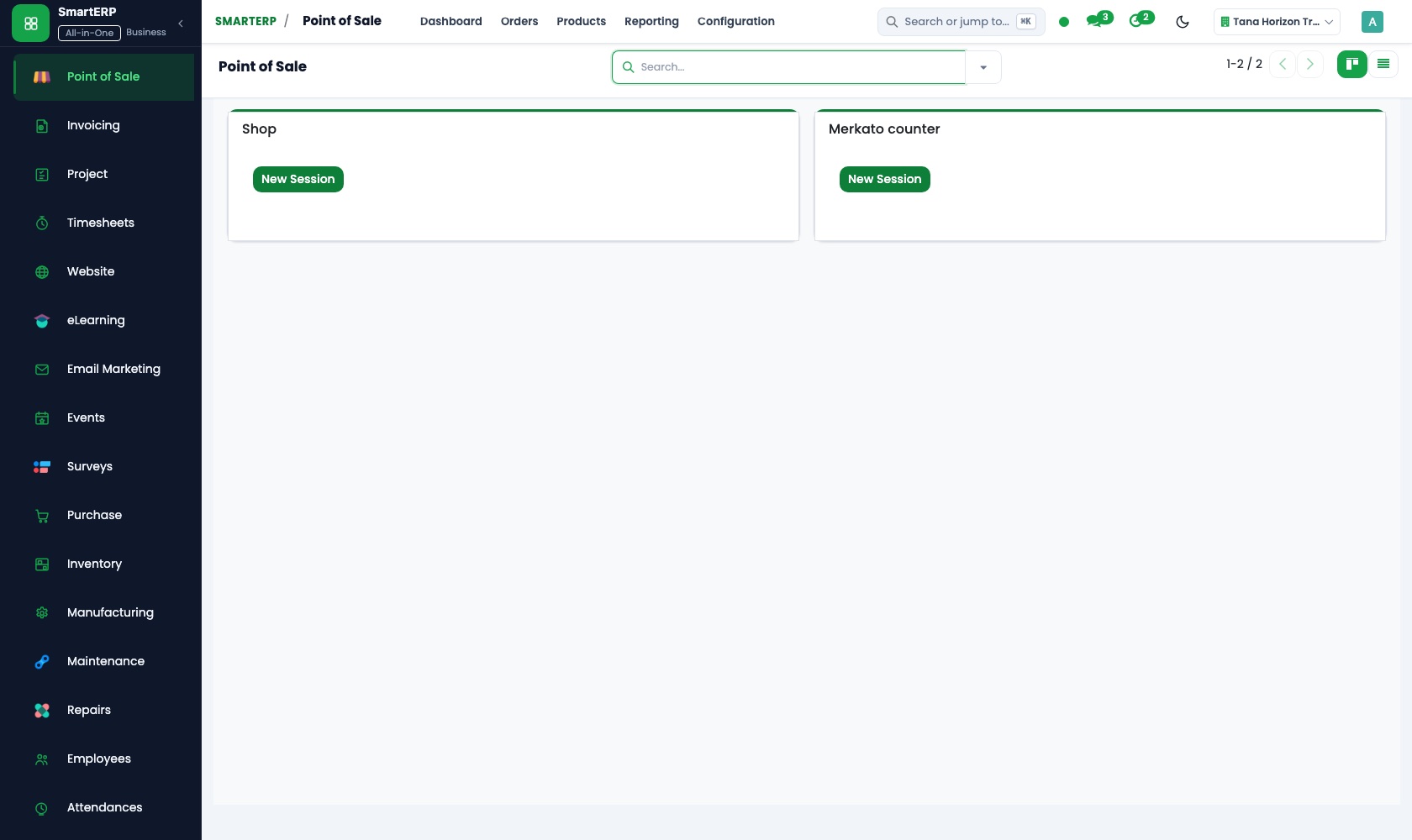
The applications on screen
Real SmartERP screens with sample data.


Who uses it
- Business owner or general managerSee the whole business and keep every department working on the same records.
- Finance and accountingInvoices, bills, bank and reports from one ledger.
- Sales and customer serviceLeads, quotations, orders and follow-up.
- Purchasing and storesBuy, receive and control stock.
Company sizes
- 11 to 50 people
- 51 to 100 people
What SmartERP does not cover for this industry
SmartERP does not schedule pickup slots or delivery rounds and does not link to a fiscal cash machine. Basket building for shoppers happens outside it; your staff enter bulk orders.
Questions about SmartERP for grocery Store
Can SmartERP schedule delivery rounds or pickup slots?
No. It does not schedule pickup slots or delivery rounds and does not link to a fiscal cash machine. Staff enter bulk orders; shoppers do not build baskets in SmartERP.
If one supplier's batch goes bad, can we tell where it went?
Yes, where the batch number was recorded on receipt. Inventory tracks batches, so goods can be followed to the deliveries and orders that used them.
Do shelf prices and till prices come from the same list?
With the optional Point of Sale application, yes: the till uses the same catalogue and price lists as Sales. The paper label on the shelf remains a task for your staff.
How do we make sure we only pay for what was delivered?
Purchase compares the order, the receipt and the bill. A short item recorded at the door shows up in that comparison, and Accounting pays the bill that agrees.
Can a restaurant get its own price and a weekly invoice?
Yes. Give the restaurant a price list in Sales, reuse its weekly list as a template, deliver from store stock and invoice the delivered lines in Accounting.
See it before you decide
A dairy and bread delivery received batch by batch
The walkthrough receives a supplier delivery batch by batch, matches it to the bill and shows the stock the tills will sell from, using invented records for a supermarket.
There is no self-service sandbox. The demo is a guided walkthrough on sample data, or you can start a trial workspace.
Pricing
SmartERP has an industry edition for this sector (Trading and Distribution). The applications listed above are its applications, and the editions, their staff bands and the current prices are on the pricing page. This page shows no price.
See plans and pricingA website for your business
SmartERP can also set up a starter website for this kind of business, offered as part of a website project: Home, Shop, Aisles, Pickup & Delivery, Bulk Orders, Our Store, Contact. How the website tools work.
Start with what your business needs first
Tell us your industry and we carry it through the guided set-up, or talk to us first.
Start SmartERP Book a demo