SmartERP for professional services
Keep the catalogue of scoped services, the tasks behind each one, the hours spent and the invoice in a single place, so small jobs stop costing more than they earn.

One desk to sell, deliver and bill small pieces of support for many clients
A business support firm sells many small pieces: help setting up a company, a month of bookkeeping support, a training day, a plan for the year. Each is easy to sell and easy to under-price. SmartERP links the quotation to the task list, the hours booked and the invoice.
Start with CRM and Sales to price the catalogue, then Project and Timesheets to deliver and record time, and Accounting to invoice and reconcile. A retained client simply gets a new project for each month or quarter of support.
Typical businesses: Business support firms · Bookkeeping offices · Company set-up agents · Business advisers · Training and coaching firms
Problem-to-Solution Matrix
How SmartERP systematically replaces traditional operational bottlenecks with automated enterprise workflows in professional services.
Small jobs are sold at a price nobody checked against effort
A set-up pack or a training day is quoted from habit. Later no one can say whether the hours it took were covered by the fee.
Automated end-to-end workflow on a unified PostgreSQL database with real-time audit trail and zero duplicate entry.
Client requests arrive by phone, chat and visit
An owner asks for a staff contract review, a plan for the year and a training day in the same week. Requests are remembered rather than logged, so some wait.
Automated end-to-end workflow on a unified PostgreSQL database with real-time audit trail and zero duplicate entry.
Extra hours beyond the scoped fee are given away
Calls, revisions and second visits go past what was quoted. With no hours written against the client, the extra work is never charged.
Automated end-to-end workflow on a unified PostgreSQL database with real-time audit trail and zero duplicate entry.
A retainer client's month is hard to explain at invoice time
Retained clients ask what they paid for. Without the tasks done and hours spent, the invoice is defended from memory.
Automated end-to-end workflow on a unified PostgreSQL database with real-time audit trail and zero duplicate entry.
Applications in the Professional Services edition
These applications are the ones the industry edition's blueprint includes. Each opens its own page.
What each application does for professional services
Accounting
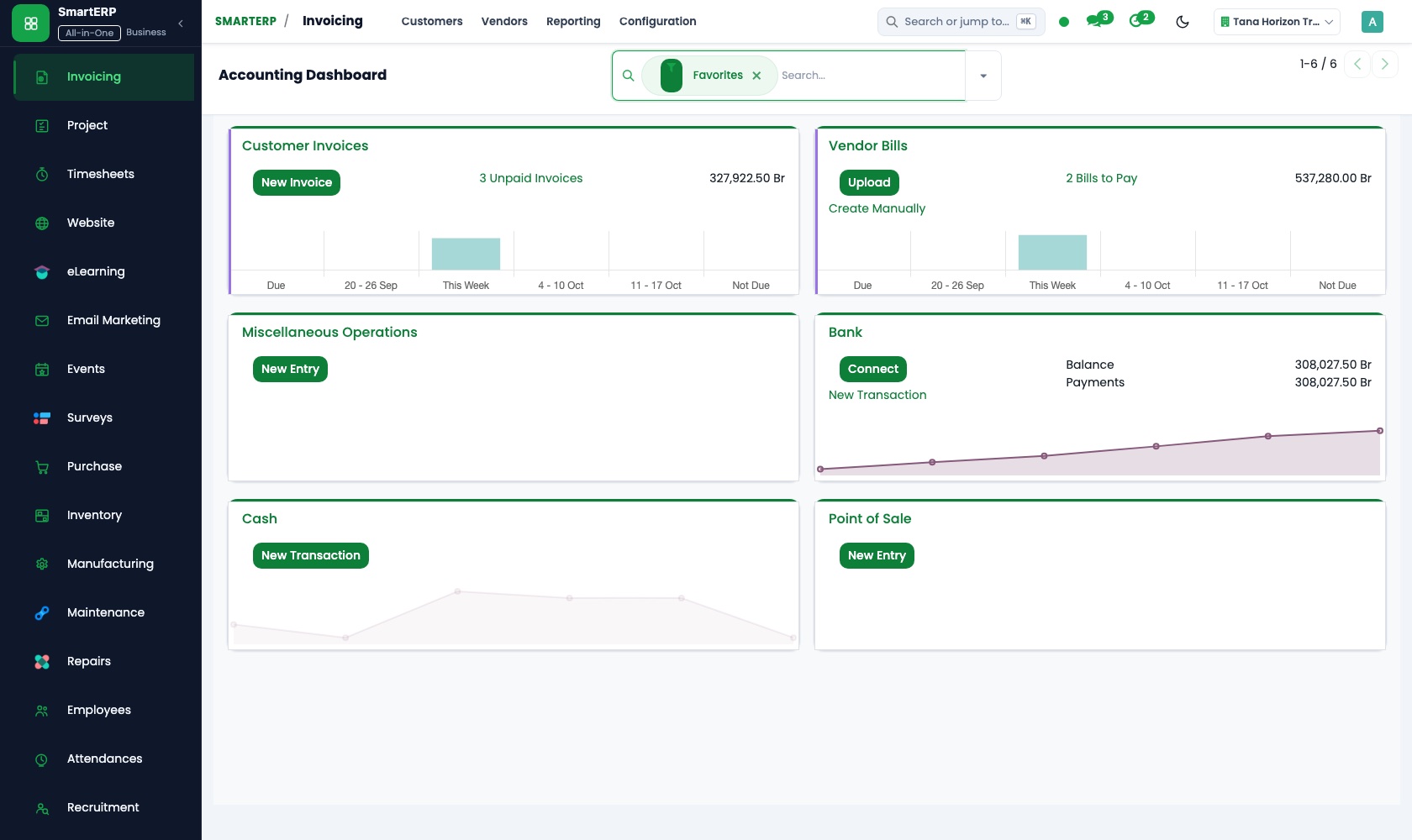
Each scoped service is invoiced from its order, and dropped work is credited. Transfers and cash are matched to invoices, and aged receivables show which small clients are overdue.
Project
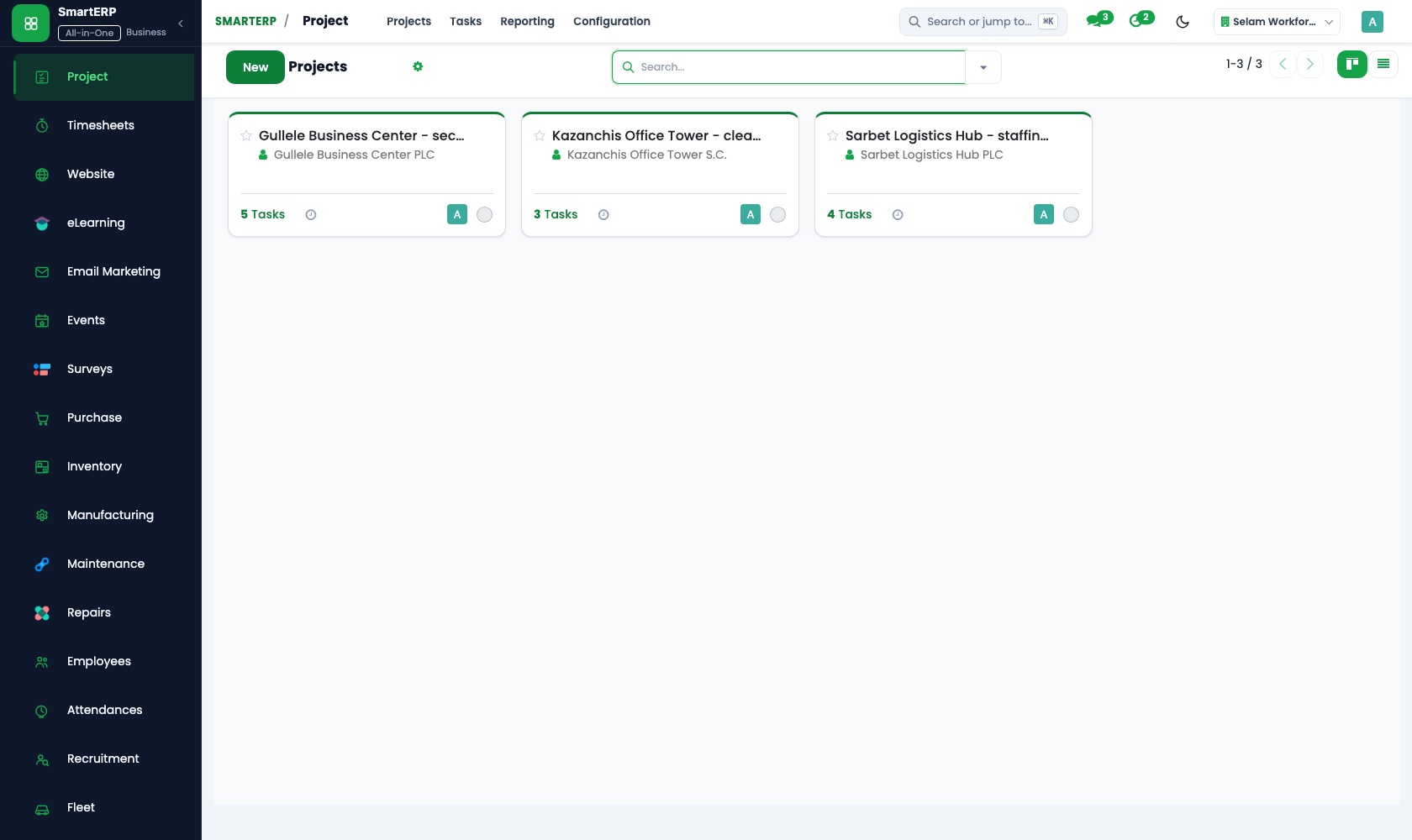
A confirmed order opens a project with the tasks the scope promised. Sub-tasks break a company set-up into steps, so the team works to what was sold.
Timesheets
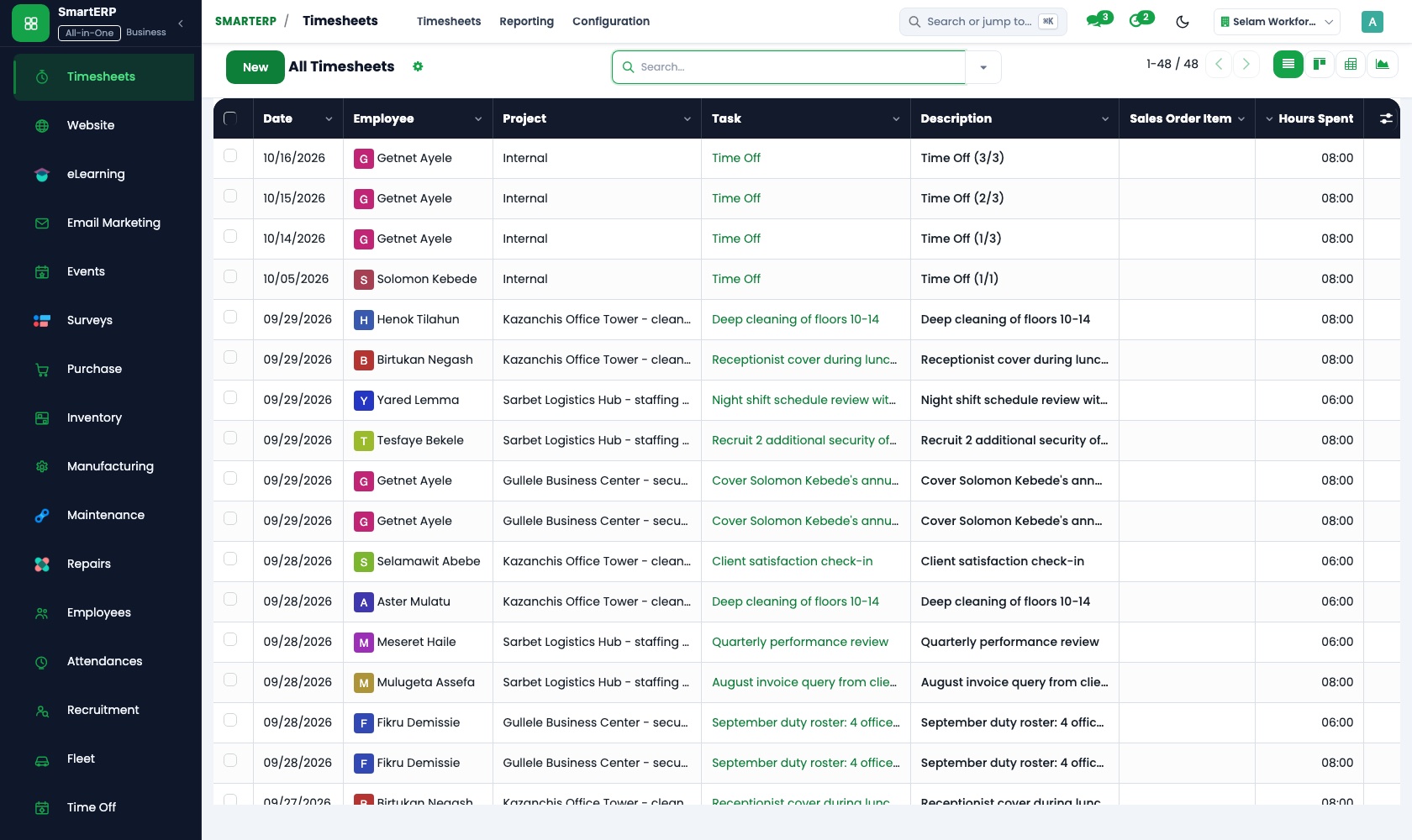
Consultants log each call, visit and draft on the client's task. Billable time separates hours a fixed fee covers from extra hours to charge for.
Sales
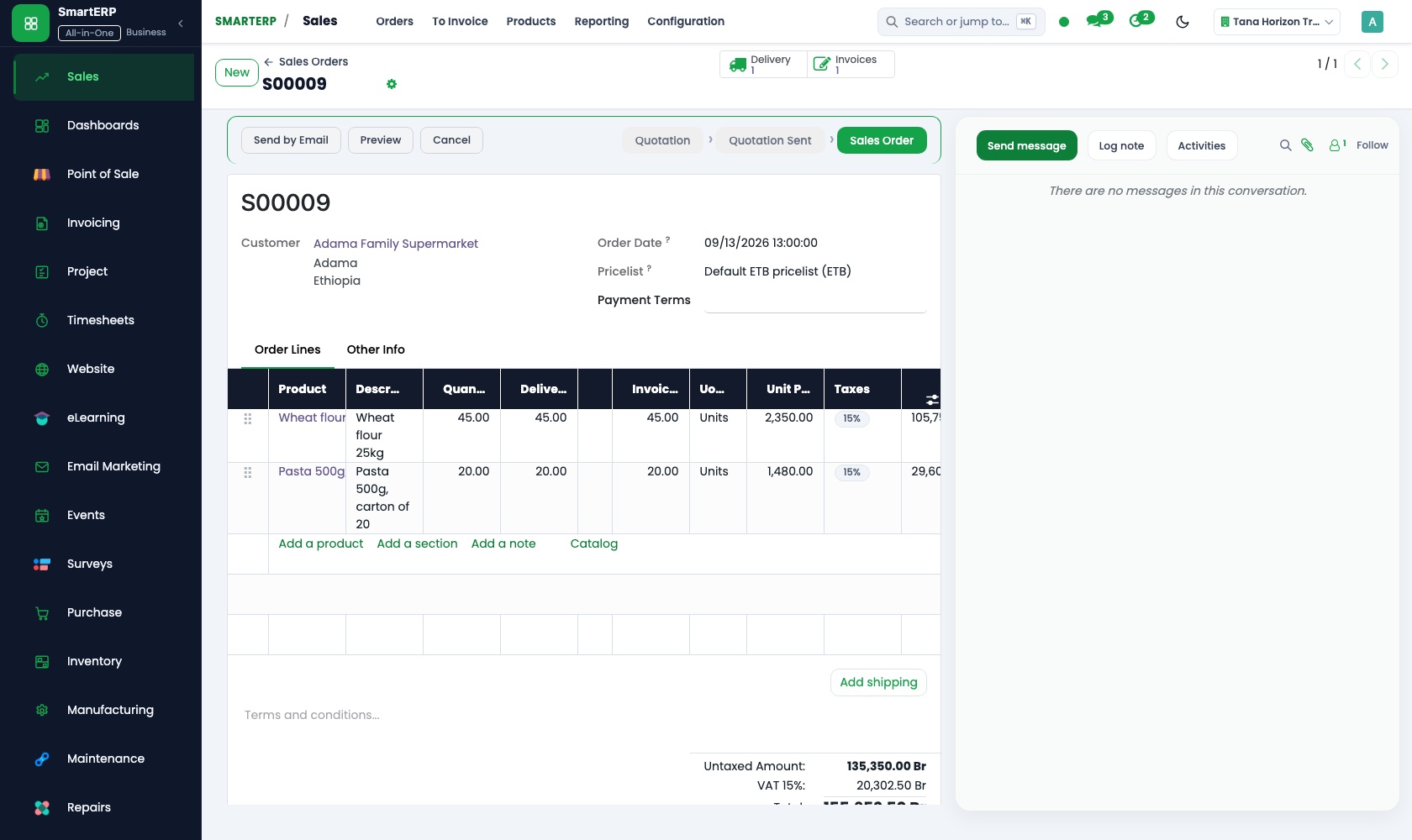
The catalogue of scoped services lives as quotation templates with scope and fee written in, so every quote for a set-up pack or training day reads the same.
CRM
An owner asking about bookkeeping help is logged as a lead. Scheduled activities keep the next call visible, and the pipeline by stage shows expected revenue at each step.
How the work runs on SmartERP
From a catalogue quotation to a scoped task list
A new owner asks about a service, the quotation comes from a catalogue template, and the agreed scope becomes the tasks the team works through.
- CRM: Leads and opportunities Log a new business owner who asked about company set-up, bookkeeping help or a staff training day.
- Sales: Quotation templates Start from a catalogue item with its scope and fee already written, so every quote reads the same.
- Sales: Quotations and sales orders Confirm the scoped piece as an order the client has agreed to.
- Project: Projects and tasks Open a project for the order with the tasks the scope promised, so the team works to what was sold.
From hours spent to a client invoice
Consultants write their hours against the client's tasks, extra time is separated from the fixed fee, and the invoice and payment follow.
- Timesheets: Log time on tasks Consultants record each call, visit and draft against the client's task.
- Timesheets: Billable time Separate hours covered by the fixed fee from extra hours to charge for.
- Accounting: Customer invoices and credit notes Invoice the fee and any extra time; credit a piece of work that was dropped.
- Accounting: Bank and cash Match transfers and cash from small clients so overdue accounts stand out.
Your first month
- First week. We write each service you sell as a quotation template with its scope and fee, and load your clients and consultants.
- Second week. Your accountant confirms the accounts, and we enter taxes, bank accounts and the opening position. Project stages take the words your team uses.
- Third week. Consultants log hours on real client tasks, and the sales side quotes a live enquiry from a template, confirms it and opens its project.
- After go-live. At month end we review hours against fixed fees, see which services ran over, and adjust template scope and prices where the fee was too low.
What to have ready
- The services you sell, with the scope and fee of each
- Retained clients and what each is entitled to every month
- Consultants' names, roles and the hours each is expected to bill
- Sample quotations and invoices you sent recently
- Your bank account details and the balances at the start of the ledger
Live Platform Interface
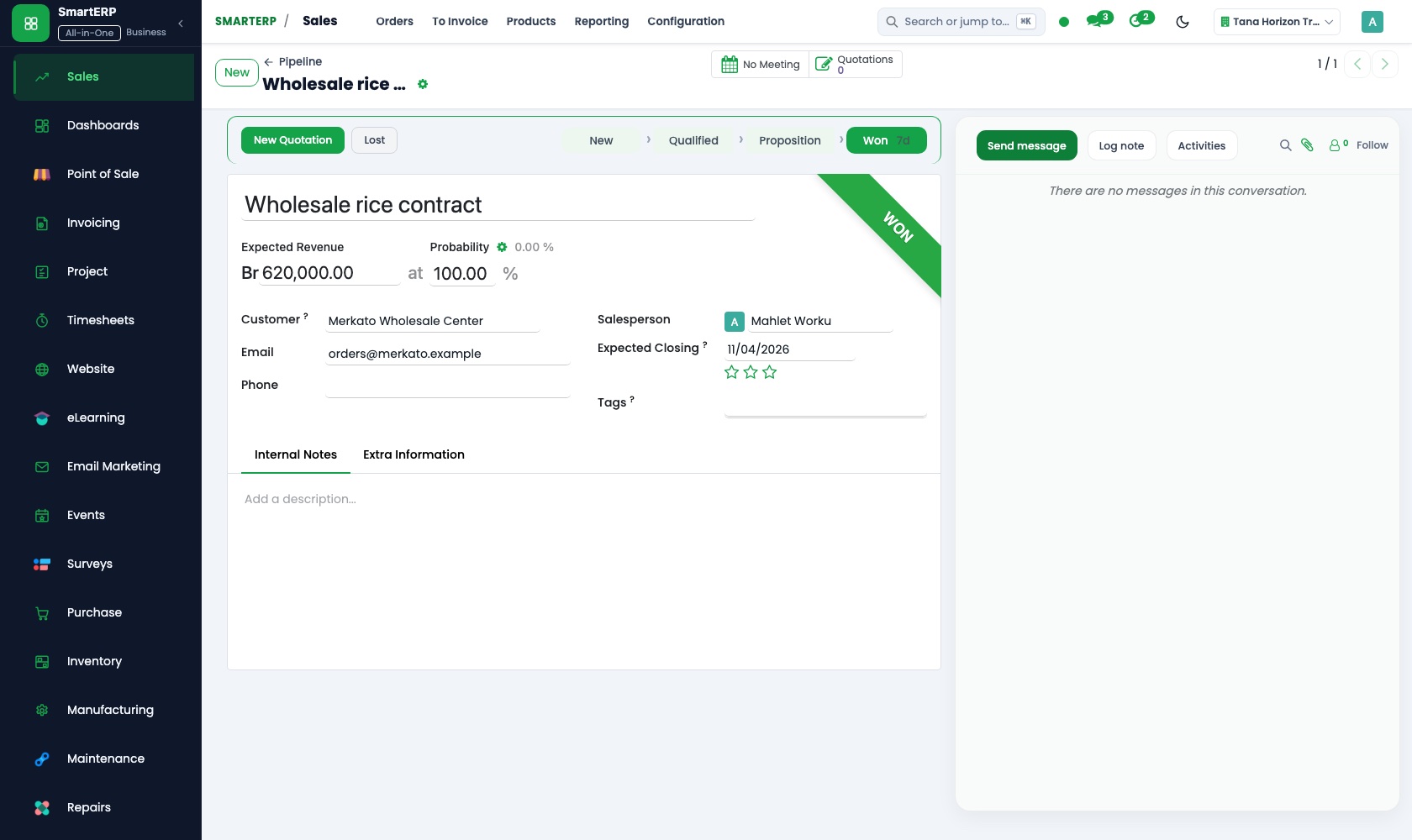
The applications on screen
Authentic SmartERP application workspaces configured for professional services workflows.
Who uses it
- Business owner or general managerSee the whole business and keep every department working on the same records.
- Finance and accountingInvoices, bills, bank and reports from one ledger.
- Sales and customer serviceLeads, quotations, orders and follow-up.
- Project and service managersPlan projects and bill the time.
Company sizes
- Up to 10 people
- 11 to 50 people
What SmartERP does not cover for this industry
SmartERP does not do the specialist work itself: no salary calculation, no filings with government offices, no course timetable and no client file store. Those stay in the tools you already use; SmartERP runs the selling, the work list, the hours and the invoice.
Questions about SmartERP for professional services
Does SmartERP calculate salaries or make filings for our clients?
No. SmartERP does not calculate salaries or make filings with government offices for your clients. That specialist work stays in your current tools; SmartERP runs the selling, the work list, the hours and the invoice.
How do we charge for hours beyond the scoped fee?
Log every call and visit on the client's task. Billable time separates hours the fixed fee covers from extra ones, and the extra hours are invoiced from the order through Accounting.
Can a monthly retainer be billed automatically each month?
No. Recurring billing is not part of the standard cloud service; it is available only through an implementation project. Today you open a project for each month or quarter and invoice it.
How do CRM, Sales, Project and Timesheets connect?
An enquiry in CRM becomes a quotation, then an order in Sales. The order opens a project, consultants log hours on its tasks, and Accounting invoices the fee plus any extra time.
Does SmartERP replace our client file storage?
No. SmartERP is not a client file store. A file can be attached to a task for the job in hand, but your folders and archive stay where they are.
See it before you decide
A small-business support order from quotation to invoice
The walkthrough follows a fictional start-up owner buying a set-up pack and a training day: a template quotation, a task list, recorded hours and the closing invoice.
There is no self-service sandbox. The demo is a guided walkthrough on sample data, or you can start a trial workspace.
Pricing
SmartERP has an industry edition for this sector (Professional Services). The applications listed above are its applications, and the editions, their staff bands and the current prices are on the pricing page. This page shows no price.
Editions for this industry
- Starter: Up to 50 staff
- Enterprise: 51 to 100 staff
- Premium: 101 to 200 staff
The edition installs Accounting, Agile Boards, Finance, Project Management, Timesheets, Sales, CRM. This list is read from the same catalogue the sign-up uses.
See plans and pricingEnterprise Website Template for professional services
Launch your modern, responsive commercial website without writing code. This template is pre-engineered for professional services with localized Ethiopian workflows, dual English and Amharic content, and automatic SmartERP CRM lead capture.
Authentic Credentials & Client Sign-Offs in professional services
Inspect real official recommendation letters and handover documentaries from organizations running on SmartERP.
Teleport Technologies Recommendation
"Successfully delivered fully functional system managing stock, sales, financial records, and payroll for 210+ staff across Ethiopia."
Inspect Official Recommendation →Credoks Digital Implementation Sign-Off
"Exceptional technical expertise, professionalism, and deep understanding of our operational needs across procurement and payroll."
Inspect Official Recommendation →Transform Your professional services Operations with SmartERP
Experience a localized, unified cloud platform configured for Ethiopian and regional business standards. Book a live walkthrough or start your trial.