Service Contract Management
Helpdesk and Support Management
Project and Task Management
Billing and Invoicing
Reporting and Analytics
Resource Management
Challenges Faced by Service Industry Businesses
Service Delivery DelaysContract Compliance IssuesSupport Ticket BacklogBilling ErrorsResource Allocation Inefficiencies
Why choose SmartERP Service?
Complete Coverage of Service Support
Meets all industry needs.Flexible Deployment
Adaptable to various business requirements.Great Value for the Company
Low implementation cost and easily scalable.Customizable
Tailored to specific business needs.Service Contract Management
Efficiently manages and tracks service contracts, ensuring compliance and optimal service delivery.
Contract Creation
Facilitates the creation and customization of service contracts to meet client needs.Renewal Management
Tracks contract expiration dates and automates renewal processes.Service Level Agreements (SLAs)
Defines and manages SLAs to ensure service quality standards are met.Contract Tracking
Monitors contract performance and compliance with agreed terms.Helpdesk and Support Management
Streamlines customer support operations for efficient issue resolution and customer satisfaction.Ticket Management
Creates, assigns, and tracks support tickets for timely resolution.Knowledge Base
Provides a repository of information and solutions to assist customers and support agents.Customer Interaction Tracking
Records and monitors all customer interactions to improve service quality.Escalation Procedures
Manages the escalation of issues to higher levels of support when necessary.
Project and Task Management
Organizes and manages projects and tasks to ensure timely and efficient service delivery.
Project Planning
Defines project scope, objectives, and timelines for effective management.Task Assignment
Assigns tasks to team members and tracks progress to ensure timely completion.Resource Management
Allocates resources effectively to meet project and task requirements.Project Tracking
Monitors project milestones, deadlines, and deliverables to ensure successful completion.Billing and Invoicing
Automates the billing and invoicing process to streamline financial operations and improve cash flow.Invoice Generation
Creates and sends invoices based on completed services and contract terms.Payment Tracking
Monitors and records payments to ensure accurate financial records.Recurring Billing
Manages recurring billing for subscription-based services or ongoing contracts.Expense Management
Tracks and manages expenses related to service delivery for accurate billing.
Reporting and Analytics
Provides comprehensive reporting and analytics tools for real-time insights and data-driven decision-making.
Performance Dashboards
Offers live dashboards that display key performance indicators and metrics.Custom Reports
Allows the creation of tailored reports to meet specific business needs.Data Visualization
Uses graphs and charts to present data in an easily understandable format.Trend Analysis
Identifies trends and patterns in service data to support strategic decision-making.Resource Management
Ensures effective management and allocation of resources to optimize service delivery.Resource Allocation
Assigns resources based on project and task requirements to maximize efficiency.Capacity Planning
Plans and adjusts resource capacity to meet service demands.Skill Management
Tracks and manages the skills and qualifications of resources to ensure the right fit for tasks.Utilization Tracking
Monitors resource utilization to identify and address any over or underuse.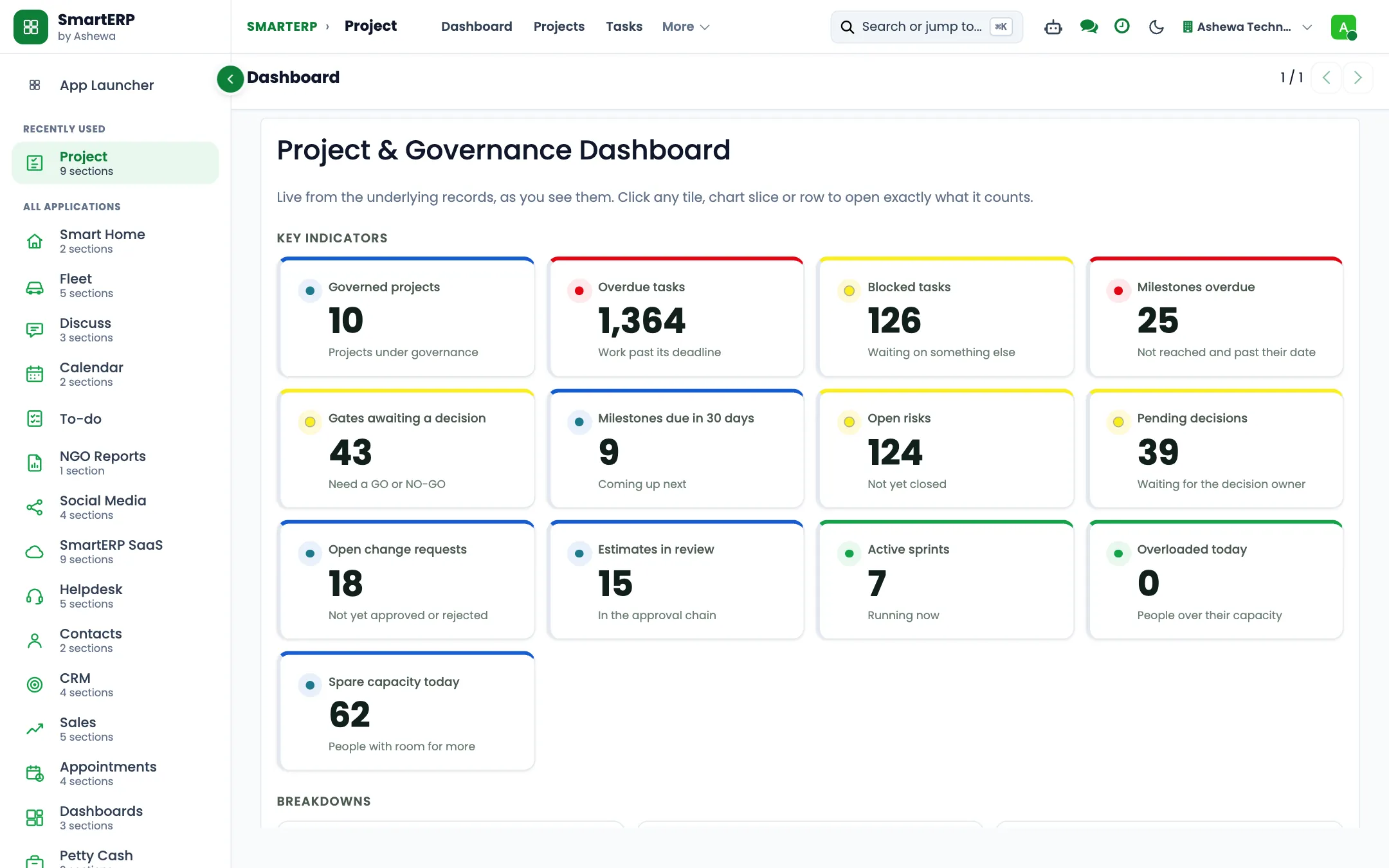
The industry
A service firm sells time and judgement, so unrecorded time is lost revenue
- Time is recorded late or not at all, so it is billed late or not at all.
- Project profitability is unknown until the project ends.
- Proposals live in email threads.
- People are planned in separate files.
SmartERP customers in this sector: Saria Consultancy PLC, Edomias International. All customers
How the work flows
From the first step to the management dashboard
The proposal, the project, the hours and the invoice are one chain, so what is worked is what is billed.
In the product
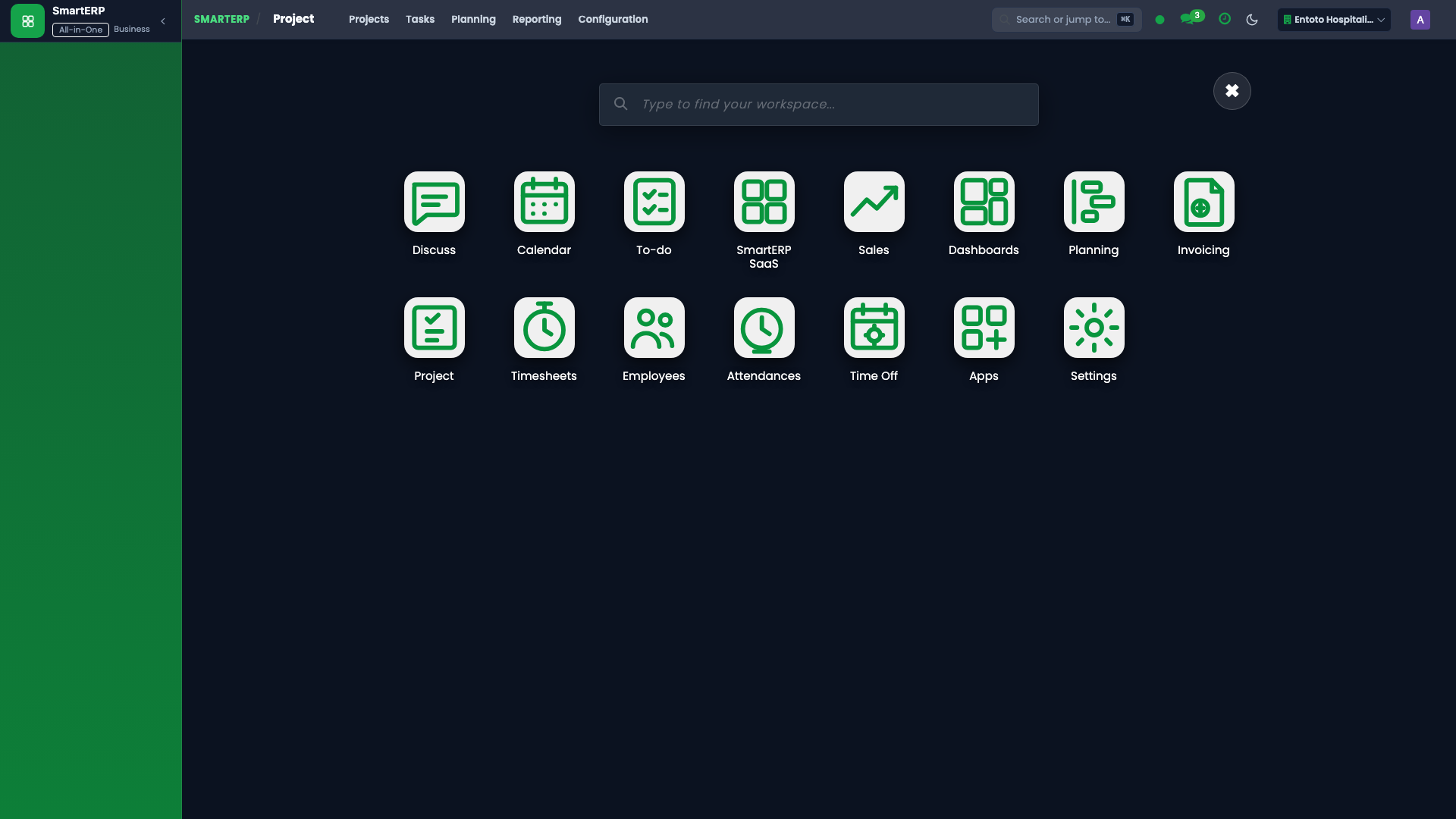
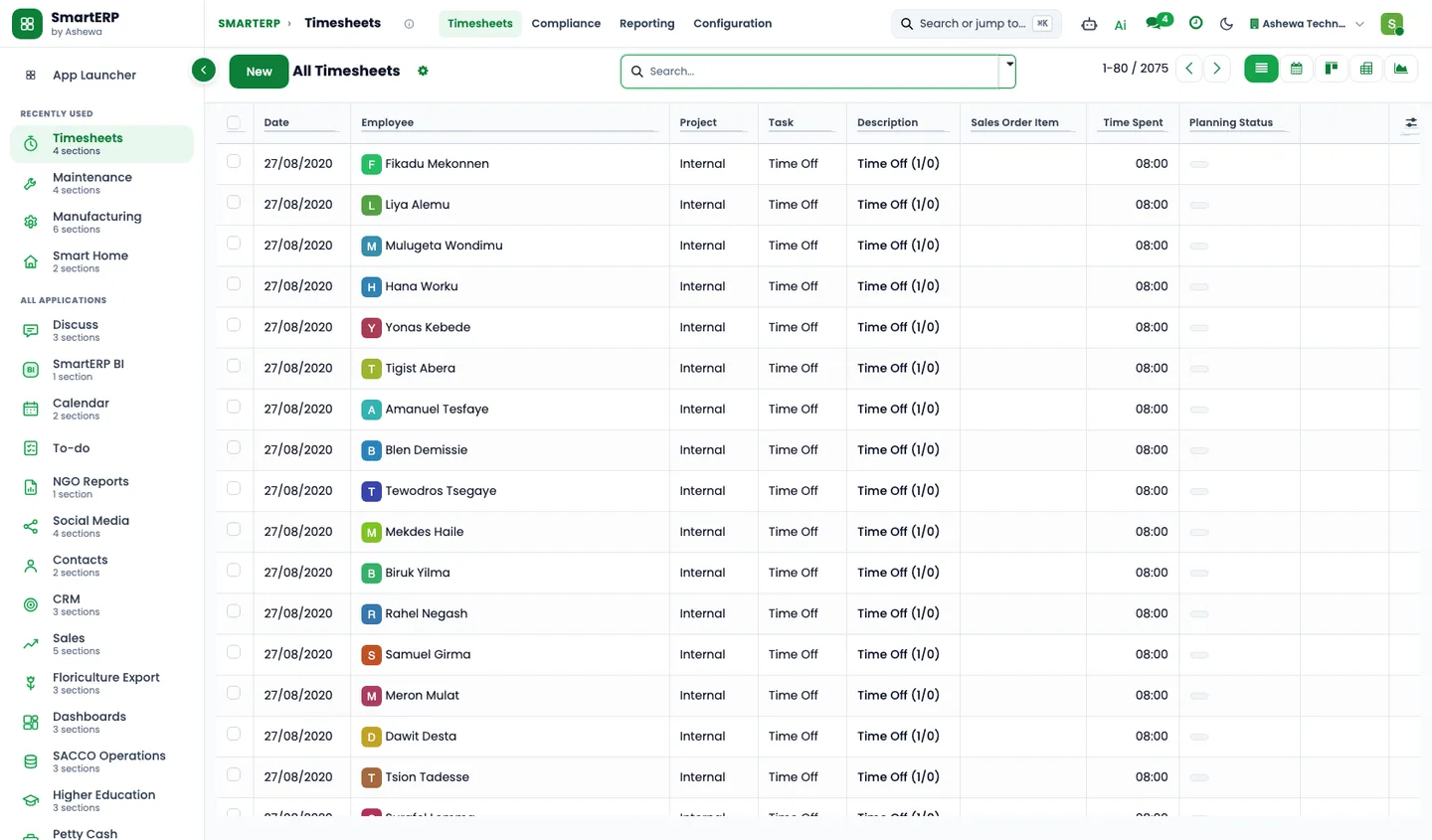
A real SmartERP screen for this work
Captured from a running SmartERP system. Every company, person and figure shown is invented sample data.
Beyond a generic ERP
What goes further for this industry
Timesheet compliance and grid entry
Period locking and grid entry on top of the standard timesheets (first phase).
Resource planning
Plan people on the visual planner.
Balanced scorecard
Objectives, indicators and initiatives for the firm.
Management visibility
What management sees
Hours, revenue and project progress side by side, from the same records.
What changes
The outcome, without invented numbers
- Hours reach the invoice without retyping.
- Profitability is visible while the project runs.
- People and projects are planned in one place.
Not included: Contract-management and e-signature are not offered today.
Built for you
Who this solution is for
Business support firms, company set-up agents, bookkeeping offices and training and coaching firms of a few consultants who sell scoped services to start-ups and small businesses, some of them on a monthly retainer.
Typical size: up to 10 people, 11 to 50 people.
How it works
Your work, step by step in SmartERP
The routine of this industry, followed from the first step to the money in the bank.
From a catalogue quotation to a scoped task list
- A new business owner who asked about company set-up, bookkeeping help or a staff training day is entered as an opportunity.
- The quotation starts from a quotation template for the scoped service, so every quote for a set-up pack or training day reads the same.
- The client agrees and the quotation is confirmed as a sales order.
- A project is opened for the order with the tasks the scope promised, so the team works to what was sold.
From hours spent to a client invoice
- Consultants record each call, visit and draft on the client's task.
- The service manager compares the hours with the scoped fee and marks the hours that go past it as extra.
- Finance invoices the fee and any extra time, and credits a piece of work that was dropped.
- Transfers and cash from small clients are matched to the invoices, and an unpaid invoice gets a follow-up activity.
From a retained client's month to the invoice
- A retained client gets a new project for each month or quarter, with recurring tasks for the work that repeats.
- Consultants log their hours on the month's tasks and the follow-up activity asks for the documents still missing.
- At month end the service manager reviews what was done and the hours spent so that the client can be told what the fee covered.
- The month's invoice is issued by hand from the order; the pack does not bill automatically.
In the product
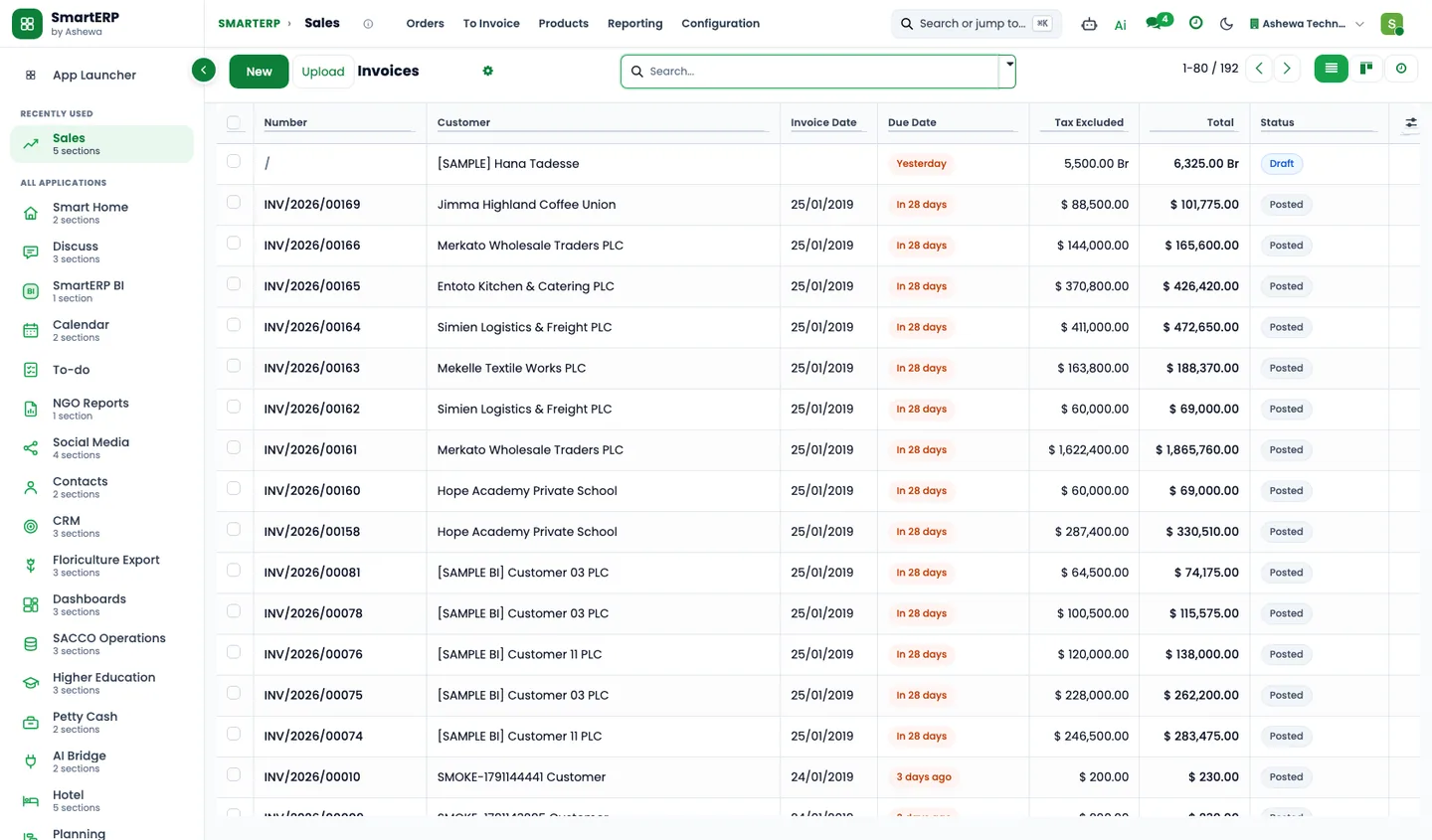
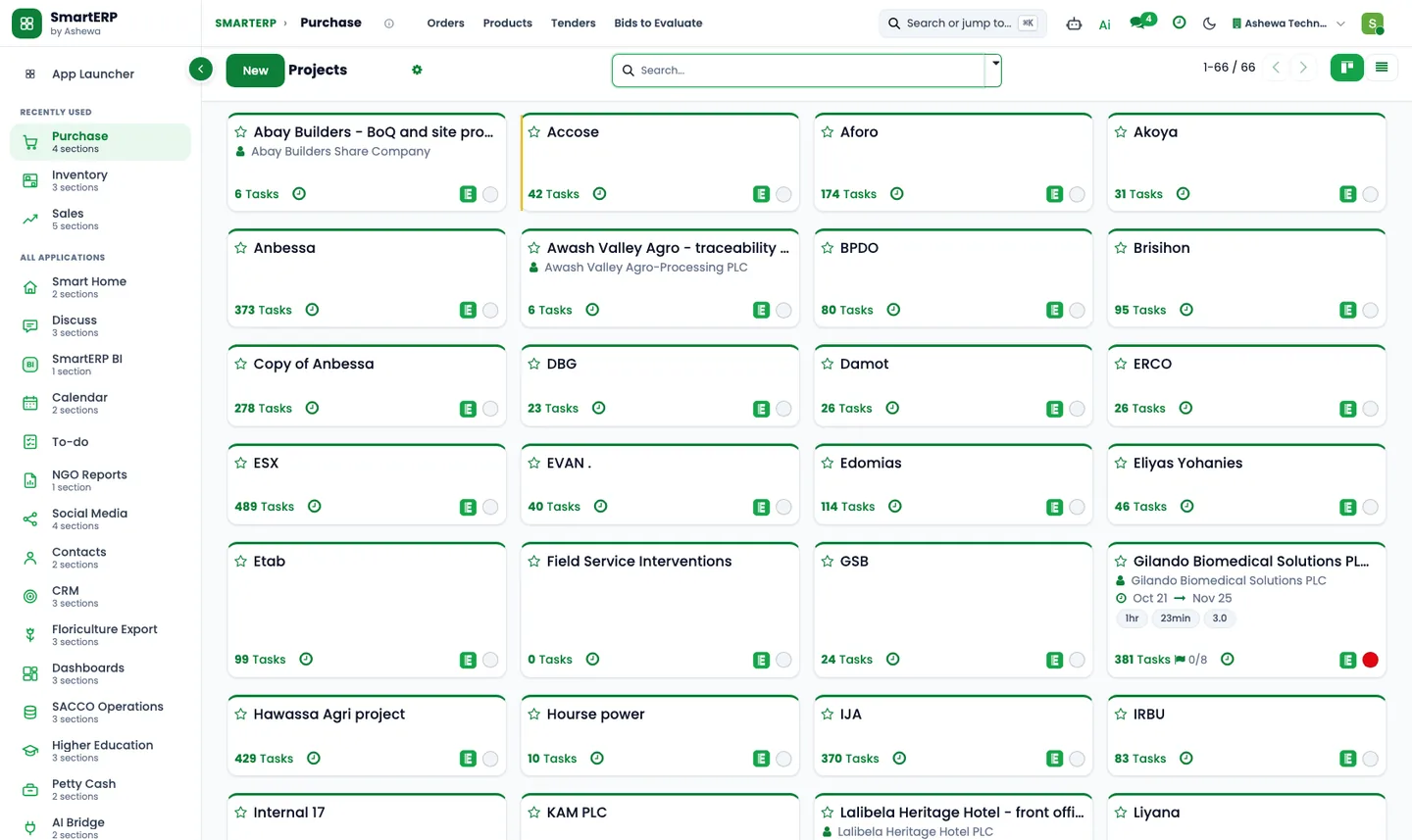
The core applications it runs on
Real SmartERP screens with sample data: every company, person and figure shown is invented.
Who uses it
Each person sees their own work
- Owner or managing consultant
- Service manager
- Consultant
- Billing officer
- Firm accountant
- Sales representative
Access follows the role: people see and change only what their job needs.
What you can follow
Figures management asks for
- Hours logged by client job and consultant (Service manager)
- Client jobs by stage (Service manager)
- Hours against the scoped fee (Service manager)
- Enquiries by stage and expected fee (Sales representative)
- Quotations and orders by service (Sales representative)
- Fees invoiced by client and month (Billing officer)
- Invoices not yet paid by small clients (Billing officer)
- Extra hours charged beyond the scoped fee (Billing officer)
Documents
Printed and shared from the system
- Quotation and sales order (used for scoped services)
- Customer invoice
- Credit note
What you get
What is included, and what comes next
Included from day one
- Set-up, monthly support, planning, training and extra-hours services, all at zero
- Follow-ups for quotations, missing documents, extra hours and payments
- Tags for start-up, retained, training and referral clients
- An enquiry pipeline from first enquiry to confirmed order
- Client request board stages and a company set-up template project
- Management, start-up, bookkeeping, training and office departments with job positions
- Lost reasons and lead sources, so reports show why deals are lost and where they come from
- Ready quotation templates built from the pack's own service lines, with no prices
- Approval workflows by job position, applied where SmartERP Approvals is installed, with no amount limits
- Quotation templates and recurring tasks switched on
Available on request
- Automatic recurring invoices for retained clients
- Ticketing for client support requests
Delivered through implementation for your business.
What this solution does not do
salary calculation for clients; filings with government offices for clients; course timetable and training scheduling; client file store; mobile-wallet payments for client fees. For these, SmartERP works next to other specialised software or a manual process; ask us how.
SmartERP for professional services
Applications, pricing and next steps
Applications
Start with these applications
The starting set of the Professional Services industry edition (required and recommended applications).
Pricing
Industry edition: Professional Services
An industry edition bundles the applications this industry typically uses, priced per company per year. Pricing by application and user per year is the alternative.
Related sectors
Services for your rollout
Quick Service Request