Run the firm's engagements, hours and fee invoices from proposal to year end
An accounting and audit firm sells time and deadlines. Monthly bookkeeping repeats, while statements and audits bunch up around year end. SmartERP runs the firm itself: proposals, engagement task boards, staff hours and the firm's own invoices. It does not replace the package you keep client books in, or your audit working papers.
Start with CRM and Sales for proposals, Project and Timesheets for engagement task lists and hours, and Accounting for fee invoices and the firm's own books. Add Calendar to keep client meetings and reminders in shared diaries.
Typical businesses: Accounting firms · Bookkeeping practices · Audit firms · Sole practitioner auditors · Management accounting consultancies
Problems this industry runs into
Engagements overrun and the partner learns at the end
A bookkeeping clean-up or a first audit takes far more hours than the proposal assumed, and nobody notices until the work is finished and the fee is spent.
The fee on the invoice drifts from the signed proposal
Scope is added in emails and meetings, but the proposal is never updated. At invoice time the partner and the client remember different agreements.
Year-end tasks stall with the client and nobody sees it
Statement and audit tasks for many clients fall due in the same weeks, tracked in personal lists. A partner cannot tell which engagements are waiting on missing records.
Fee invoices go unpaid because nobody chases them
Clients pay by transfer or deposit slip at odd times. Without the payments matched to invoices, overdue fees are found late, if at all.
Applications in the Professional Services edition
These applications are the ones the industry edition's blueprint includes. Each opens its own page.
Often added for this industry
What each application does for accounting Firm
Accounting
Fee invoices are issued for a milestone or a month, with a credit note where a fee was reduced. Client transfers and deposit slips are matched to them, and aged receivables show what is still owed.
Project
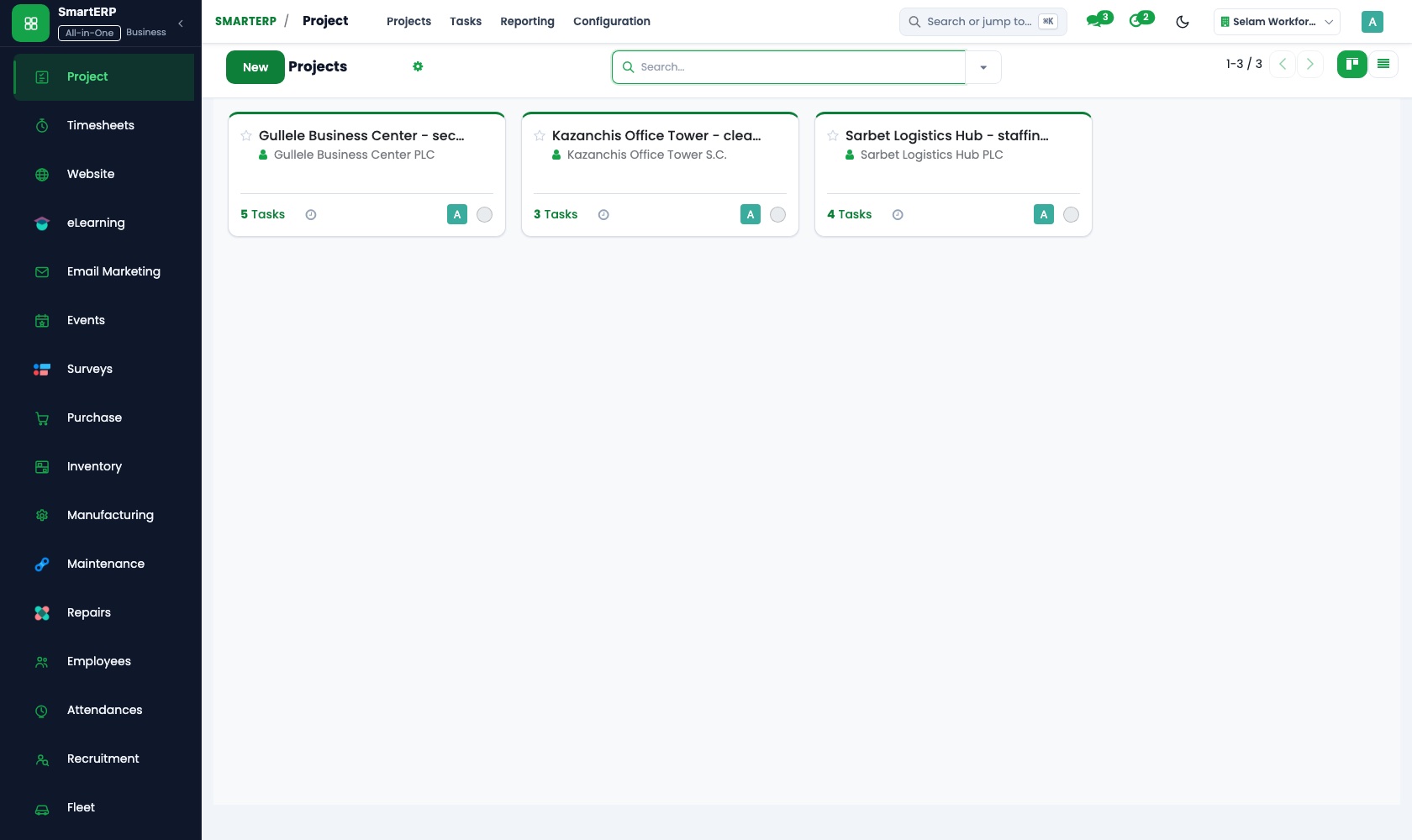
Each client engagement is a project whose tasks carry an assignee and a deadline. Kanban stages such as records received, in progress and review show which clients are waiting on missing records.
Timesheets
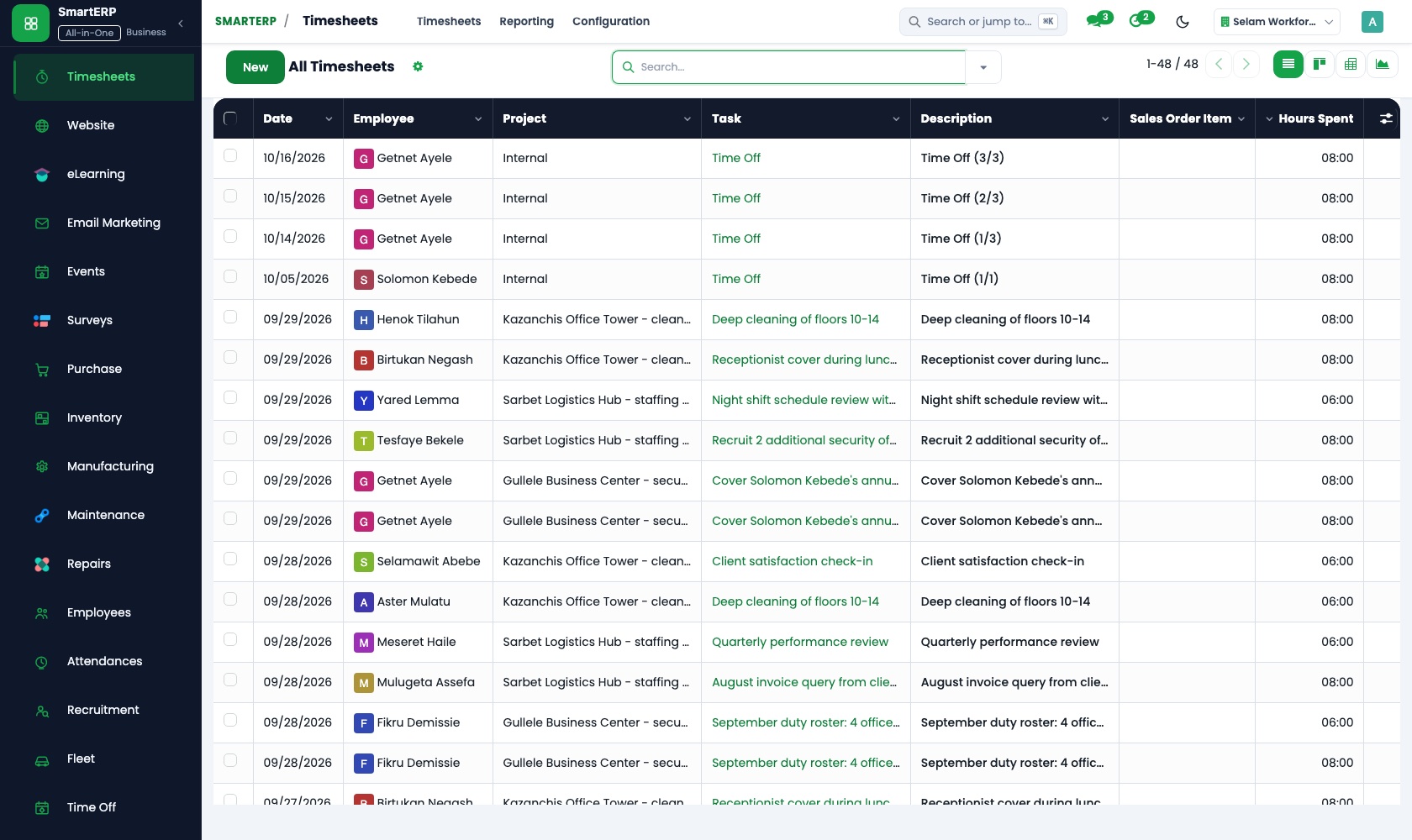
Bookkeepers and audit juniors log hours on each client's engagement task. Managers review the submitted time, and cost and profitability set the hours against the fee agreed.
Sales
A proposal starts from a quotation template for bookkeeping, statements or audit, with the scope lines and fee set out. The accepted quotation becomes a sales order.
CRM
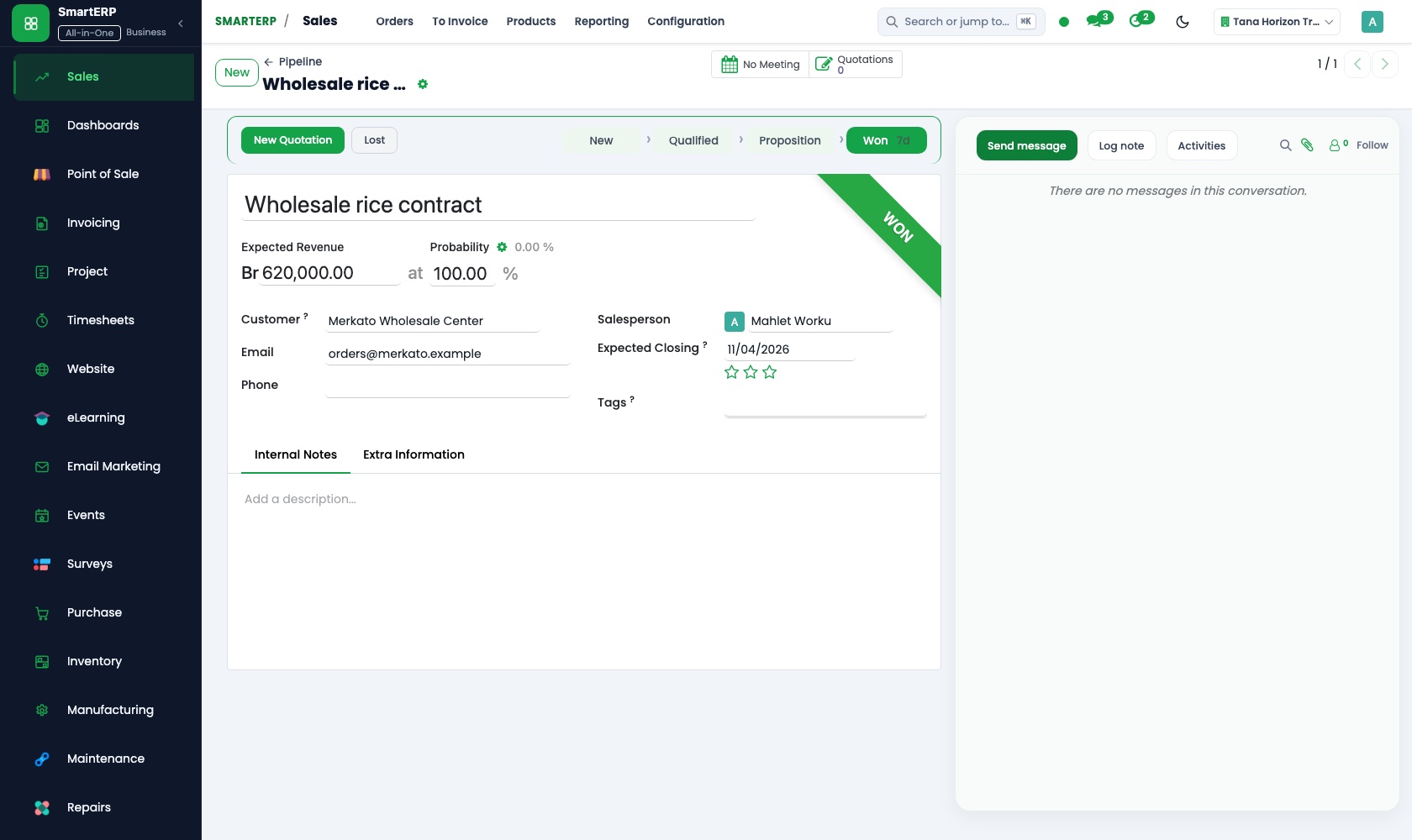
A founder, an NGO director or a bank-referred client is followed through the pipeline by stage, with a scheduled activity for the next call or meeting.
How the work runs on SmartERP
From written proposal to a confirmed engagement
A prospect moves through the pipeline, receives a proposal from a template, and the accepted fee becomes an engagement the whole firm can see.
- CRM: Pipeline by stage Follow a founder, an NGO director or a bank-referred client from first meeting to proposal sent.
- Sales: Quotation templates Use a proposal template for bookkeeping, statements or audit with the scope lines and fee already set out.
- Sales: Quotations and sales orders Turn the accepted proposal into a confirmed order for the engagement.
- Project: Kanban stages Move each engagement through stages such as records received, in progress, review and delivered.
From staff hours to fee invoice and collection
Staff record hours on each engagement, the partner compares them with the agreed fee, and the invoice is issued and matched when the client pays.
- Timesheets: Log time on tasks Bookkeepers and audit juniors record hours against each client's engagement task.
- Timesheets: Cost and profitability Compare hours spent with the fee agreed, engagement by engagement, before the work closes.
- Accounting: Customer invoices and credit notes Issue the fee invoice for the milestone or the month; credit a fee that was reduced.
- Accounting: Bank and cash Match the client's transfer or deposit slip and see which fees are still owed.
Your first month
- First week. We list the services the firm sells, such as bookkeeping, statements and audit, build a proposal template for each, and load clients and staff.
- Second week. Engagement stages are set on the project board, staff learn to log hours on tasks, and the firm's own bank accounts and ledger are set up.
- Third week. The partners run one live engagement end to end: proposal, order, tasks, logged hours, fee invoice and the client's transfer matched at the bank.
- After go-live. We review the first engagements with the partners, comparing hours with the fee agreed, and adjust templates, stages and invoice wording.
What to have ready
- The services you sell and the usual fee or fee range for each
- Current clients with the engagement type, deadline and fee agreed
- A staff list with roles and the tasks each person usually carries
- Open proposals and prospects, with the stage each has reached
- The firm's own bank account details and opening balances
The applications on screen
Real SmartERP screens with sample data.


Who uses it
- Business owner or general managerSee the whole business and keep every department working on the same records.
- Finance and accountingInvoices, bills, bank and reports from one ledger.
- Sales and customer serviceLeads, quotations, orders and follow-up.
- Project and service managersPlan projects and bill the time.
Company sizes
- Up to 10 people
- 11 to 50 people
What SmartERP does not cover for this industry
SmartERP has no audit working papers, sampling or confirmation tools, no client-side tax computation and no direct submission to the revenue authority. Keep those; SmartERP runs the firm's engagements, hours and fees.
Questions about SmartERP for accounting Firm
Does SmartERP hold audit working papers or my clients' books?
No. SmartERP has no audit working papers, sampling or confirmation tools, no client-side tax computation and no direct submission to the revenue authority, and it does not replace the package where you keep client books.
How do I see whether an engagement is overrunning its fee?
Staff log hours on the engagement task, and cost and profitability in Timesheets compare them with the fee agreed, so a partner sees an overrun before the work is finished.
Can we invoice a fixed monthly fee for bookkeeping automatically?
Not automatically. Recurring billing is not in the standard cloud service and is handled only through an implementation project. Each month's invoice is issued from the order.
How do proposals, engagements, hours and invoices connect?
CRM follows the prospect, Sales turns the accepted proposal into an order, Project holds the engagement's tasks and Timesheets records hours against them. Accounting issues the fee invoice, and Calendar keeps meetings in shared diaries.
Can timesheets be locked or enforced at the end of each period?
The standard application records time and managers review it. Reminders, period locking and enforcement rules are available only through an implementation project.
See it before you decide
One audit engagement from proposal to fee invoice on sample data
The walkthrough follows a fictional NGO audit from proposal template to confirmed order, engagement task board and recorded hours, then the fee invoice and its collection.
There is no self-service sandbox. The demo is a guided walkthrough on sample data, or you can start a trial workspace.
Pricing
SmartERP has an industry edition for this sector (Professional Services). The applications listed above are its applications, and the editions, their staff bands and the current prices are on the pricing page. This page shows no price.
See plans and pricingA website for your business
SmartERP can also set up a starter website for this kind of business, offered as part of a website project: Home, Services, Who We Serve, Audit, Monthly Routine, Request a Proposal, Contact. How the website tools work.
Start with what your business needs first
Tell us your industry and we carry it through the guided set-up, or talk to us first.
Start SmartERP Book a demo