Serial-numbered stock, office supply quotes and repairs for an electronics shop
Electronics businesses sell phones, computers and appliances to households, and equip offices, shops and hotels in larger orders with installation. SmartERP records the serial number of each unit through receipt and sale, so a fault months later can be tied back to the buyer and the invoice.
Start with Inventory, Sales and Purchase, and add Accounting for invoices and supplier bills. The Repair application covers after-sales work. Checking a product against a buyer's power supply and rostering installation crews stay outside SmartERP.
Typical businesses: Mobile phone shops · Computer dealers · Appliance showrooms · Office equipment suppliers · Electronics importers
Problems this industry runs into
Nobody can show which unit went to which buyer
A customer brings back a faulty handset or fridge and the shop searches paper invoices to learn when and from which batch it was sold, so warranty disputes become arguments.
Supplier prices move and old stock keeps its old cost
Items are bought from importers at prices that shift between orders, so the shop cannot quickly tell which stock cost more and how much discount it can afford.
Supply quotes for offices are retyped for every buyer
A hotel or school asking for many items gets a long quotation typed from scratch, with installation lines added by hand, and the copy is hard to find later.
After-sales repairs are written in a notebook
Faulty items dropped at the counter are noted on paper with a phone number, and nobody can say quickly what was repaired, which parts were used or what to charge.
Applications in the Trading and Distribution edition
These applications are the ones the industry edition's blueprint includes. Each opens its own page.
Often added for this industry
What each application does for electronic Store
Accounting
Customer invoices list the units delivered, and a credit note covers one swapped before installation. Importers' bills are paid on their due dates.
Sales
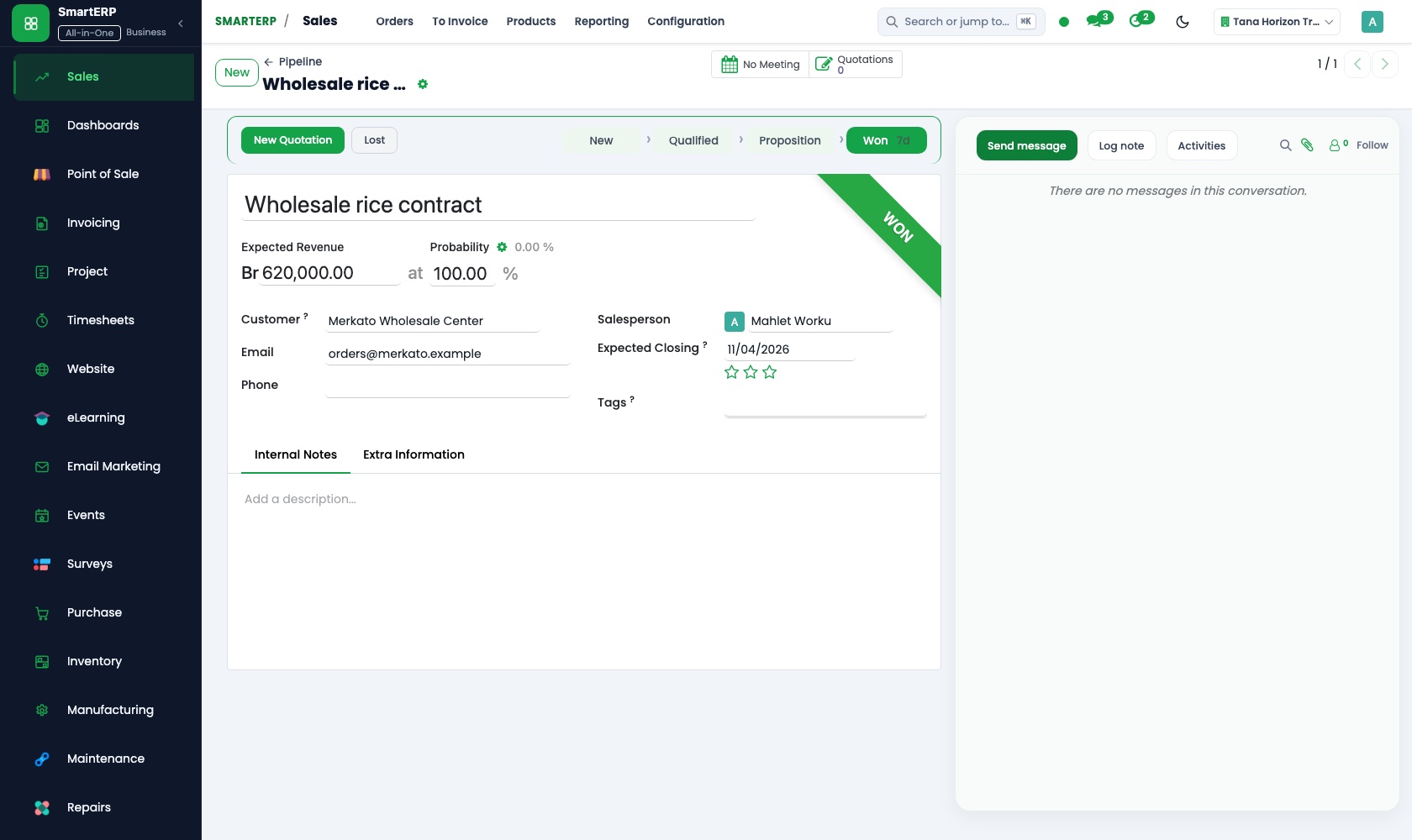
Quotations for hotels, schools and offices list equipment and installation as separate lines, and price lists cover dealers and households alike.
Inventory
Each laptop, printer or fridge leaves with its serial number recorded against the buyer, so a fault months later leads back to the delivery and invoice.
Purchase
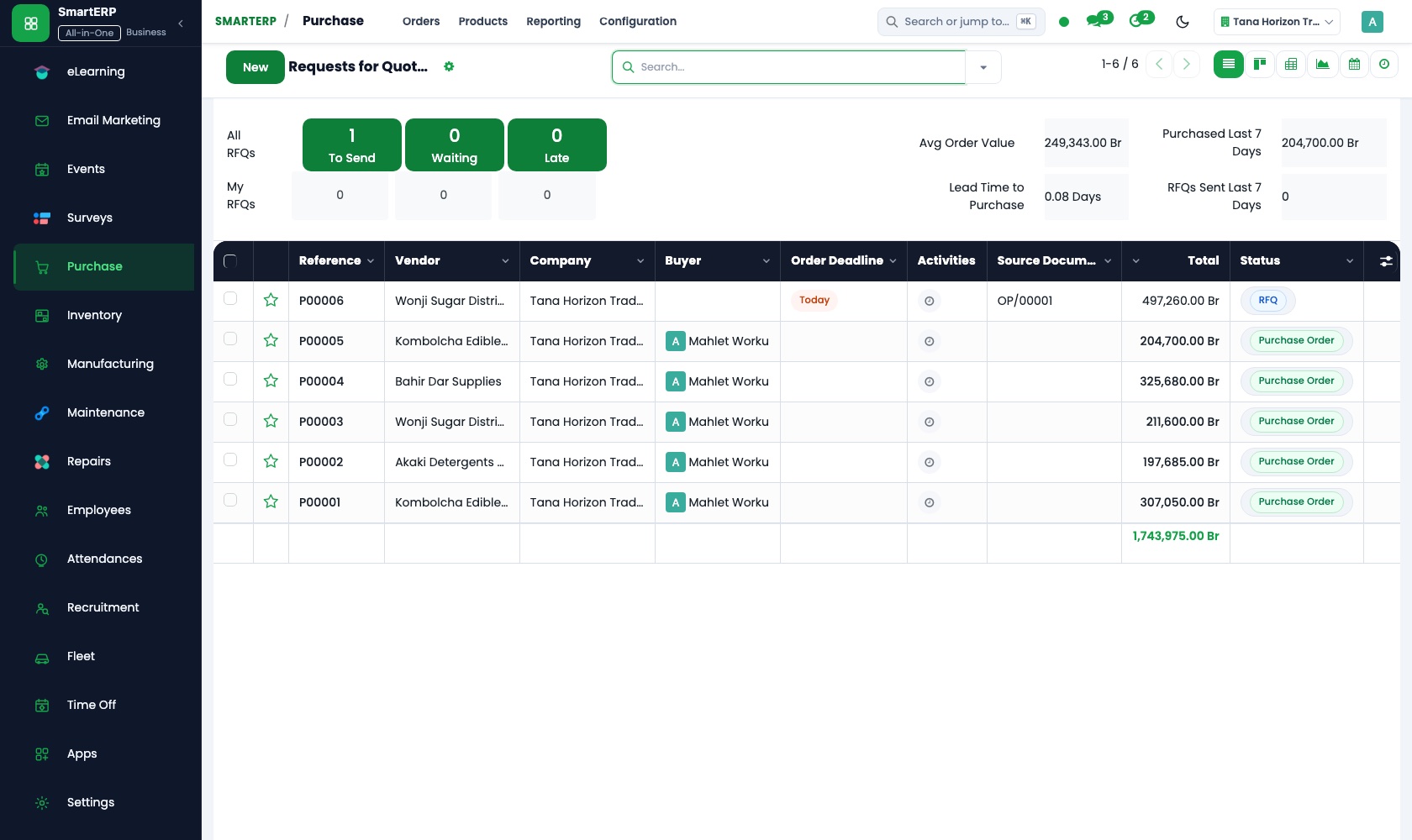
Purchase orders to importers keep the agreed price and quantity, and vendor records hold price history and lead times, so a shift in price is seen.
CRM
Offices, hotels and schools asking for equipment sit in the pipeline with the next call planned, and an opportunity becomes a quotation.
How the work runs on SmartERP
A serial-numbered sale to an office or shop
An office asks for equipment, the quotation is confirmed, serial numbers are recorded on delivery and the invoice follows.
- Sales: Quotations and sales orders Quote the equipment and installation lines for the office and confirm the order once the manager accepts.
- Inventory: Lots and serial numbers Record the serial number of every laptop, printer or screen leaving the store against this buyer.
- Inventory: Receipts and deliveries Deliver from the store to the office, with a delivery note showing exactly what was handed over.
- Accounting: Customer invoices and credit notes Invoice the delivered items; a credit note covers an item swapped before installation.
A faulty unit brought back to the counter
A returning customer's unit is booked in as a repair, parts and labour are priced, and the finished job is invoiced.
- Repair: Repair orders Open a repair order for the handset or appliance when it is dropped at the counter, noting the fault.
- Repair: Repair history Check what was done to the same unit before, so the customer is not asked to explain again.
- Repair: Parts and labour Add the spare parts taken from stock and the technician's time as separate lines.
- Repair: Quotation and invoicing Give the customer the repair price up front and invoice it once the unit is collected.
Your first month
- First week. We load your product list, decide which items carry serial numbers, and add your importers as suppliers and your office and hotel buyers as customers.
- Second week. Stock locations are set up and opening quantities counted in, unit by unit where a serial number applies, while your accountant prepares the accounts.
- Third week. The counter practises a serial-numbered delivery and a swapped item with a credit note, and the sales desk quotes a real office order with installation lines.
- After go-live. With the owner we compare stock counts with the shelf, check supplier prices as recorded, and tidy the institutional quotation layout.
What to have ready
- Your product list with brands, models, cost and selling prices
- A count of shop and store stock, unit by unit where serial numbers apply
- Importers and suppliers with usual items and lead times
- The offices, hotels and schools that buy in larger orders
- Opening balances and the bank accounts the shop uses
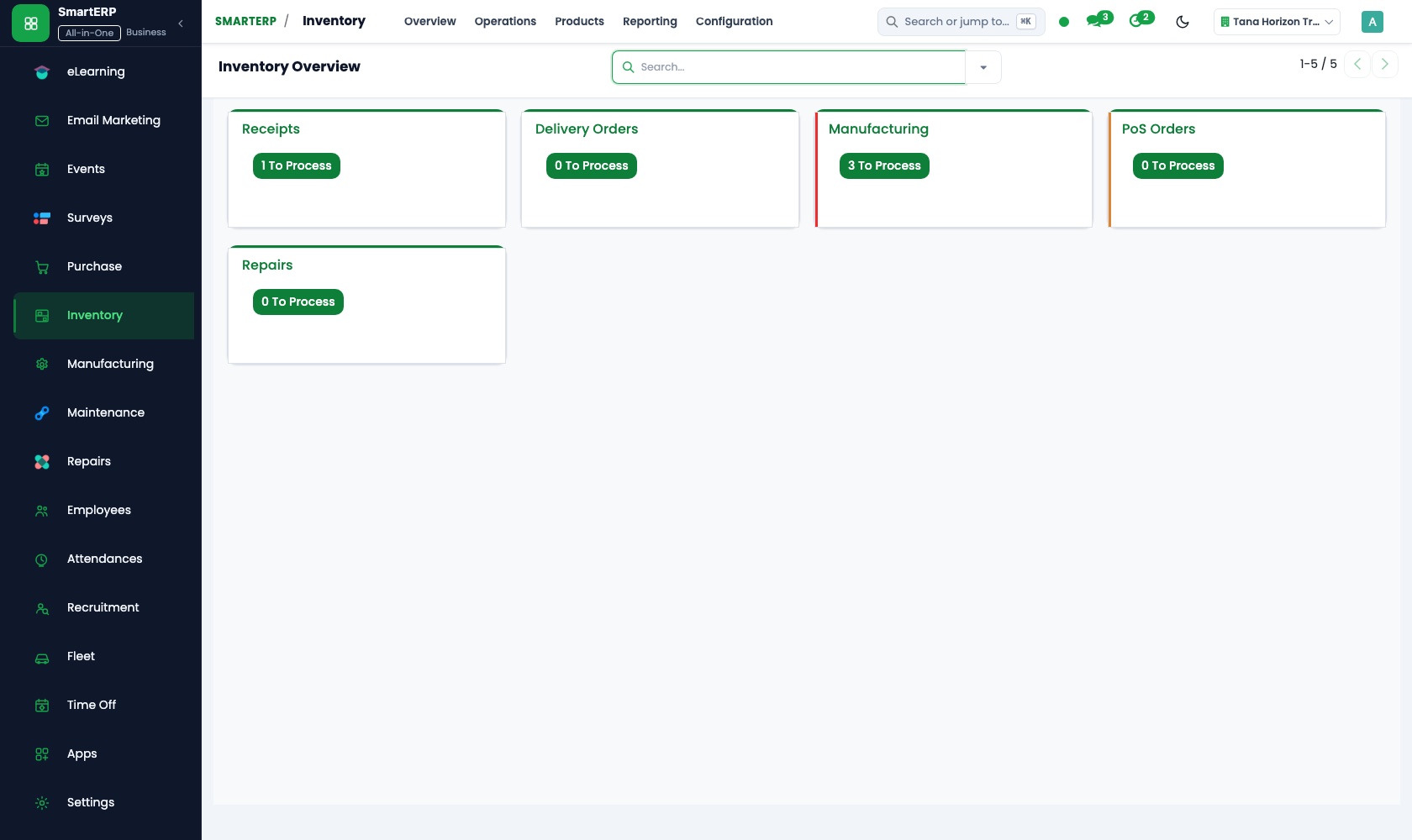
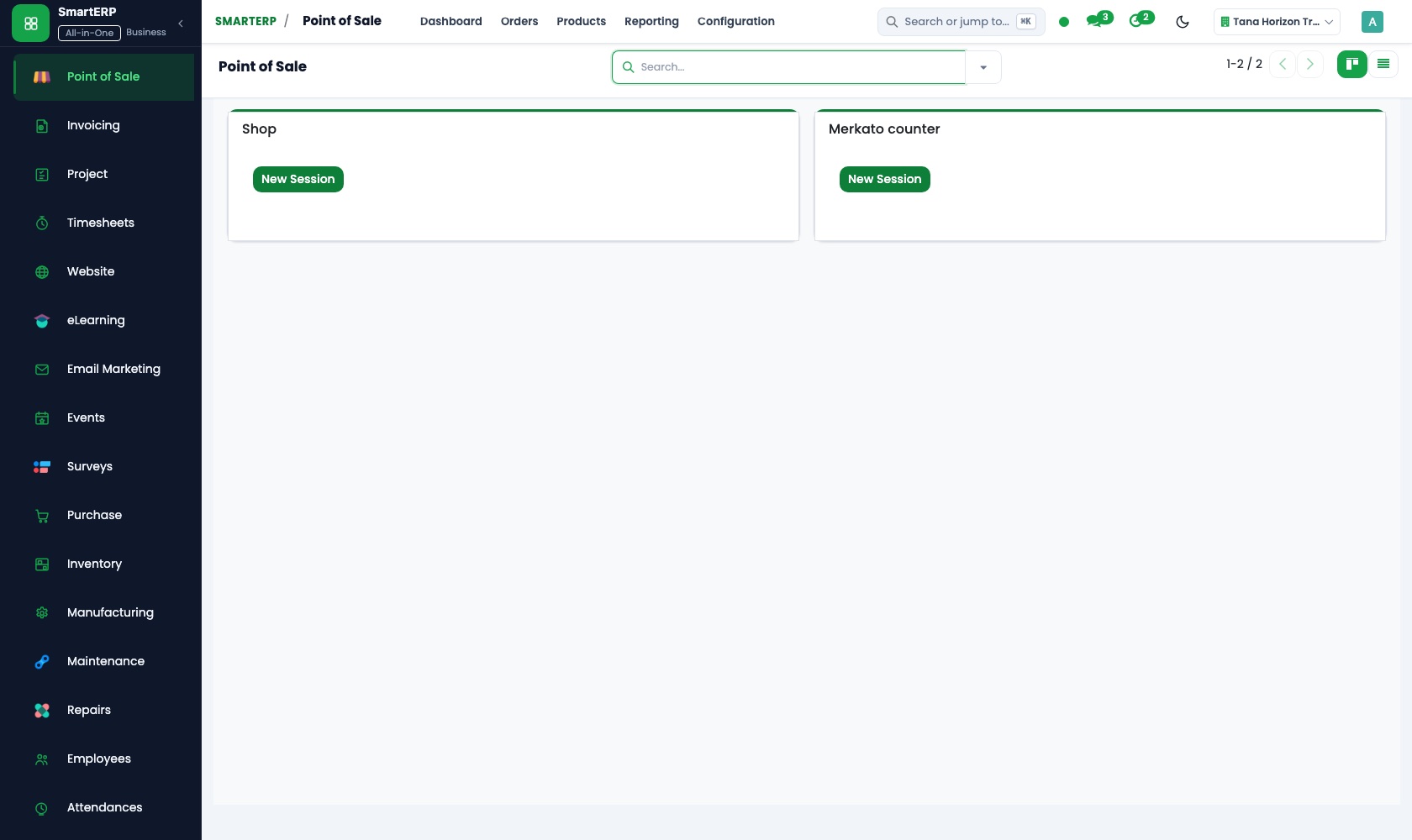
The applications on screen
Real SmartERP screens with sample data.


Who uses it
- Business owner or general managerSee the whole business and keep every department working on the same records.
- Sales and customer serviceLeads, quotations, orders and follow-up.
- Purchasing and storesBuy, receive and control stock.
- Operations and productionPlan production, maintain equipment, deliver on time.
Company sizes
- 11 to 50 people
- 51 to 100 people
What SmartERP does not cover for this industry
SmartERP does not check whether a product suits a customer's power supply, roster installation crews or run warranty claims with the importer. Those stay with your technicians; SmartERP records the sale, the serial number and the repair.
Questions about SmartERP for electronic Store
Can SmartERP tell us which customer bought a faulty unit?
Yes, where the item carries a serial number. Inventory records it on the delivery, so the unit leads back to the buyer and the invoice. Claims against the importer stay with your team.
Does SmartERP check if a product suits a customer's power supply?
No. It does not check power supplies, roster installation crews or run claims with the importer. Your technicians do that; SmartERP records the sale, the serial number and the repair.
How do we handle repairs brought to the counter?
With the optional Repair application: one order per item with the fault, parts from stock and time as billable lines, and the history of the same unit.
Do Inventory, Sales and Purchase share the same stock?
Yes. Goods received against a purchase order add units, a confirmed sales order is delivered from the same location, and Accounting posts both the bill and the invoice.
Can we print fiscal receipts or send e-invoices to the tax authority?
No. SmartERP does not integrate with tax-authority e-invoicing or fiscal machines today. Invoices show VAT and can be printed or emailed.
See it before you decide
An office equipment order and a repair job at the counter
The walkthrough sells serial-numbered equipment to an invented office, then follows a faulty unit from the counter through parts and labour to its repair invoice.
There is no self-service sandbox. The demo is a guided walkthrough on sample data, or you can start a trial workspace.
Pricing
SmartERP has an industry edition for this sector (Trading and Distribution). The applications listed above are its applications, and the editions, their staff bands and the current prices are on the pricing page. This page shows no price.
See plans and pricingA website for your business
SmartERP can also set up a starter website for this kind of business, offered as part of a website project: Home, Shop, How to Choose, Power & Backup, Warranty & Support, Business Orders, Contact. How the website tools work.
Start with what your business needs first
Tell us your industry and we carry it through the guided set-up, or talk to us first.
Start SmartERP Book a demo