
SmartERP for general Contractor
Follow each construction project from accepted contract and site store material requests to daily labour logs, plant equipment fuel tracking, and client stage billing.

Site projects, construction contracts, site stores, and stage billing for contractors
A building contractor manages active sites, specialized subcontractors, heavy equipment, and client milestones simultaneously. SmartERP Construction connects construction contracts, site store material requisitions, daily labour records, and fleet equipment usage directly with purchasing and financial stage invoicing.
Start with Projects, Contracts, and Site Stores for materials and daily site logs, then connect Sales and Accounting for client milestone invoicing and supplier payments.
Typical businesses: Building contractors · General contractors · Civil works firms · Finishing contractors · Design-and-build firms
Purpose-Built Features
Core Industry Capabilities
Specialized capabilities configured for general Contractor operations.
Construction project job costing with direct labor, materials, equipment, and subcontracts
Subcontractor bid management, progress billing (retention/holdback), and lien waivers
Daily construction site logs, safety inspection checklists, and weather delay records
Change order management with client approval workflows and cost budget adjustments
Milestone billing with Work-in-Progress (WIP) and schedule-of-values accounting
Problem-to-Solution Matrix
How SmartERP systematically replaces traditional operational bottlenecks with automated enterprise workflows in general Contractor.
Nobody knows which site is stuck, or why
Progress is reported by phone or on a board at the yard, so the owner learns that a slab or a finishing stage is late only when the client complains.
Automated end-to-end workflow on a unified PostgreSQL database with real-time audit trail and zero duplicate entry.
Materials are bought by whoever is nearest to the phone
Foremen and engineers call suppliers directly, so an item is ordered twice, prices differ between sites and deliveries arrive with no order to check against.
Automated end-to-end workflow on a unified PostgreSQL database with real-time audit trail and zero duplicate entry.
Site stores are a guess
Cement, rebar, blocks and fittings leave the yard on a note or on nothing, so what remains at each site, and what went missing, is unknown when the job ends.
Automated end-to-end workflow on a unified PostgreSQL database with real-time audit trail and zero duplicate entry.
Stage invoices to the client are late or disputed
The office reconstructs the work from memory before each invoice, so billing waits, and the client questions amounts that cannot be traced to the accepted quotation.
Automated end-to-end workflow on a unified PostgreSQL database with real-time audit trail and zero duplicate entry.
Applications in the Construction edition
These applications are the ones the industry edition's blueprint includes. Each opens its own page.
Often added for this industry
What each application does for general Contractor
Accounting
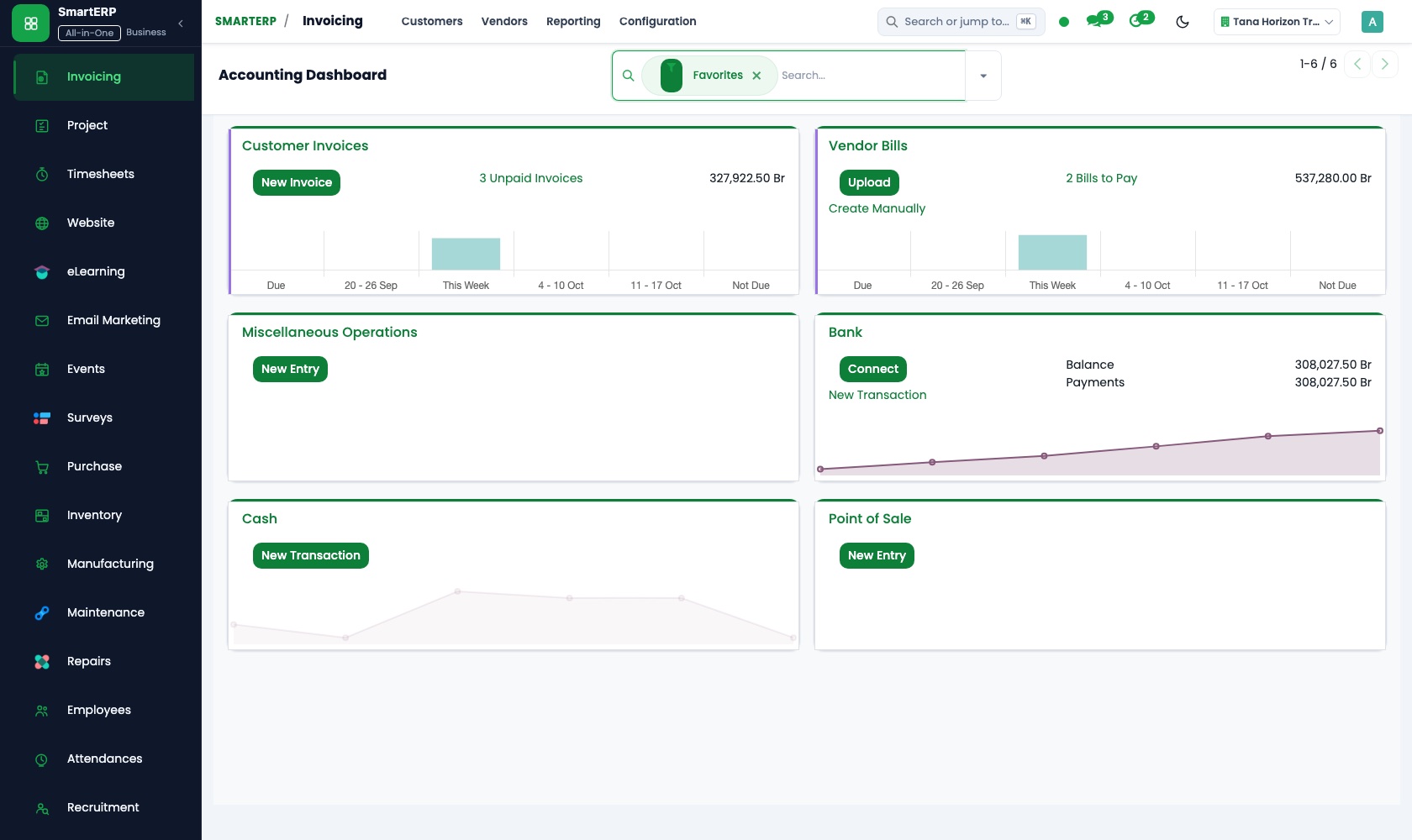
Stage invoices go to the client against the accepted quotation, with a credit note if a stage is reduced. Supplier bills are paid for what reached site.
Project
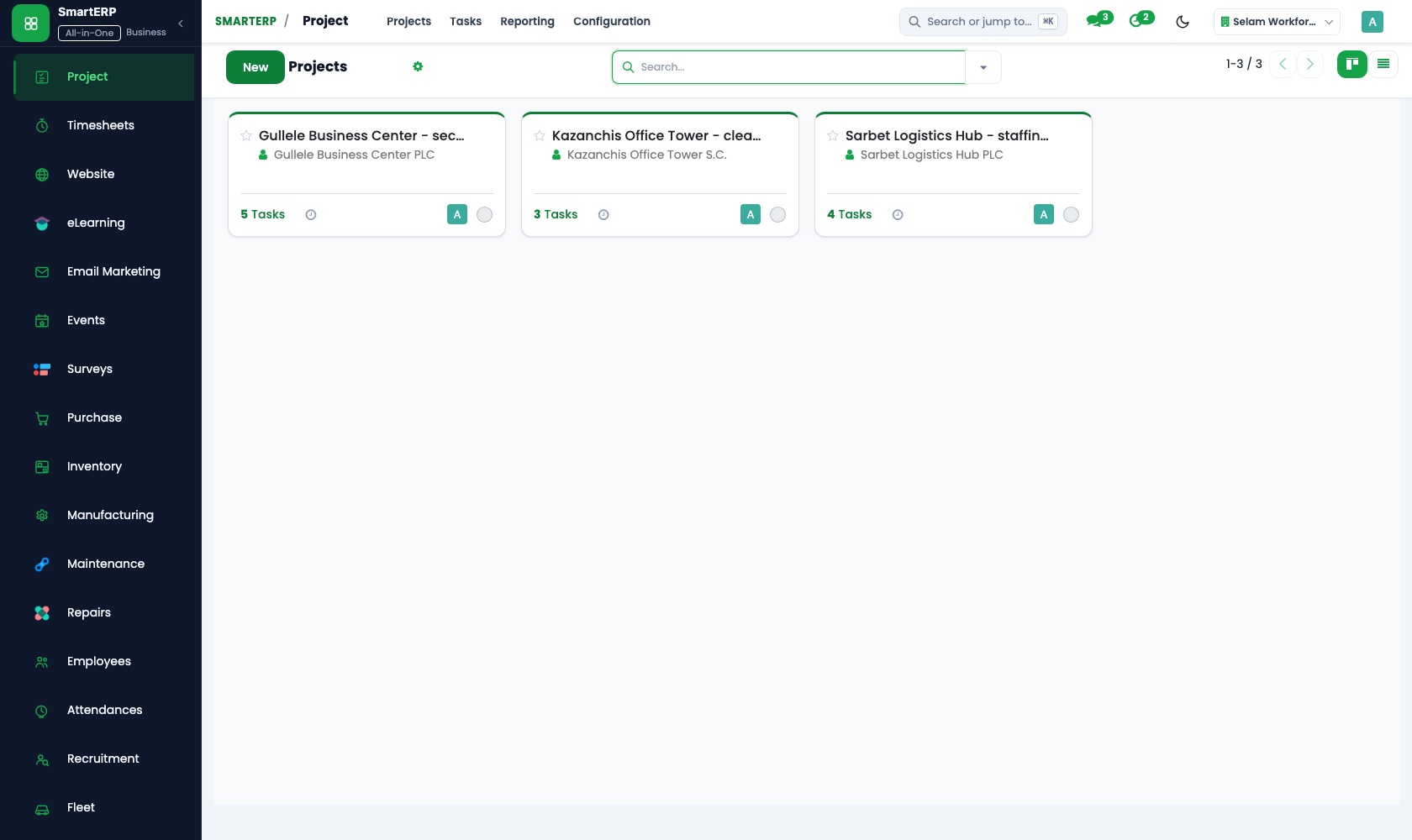
Every site is a project with tasks from setting out to finishes. Dependencies make roofing wait for the slab, and the kanban board shows which site is stuck.
Sales
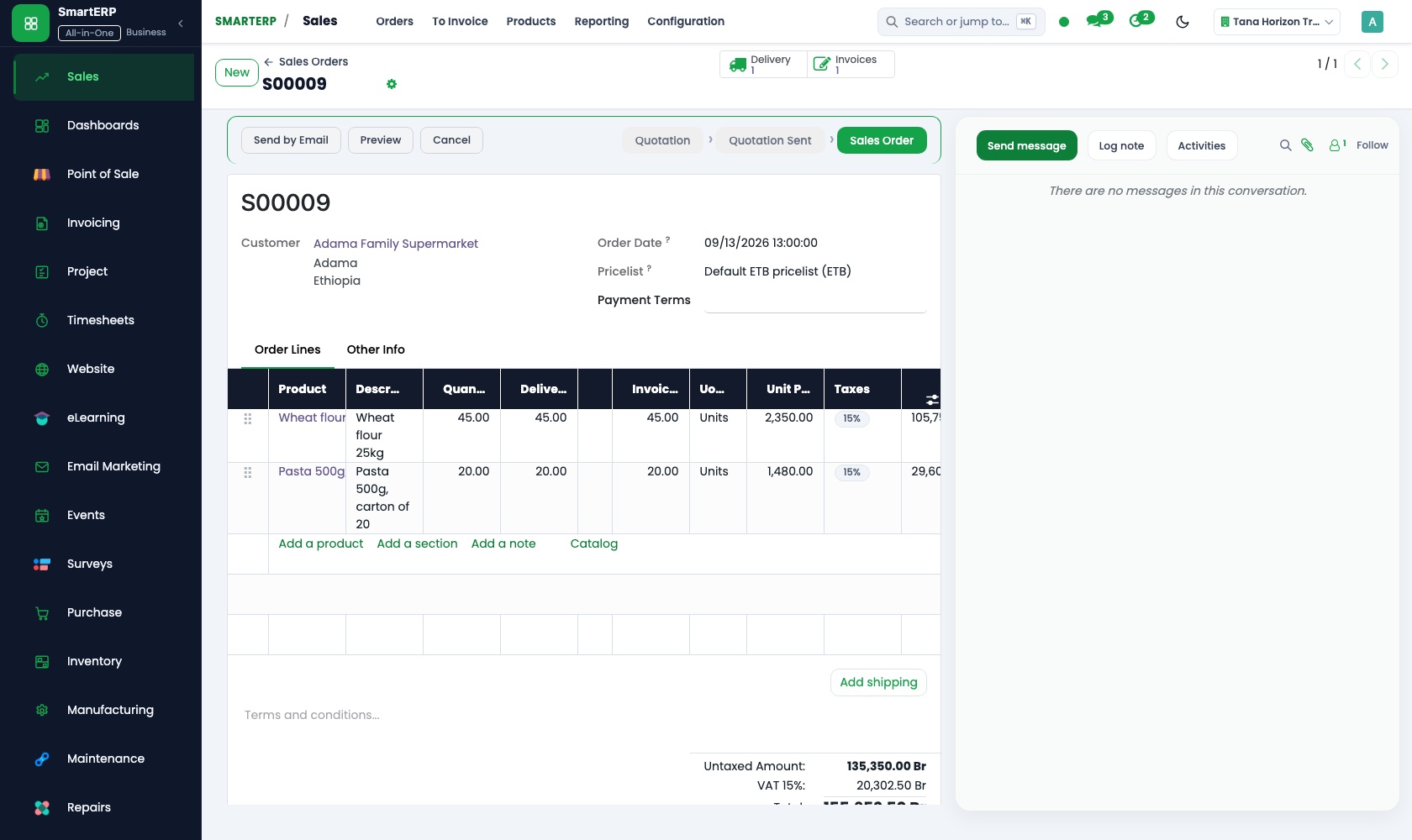
The client's accepted quotation is confirmed as a sales order, and each stage invoice can be traced back to what was agreed. Quotation templates reuse the usual layout.
Purchase
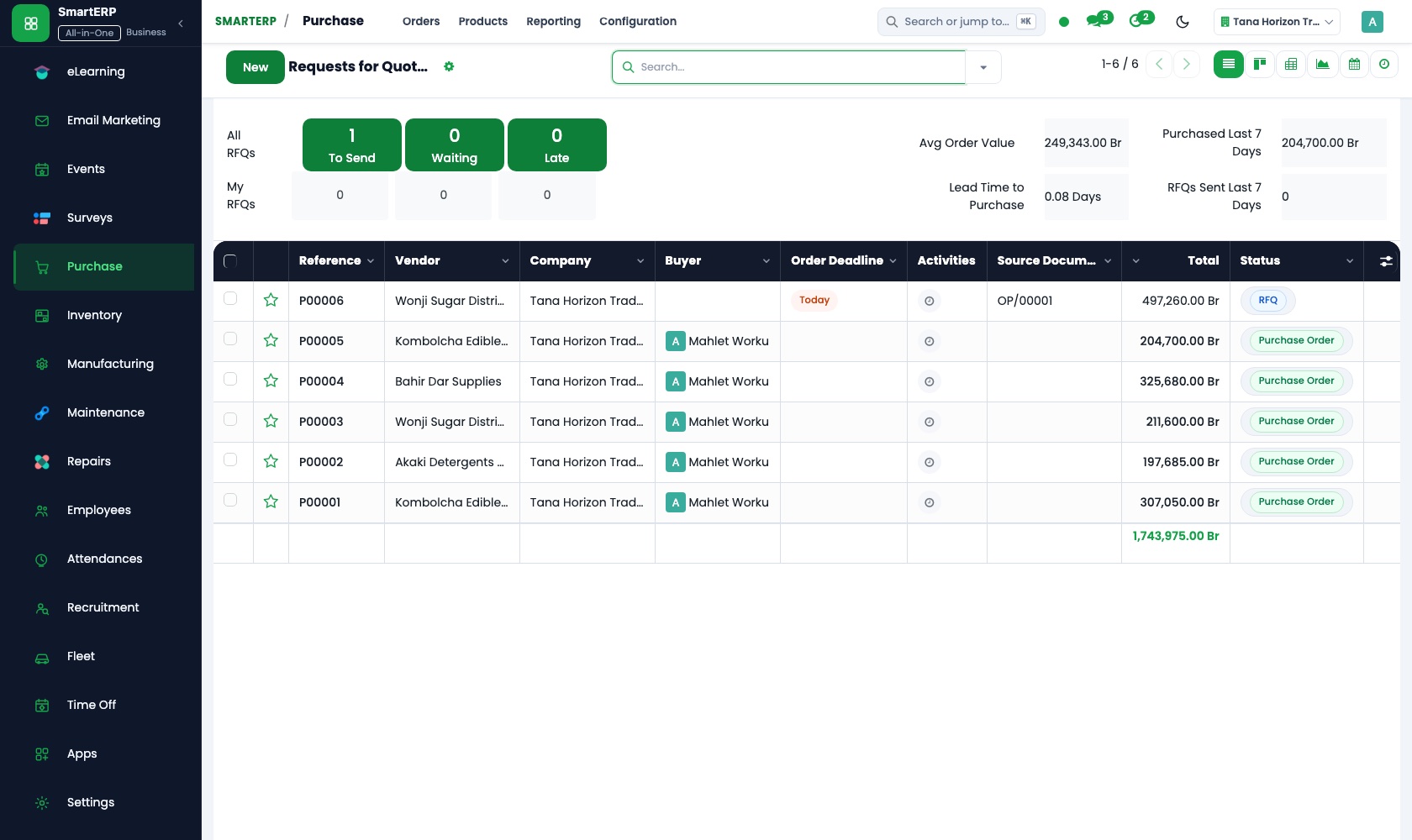
The engineer's request goes to several cement, rebar and block suppliers as requests for quotation. One purchase order is confirmed for each delivery, and the bill is checked against it.
Inventory
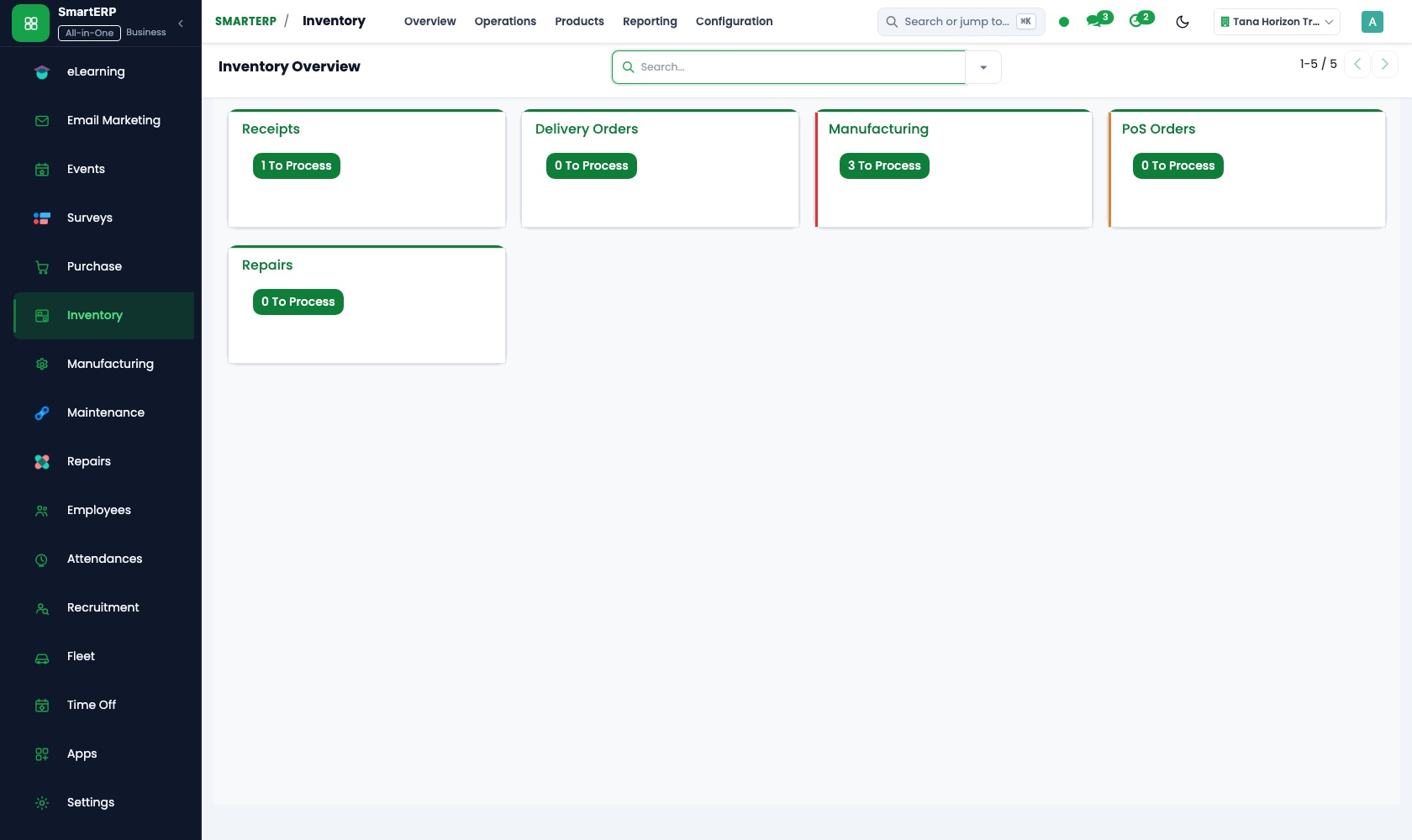
Each site's store is its own location, so the cement, rebar and blocks left at that site can be read on demand. Physical counts record what went missing.
How the work runs on SmartERP
From an accepted quotation to a site with stages
A signed quotation becomes a project with ordered tasks, a client who can follow progress, and an invoice when a stage is done.
- Sales: Quotations and sales orders Turn the client's accepted building quotation into a sales order the whole office can refer to.
- Project: Projects and tasks Open one project per site and list the works, from setting out and foundations to finishes.
- Project: Sub-tasks and dependencies Make columns wait for foundations and roofing wait for the slab, so the sequence is visible.
- Project: Customer visibility Let the client follow the stages of their own building without phoning the site office.
- Accounting: Customer invoices and credit notes Invoice the stage that is finished and issue a credit note if part of it is reduced.
From a site request to materials received and paid
An engineer's request is priced by suppliers, ordered once, booked into the site store and paid against the delivery.
- Purchase: Requests for quotation Ask several block, rebar or cement suppliers to price the quantity the engineer asked for.
- Purchase: Purchase orders Confirm one order for each delivery and site, so the yard and the office hold the same document.
- Inventory: Receipts and deliveries Book the load in when the truck is checked at the yard or the site gate.
- Inventory: Warehouses and locations Keep each site's store as its own location, so the quantity left can be read per site.
- Accounting: Vendor bills and payments Pay the supplier for what was received and keep each site's cost visible.
Your first month
- First week. We list your running sites, the stages you bill and the suppliers involved, then set one store location for the yard and one per site.
- Second week. The accountant confirms the chart of accounts and banks. One live site gets its project, its tasks and its quotation entered as a sales order.
- Third week. An engineer's request goes to suppliers, one order is confirmed and the truck is booked into the site store. Finance pays against the delivery.
- After go-live. We walk the sites with the owner: late stages, store counts against the books, and finished stages still unbilled.
What to have ready
- Running sites with client, contract value and the stage reached
- The accepted quotations for those sites and the stages you invoice
- Suppliers of cement, rebar, blocks and fittings, with usual prices
- What is in the yard and each site store today, counted by item
- Foremen and engineers who request materials, with their sites
- Bank account details and opening balances from your accountant
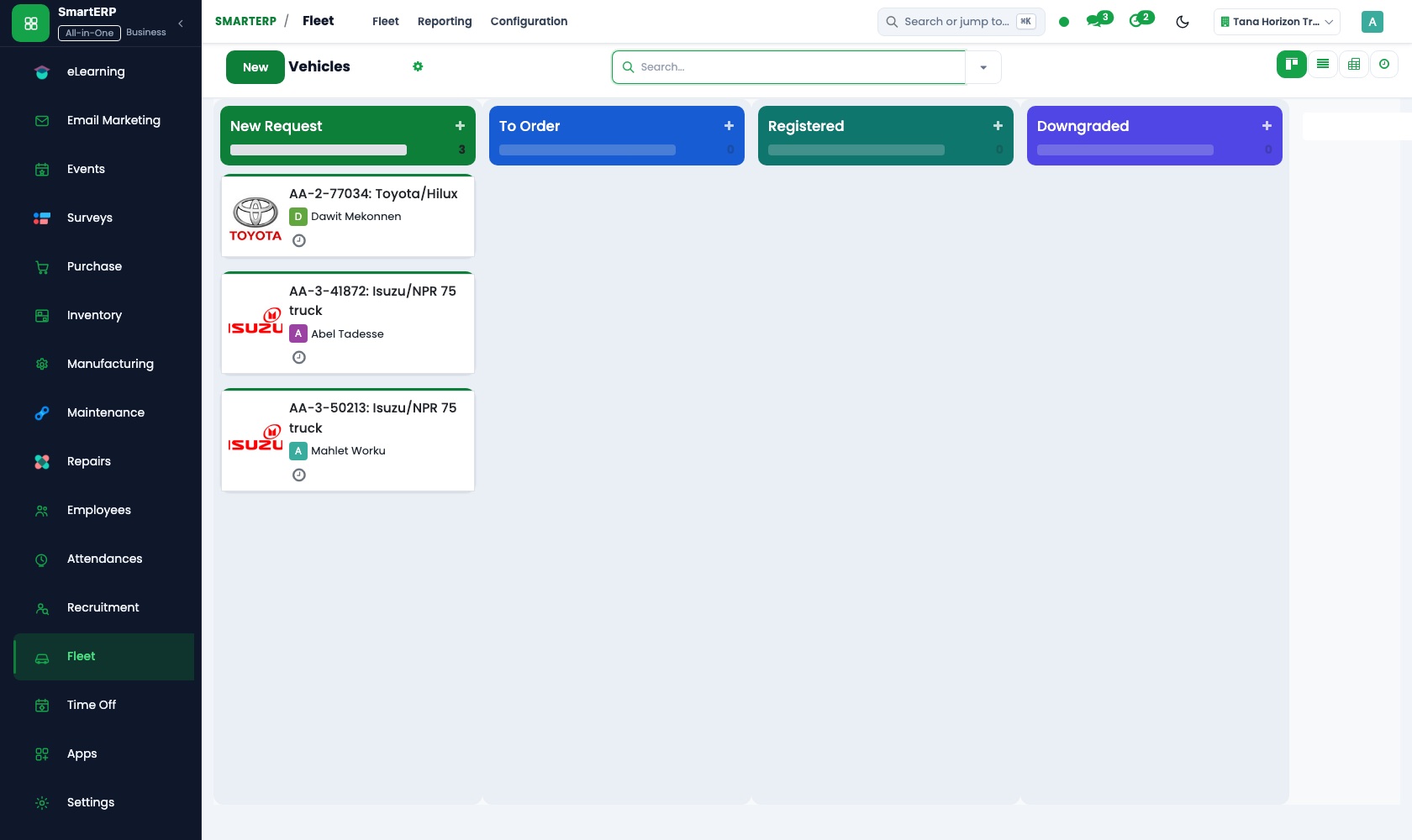
Live Platform Interface
The applications on screen
Authentic SmartERP application workspaces configured for general Contractor workflows.
Who uses it
- Business owner or general managerSee the whole business and keep every department working on the same records.
- Finance and accountingInvoices, bills, bank and reports from one ledger.
- Purchasing and storesBuy, receive and control stock.
- Project and service managersPlan projects and bill the time.
Company sizes
- 11 to 50 people
- 51 to 100 people
- 101 to 200 people
What SmartERP does not cover for this industry
SmartERP Construction does not include automated CAD/BIM drawing quantity take-off (extracting BoQ directly from design blueprints). Subcontractor retention percentages are managed via standard accounting journals.
Questions about SmartERP for general Contractor
Does SmartERP handle site material requests and daily labour?
Yes. Site engineers submit material requests to the site store, foremen log daily labour attendance, and fleet fuel requests track plant equipment. Automatic BoQ take-off directly from CAD/BIM drawings is handled in specialized engineering software.
How can I see which site is behind without visiting it?
Each site is a project on a kanban board, so tasks moving through stages show where work is stuck. Sub-tasks and dependencies keep the sequence visible.
How do we know what is left in a site store?
Each site store is its own location in Inventory. Trucks are booked in on receipt, transfers move material between yard and site, and stock reports show the quantity on hand.
Can we keep our trucks and concrete mixers on record?
Yes, with Fleet and Maintenance added. Fleet registers trucks with driver, services and fuel; Maintenance keeps mixers and other plant with schedules and repair requests. Fleet does not track by GPS.
Do the quotation, purchases and invoices stay linked?
Yes. The accepted quotation becomes a sales order, a project opens from it, purchase receipts book stock into the site store, and Accounting posts stage invoices and supplier bills to one ledger.
See it before you decide
One building project from accepted quotation to first stage invoice
The walkthrough turns a quotation for a small commercial building into a project with ordered tasks, shows what the client can see, then raises the invoice for the first finished stage, on sample data for a fictional contractor.
There is no self-service sandbox. The demo is a guided walkthrough on sample data, or you can start a trial workspace.
Pricing
SmartERP has an industry edition for this sector (Construction). The applications listed above are its applications, and the editions, their staff bands and the current prices are on the pricing page. This page shows no price.
Editions for this industry
- Starter: Up to 50 staff
- Enterprise: 51 to 100 staff
- Premium: 101 to 200 staff
The edition installs Accounting, Agile Boards, Finance, Project Management, Smart Inventory, Smart Purchase, Sales, Inventory, Purchase. This list is read from the same catalogue the sign-up uses.
See plans and pricingEnterprise Website Template for general Contractor
Launch your modern, responsive commercial website without writing code. This template is pre-engineered for general Contractor with localized Ethiopian workflows, dual English and Amharic content, and automatic SmartERP CRM lead capture.
Authentic Credentials & Client Sign-Offs in general Contractor
Inspect real official recommendation letters and handover documentaries from organizations running on SmartERP.
Teleport Technologies Recommendation
"Successfully delivered fully functional system managing stock, sales, financial records, and payroll for 210+ staff across Ethiopia."
Inspect Official Recommendation →Credoks Digital Implementation Sign-Off
"Exceptional technical expertise, professionalism, and deep understanding of our operational needs across procurement and payroll."
Inspect Official Recommendation →Transform Your general Contractor Operations with SmartERP
Experience a localized, unified cloud platform configured for Ethiopian and regional business standards. Book a live walkthrough or start your trial.