Recruitment, placed staff and client invoicing for an HR outsourcing firm
An HR outsourcing firm sells two things: finding people and looking after people on behalf of employers. SmartERP holds the applicant pipeline, the staff directory, leave and attendance, and the invoices raised to each client. Salary calculation stays outside it, in whatever process the firm uses today.
Start with Recruitment, Employees and Sales, then add Accounting for client invoices. Attendance, Time Off and Timesheets follow when the firm manages placed staff on client premises and bills them by the day or by the hour.
Typical businesses: HR outsourcing firms · Recruitment agencies · Manpower supply firms · Employment agencies · Staff placement offices
Problems this industry runs into
CVs sit in inboxes and notebooks
Applicants come by email, walk-in and phone. A recruiter cannot tell which candidates were already screened for a similar vacancy, so good people are contacted twice or missed.
Placed staff are hard to find in one list
Once a candidate starts at a client, the firm still needs to know who they are, which employer they serve and which position they fill, but that lives in separate files.
Client site hours and absences are reconciled by hand
Each client reports attendance and absence in its own way, so someone re-adds sheets before invoicing and checks leave balances by memory.
Placement fees and monthly charges are invoiced late
Fees for filled vacancies and charges for staff kept on site are worked out from scattered notes at month end, so invoices go out late and queries are hard to settle.
Applications in the HR Outsourcing edition
These applications are the ones the industry edition's blueprint includes. Each opens its own page.
Often added for this industry
What each application does for talent Acquisition
Employees
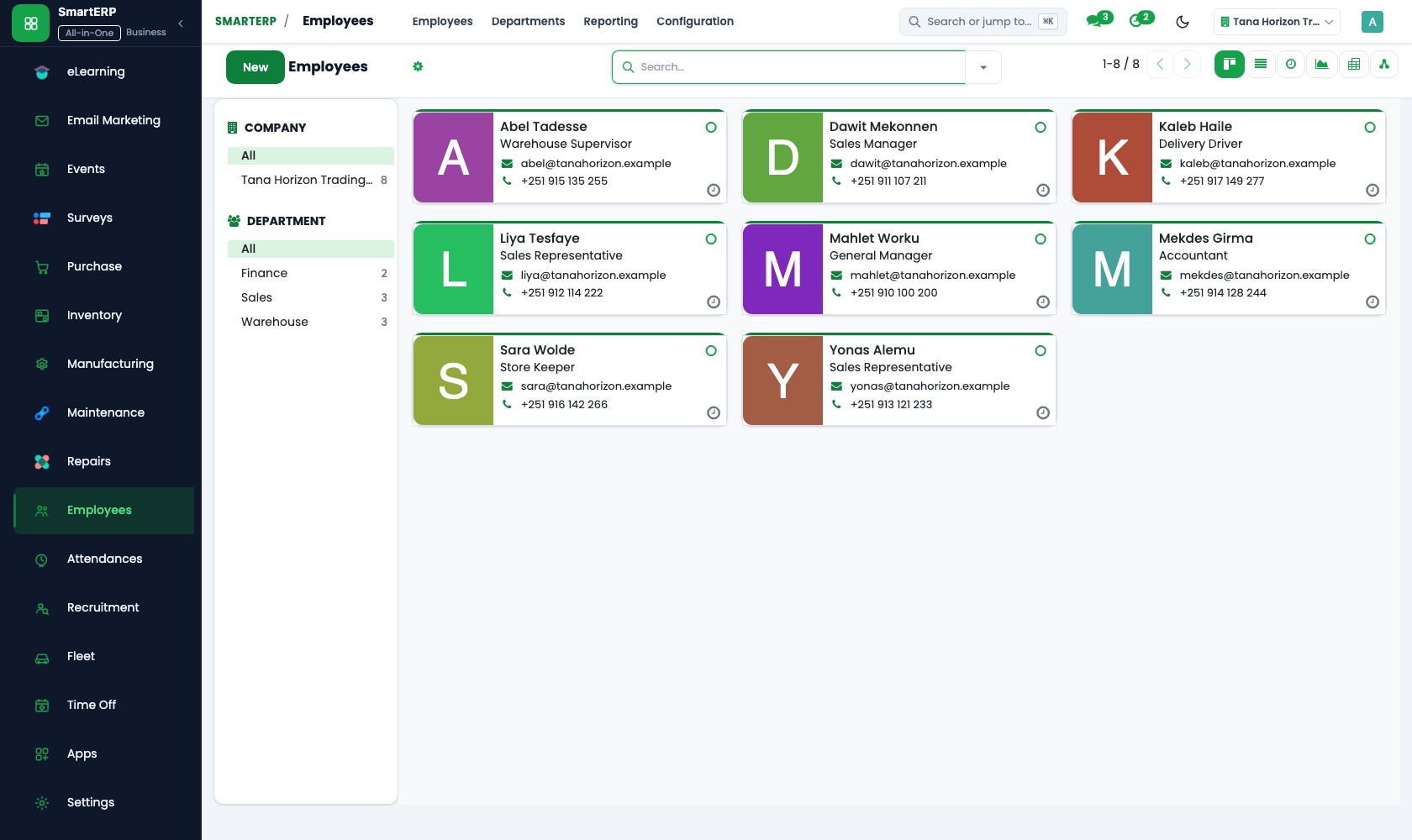
Every placed worker has one record with a job position and a department set for the client. Sensitive details stay visible only to HR officers.
Accounting
Placement fees and monthly staffing charges are invoiced to each employer, with a credit note for a day when no replacement was sent. Payments are matched at the bank.
Recruitment
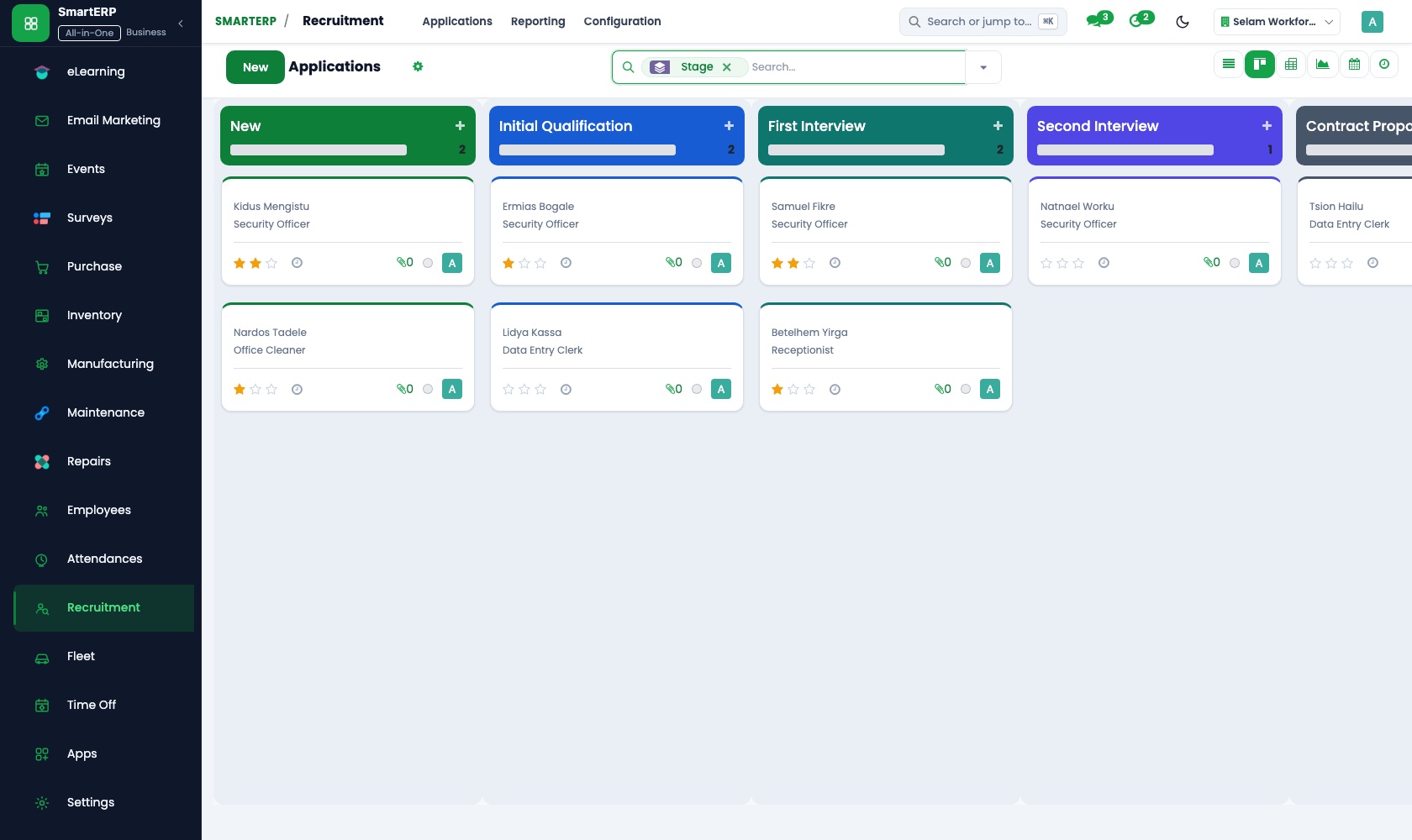
A vacancy such as a shop cashier or a driver is opened as a job position, and each CV moves through the applicant pipeline with notes. The chosen candidate becomes an employee.
Time Off
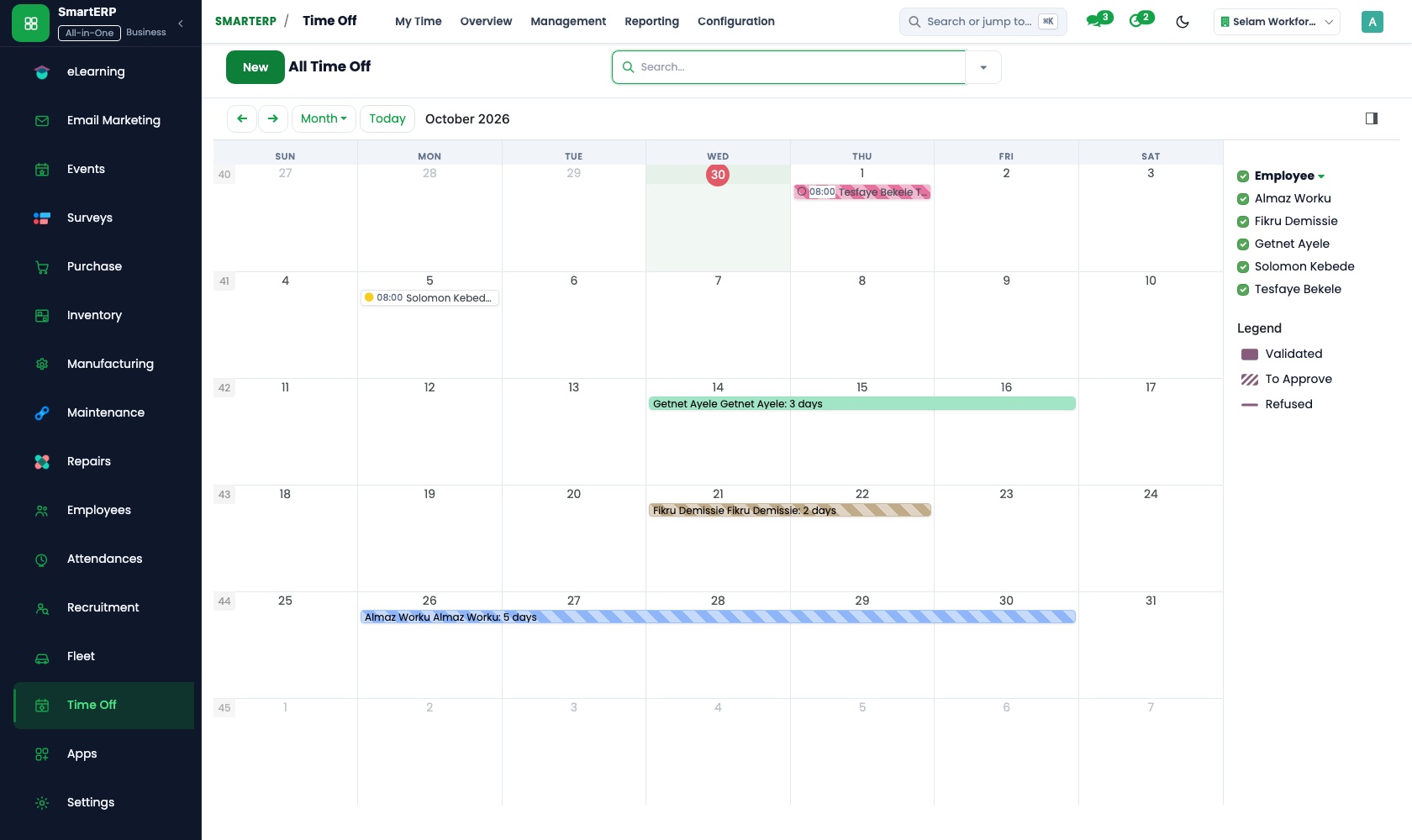
Leave types, allocations and balances are kept for each placed employee, and the team calendar shows who is away. Balance reports show days taken and remaining.
Attendance
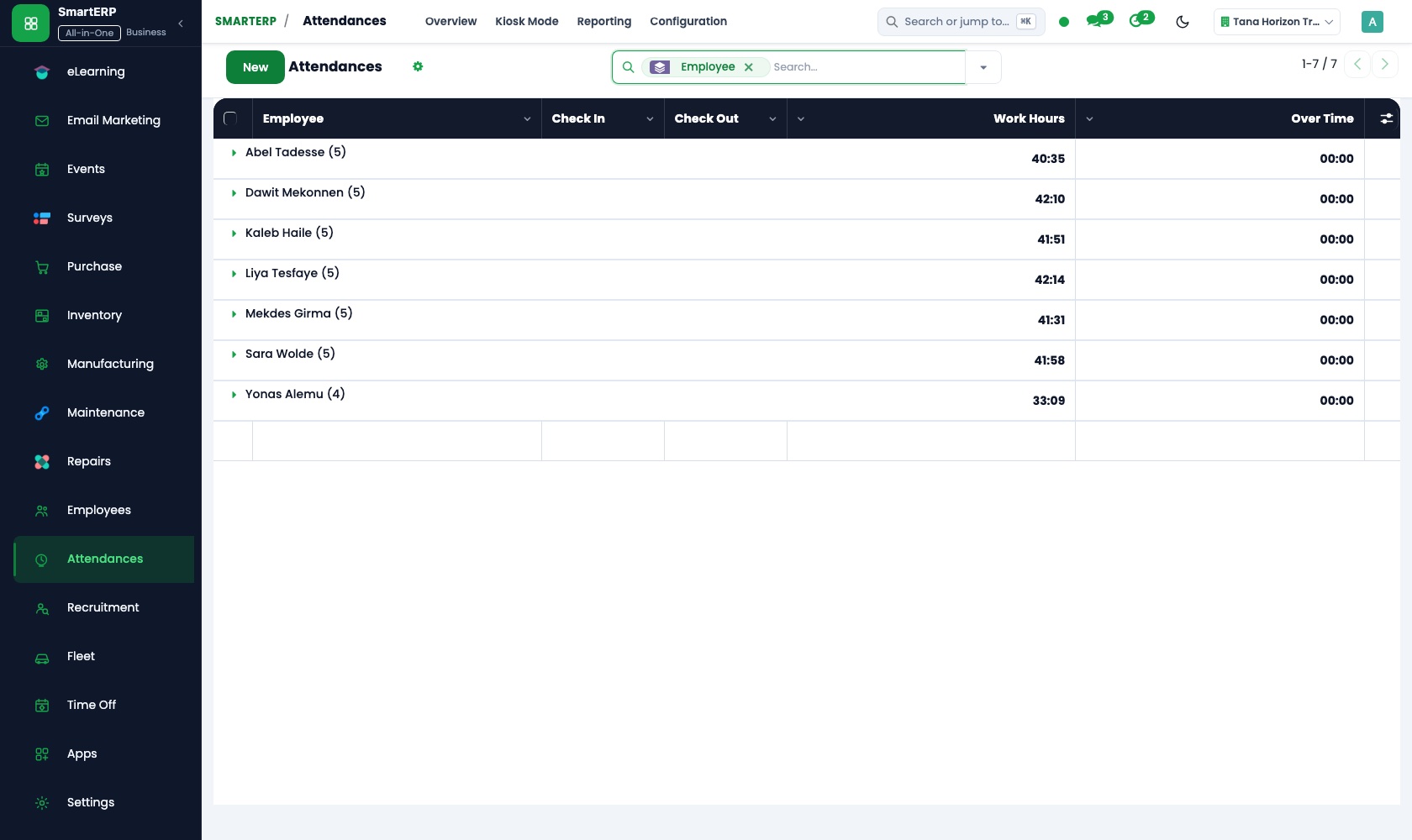
Placed staff check in and out on a shared kiosk screen at the client site with a badge or PIN. The coordinator corrects missed check-outs and reads worked hours.
Timesheets
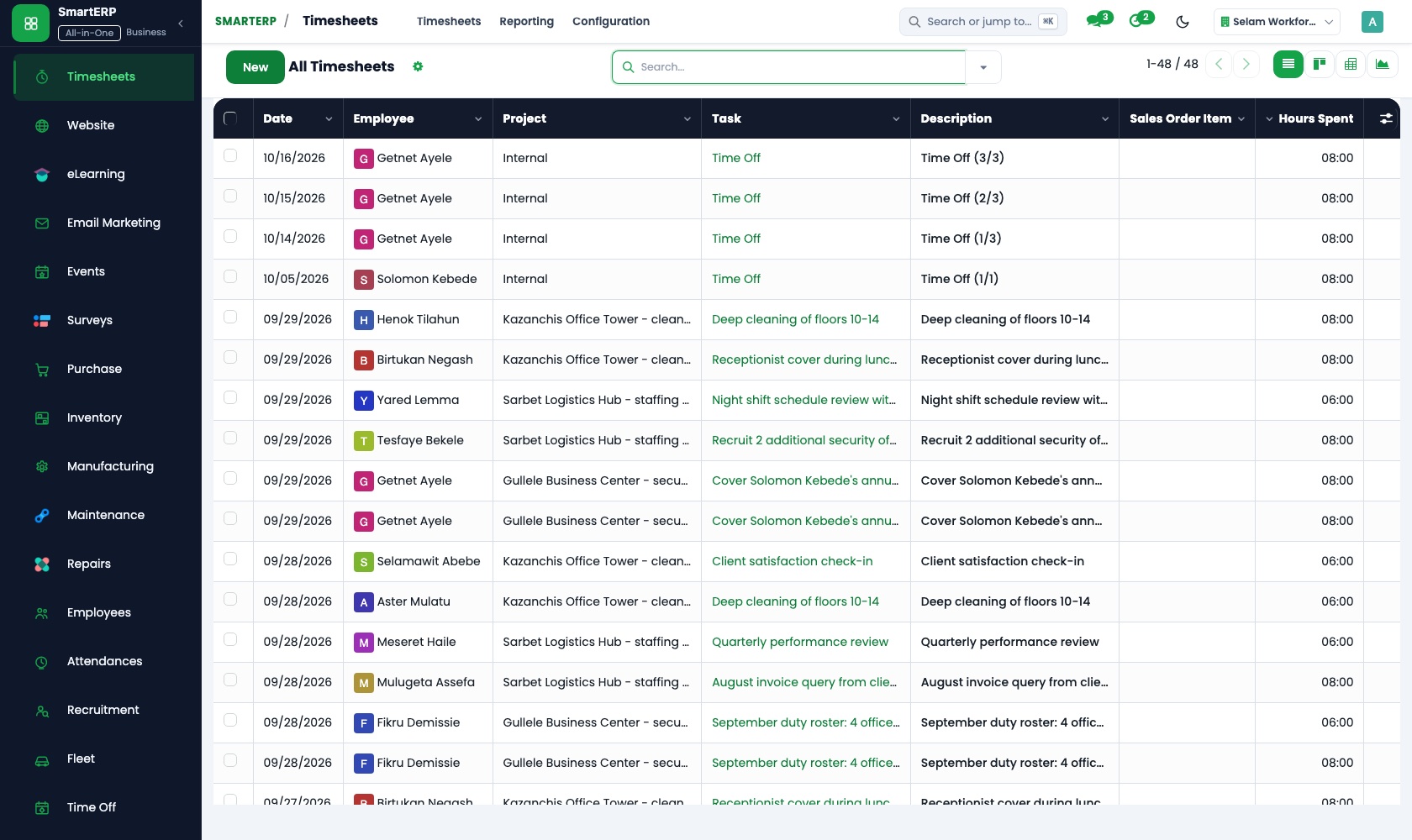
For staff billed by the hour, time is logged on the client's tasks from a weekly grid or a timer. Billable time is invoiced to the employer from the order.
Project
Each client contract is a project whose tasks, such as filling a batch of cashier posts, carry an assignee and a deadline. Selected projects can be shared with the employer.
Sales
The staffing contract is confirmed as a quotation and a sales order with the number of workers and the daily or hourly rate. Price lists hold the rate for each position.
How the work runs on SmartERP
From vacancy request to a hired placement
An employer sends a vacancy, the firm advertises it and screens applicants, and the chosen candidate becomes a staff record.
- Recruitment: Job positions and postings Open the vacancy the employer asked for, such as a shop cashier or a driver, with the requirements it listed.
- Recruitment: Applicant pipeline Move each CV through received, screened, interviewed and shortlisted so none stays buried in an inbox.
- Recruitment: Interview scheduling Fix the interview time with the candidate and with the employer's contact person.
- Recruitment: Applicant notes and scoring Write down what the interviewer saw so the shortlist sent to the employer rests on the notes.
- Recruitment: Hire to employee Turn the accepted candidate into a staff record with the client and the position filled in.
From staffed hours on site to the monthly client invoice
A staffing contract is agreed, worked days are recorded at the client site, and the client is invoiced for what was worked.
- Sales: Quotations and sales orders Confirm the staffing contract with the number of workers, their positions and the daily or hourly rate.
- Attendance: Kiosk mode Placed staff check in and out at a shared screen at the client site instead of phoning the office.
- Attendance: Manager review The coordinator corrects missed check-outs and confirms the month's worked days per person.
- Accounting: Customer invoices and credit notes Invoice the employer for the confirmed days and issue a credit note for a day when no replacement was sent.
Your first month
- First week. We set up a department for each client, load your staff directory and open vacancies, and agree the daily and hourly rates by position.
- Second week. Leave types, holidays and balances are entered, the candidate pipeline stages are agreed, and the ledger and bank accounts are set up with your accountant.
- Third week. Recruiters move real candidates through the pipeline to a hire, and one client site starts checking in on the kiosk, with its hours reviewed by the coordinator.
- After go-live. The owner reads the first monthly client invoices against the confirmed hours with us, and we adjust rates, pipeline stages and invoice wording.
What to have ready
- Your placed staff list with employer, position and start date
- Client employers with contacts and the rate agreed for each position
- Open vacancies and the candidates already screened for them
- The leave rules you apply and the balances staff hold today
- Your bank account details and the opening balances from your accountant
The applications on screen
Real SmartERP screens with sample data.

Who uses it
- Business owner or general managerSee the whole business and keep every department working on the same records.
- Finance and accountingInvoices, bills, bank and reports from one ledger.
- Sales and customer serviceLeads, quotations, orders and follow-up.
- Human resourcesStaff records, hiring, leave and attendance.
Company sizes
- Up to 10 people
- 11 to 50 people
- 51 to 100 people
What SmartERP does not cover for this industry
SmartERP does not calculate salaries or statutory deductions, and it has no skills testing, background checking or candidate-facing job portal of its own. Salary runs stay in your current process; SmartERP records who is placed where and what each client owes.
Questions about SmartERP for talent Acquisition
Does SmartERP calculate the salaries of the staff we place?
No. SmartERP does not calculate salaries or statutory deductions, and payroll is available only through an implementation project. Keep your current salary process.
Can SmartERP test candidates or check their backgrounds?
No. SmartERP has no skills testing, no background checking and no candidate-facing job portal of its own. Recruitment keeps the applicant, notes and score together.
How do placed staff's hours reach the client invoice?
Staff check in at the client site, the coordinator reviews worked hours in Attendance, and Accounting invoices the employer for the confirmed days. For hourly billing, Timesheets bills from the order.
Do recruitment, leave and attendance share the same staff records?
Yes. A hired applicant in Recruitment becomes a record in Employees, and Time Off, Attendance and Timesheets use that same record, so a placed worker is entered once.
Does SmartERP know the Ethiopian public holidays?
Not automatically. You record company and public holidays yourself in Time Off; an automatic Ethiopian holiday calendar is not offered in the standard cloud service.
See it before you decide
One vacancy from posting to hired staff record for a fictional recruiter
The walkthrough opens an employer's vacancy, moves several applicants through the pipeline to a hire, and shows the new staff record linked to the client, on sample data for a fictional agency.
There is no self-service sandbox. The demo is a guided walkthrough on sample data, or you can start a trial workspace.
Pricing
SmartERP has an industry edition for this sector (HR Outsourcing). The applications listed above are its applications, and the editions, their staff bands and the current prices are on the pricing page. This page shows no price.
See plans and pricingA website for your business
SmartERP can also set up a starter website for this kind of business, offered as part of a website project: Home, For Employers, Payroll & Policy, Request Staff, Open Roles, Submit Your CV, Contact. How the website tools work.
Start with what your business needs first
Tell us your industry and we carry it through the guided set-up, or talk to us first.
Start SmartERP Book a demo