Harvest stock, standing orders and supplier payments for a farm business
Farm income comes in seasons while costs run all year, and produce loses value every day it waits in store. SmartERP keeps stock by lot and location, sales and deliveries by customer, and supplier purchases and payments. It does not plan crops, fields or planting calendars.
Start with Inventory, Sales and Purchase, with Accounting for the ledger. Add Fleet for delivery vehicles and Maintenance for pumps, tractors and packing equipment once stock and orders are steady.
Typical businesses: Vegetable farms · Grain and pulse growers · Fruit orchards · Packing sheds · Outgrower schemes
Problems this industry runs into
Produce is counted after it has already lost value
Crates and sacks come in from the field and go out to buyers with no running count, so shrinkage in the store is found only when a buyer receives less than promised.
Standing orders from hotels and shops live in a phone
Regular buyers want the same items every week, but quantities and prices sit in messages, so deliveries are packed from memory and invoiced late.
Seed, fertiliser and packing supplies are bought at the last moment
Inputs are ordered when the field or the packing shed runs out, so the farm pays whatever the nearest merchant asks and cannot compare offers.
Outgrowers are paid from notes and disputes follow
Smallholders who deliver produce are paid from a note of what they brought, so amounts are argued and the farm cannot show what it bought from whom.
Applications in the Agriculture edition
These applications are the ones the industry edition's blueprint includes. Each opens its own page.
Often added for this industry
What each application does for vineyard
Accounting
Outgrowers and input merchants are paid from vendor bills. Hotels and supermarkets are invoiced, a credit note covers rejected crates, and bank statements are matched to what was billed.
Sales
A hotel's weekly order for tomatoes, onions or cabbage is one sales order. Price lists hold each buyer's agreed rate, and delivery and invoicing status shows which deliveries are still unbilled.
Inventory
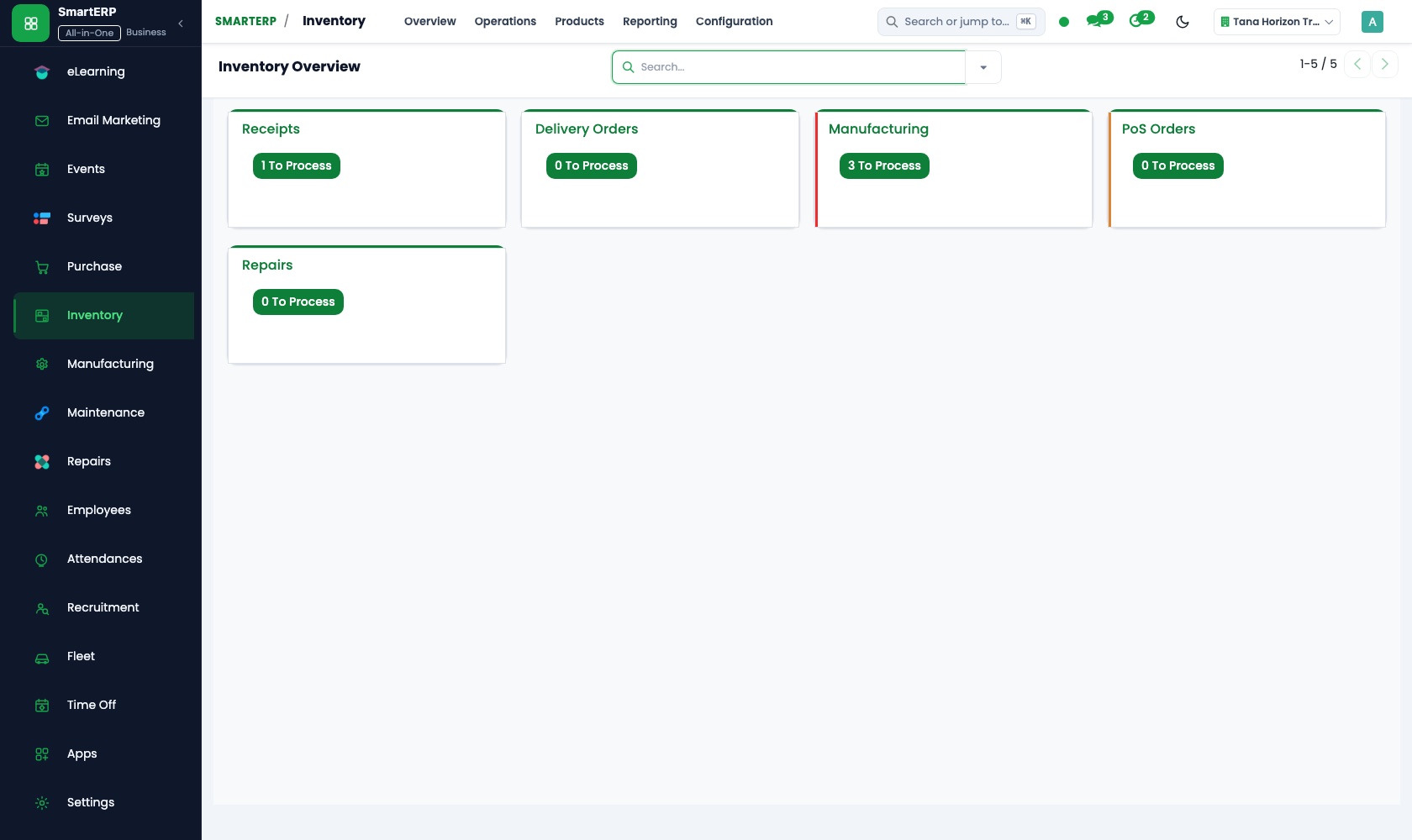
Each harvest is booked into a named store as its own lot. Deliveries leave from the oldest lot first, and physical counts show shrinkage before a buyer finds it.
Purchase
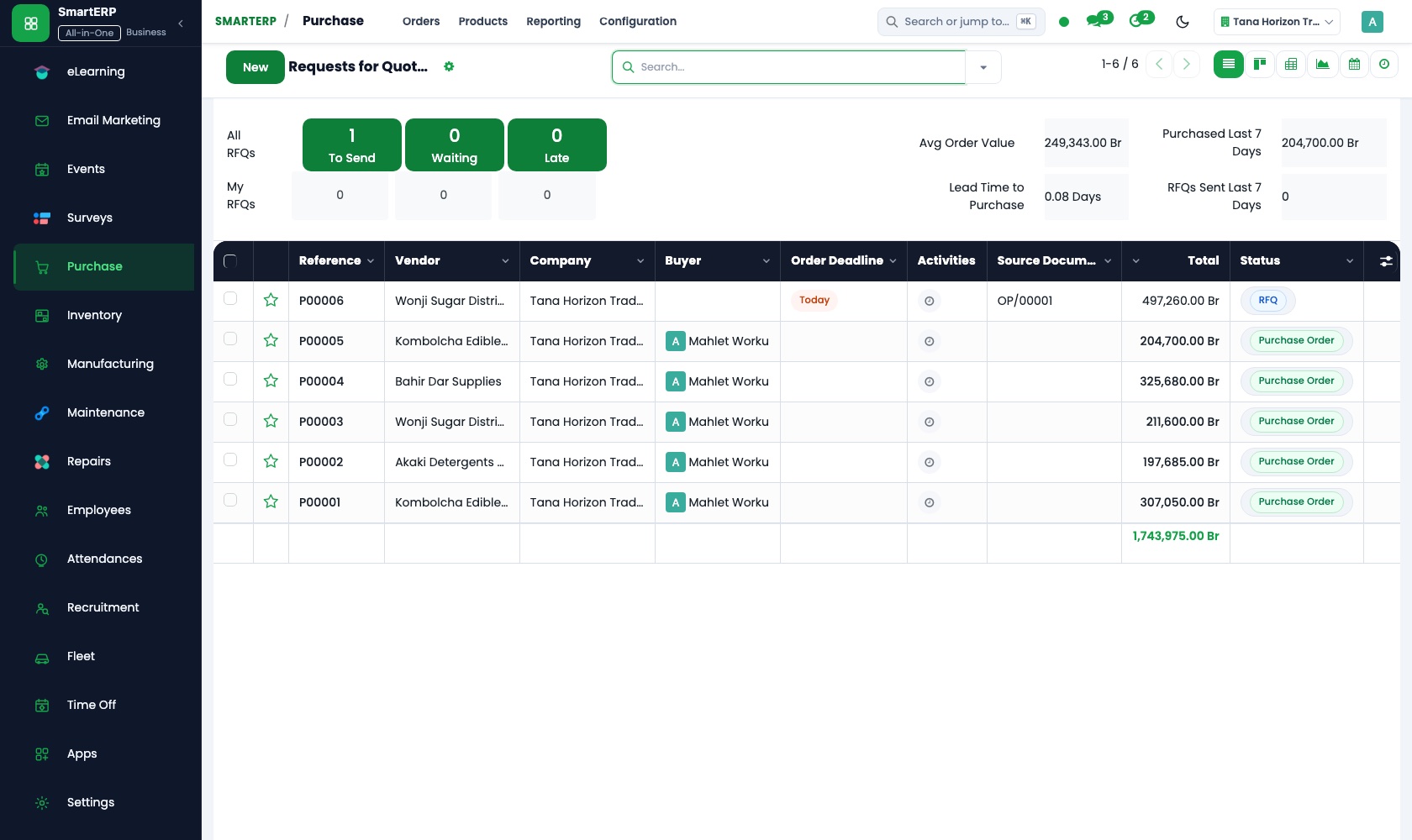
Seed, fertiliser and packing supplies are priced through requests for quotation, so offers are compared before the shed runs dry. Vendor records keep each outgrower's season terms.
How the work runs on SmartERP
From a standing order to a packed and invoiced delivery
A regular buyer's weekly order is filled from the oldest lots in store, delivered, and invoiced, with a credit note for rejected produce.
- Sales: Quotations and sales orders Enter the weekly order of a hotel or supermarket for tomatoes, onions or cabbage as one sales order.
- Inventory: Lots and serial numbers Pick from the oldest harvest lot first, so older produce leaves the store before it spoils.
- Inventory: Receipts and deliveries Record the delivery out with the quantity actually loaded on the truck.
- Sales: Delivery and invoicing status Check which deliveries of the week have already been billed and which have not.
- Accounting: Customer invoices and credit notes Issue a credit note when crates are rejected or short on arrival.
From an outgrower's delivery to payment
Produce bought from smallholders or a cooperative is ordered, booked into the store on arrival, and paid against what was received.
- Purchase: Vendor records Keep each outgrower, cooperative and input merchant with their contact and the terms agreed for the season.
- Purchase: Purchase orders Record the quantity of grain or vegetables agreed before the harvest is brought in.
- Inventory: Receipts and deliveries Book in what the collection point or store actually received, not what was promised.
- Accounting: Vendor bills and payments Pay the outgrower by cash or bank transfer against the received quantity.
Your first month
- First week. We list your crops, stores and collection points, then load buyers, outgrowers, cooperatives and input merchants as records.
- Second week. Your accountant confirms the chart of accounts and bank accounts. Products and units are set up, and opening stock is counted and entered by lot.
- Third week. The sales desk enters a real weekly order and follows it to invoice. Purchasing raises an outgrower order and the storekeeper books in what arrives.
- After go-live. At month end we compare store counts with the books, review outgrower payments, and adjust price lists and reorder levels.
What to have ready
- Crops and grades you sell, with your units: crates, sacks or kilograms
- Regular buyers with the items and price each usually agrees
- Outgrowers, cooperatives and input merchants, with contacts and season terms
- Stock in store today, counted by crop and location
- Bank account details and opening balances from your accountant
The applications on screen
Real SmartERP screens with sample data.


Who uses it
- Business owner or general managerSee the whole business and keep every department working on the same records.
- Sales and customer serviceLeads, quotations, orders and follow-up.
- Purchasing and storesBuy, receive and control stock.
- Operations and productionPlan production, maintain equipment, deliver on time.
Company sizes
- 11 to 50 people
- 51 to 100 people
What SmartERP does not cover for this industry
SmartERP does not include crop or field planning, harvest calendars, yield forecasts, weather or irrigation data, a grower register with plot details, or orders that repeat by themselves. Each weekly order is entered.
Questions about SmartERP for vineyard
Can SmartERP plan my crops, fields and harvest dates?
No. SmartERP does not plan crops or fields, keep a harvest calendar, forecast yields or hold weather and irrigation data. It starts when the harvest is counted into store.
Will a hotel's weekly order repeat by itself?
No. Each weekly order is entered by your sales desk. Price lists keep the agreed rate, and delivery and invoicing status shows what is not yet billed.
How do we trace a complaint to its harvest?
Each harvest is a lot in Inventory and deliveries out are recorded against it, so a complaint about a crate is followed back to the lot and its supplier.
How does an outgrower's delivery reach the ledger?
The purchase order records the quantity agreed, Inventory books what the store received, and Accounting registers the vendor bill against it. Three-way matching compares ordered, received and billed.
Can we record vehicle costs and pump repairs too?
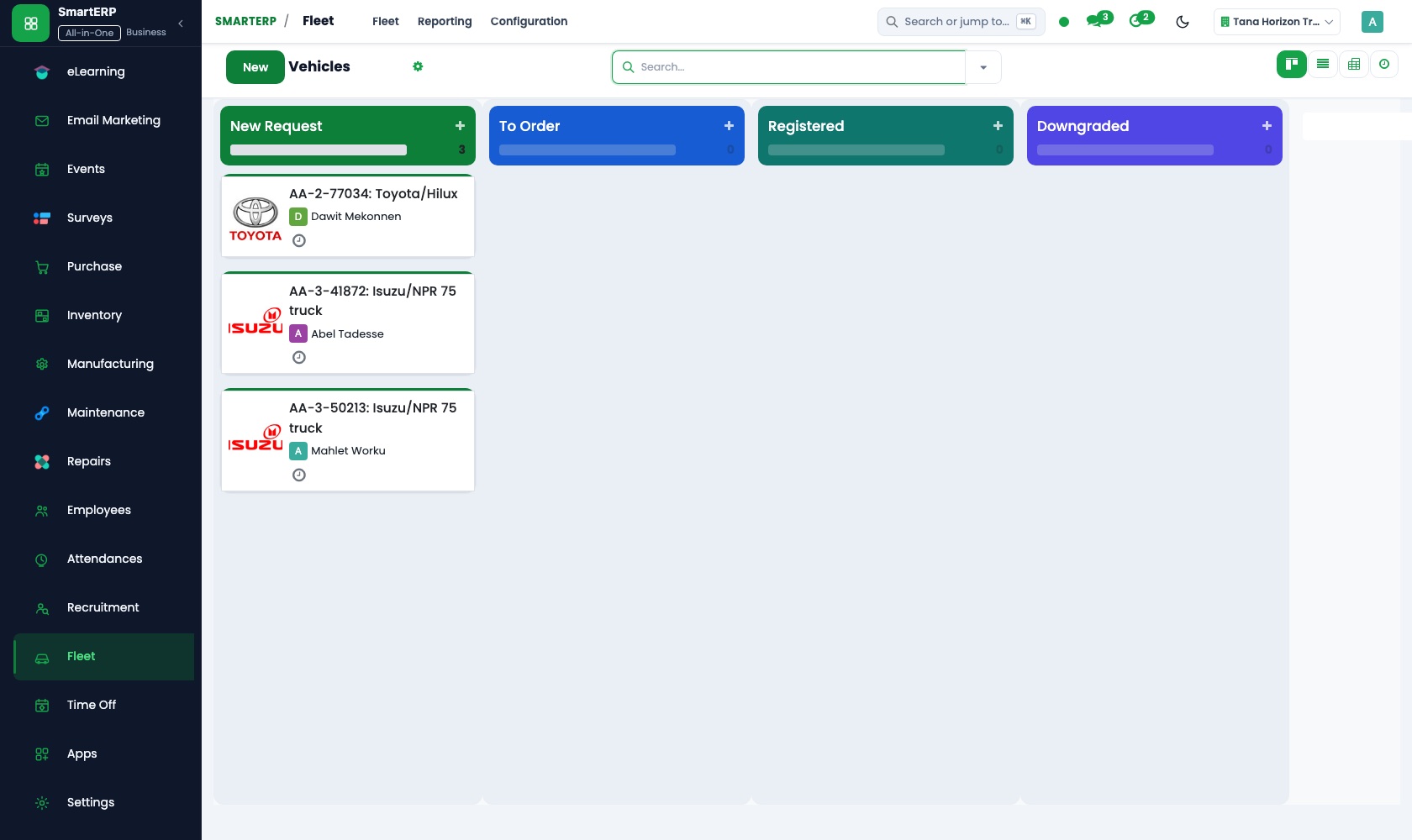
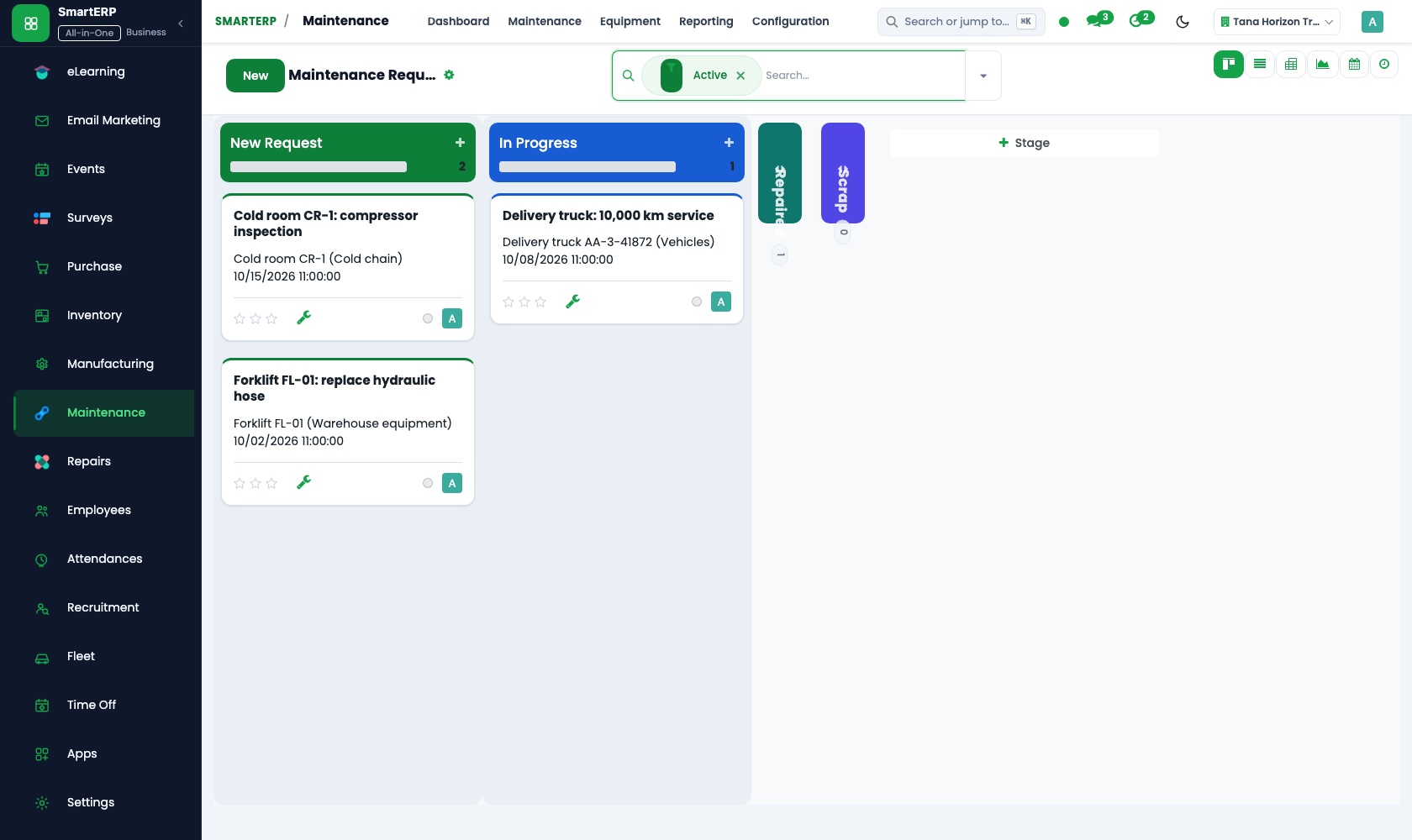
Yes, with Fleet and Maintenance added. Fleet keeps delivery vehicles, services and fuel; Maintenance keeps equipment and repair requests. Fleet does not track vehicles by GPS.
See it before you decide
A weekly hotel order from stock lot to paid invoice
The walkthrough sets a hotel's weekly vegetable order, picks it from the oldest lots in store, records the delivery and invoices it, on sample data for a fictional farm.
There is no self-service sandbox. The demo is a guided walkthrough on sample data, or you can start a trial workspace.
Pricing
SmartERP has an industry edition for this sector (Agriculture). The applications listed above are its applications, and the editions, their staff bands and the current prices are on the pricing page. This page shows no price.
See plans and pricingA website for your business
SmartERP can also set up a starter website for this kind of business, offered as part of a website project: Home, Produce, Farm to Buyer, Quality & Handling, For Farmers, Visit the Farm, Trade Enquiry, Contact. How the website tools work.
Start with what your business needs first
Tell us your industry and we carry it through the guided set-up, or talk to us first.
Start SmartERP Book a demo