One ledger for invoices, bills, bank and reports
Invoices go out faster, bills are paid on time, and you can read your financial position without re-keying data.
Available
The problem
What goes wrong without it
Invoices live in one file, bank statements in another, and the month-end report is a spreadsheet someone rebuilds by hand. Numbers differ between departments and nobody is sure which is current.
The solution
How Accounting works in SmartERP
Accounting works on the same records as sales, purchasing and inventory. A confirmed order becomes an invoice, a received delivery becomes a vendor bill, and every posting lands in one set of ledgers.
Main features
What you can do with Accounting
Customer invoices and credit notes
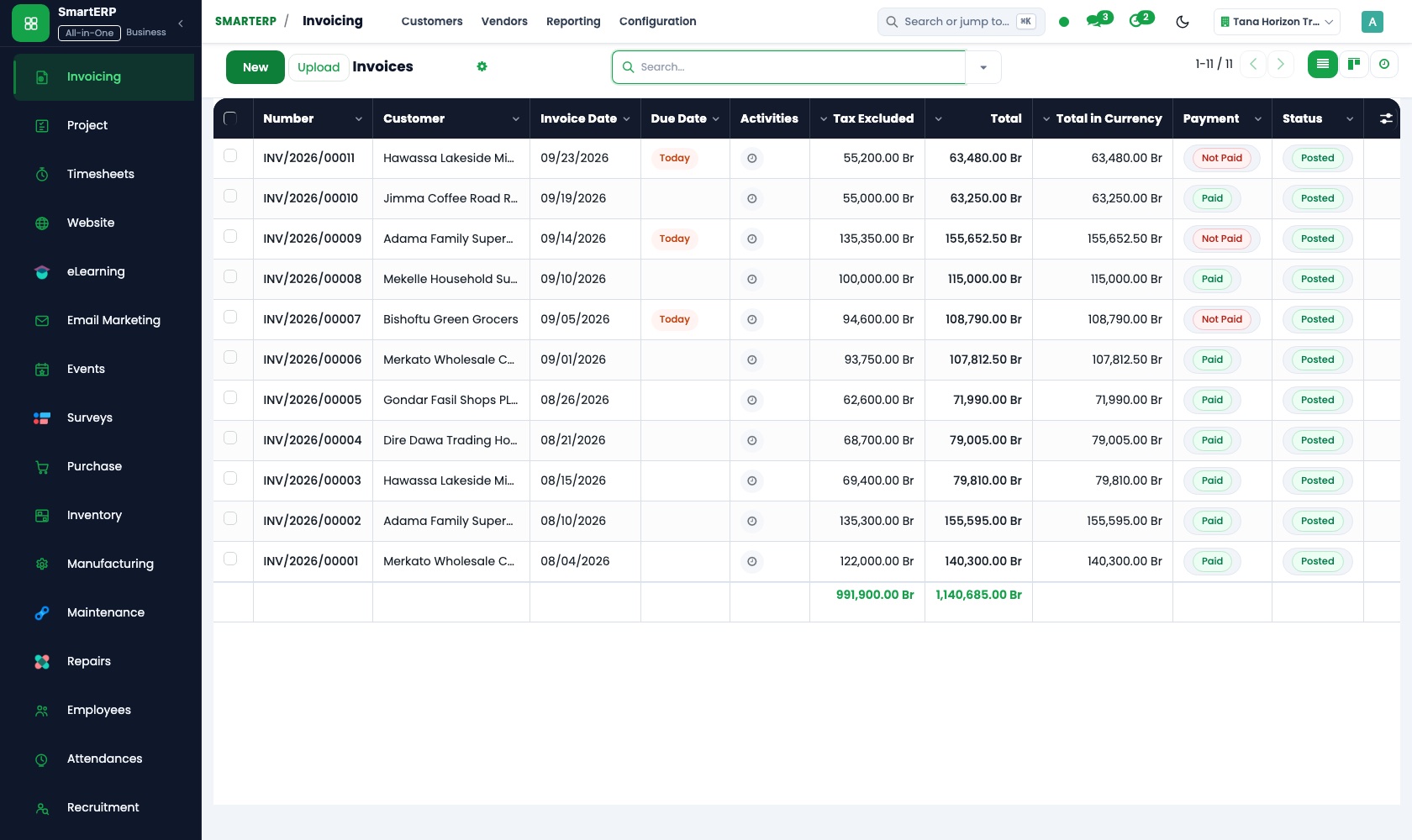
Create invoices from sales orders or directly, send them by email and follow payment status.
Vendor bills and payments
Register bills from purchase orders, schedule payments and track what is due.
Bank and cash
Import or enter bank statements and match them against invoices, bills and payments.
Ledgers and journals
Chart of accounts, journals, taxes, fiscal periods and a full audit trail of postings.
Financial reports
Balance sheet, profit and loss, trial balance, aged receivables and payables, and VAT figures from your postings.
Ethiopian chart of accounts
New Ethiopian companies can start from the Ethiopian chart of accounts that comes with SmartERP. Confirm the structure with your accountant.
Workflow
How the work flows
Each step hands its data to the next, so nothing is typed twice.
Order confirmed
A confirmed sale or purchase is the trigger.
Invoice or bill
Generated from the order, reviewed and posted.
Payment
Registered against the invoice or bill.
Bank match
Statement lines reconcile with payments.
Reports
Ledgers and reports update from the same entries.
Screenshots
The real application
Captured from a running SmartERP system with synthetic sample data.

Roles
Who uses Accounting
Finance manager
Reviews postings, closes periods and reads the financial reports.
Accountant
Enters bills, reconciles the bank and follows receivables.
Owner
Sees profit, cash position and who owes the company money.
Industries
Where Accounting is used
Sectors whose starting set includes this application. See all on the solutions page.
Related applications
Works with
Integrations
What it connects to
Posts automatically from Sales, Purchase, Inventory, Point of Sale and Projects. Bank transfer is the payment method available today. Online card and mobile-money payments are not offered yet.
Availability and pricing
How to get Accounting
Available
Part of the SmartERP cloud service. It is included in the plans and industry editions shown on the pricing page; there is no separate price for this application.
FAQ
Questions about Accounting
Next step
See Accounting in action
Book a guided demo, or start a trial workspace and try it yourself.