Quote faster and turn orders into invoices without retyping
Your team sends professional quotations in minutes, and every confirmed order flows into delivery and invoicing.
Available
The problem
What goes wrong without it
Quotations are built in a spreadsheet, orders are copied into another system, and nobody can tell which quotations are still open or what was promised to the customer.
The solution
How Sales works in SmartERP
Sales keeps products, prices, quotations and orders in one place. A confirmed quotation triggers delivery from Inventory and invoicing in Accounting, and customers can review quotations online.
Main features
What you can do with Sales
Quotations and sales orders
Build quotations from your product catalogue, send them by email and confirm them with one click.
Price lists and discounts
Keep several price lists and apply discounts on a line or an order.
Quotation templates
Reuse standard offers with optional products and terms.
Customer portal
Customers open, review and accept quotations online.
Delivery and invoicing status
See on each order whether goods are delivered and invoiced.
Sales reporting
Orders, revenue and margin by customer, product and salesperson.
Workflow
How the work flows
Each step hands its data to the next, so nothing is typed twice.
Quotation
Prepare and send the offer.
Confirmation
The customer accepts; the order is confirmed.
Delivery
Inventory prepares the delivery.
Invoice
Accounting invoices from the order.
Payment
Payment is registered and the order closes.
Screenshots
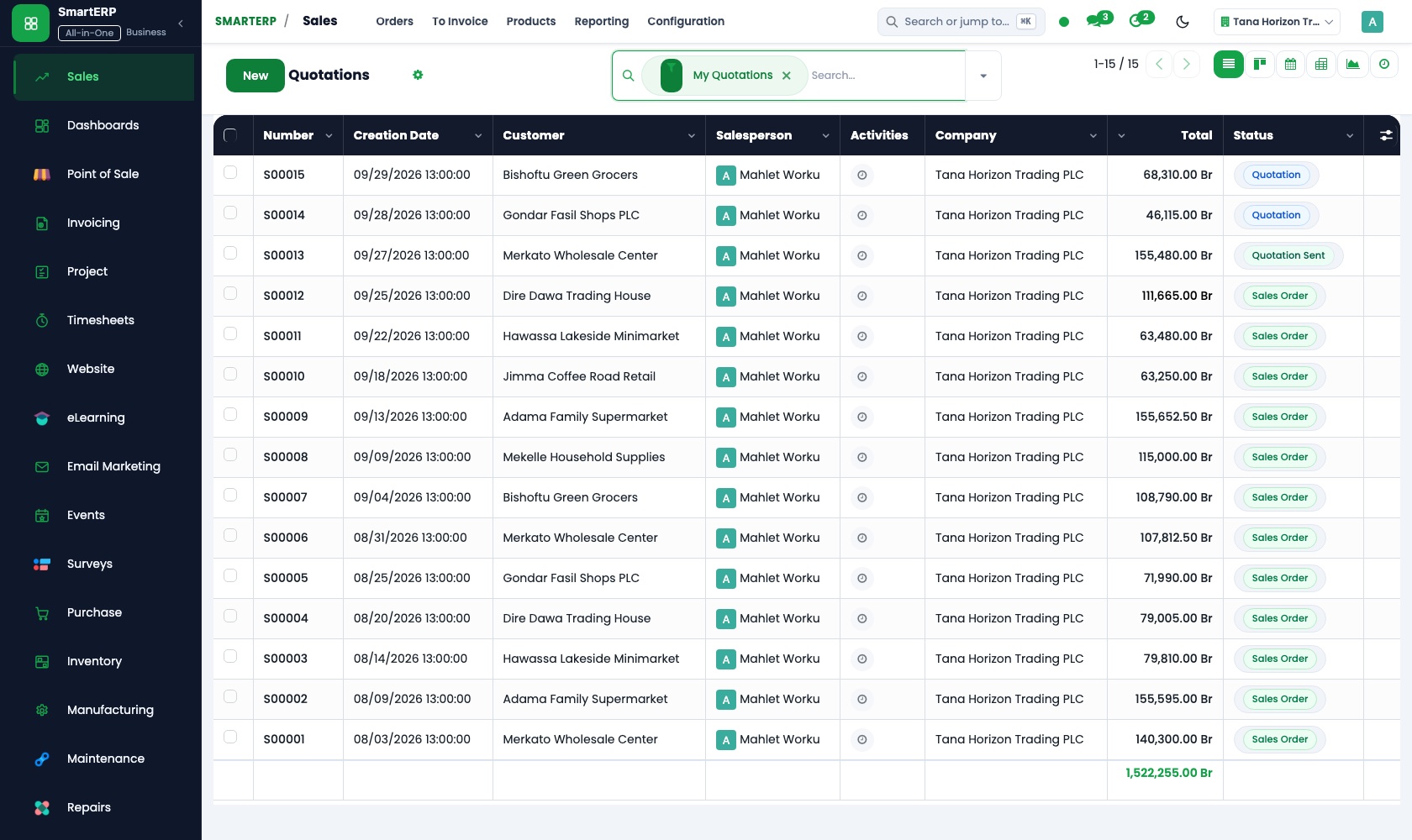
The real application
Captured from a running SmartERP system with synthetic sample data.

Roles
Who uses Sales
Salesperson
Builds quotations, follows open offers and confirms orders.
Sales manager
Watches pipeline value, margins and team results.
Warehouse and finance
Receive confirmed orders for delivery and invoicing.
Industries
Where Sales is used
Sectors whose starting set includes this application. See all on the solutions page.
Related applications
Works with
Integrations
What it connects to
Works with CRM (opportunity to quotation), Inventory (delivery), Accounting (invoice), Point of Sale and e-commerce.
Availability and pricing
How to get Sales
Available
Part of the SmartERP cloud service. It is included in the plans and industry editions shown on the pricing page; there is no separate price for this application.
FAQ
Questions about Sales
Next step
See Sales in action
Book a guided demo, or start a trial workspace and try it yourself.