Fill positions from posting to hire
Applicants are tracked in one pipeline, and a hired applicant becomes an employee without retyping.
Available
The problem
What goes wrong without it
CVs arrive by email and messaging apps. Nobody knows who has been interviewed or who is waiting for an answer.
The solution
How Recruitment works in SmartERP
Recruitment publishes job positions, collects applications into a pipeline, schedules interviews and creates the employee record when someone is hired.
Main features
What you can do with Recruitment
Job positions and postings
Publish open positions on your website.
Applicant pipeline
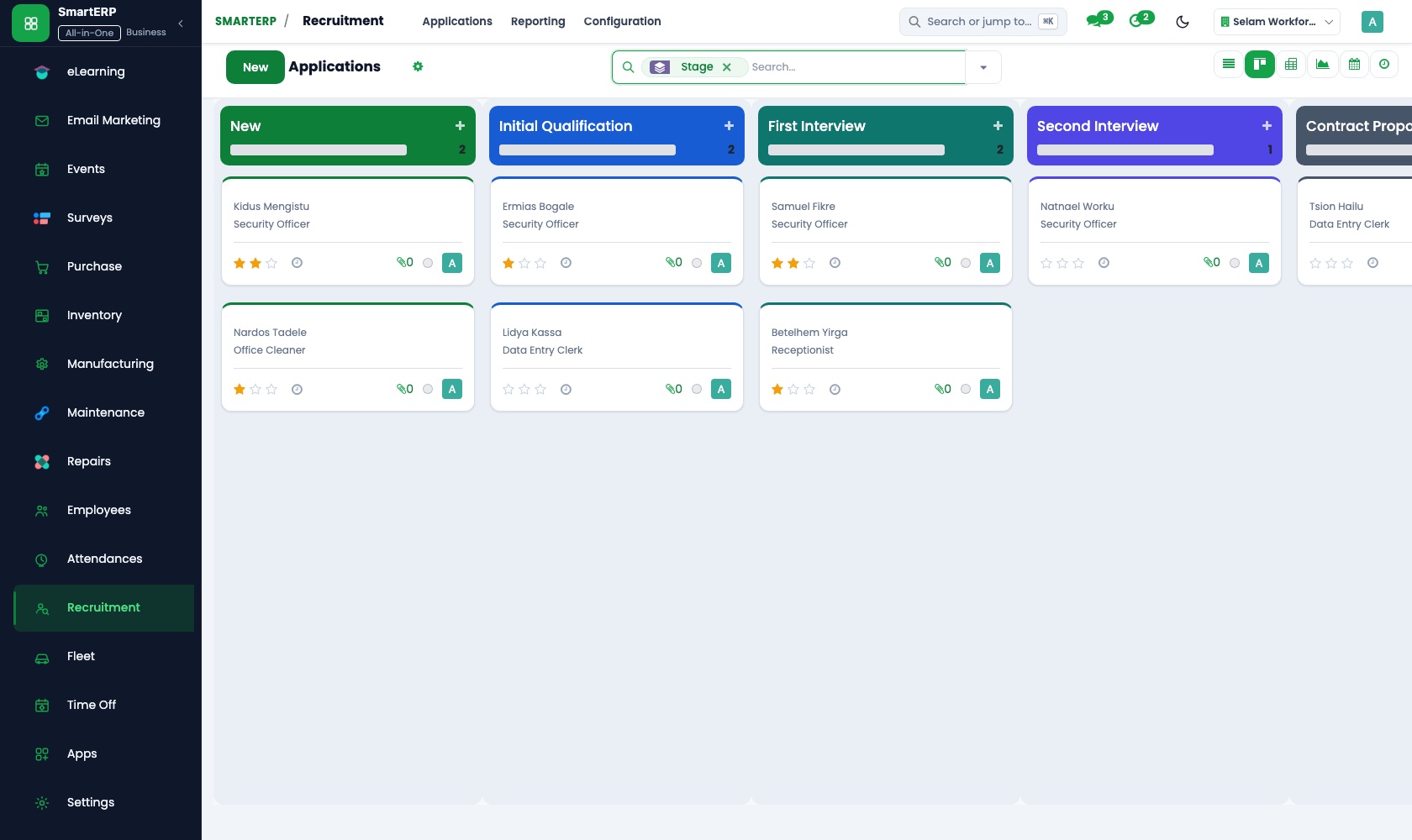
Stages from new to hired, with a kanban board.
Interview scheduling
Plan interviews on the calendar.
Applicant notes and scoring
Keep evaluations with the applicant.
Email integration
Applications sent to a job email create applicants.
Hire to employee
Create the employee record from the applicant.
Workflow
How the work flows
Each step hands its data to the next, so nothing is typed twice.
Open position
Define and publish the job.
Applications
Applicants arrive from the website or email.
Interviews
Schedule and record.
Offer
Decide and offer.
Hired
Employee record is created.
Screenshots
The real application
Captured from a running SmartERP system with synthetic sample data.
Roles
Who uses Recruitment
HR recruiter
Runs the pipeline and interviews.
Hiring manager
Reviews shortlisted applicants.
Applicant
Applies through the website.
Industries
Where Recruitment is used
Sectors whose starting set includes this application. See all on the solutions page.
Related applications
Works with
Integrations
What it connects to
Jobs publish on the SmartERP website. Interviews use the Calendar. Hired applicants become employees.
Availability and pricing
How to get Recruitment
Available
Part of the SmartERP cloud service. It is included in the plans and industry editions shown on the pricing page; there is no separate price for this application.
FAQ
Questions about Recruitment
Next step
See Recruitment in action
Book a guided demo, or start a trial workspace and try it yourself.