See every lead and opportunity in one pipeline
No enquiry is forgotten: your team sees who to call next and managers see what is likely to close.
Available
The problem
What goes wrong without it
Leads arrive by phone, email and social media and end up in personal notebooks. Follow-ups are missed and nobody knows the real pipeline.
The solution
How CRM works in SmartERP
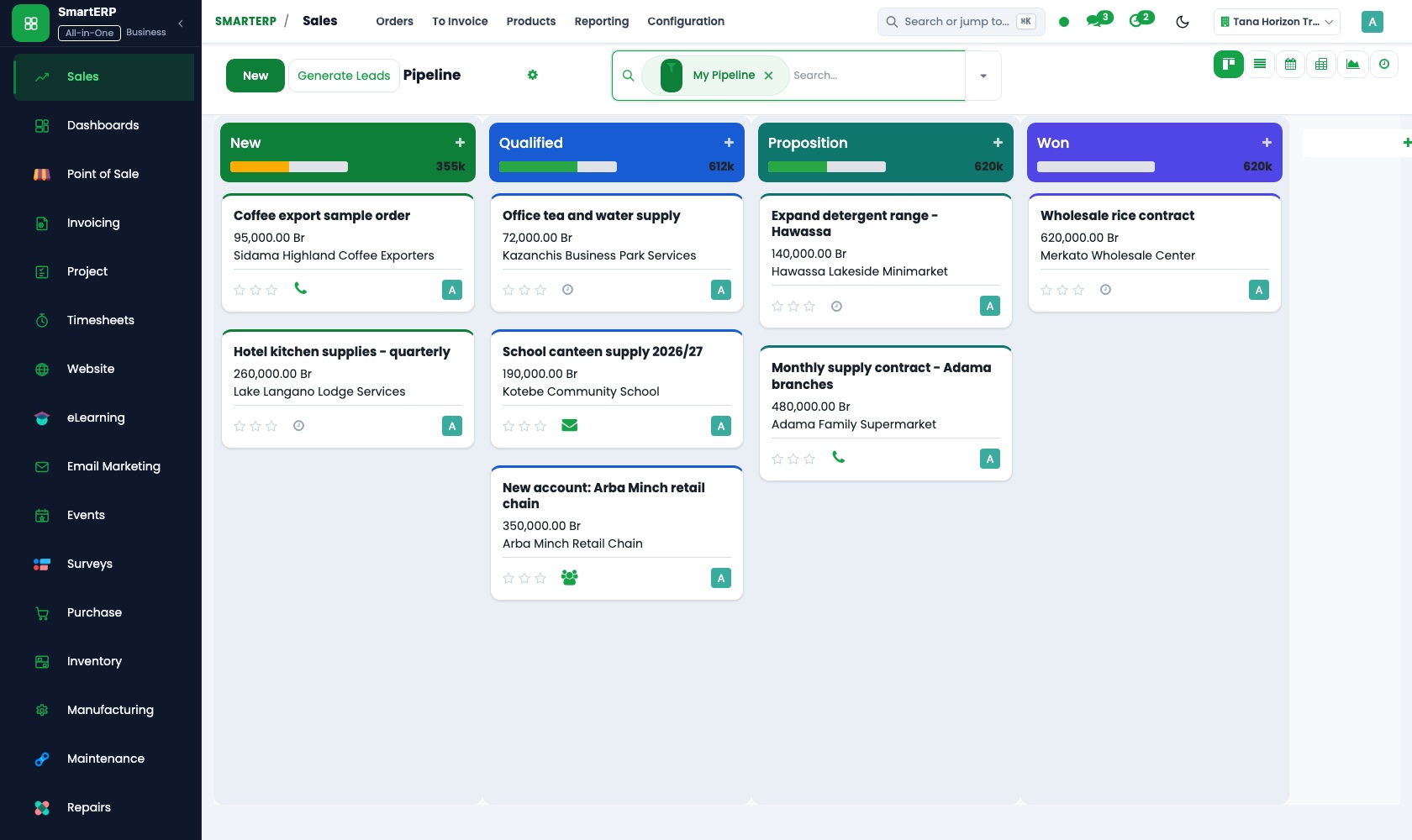
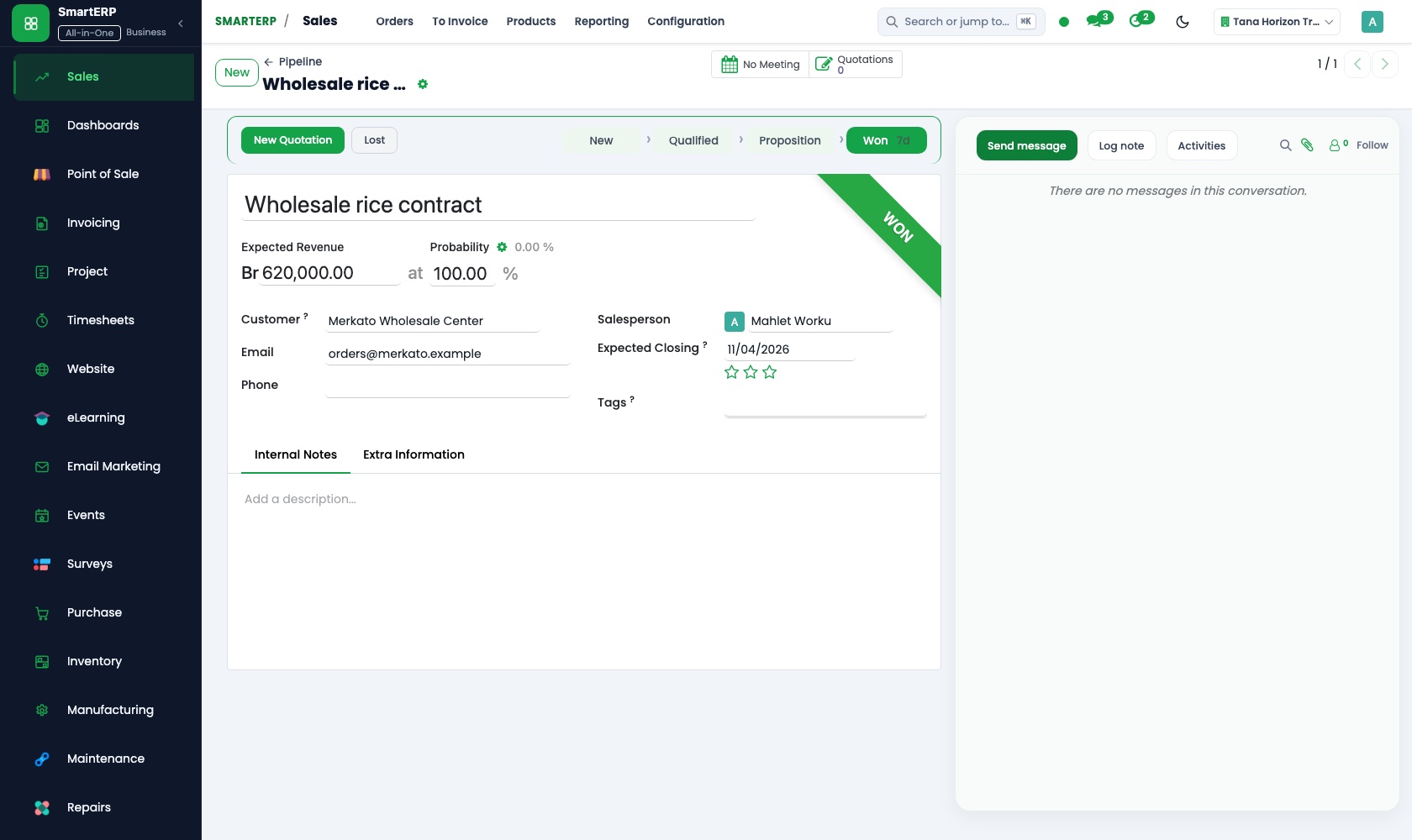
CRM gathers leads and opportunities in a stage-based pipeline with scheduled activities, and converts a won opportunity into a quotation in Sales.
Main features
What you can do with CRM
Pipeline by stage
Drag opportunities between stages and see expected revenue per stage.
Leads and opportunities
Capture leads from email and the website form, then qualify them.
Scheduled activities
Plan calls, meetings and tasks so every opportunity has a next step.
Sales teams
Organise salespeople into teams with their own pipeline and targets.
Quotations from opportunities
Create a quotation straight from the opportunity.
Forecast and reporting
Pipeline analysis by stage, team, source and salesperson.
Workflow
How the work flows
Each step hands its data to the next, so nothing is typed twice.
Lead
Captured from email, the website or entered by hand.
Qualification
Qualified and assigned to a salesperson.
Opportunity
Moves through your pipeline stages.
Quotation
Created from the opportunity.
Won
Order confirmed and invoiced.
Screenshots
The real application
Captured from a running SmartERP system with synthetic sample data.
Roles
Who uses CRM
Salesperson
Works the pipeline and logs activities.
Sales manager
Reviews pipeline value and team performance.
Business owner
Follows the forecast and major opportunities.
Industries
Where CRM is used
Sectors whose starting set includes this application. See all on the solutions page.
Related applications
Works with
Integrations
What it connects to
Website forms create leads directly. Opportunities become quotations in Sales and orders become invoices in Accounting.
Availability and pricing
How to get CRM
Available
Part of the SmartERP cloud service. It is included in the plans and industry editions shown on the pricing page; there is no separate price for this application.
FAQ
Questions about CRM
Next step
See CRM in action
Book a guided demo, or start a trial workspace and try it yourself.