Buy with a record: requests, orders, receipts and bills
Every purchase has an order, a receipt and a bill that match, and you see what is committed before it is spent.
Available
The problem
What goes wrong without it
Purchases are agreed by phone and recorded later. Bills do not match what was ordered or received, and committed spend is invisible.
The solution
How Purchase works in SmartERP
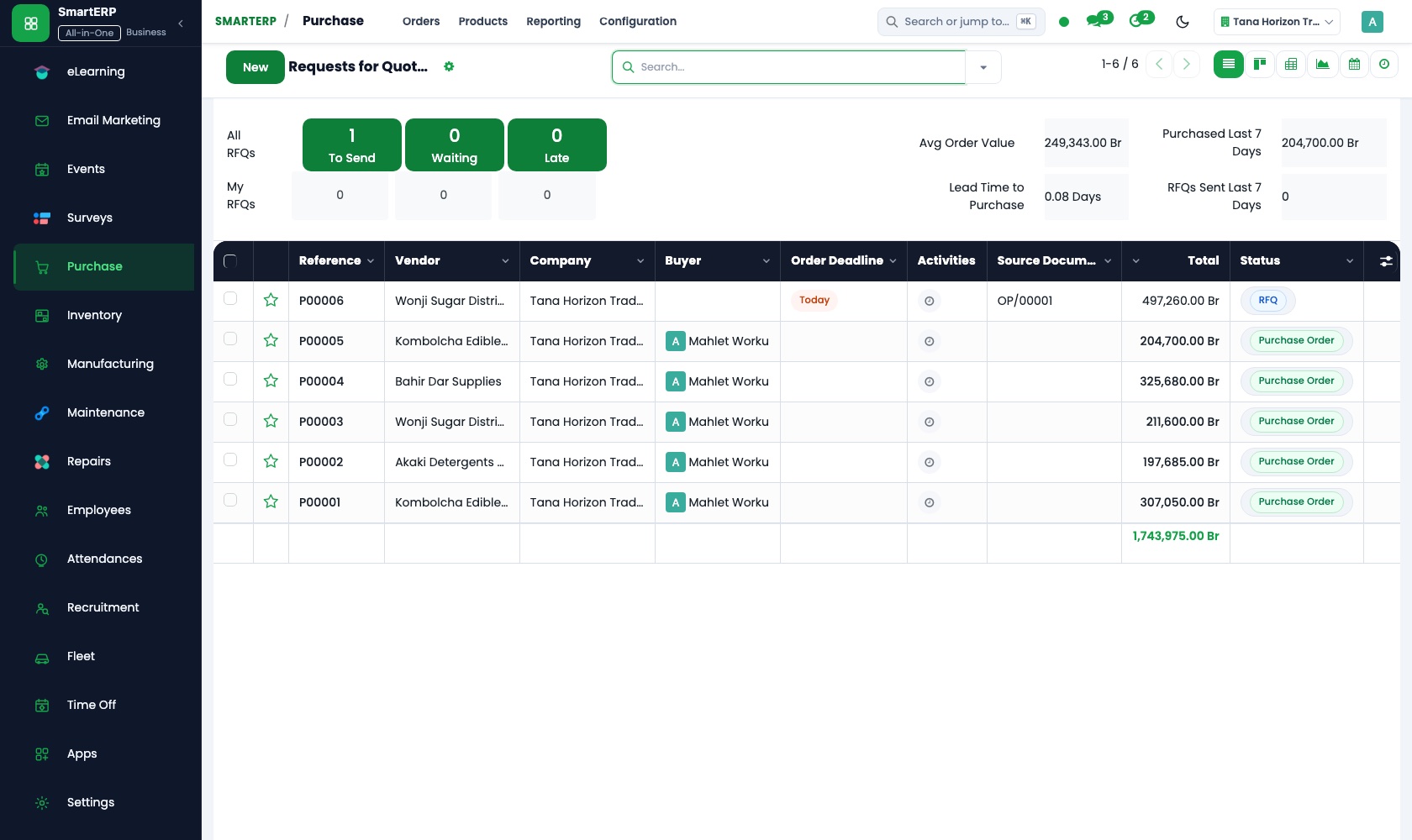
Purchase creates requests for quotation and purchase orders, receives goods into Inventory and registers the vendor bill in Accounting, with the three documents linked.
Main features
What you can do with Purchase
Requests for quotation
Ask vendors for prices and compare responses.
Purchase orders
Confirm orders and send them to the vendor.
Vendor records
Vendors, contacts, price history and delivery lead times.
Receipts and three-way matching
Compare what was ordered, received and billed.
Reordering
Turn reorder rules from Inventory into purchase needs.
Purchase reporting
Spend by vendor, product and period.
Workflow
How the work flows
Each step hands its data to the next, so nothing is typed twice.
Request
A need is identified.
RFQ
Vendors quote.
Purchase order
The preferred offer is confirmed.
Receipt
Goods arrive in Inventory.
Vendor bill
Accounting registers and pays the bill.
Screenshots
The real application
Captured from a running SmartERP system with synthetic sample data.
Roles
Who uses Purchase
Buyer
Issues quotations and purchase orders.
Storekeeper
Receives goods against the order.
Finance
Matches bills to orders and pays vendors.
Industries
Where Purchase is used
Sectors whose starting set includes this application. See all on the solutions page.
Related applications
Works with
Integrations
What it connects to
Works with Inventory (receipts), Accounting (vendor bills and payments) and Manufacturing (component needs). Multi-level approval workflows are available through implementation.
Availability and pricing
How to get Purchase
Available
Part of the SmartERP cloud service. It is included in the plans and industry editions shown on the pricing page; there is no separate price for this application.
FAQ
Questions about Purchase
Next step
See Purchase in action
Book a guided demo, or start a trial workspace and try it yourself.