Send campaigns to the right customers and see the results
Customers hear from you regularly, and you see who opened and clicked.
Available
The problem
What goes wrong without it
Bulk emails go out from a personal inbox, with no list management and no idea who read them.
The solution
How Email Marketing works in SmartERP
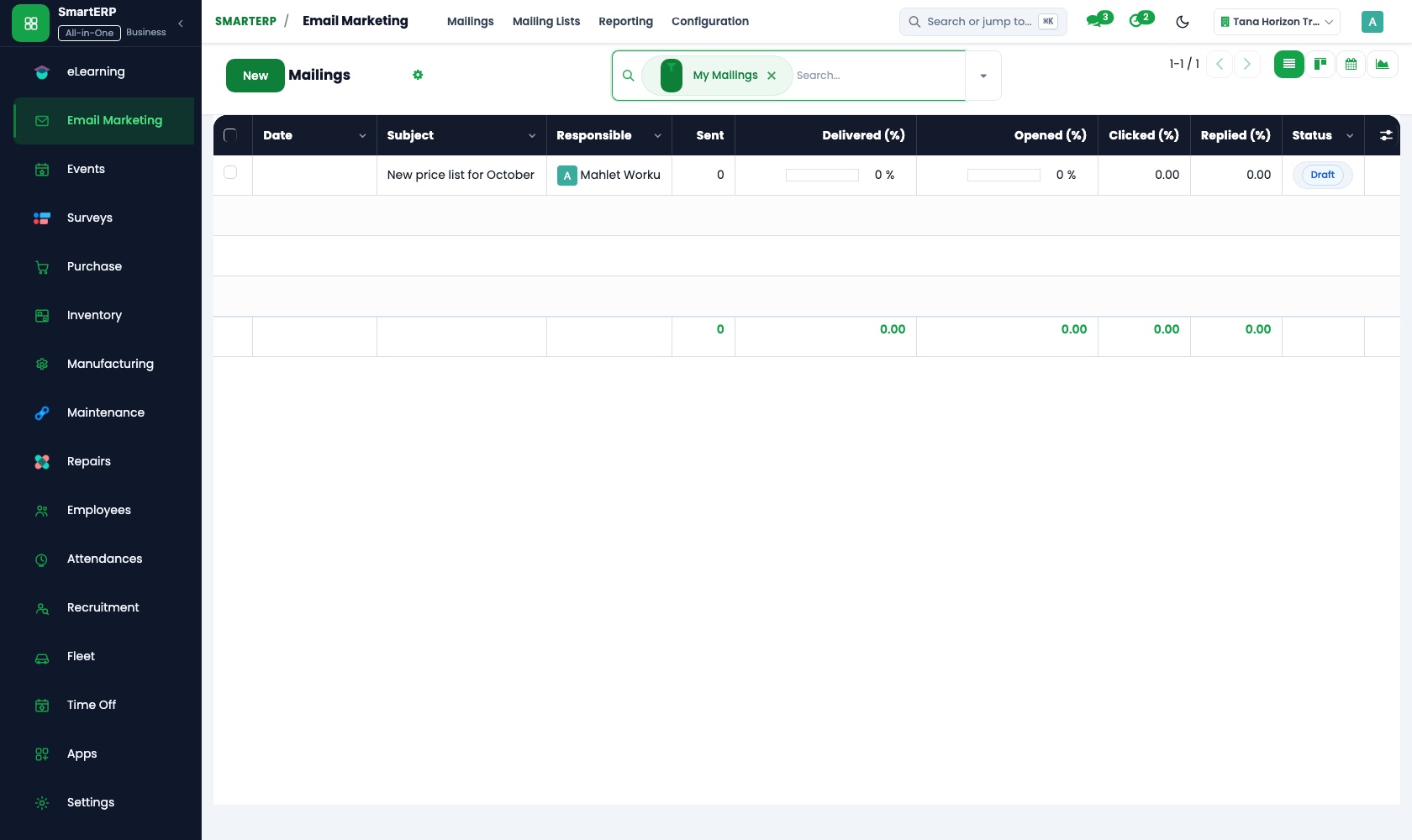
Email Marketing builds mailings from templates, sends them to contact lists or filtered customers from CRM, and reports opens, clicks and replies.
Main features
What you can do with Email Marketing
Mailings from templates
Design emails with ready blocks.
Mailing lists and filters
Send to a list or to a filtered group of customers.
Unsubscribe handling
Recipients can opt out.
Open and click statistics
See results per mailing.
Link tracker
Track which links are clicked.
Connected to CRM
Target contacts and opportunities.
Workflow
How the work flows
Each step hands its data to the next, so nothing is typed twice.
List
Choose recipients.
Design
Build the email.
Send
Now or scheduled.
Results
Opens and clicks.
Follow up
Create leads from replies.
Screenshots
The real application
Captured from a running SmartERP system with synthetic sample data.
Roles
Who uses Email Marketing
Marketing officer
Builds and sends campaigns.
Sales manager
Targets customers.
Industries
Where Email Marketing is used
Sectors whose starting set includes this application. See all on the solutions page.
Integrations
What it connects to
Uses contacts from CRM and Sales. Sending depends on your email domain and sending server configuration.
Availability and pricing
How to get Email Marketing
Available
Part of the SmartERP cloud service. It is included in the plans and industry editions shown on the pricing page; there is no separate price for this application.
FAQ
Questions about Email Marketing
Next step
See Email Marketing in action
Book a guided demo, or start a trial workspace and try it yourself.