Record time once and use it for billing and cost
Hours are logged on the task they belong to, and billable time flows into the invoice.
Available
The problem
What goes wrong without it
Time is recorded on paper or at month-end from memory. Billable hours are lost and project cost is a guess.
The solution
How Timesheets works in SmartERP
Timesheets records hours against projects and tasks, and Sales invoices billable hours at the agreed rate.
Main features
What you can do with Timesheets
Log time on tasks
Record hours from the task or a weekly grid.
Timer
Start and stop a timer while working.
Approval and review
Managers review submitted time.
Billable time
Invoice hours to the customer from the order.
Cost and profitability
Compare time cost with revenue by project.
Timesheet reports
Hours by employee, project and period.
Workflow
How the work flows
Each step hands its data to the next, so nothing is typed twice.
Task
Work is assigned.
Log time
Hours are recorded daily.
Review
The manager checks.
Invoice
Billable hours are invoiced.
Analyse
Profitability by project.
Screenshots
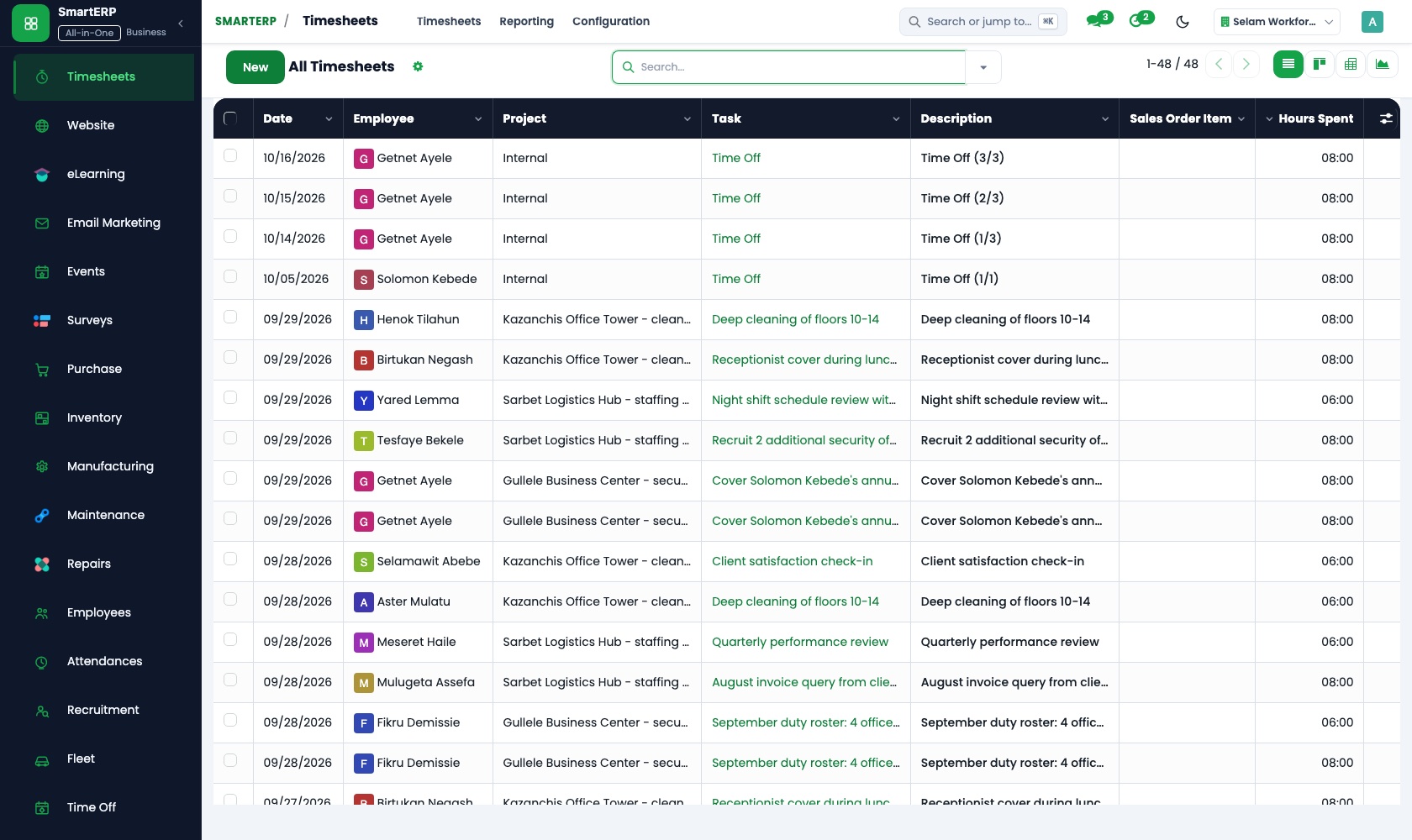
The real application
Captured from a running SmartERP system with synthetic sample data.
Roles
Who uses Timesheets
Employee
Logs time.
Project manager
Reviews hours against plan.
Finance
Invoices billable time.
Industries
Where Timesheets is used
Sectors whose starting set includes this application. See all on the solutions page.
Integrations
What it connects to
Works with Project, Sales (time and materials) and Employees. Timesheet compliance controls are available through implementation.
Availability and pricing
How to get Timesheets
Available
Part of the SmartERP cloud service. It is included in the plans and industry editions shown on the pricing page; there is no separate price for this application.
FAQ
Questions about Timesheets
Next step
See Timesheets in action
Book a guided demo, or start a trial workspace and try it yourself.