Enrolments, fees and teaching staff for a learning centre or training school
A learning centre sells places in classes, one-to-one lessons and training for companies. SmartERP does not run the timetable, in-class attendance or marks. It prices courses, confirms enrolments, invoices fees per term or per course, and keeps tutors and administrators on one staff directory.
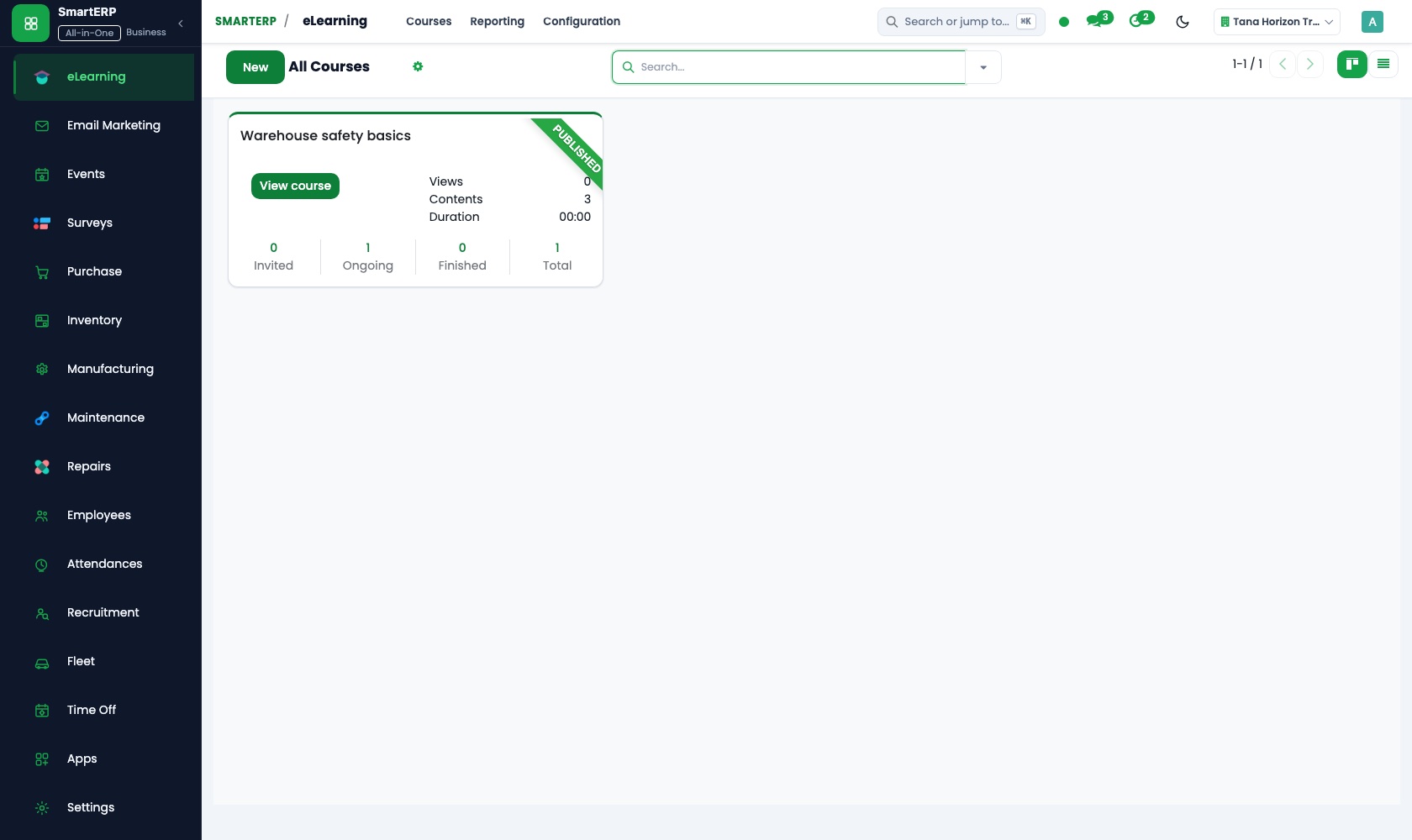
Start with Sales and Accounting for enrolments and fees, Employees for tutors and administrators, and Purchase for workbooks, printing and hired rooms. Add eLearning for online course material and Surveys for scored level checks and feedback.
Typical businesses: Language schools · Tutorial centres · Corporate training providers · Computer skills academies · Music and arts schools
Problems this industry runs into
Course prices and discounts differ from desk to desk
A sibling discount or an early-payment price is agreed in the office but not written on the enrolment, so parents dispute the amount when the fee falls due.
Fees owed are tracked by ticking class lists
Payment for the term is ticked beside each name, so the office cannot quickly say what is outstanding per learner, per parent or per company.
Corporate training is agreed by email and invoiced late
A company sending staff to a language or skills course has a verbal price, a start date and a headcount, and the invoice waits until someone finds the thread.
Workbooks, printing and room hire are bought without a record
Study materials and hired halls are paid for as needs arise, so the centre cannot see what a single course costs to deliver.
Applications in the Education edition
These applications are the ones the industry edition's blueprint includes. Each opens its own page.
Often added for this industry
What each application does for eLearning Platform
Accounting
Fees are invoiced per term or per course, and a credit note returns the unused part when a learner withdraws. Aged receivables show what each parent or company owes.
Sales
Sibling, student and early-payment rates sit in price lists, not in someone's memory. The term's fee is quoted and confirmed as the enrolment, and a quotation template carries a company's standard offer.
Purchase
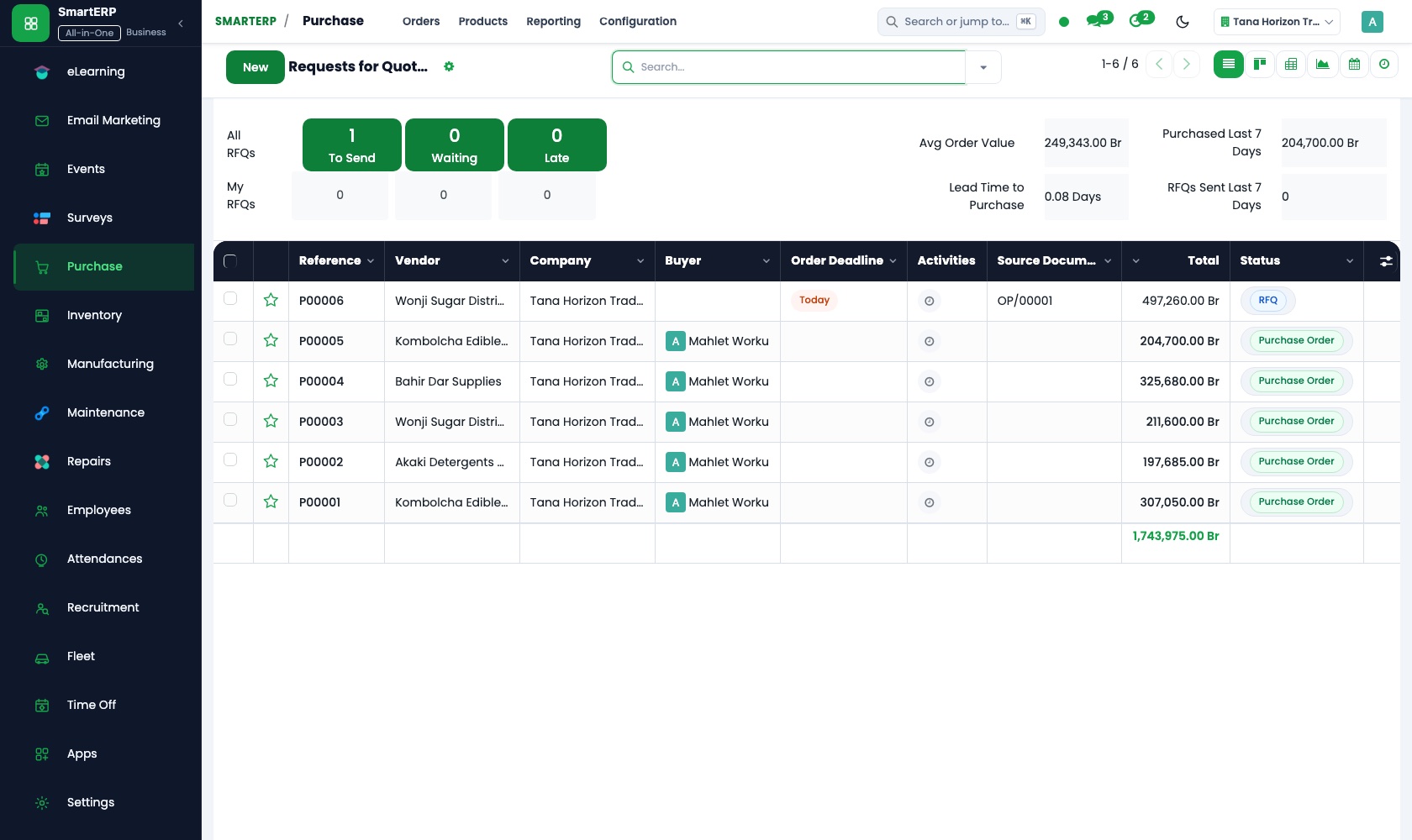
Printed workbooks and room hire are ordered on purchase orders, and requests for quotation compare printers and booksellers. Purchase reporting shows spend by vendor and period.
Employees
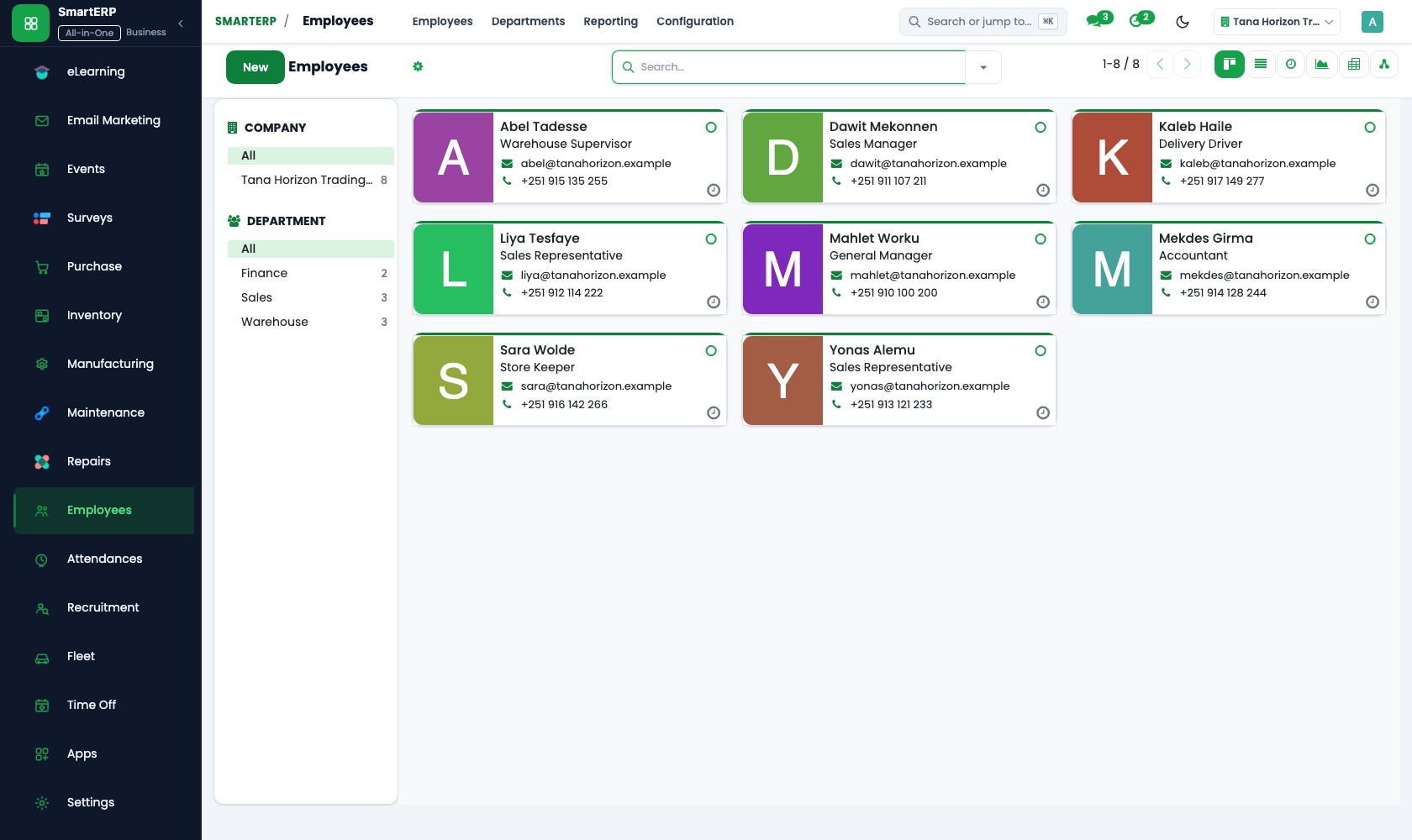
Tutors and administrators are kept in one staff directory with job position, department and manager, and the org chart shows reporting lines.
How the work runs on SmartERP
From a level check to an enrolled, invoiced learner
A scored level check places the learner in a class, the fee is priced and confirmed, and the term's invoice follows.
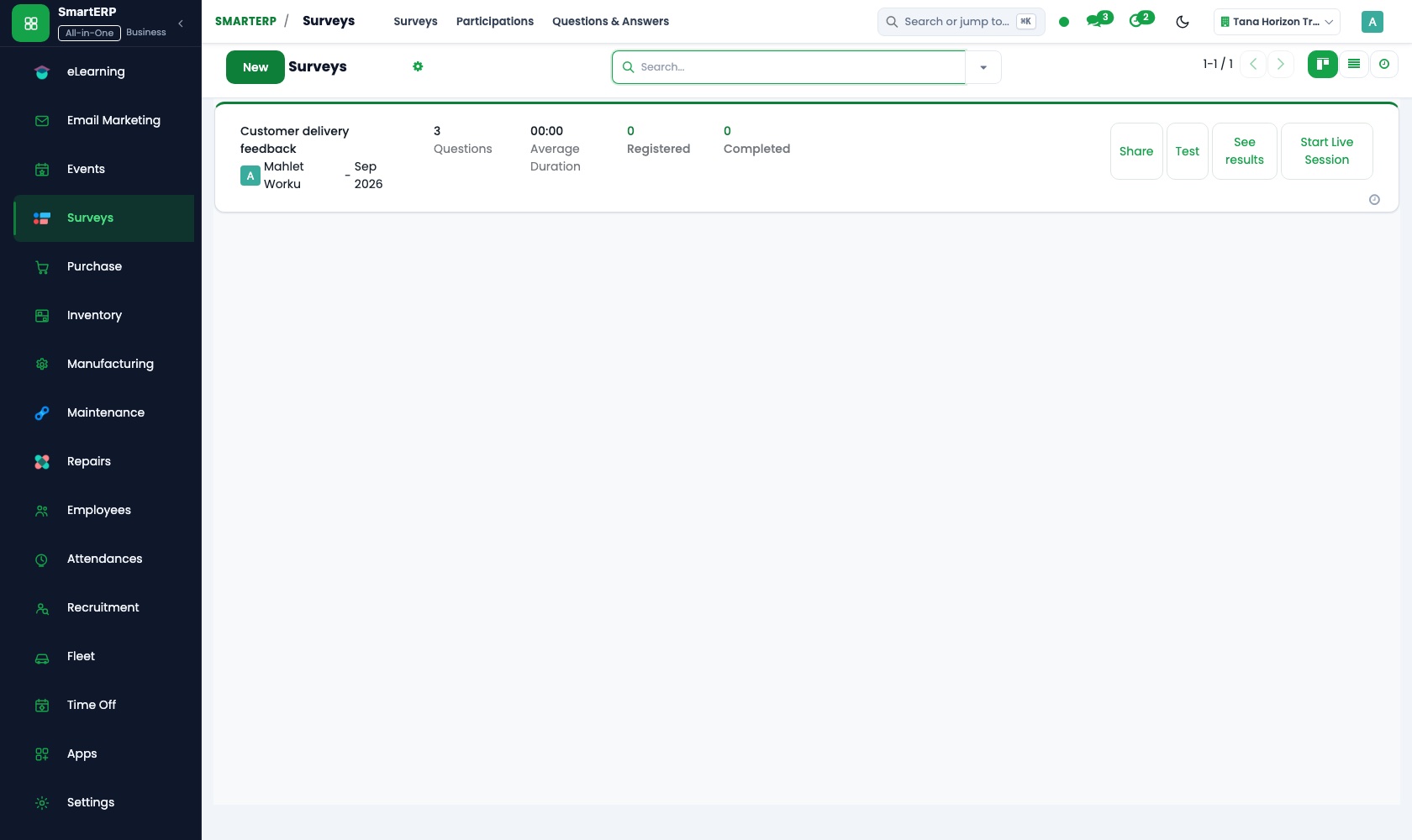
- Surveys: Scoring and certification Send a scored placement questionnaire by link so the learner is placed in the right class.
- Sales: Price lists and discounts Apply the sibling, student or early-payment rate from a list rather than a remembered figure.
- Sales: Quotations and sales orders Quote the term or course fee for the class the level check pointed to and confirm it on acceptance.
- Accounting: Customer invoices and credit notes Invoice the term's fee and credit the unused part when a learner withdraws.
From a company training request to a paid contract
A company's request becomes a signed order, a tutor and materials are arranged, and the company is invoiced.
- Sales: Quotation templates Adapt a stored quotation for a language or skills course, with the group size and venue for the company.
- Sales: Quotations and sales orders Confirm the signed contract as an order, so the training and the invoice trace to one record.
- Employees: Job positions Look up the tutors and their positions to decide who should lead the company's course.
- Purchase: Purchase orders Order printed workbooks and the hire of a training room for the contract's dates.
- Accounting: Customer invoices and credit notes Invoice the company on the terms written in the contract.
Your first month
- First week. We list your courses and levels with fees and allowed discounts, then load company clients, suppliers and the tutor and staff directory.
- Second week. Price lists are built for each course, with sibling, student and early-payment rates, and the accountant confirms the chart of accounts and banks.
- Third week. The office quotes a learner for a term and a company for a training contract, confirms both as orders and invoices them. A workbook order is checked on delivery.
- After go-live. Before the next term we review unpaid fees per learner and per company, compare printing and room costs with expectations, and adjust price lists.
What to have ready
- Your course list with fees and the discounts you allow
- Companies that send staff for training, with the price and group size agreed
- Tutors and administrators with position, department and contract type
- Printers, booksellers and venues you buy from, with usual prices
- Fees still owed for the current term, by learner or company
- Bank account details and opening balances from your accountant
The applications on screen
Real SmartERP screens with sample data.


Who uses it
- Business owner or general managerSee the whole business and keep every department working on the same records.
- Finance and accountingInvoices, bills, bank and reports from one ledger.
- Sales and customer serviceLeads, quotations, orders and follow-up.
- Human resourcesStaff records, hiring, leave and attendance.
Company sizes
- 11 to 50 people
- 51 to 100 people
What SmartERP does not cover for this industry
SmartERP has no class timetable, learner attendance or marks, report cards, admission form handling or parent messaging, and no salary calculation for tutors. Keep academic records elsewhere; SmartERP covers enrolment pricing, invoices, purchasing and staff records.
Questions about SmartERP for eLearning Platform
Can SmartERP run our timetable, attendance and report cards?
No. There is no class timetable, learner attendance or marks, report card, admission form handling or parent messaging in SmartERP. Academic records stay elsewhere; SmartERP covers pricing, invoices, purchasing and staff records.
How do we apply a sibling discount or an early-payment price?
Keep each rate on a price list and apply it on a quotation line or the whole order. The invoice then follows the price the parent was offered.
Can a company contract be invoiced without hunting for the email?
Enter the agreed price and number of places as a sales order, starting from a quotation template. The invoice follows from that order, so contract and bill trace to one record.
Can we run a level check or collect learner feedback?
With Surveys added, a scored questionnaire goes out by link or email and answers show live; the same tool collects class feedback. A full training-management application is not included.
Do fees, purchases and tutor records work together?
A confirmed sales order is invoiced in Accounting, a supplier's bill for workbooks is matched to its purchase order, and Employees keeps the tutors in the same system. SmartERP does not calculate their salaries.
See it before you decide
A learner placed, priced and invoiced for a fictional learning centre
The walkthrough sends a scored level check, prices the matching course with a sibling discount, confirms the enrolment and invoices the term, on sample data for a fictional learning centre.
There is no self-service sandbox. The demo is a guided walkthrough on sample data, or you can start a trial workspace.
Pricing
SmartERP has an industry edition for this sector (Education). The applications listed above are its applications, and the editions, their staff bands and the current prices are on the pricing page. This page shows no price.
See plans and pricingA website for your business
SmartERP can also set up a starter website for this kind of business, offered as part of a website project: Home, Courses & Tracks, How We Teach, Timetables, Level Check, For Companies, Tutors & Centre, Contact. How the website tools work.
Start with what your business needs first
Tell us your industry and we carry it through the guided set-up, or talk to us first.
Start SmartERP Book a demo