The business side of a clinic: fees, consumables and returning patients
A clinic keeps two kinds of records. The patient's clinical file belongs to the doctor and stays in the clinic's medical record system. SmartERP handles the other kind: what was charged, what the clinic bought, what is left in the cupboard, and which patients or employers need a follow-up call.
Start with Accounting and Sales for fees and company accounts, then Inventory and Purchase for gloves, dressings and dispensed items, and CRM for recall calls and employer contracts.
Typical businesses: Private clinics · Medical centres · Family clinics · Specialist clinics · Company check-up clinics
Problems this industry runs into
Fees are written in a cash book and typed again later
The cashier notes each consultation, injection and laboratory fee by hand, then someone retypes the day's sheet for the accountant and the two totals have to be argued into agreement.
Gloves, syringes and test kits run out mid-clinic
The nurse finds the shelf empty with a patient already in the room, because nobody counted the store or set a level at which to reorder.
Employer and insurer accounts are chased from memory
Companies that send staff for check-ups, and insurers who settle later, are owed invoices that sit in a folder, so nobody can say which are still unpaid.
Patients who should return are remembered by one nurse
Follow-up calls for long-term conditions and childhood vaccination visits live in a single notebook, so people are missed whenever that nurse is off duty.
Applications in the Healthcare edition
These applications are the ones the industry edition's blueprint includes. Each opens its own page.
What each application does for clinics and medical centres
Accounting
Each consultation, injection and laboratory fee is invoiced once and the payment recorded against it, so the cashier's sheet and the ledger agree. Employer transfers are matched to invoices, and the owner sees who still owes the clinic.
Sales
A company sending staff for check-ups receives a quotation with a fee per person, which becomes a sales order when the employer agrees. Price lists keep company fees apart from those of self-paying patients.
Inventory
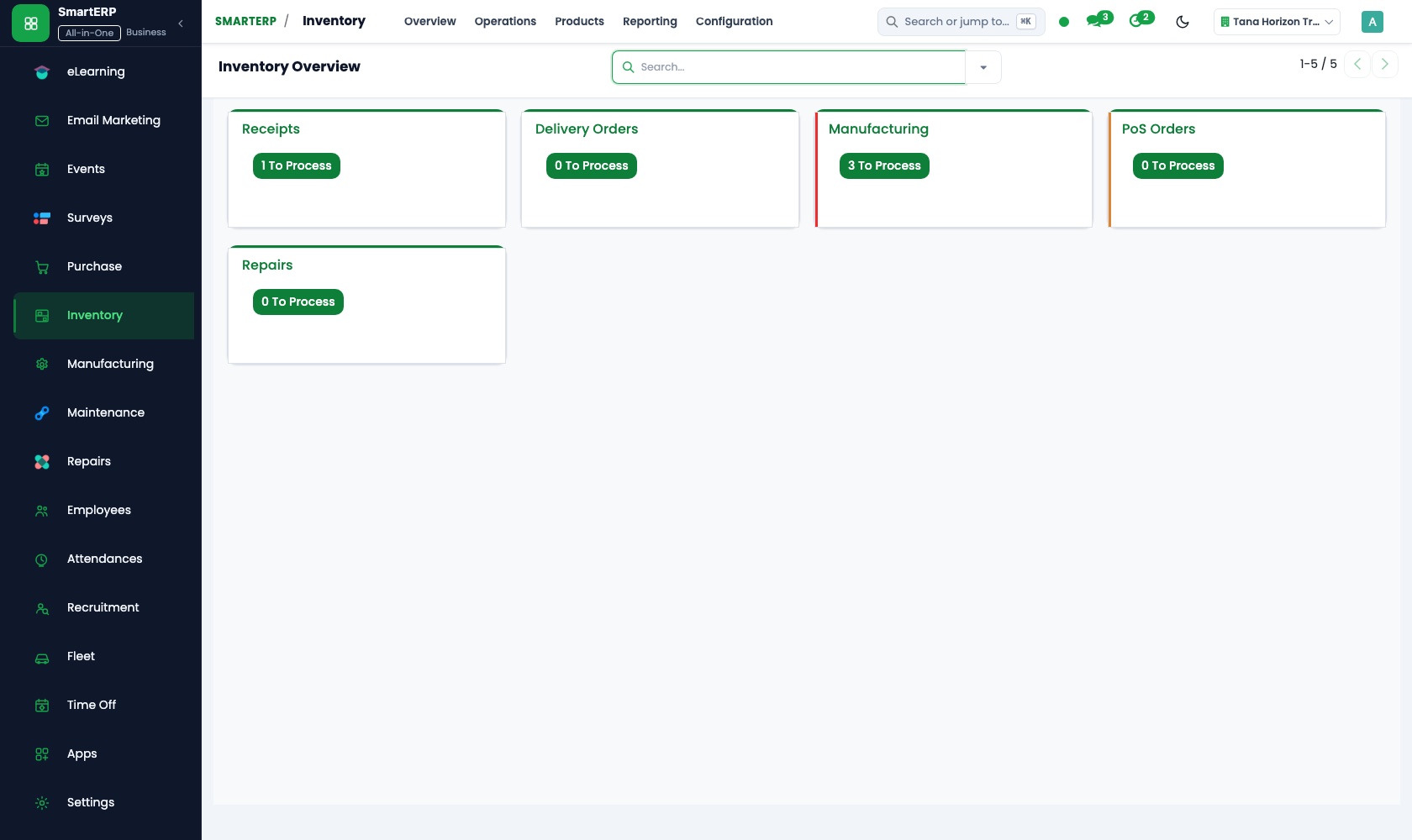
Gloves, syringes, dressings and rapid-test kits each get a reorder rule, so a purchase is flagged before the treatment room runs out. Deliveries are booked in as receipts, and a physical count adjusts the figures.
Purchase
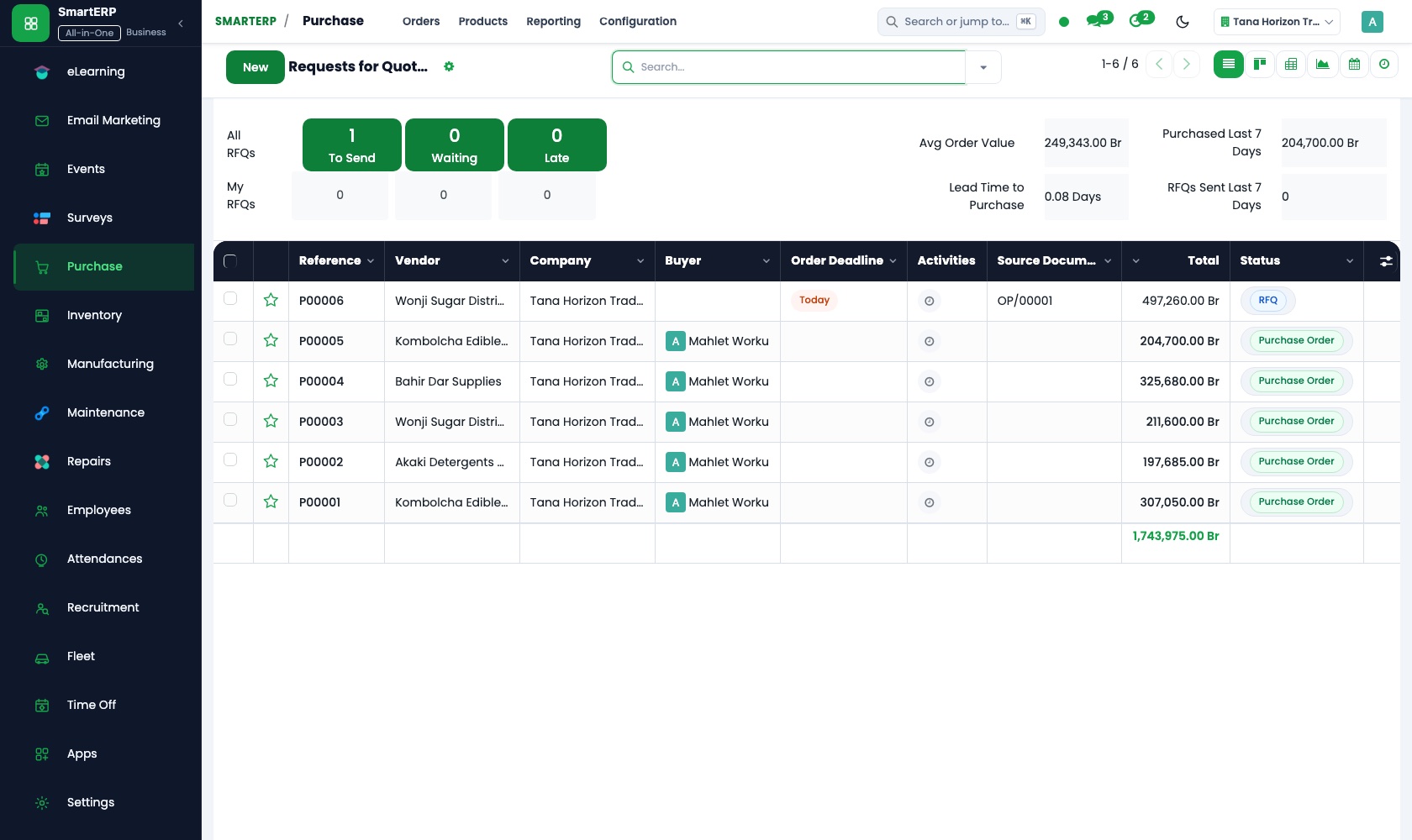
The buyer asks the medical-supplies wholesaler and one alternative for prices in a request for quotation, then confirms a purchase order. The vendor bill is paid only when it agrees with what was ordered and received.
CRM
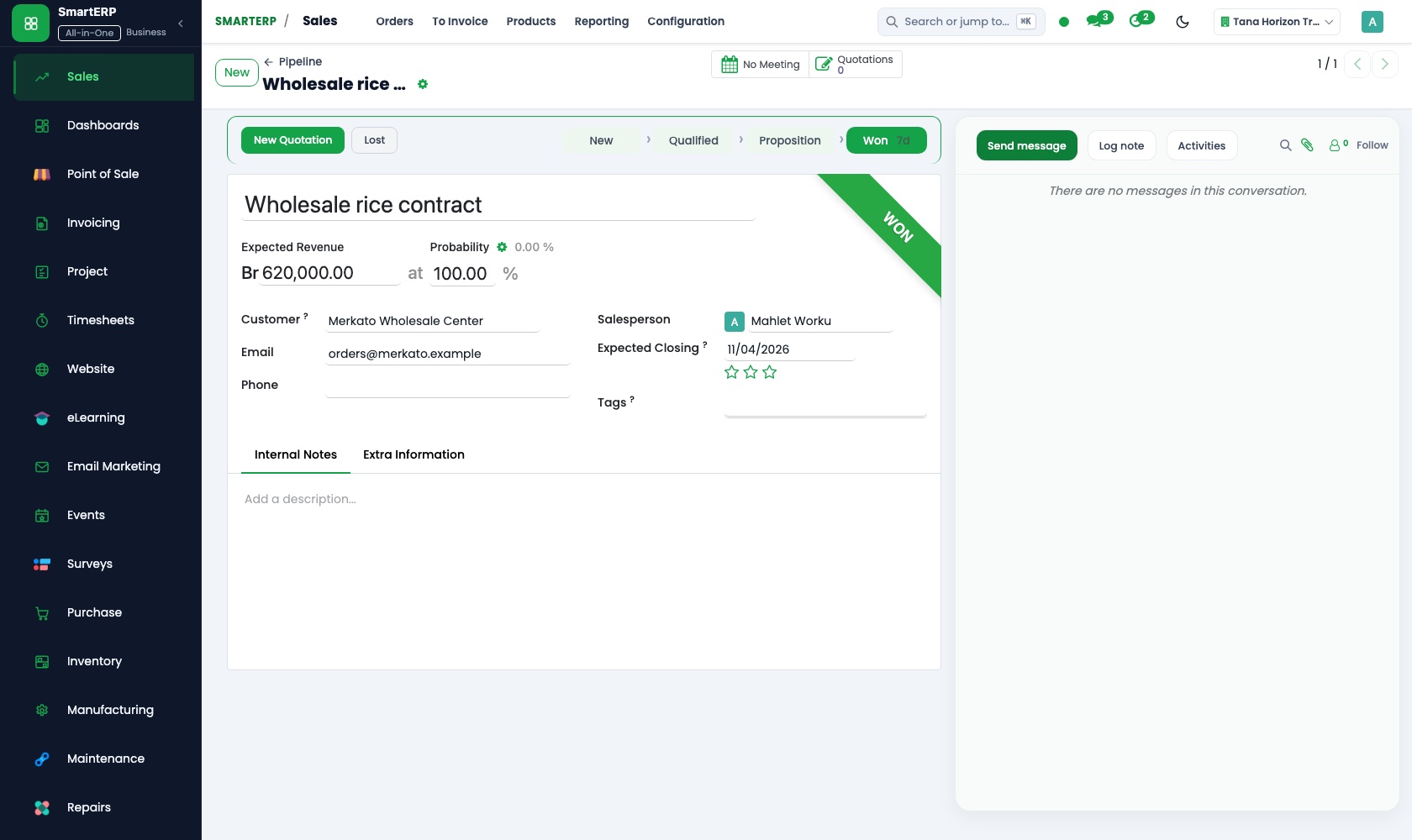
Employers who want staff examined are logged as leads with a contact person and preferred days. Scheduled activities hold recall calls to patients due back, so follow-up no longer depends on one nurse.
More that runs with it
Built for this industry
Clinic and hospital module
Patient records, appointments, consultations and diagnoses, laboratory and imaging requests, admissions and bed transfers, emergency triage, a drug register with a controlled-drug log, insurer claims and duty rosters.
Laboratory module
Accessions, results across chemistry, haematology, microbiology and molecular tests, critical-value notification, delta checks, quality records and corporate and insurer billing.
Also included in the platform
Planning
Plan shifts for people and equipment with roles, templates, recurring and open shifts and self-service, and compare the plan with attendance and logged time.
Appointments
Customers book an open time slot online; bookings follow your staff's availability and flow into CRM and sales.
Approvals
One approval engine for purchase orders, vendor bills and petty cash, with levels and a record of who decided and when.
Documents
A shared drive with versions, share links, PDF split and merge, and document requests to customers and staff.
SMS reminders
Ethiopian SMS for appointment, shift and payment reminders, sent from the system.
Balanced scorecard and BI
A balanced scorecard with objectives, indicators and initiatives, and dashboards built on your own records.
AI assistant
An assistant for staff on Telegram and WhatsApp for leave, approvals and quick questions, with tools that answer from your documents.
How the work runs on SmartERP
From an employer's check-up request to a settled invoice
A company asks the clinic to examine its staff; the request becomes a quoted order, an invoice and a recorded payment.
- CRM: Leads and opportunities Log the employer's request with the contact person, the number of staff and the days it prefers.
- Sales: Quotations and sales orders Quote a fee per person for the group check-up and confirm it as an order when the employer agrees.
- Accounting: Customer invoices and credit notes Invoice the employer after the visits and credit any person who did not attend.
- Accounting: Bank and cash Record the employer's bank transfer against that invoice so its account clears.
From an empty supply cupboard to a paid wholesaler
The store shows what has dropped below its minimum, the clinic orders it and pays only for what arrived.
- Inventory: Reorder rules Set a minimum for gloves, syringes and rapid-test kits so the store shows what to buy before the clinic runs out.
- Purchase: Requests for quotation Ask the medical-supplies wholesaler and one alternative to price the items that are below minimum.
- Inventory: Receipts and deliveries The nurse in charge books in the delivery and sees at once what is short.
- Accounting: Vendor bills and payments Pay the wholesaler's bill once it agrees with what was received.
Your first month
- First week. We list the consultations, tests and injections you charge for, your employer accounts and your supplies, then load suppliers and employer contacts.
- Second week. Your accountant helps us set up the chart of accounts and bank accounts, and opening balances go in. The store is counted and each supply gets a minimum level.
- Third week. The cashier practises invoicing a fee and recording payment. The nurse in charge books in a delivery, and the office quotes and invoices one employer.
- After go-live. With the clinic manager we review which supplies ran short, which employer invoices are unpaid and whether recall calls were made, then adjust minimum levels and routines.
What to have ready
- The fees you charge today for consultations, tests and injections
- Employers and insurers you invoice, with their billing contacts
- A count of the supplies in your store, item by item
- Your medical-supplies wholesaler and other suppliers, with what you buy from each
- Balances your accountant will carry forward, and the clinic's bank account details
The applications on screen
Real SmartERP screens with sample data.


Who uses it
- Business owner or general managerSee the whole business and keep every department working on the same records.
- Finance and accountingInvoices, bills, bank and reports from one ledger.
- Sales and customer serviceLeads, quotations, orders and follow-up.
- Purchasing and storesBuy, receive and control stock.
Company sizes
- Up to 10 people
- 11 to 50 people
What SmartERP does not cover for this industry
SmartERP does not submit claims to an insurer's own system and has no patient portal yet. Screens and printed documents in Amharic come next. Patient records, appointments, consultations, laboratory and billing run in the clinic module.
Questions about SmartERP for clinics and medical centres
Can SmartERP keep our patients' medical records?
No. SmartERP holds no patient chart, diagnosis or prescription entry, no laboratory or imaging results, no visit booking and no insurer claim submission. Keep a medical record system for care; SmartERP covers money, stock and call lists.
Can we invoice a company for a group check-up?
Yes. Log the request in CRM, quote a fee per person in Sales and confirm the order. Invoice the company in Accounting, credit anyone who did not attend, and match its transfer.
Will the store warn us before gloves and syringes run out?
Yes, once each item has a reorder rule in Inventory with a minimum quantity. Purchase turns what is low into purchase needs for the wholesaler.
How do stock, buying and supplier bills connect?
A low item in Inventory becomes a need in Purchase, the delivery is booked in as a receipt, and Accounting compares the vendor bill with the order and receipt before paying.
Can patients pay the cashier by mobile money?
No. Bank transfer is the payment method available today; mobile-money and online card payments are not offered yet. Invoices show VAT and can be printed or emailed.
See it before you decide
A clinic's employer check-up contract and its next supply order
The walkthrough follows an employer's staff check-ups from first enquiry to a paid invoice, then shows the store flagging low gloves and dressings, on sample data for a fictional clinic.
There is no self-service sandbox. The demo is a guided walkthrough on sample data, or you can start a trial workspace.
Pricing
SmartERP has an industry edition for this sector (Healthcare). The applications listed above are its applications, and the editions, their staff bands and the current prices are on the pricing page. This page shows no price.
See plans and pricingA website for your business
SmartERP can also set up a starter website for this kind of business, offered as part of a website project: Home, Services, Check-ups, Our Doctors, Patient Guide, Appointments, Contact. How the website tools work.
Start with what your business needs first
Tell us your industry and we carry it through the guided set-up, or talk to us first.
Start SmartERP Book a demo