Shelf stock, counter takings and the online shelf kept in agreement
The daily pain of a shop is a gap: between the shelf and the stock book, between the till roll and the cash in the drawer, between what the site displays and what is really left. SmartERP closes those gaps by posting each sale, online or at the till, against the same stock and ledger.
Switch on Inventory, Sales and Accounting first. The Point of Sale till and the online shop are optional additions, and Purchase keeps supplier buying regular. A link to fiscal cash machines is not included.
Typical businesses: Neighbourhood shops · Gift shops · Stationery stores · Household goods stores · Convenience shops
Problems this industry runs into
The shelf, the stock book and the website disagree
An item is sold at the counter and again online because each channel keeps its own count, and the shop ends up apologising for goods it does not have.
Takings do not match the cash in the drawer
Several people serve, refunds and change are handled by hand, and the difference is found late in the evening with nobody sure which sale caused it.
Reordering happens only when a shelf is already empty
Supplier orders are placed from memory or after a customer asks, so popular gift items run out and seasonal lines are bought too late or in too large a quantity.
Small offices want quotes and invoices the shop writes by hand
A school or small office buying supplies expects a written price and a proper invoice. Handwritten copies are slow to produce and hard to find again.
Applications in the Trading and Distribution edition
These applications are the ones the industry edition's blueprint includes. Each opens its own page.
Often added for this industry
What each application does for retail
Accounting
Counter cash, bank transfers and supplier bills land in one ledger, and bank statements are matched to what was billed and paid.
Sales
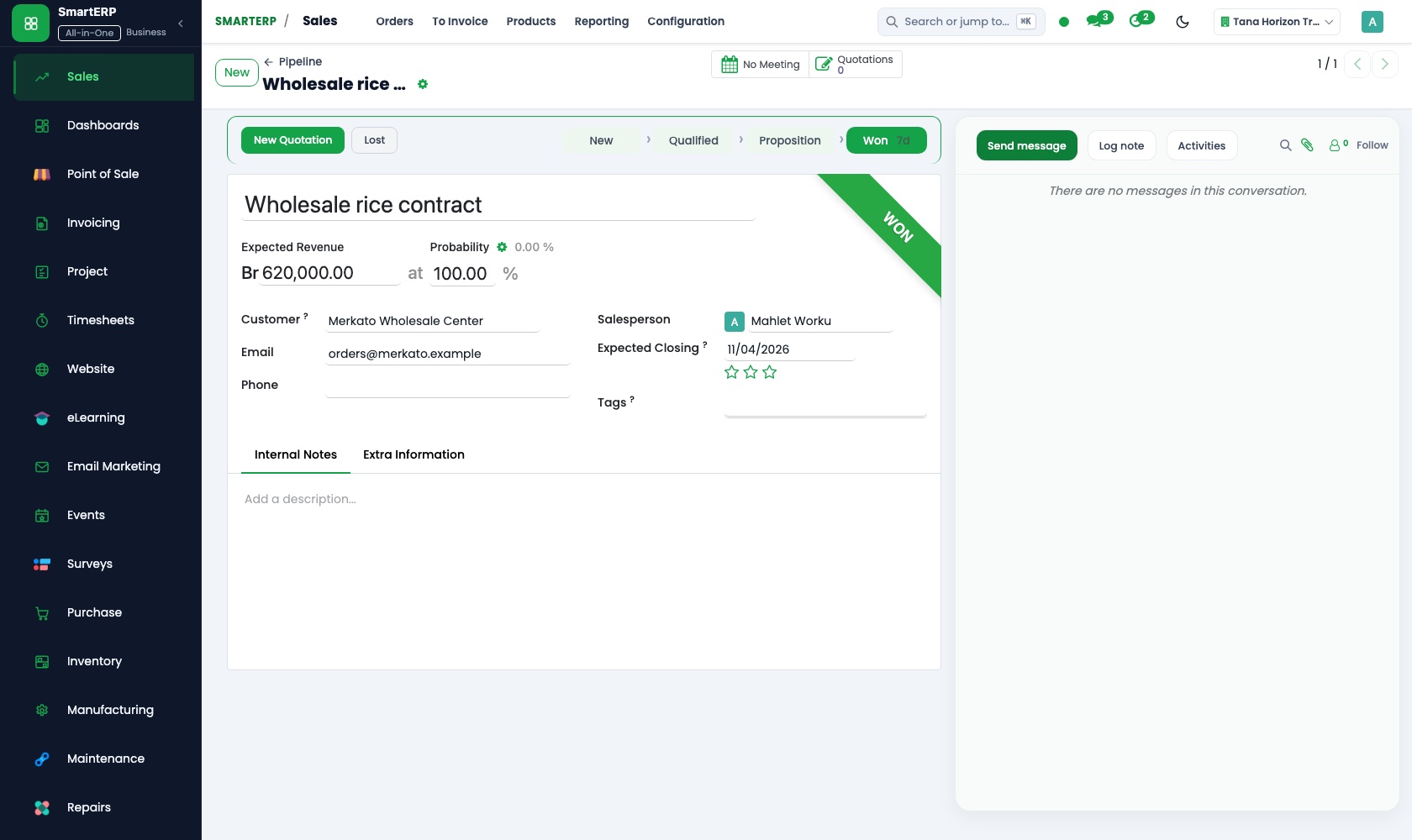
An offer to a school or small office is a quotation, then an order, then an invoice, not a hand-copied receipt. Price lists and discounts cover returning customers.
Inventory
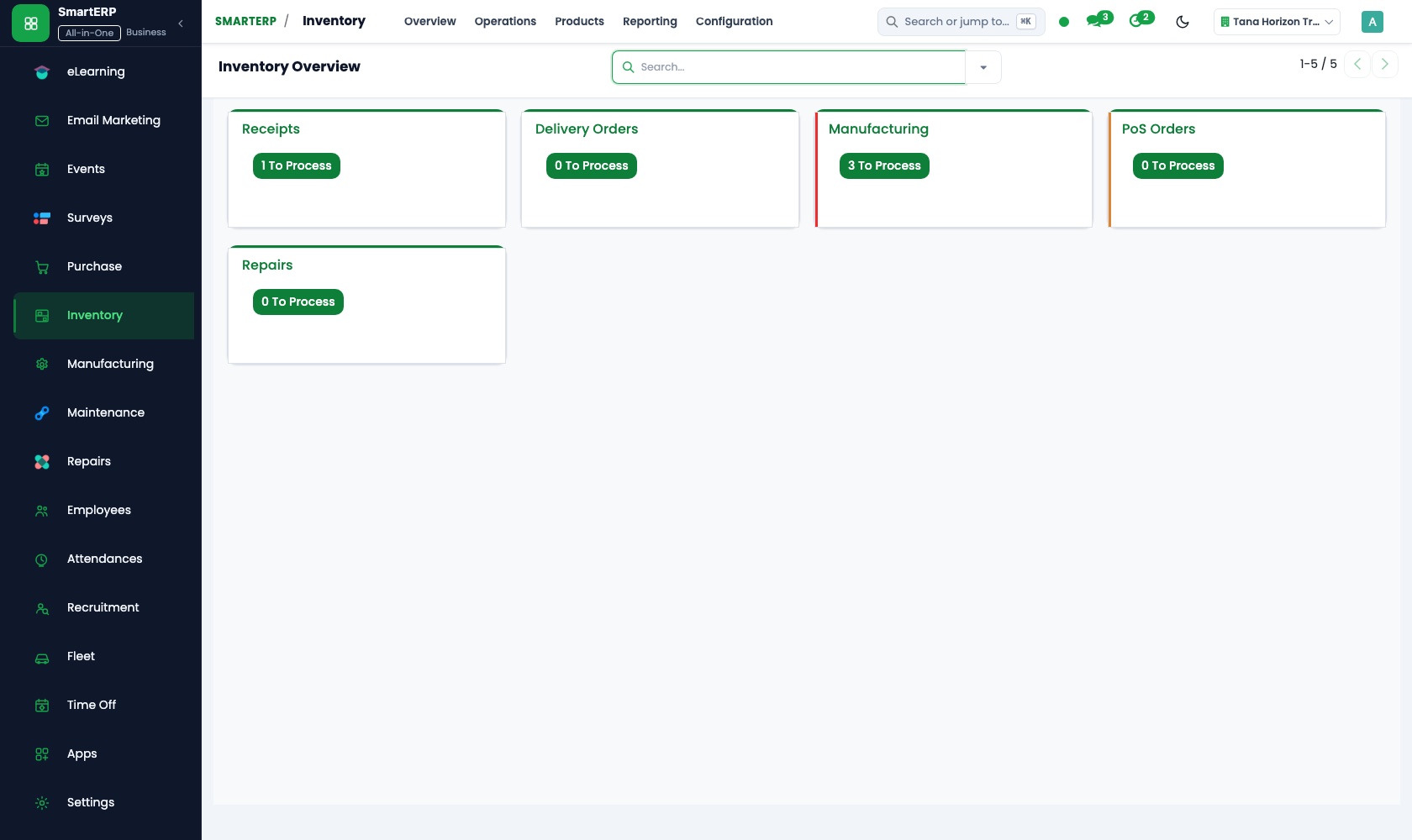
One stock count sits behind the shelf, the counter and the online shop. Deliveries add to it, sales reduce it, and a physical count with adjustments fixes a difference early.
Purchase
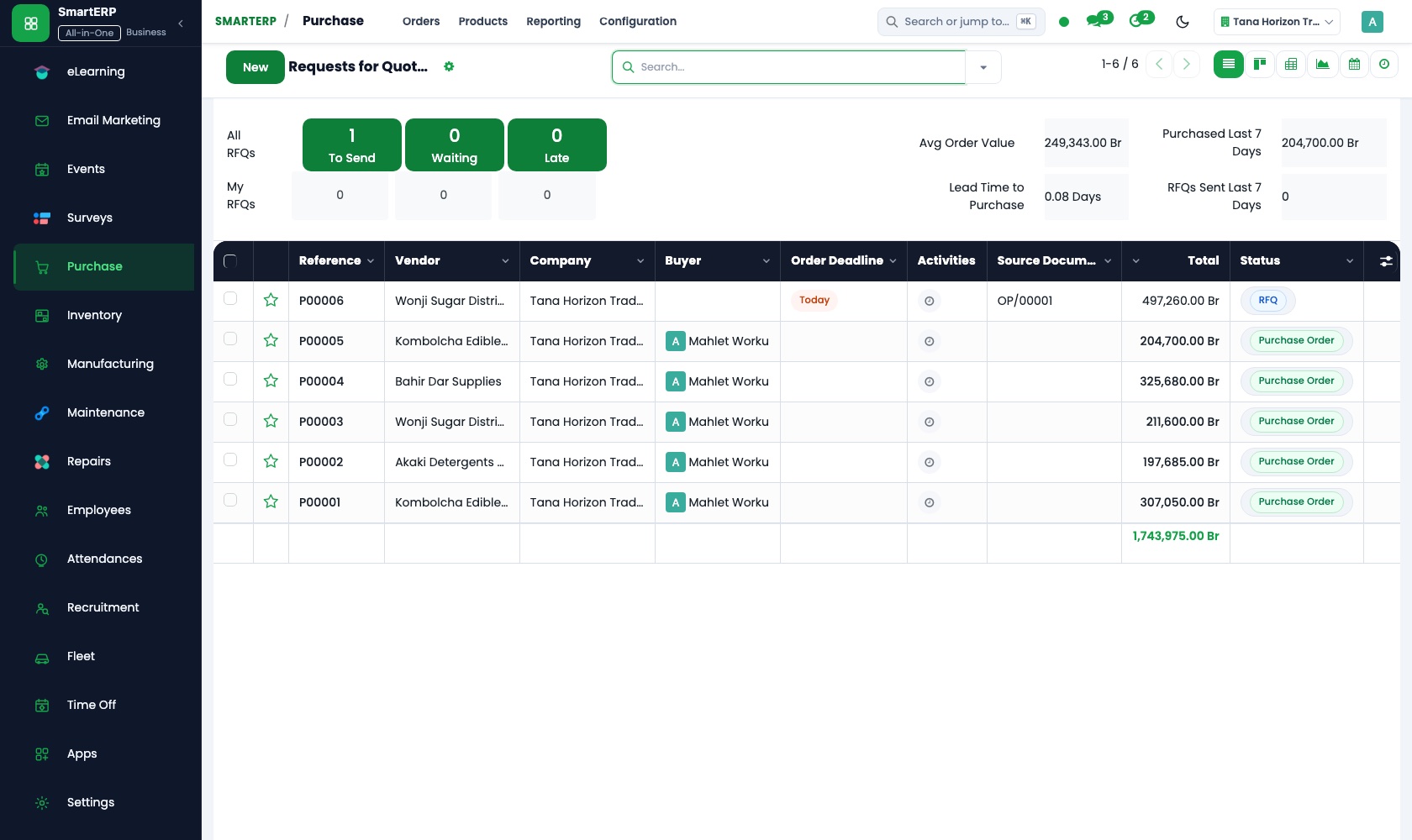
Reorder rules turn a low shelf into a purchase need, and a purchase order goes to each supplier. Vendor records keep who supplies which gift or seasonal line.
CRM
Returning customers, schools and small offices are opportunities with a planned next call, so the shop chases a promised order instead of waiting for the door.
More that runs with it
Also included in the platform
Planning
Plan shifts for people and equipment with roles, templates, recurring and open shifts and self-service, and compare the plan with attendance and logged time.
Approvals
One approval engine for purchase orders, vendor bills and petty cash, with levels and a record of who decided and when.
SMS reminders
Ethiopian SMS for appointment, shift and payment reminders, sent from the system.
Social media
Plan and schedule posts across your social accounts and see which campaign brought each lead and sale.
Balanced scorecard and BI
A balanced scorecard with objectives, indicators and initiatives, and dashboards built on your own records.
AI assistant
An assistant for staff on Telegram and WhatsApp for leave, approvals and quick questions, with tools that answer from your documents.
How the work runs on SmartERP
Closing the counter at the end of the trading day
The till session is counted, the day's sales reduce stock, and the takings reach the bank on record.
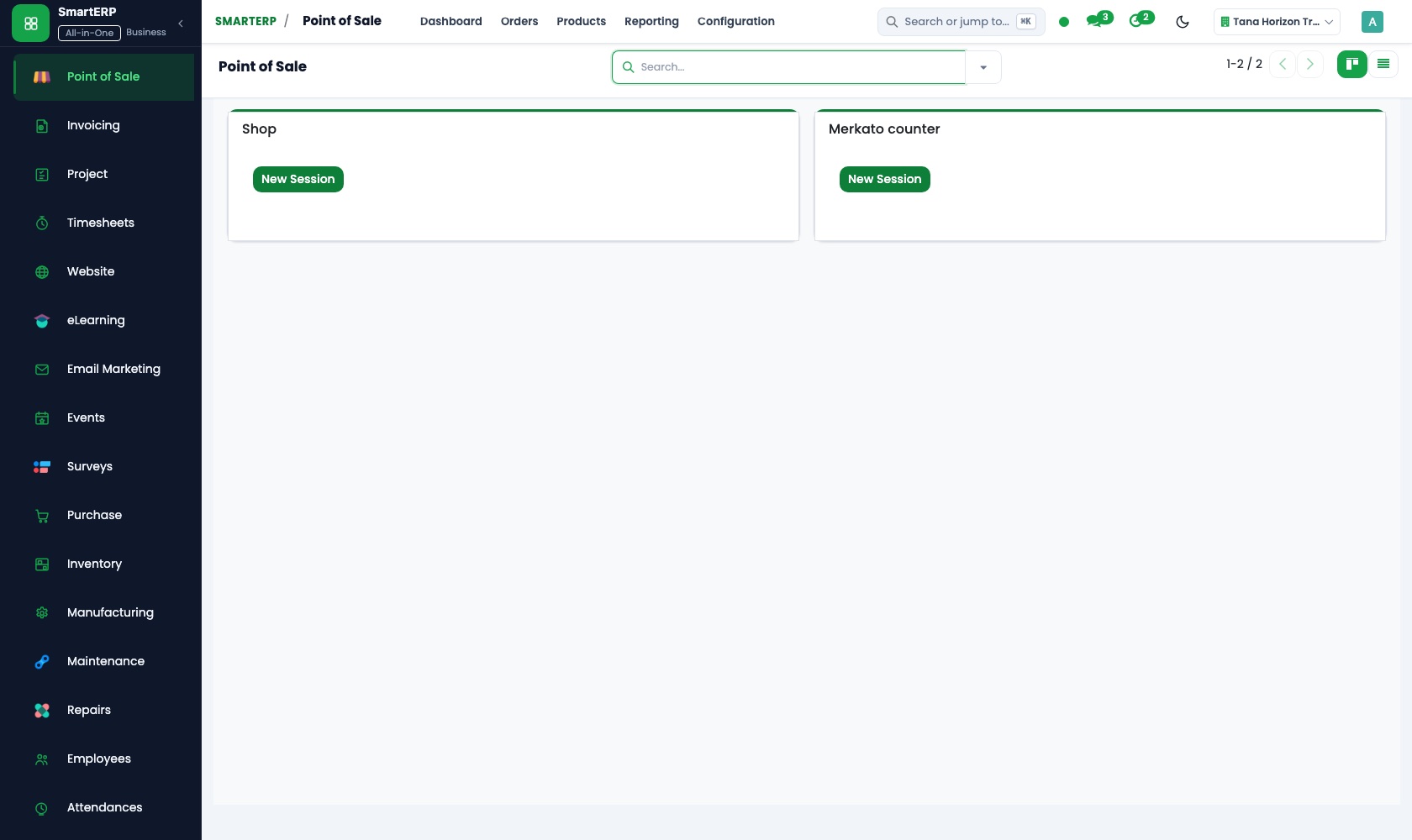
- Point of Sale: Browser-based till Serve walk-in customers at a till that runs in the browser on the shop's own computer.
- Point of Sale: Sessions and cash control Count the drawer when the session closes and see any difference against what the till expects.
- Point of Sale: Stock integration Every item sold leaves the shelf count straight away, so tomorrow's stock view is right.
- Accounting: Bank and cash Record the deposit of the day's cash so the drawer, the safe and the ledger tell one story.
An online order collected or delivered locally
A customer builds a basket from what is really on the shelf, the shop prepares it, and the invoice and any return are recorded.
- E-commerce: Cart and checkout A household builds a basket online from items the shop really holds and places the order.
- E-commerce: Delivery methods The buyer picks collection at the counter or local delivery, and the shop packs to match.
- Sales: Delivery and invoicing status Staff see which online orders are packed, handed over and invoiced.
- Accounting: Customer invoices and credit notes A credit note records the return when a gift is exchanged or refused.
Your first month
- First week. We load your items with supplier and selling price, agree shelf locations, and add your regular suppliers and the schools and offices that buy from you.
- Second week. The opening count is entered shelf by shelf and your accountant prepares the accounts. If you add the till or the online shop, its setup happens now.
- Third week. Staff practise a trading day: receiving a delivery, selling, counting the cash at closing and issuing a credit note for an exchanged gift.
- After go-live. We compare shelf and stock figures after the first weeks, choose which items the reorder rules watch, and tune supplier orders with the owner.
What to have ready
- Your item list with supplier, cost price and selling price
- A shelf-by-shelf count of what you hold today
- Regular suppliers with usual order sizes and delivery times
- Schools, offices and repeat customers who buy on written invoice
- Opening balances for cash, bank and suppliers you owe
The applications on screen
Real SmartERP screens with sample data.


Who uses it
- Business owner or general managerSee the whole business and keep every department working on the same records.
- Finance and accountingInvoices, bills, bank and reports from one ledger.
- Sales and customer serviceLeads, quotations, orders and follow-up.
- Purchasing and storesBuy, receive and control stock.
Company sizes
- Up to 10 people
- 11 to 50 people
What SmartERP does not cover for this industry
SmartERP does not link to a fiscal cash machine, send tax declarations to the authorities or roster counter staff by shift. Keep those tools beside it; SmartERP handles stock, sales and the books.
Questions about SmartERP for retail
Can the till be connected to a fiscal cash machine?
No. SmartERP does not link to a fiscal cash machine, send tax declarations to the authorities or roster counter staff. Stock, sales and the books stay in SmartERP.
Will the shelf count stay right if we sell online and at the counter?
Yes, with the optional Point of Sale and E-commerce applications. The till reduces stock as each item sells, and the online shop shows the availability held in Inventory.
How do we send a written quote and invoice to a school?
Quote in Sales with the school's price list, confirm the order and invoice it in Accounting, where the invoice can be printed or emailed.
How do we find out what to reorder before a shelf is empty?
Set minimum and maximum quantities as reorder rules in Inventory. Low items appear as purchase needs in Purchase, and the buyer turns them into orders.
How is an exchanged or refused gift recorded?
Book the item back into stock through Inventory and issue a credit note in Accounting, so the shelf count and the ledger are both correct.
See it before you decide
A day at the counter and one online order
The walkthrough runs a till session for an invented gift and household shop and closes it against the cash counted, then shows the online order that came in the same day.
There is no self-service sandbox. The demo is a guided walkthrough on sample data, or you can start a trial workspace.
Pricing
SmartERP has an industry edition for this sector (Trading and Distribution). The applications listed above are its applications, and the editions, their staff bands and the current prices are on the pricing page. This page shows no price.
See plans and pricingA website for your business
SmartERP can also set up a starter website for this kind of business, offered as part of a website project: Home, Shop, Departments, Gift Ideas, Orders & Returns, Visit Us, Contact. How the website tools work.
Start with what your business needs first
Tell us your industry and we carry it through the guided set-up, or talk to us first.
Start SmartERP Book a demo