Route quotes, warehouse stock and vehicle costs for a cargo company
A cargo company sells space on a truck and days in a warehouse. SmartERP records the customer's quote and order, the goods received and released, the vehicles and drivers assigned, and the invoices and supplier bills. It does not follow a load on the road or prepare customs papers.
Start with Sales, Shipping and Delivery and Inventory, then add Fleet for vehicles and drivers and Purchase for hired carriers and fuel. Maintenance is worth adding once trucks need a service schedule; Accounting closes each job.
Typical businesses: Cargo companies · Trucking firms · Warehouse operators · Haulage contractors · Local delivery firms
Problems this industry runs into
Quotes depend on who remembers the last price
Route and load prices are worked out on a phone call, so one customer hears two figures from two coordinators and margins change from shipment to shipment.
Goods in the warehouse are found by asking around
What is held for which importer or trader is answered by the storekeeper's memory, and what belongs to whom is unclear when the month ends.
Truck and driver costs are mixed into one total
Fuel, servicing and driver allowances are not tied to a vehicle, so the cost of a trip to one destination cannot be compared with the price charged.
Hired carriers are paid on trust
When own trucks are full, an outside transporter takes the load. The agreed rate, the delivery and the bill are compared only after a dispute.
A recommended starting set of applications
There is no packaged edition for this industry yet. These applications are our recommendation for a business of this kind, not a fixed bundle.
Often added for this industry
What each application does for third-party Logistics
Accounting
The shipper is invoiced when the delivery order is done, with a credit note for an agreed short delivery. A hired haulier's vendor bill is compared with the order.
Sales
A route, cargo and date are quoted in one document and confirmed as a sales order when the importer agrees. Delivery and invoicing status shows if the load is done and billed.
Purchase
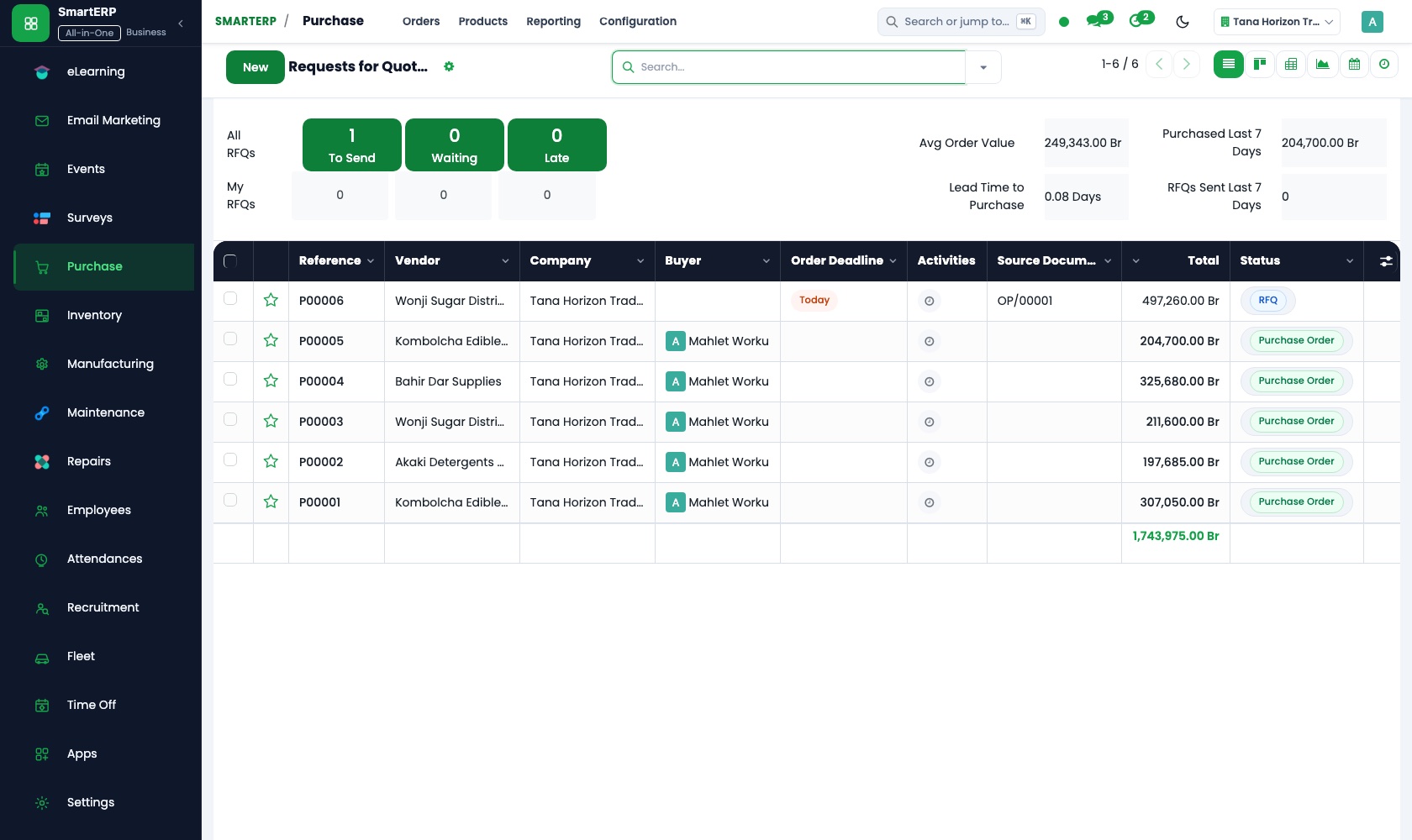
When every own truck is committed, requests for quotation go to several hauliers for the same route. The chosen rate is confirmed on a purchase order.
Fleet
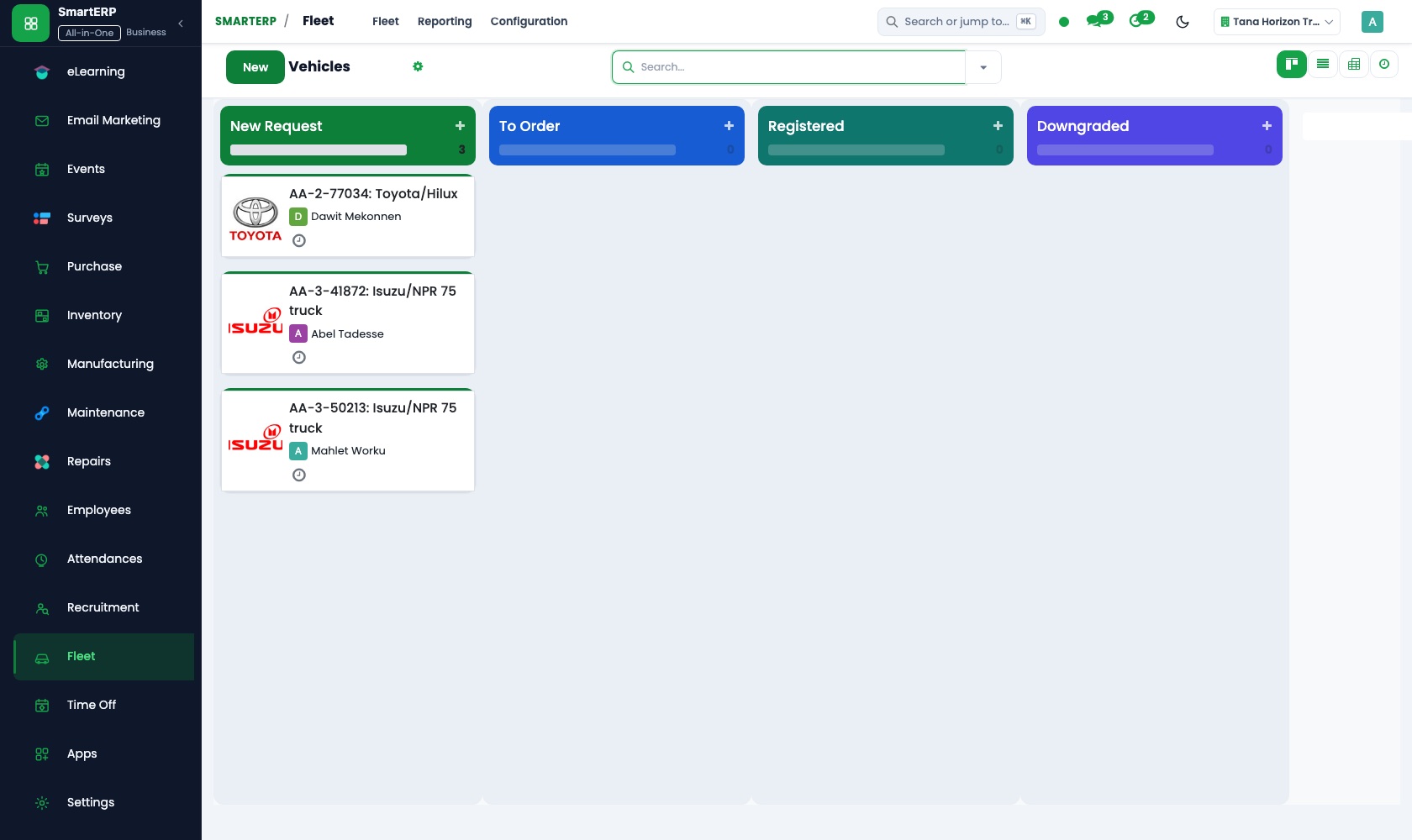
Each truck goes in the vehicle register with plate, driver and odometer. The service log and fuel entries build a running cost per truck.
Shipping and Delivery
A fixed rate covers a regular route, and a rule by weight, amount or destination prices a one-off load. A delivery order records the carrier and reference.
Inventory
Goods are received against a receipt and released on a delivery, with locations for shelves and internal areas. Stock reports let the storekeeper answer from a record.
How the work runs on SmartERP
From a route quote to a delivered order and its invoice
A shipper's route and cargo are quoted, the transport charge sits on the order, a delivery order is issued and the shipper is invoiced.
- Sales: Quotations and sales orders Quote the route, cargo and dates in one document and confirm it when the importer agrees.
- Shipping and Delivery: Fixed and rule-based prices Apply a fixed rate on a regular route, or a weight-based rule for a one-off load.
- Shipping and Delivery: Shipping on the order Put the transport charge on the customer's order so it flows onto the invoice.
- Shipping and Delivery: Delivery orders Issue the delivery order that the warehouse and the driver work from.
- Accounting: Customer invoices and credit notes Invoice the shipper when the delivery order is done, with a credit note for any agreed short-delivery.
From a full truck fleet to a paid subcontracted carrier
When own trucks are busy, outside hauliers are asked to quote, one is ordered, and its bill is checked and paid.
- Purchase: Requests for quotation Ask two or three hauliers for a price on the same route when every own truck is committed.
- Purchase: Purchase orders Confirm the chosen haulier's rate on an order that operations and finance can both see.
- Accounting: Vendor bills and payments Compare the haulier's bill with the order before scheduling the payment.
- Fleet: Cost reporting Set the hired rate against the running cost of own trucks to see which choice paid better.
Your first month
- First week. We load your regular shippers, routes and hauliers, set up the warehouse locations, and enter your trucks and drivers in the register.
- Second week. Fixed rates for regular routes and weight rules for occasional loads are entered as delivery prices, and your accountant confirms the accounts.
- Third week. The sales desk quotes real loads, issues delivery orders and invoices them, while the storekeeper receives and releases goods against records.
- After go-live. At month end we set each truck's cost against what its loads charged, compare hired rates with own-truck cost, and adjust rate tables.
What to have ready
- Your regular routes with the rate charged on each and the usual cargo
- Regular shippers and importers with their billing details
- Every truck with plate, driver, odometer reading and insurance expiry
- The hauliers you hire, the routes they cover and their usual rates
- The goods now held in the warehouse and where each is kept
The applications on screen
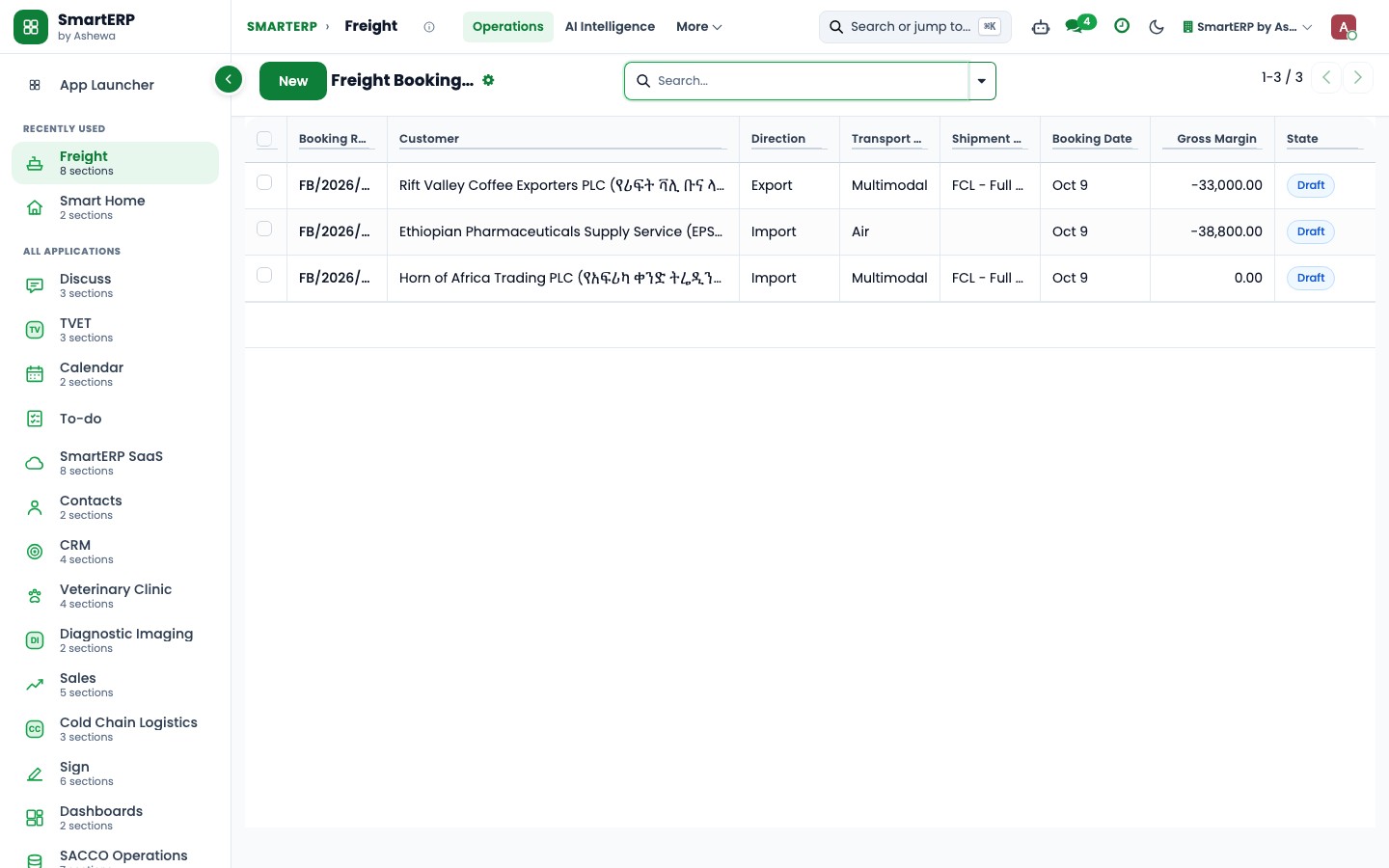
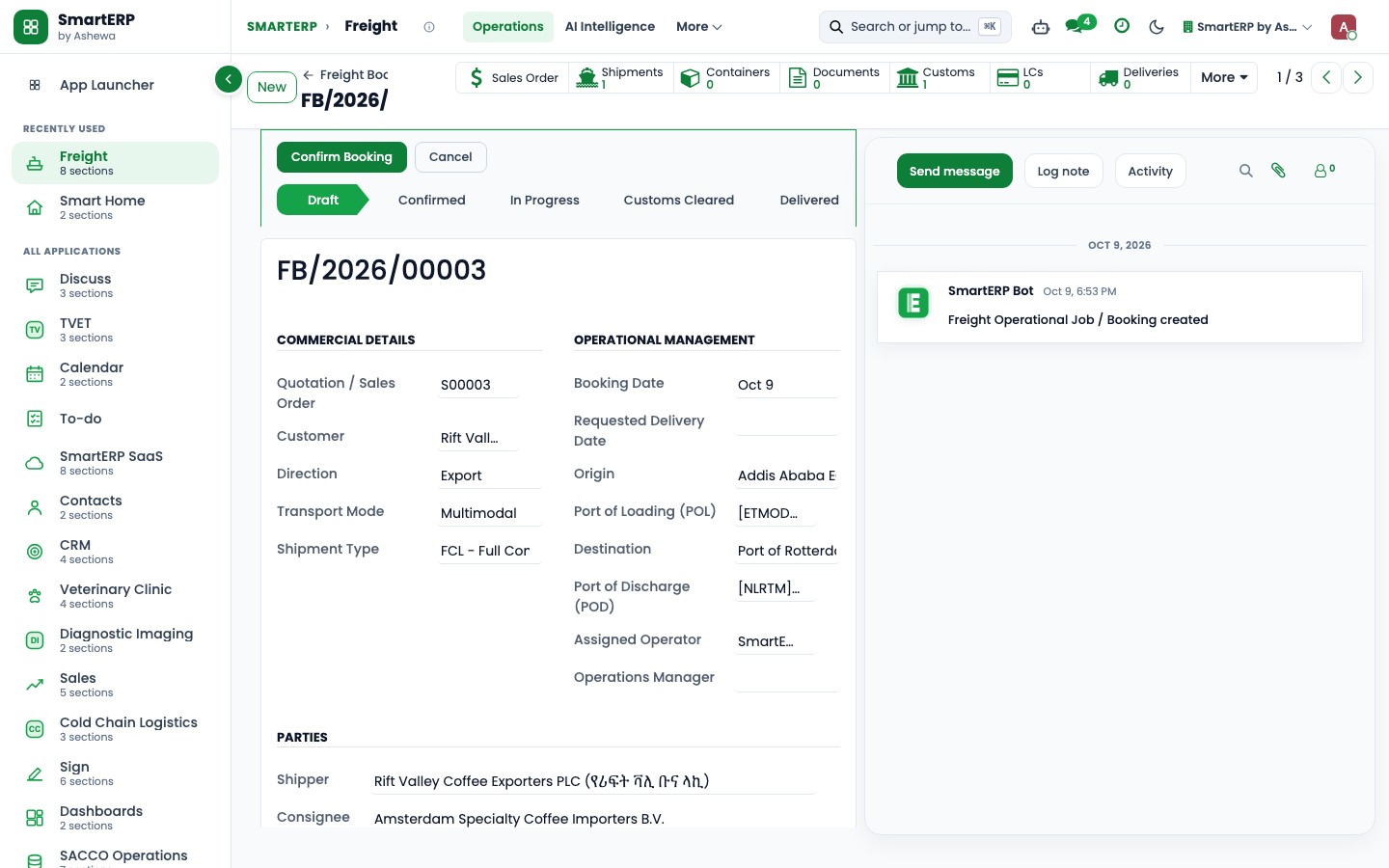
Real SmartERP screens with sample data.


Who uses it
- Business owner or general managerSee the whole business and keep every department working on the same records.
- Finance and accountingInvoices, bills, bank and reports from one ledger.
- Purchasing and storesBuy, receive and control stock.
- Operations and productionPlan production, maintain equipment, deliver on time.
Company sizes
- 11 to 50 people
- 51 to 100 people
- 101 to 200 people
What SmartERP does not cover for this industry
SmartERP has no live tracking of loads, no proof-of-delivery capture from the driver, no customs declaration or clearing filings and no route optimisation. Those stay with your current tools; SmartERP handles pricing, stock, vehicle costs and money.
Questions about SmartERP for third-party Logistics
Is SmartERP a freight forwarding system?
No. SmartERP has no live tracking of loads, no proof-of-delivery capture from the driver, no route optimisation and no customs declarations or clearing filings. Shipping and Delivery prices and records delivery; it does not manage freight forwarding.
How do we price a route and put it on the invoice?
Use a fixed rate for a regular route or a weight rule for a one-off load in Shipping and Delivery. The charge is a line on the quotation and flows onto the invoice in Accounting.
How do we compare a hired haulier with our own trucks?
Ask hauliers for quotes in Purchase and confirm one on an order. Its bill is checked in Accounting before payment, and Fleet shows what your own truck costs to run.
Should we add Maintenance for the trucks?
Add it once trucks need a service schedule. Preventive maintenance creates a request at each interval, and a driver can report a fault as a request.
How do the applications in the starting set work together?
A quotation in Sales becomes an order and a delivery order in Shipping and Delivery, and goods move through Inventory. Purchase brings in hired hauliers, Fleet counts own-truck cost, and Accounting invoices and pays.
See it before you decide
A route quote turned into a delivery order and invoice for a fictional cargo company
The walkthrough quotes a load between two towns, adds the transport charge to the order, issues the delivery order and invoices the shipper, on sample data for a fictional company.
There is no self-service sandbox. The demo is a guided walkthrough on sample data, or you can start a trial workspace.
Pricing
This industry has no packaged edition yet. You can start on a per-user plan with the recommended applications, or ask for a quote. Current plans and prices are on the pricing page.
See plans and pricingA website for your business
SmartERP can also set up a starter website for this kind of business, offered as part of a website project: Home, Freight Services, Warehousing, Shipping Guide, Shipment Enquiry, Freight Quote, Contact. How the website tools work.
Start with what your business needs first
Tell us your industry and we carry it through the guided set-up, or talk to us first.
Start SmartERP Book a demo