A furniture workshop and showroom with deposits, materials and delivery on record
A furniture business is a shop and a workshop under one roof: ready pieces are sold from the floor while wardrobes, beds and fit-out orders are built after a deposit. SmartERP connects the sales order to a bill of materials, a manufacturing order and the materials taken from stock.
Start with Sales, Manufacturing and Inventory, then add Purchase for timber and hardware and Accounting for deposits and supplier bills. The online catalogue is optional. Design drawings and assembly-crew scheduling are not included.
Typical businesses: Furniture workshops · Carpentry shops · Furniture showrooms · Kitchen cabinet makers · Office and hotel fit-out shops
Problems this industry runs into
Made-to-order jobs start before the deposit is on record
A customer agrees a bed or wardrobe in the showroom, the carpenter starts, and the deposit is noted on paper, so the workshop cannot tell which jobs are covered.
Timber, board and fittings run out mid-job
The workshop buys sheets, hinges and fittings when someone notices they are missing, so jobs wait and prices are paid at whatever the nearest supplier asks.
Offcuts and wasted material are never counted
Cutting sheets and planks leaves offcuts and scrap that nobody records, so the real material cost of a wardrobe is guessed and quotes come out too low or too high.
Fit-out quotes for guest houses and offices are slow to prepare
A guest house needing beds, tables and cabinets for many rooms gets a quotation assembled by hand, and every change of quantity means retyping the whole page.
Applications in the Manufacturing edition
These applications are the ones the industry edition's blueprint includes. Each opens its own page.
Often added for this industry
What each application does for carpenter
Accounting
A deposit is invoiced before the carpenter starts and the balance at delivery. Timber and hardware bills are registered from purchase orders, so finance sees what is due to each supplier.
Manufacturing
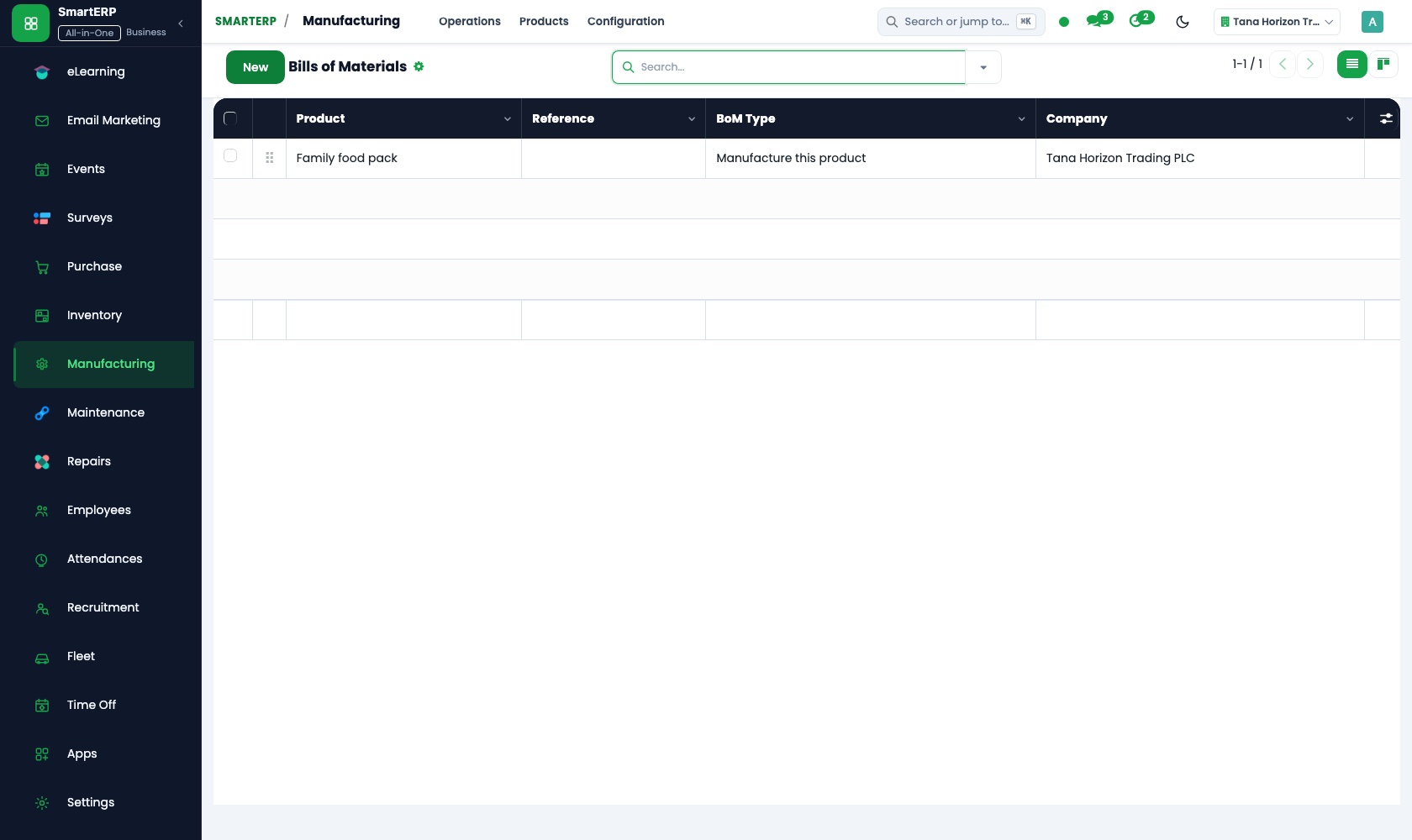
Each wardrobe or bed has a bill of materials listing boards, hinges, handles and finish. A manufacturing order opens the job, components are consumed from stock, and offcuts are recorded as scrap.
Sales
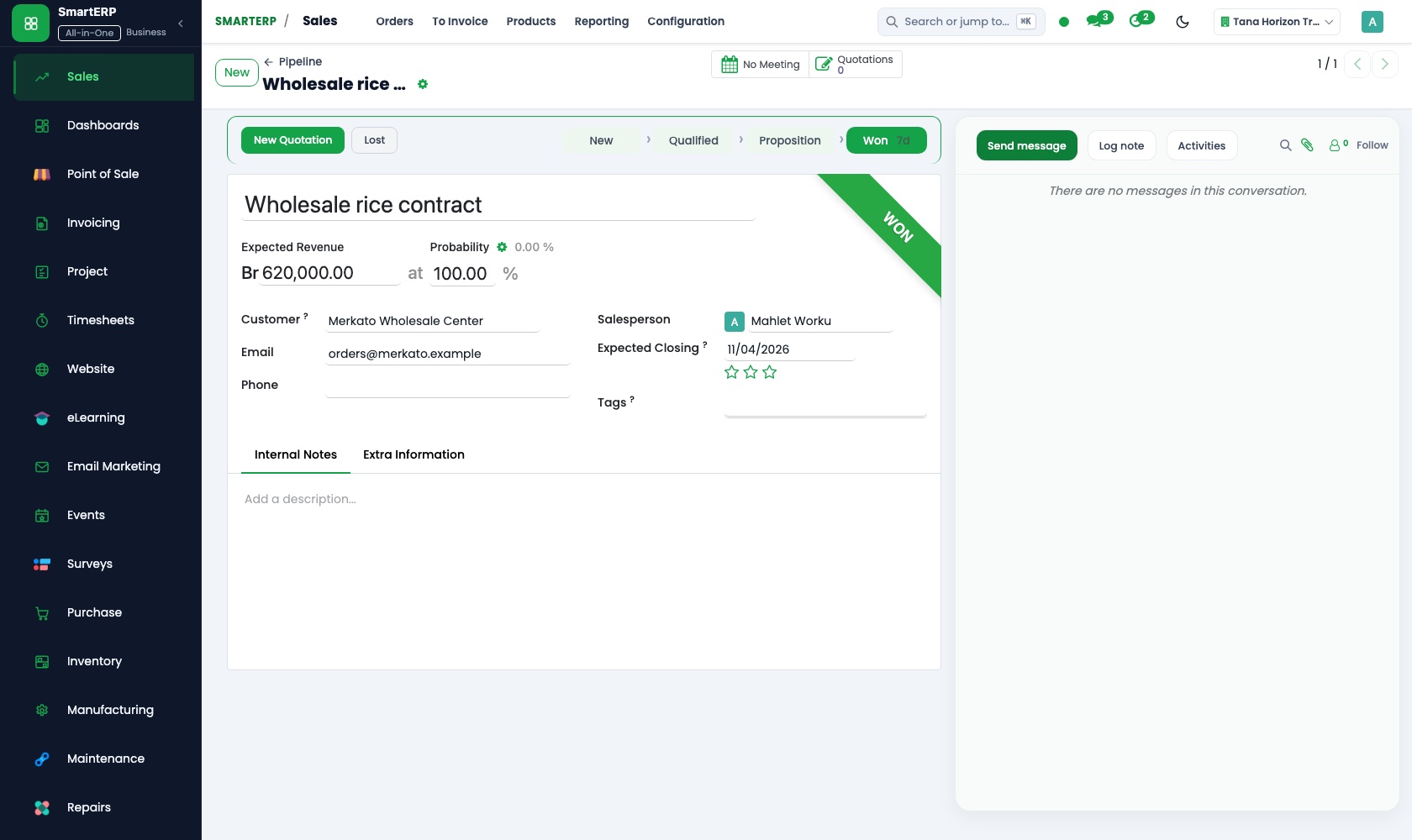
Ready pieces and made-to-order work are quoted from one product catalogue. A guest-house fit-out starts from a quotation template, so a change of quantity is edited on the line.
Inventory
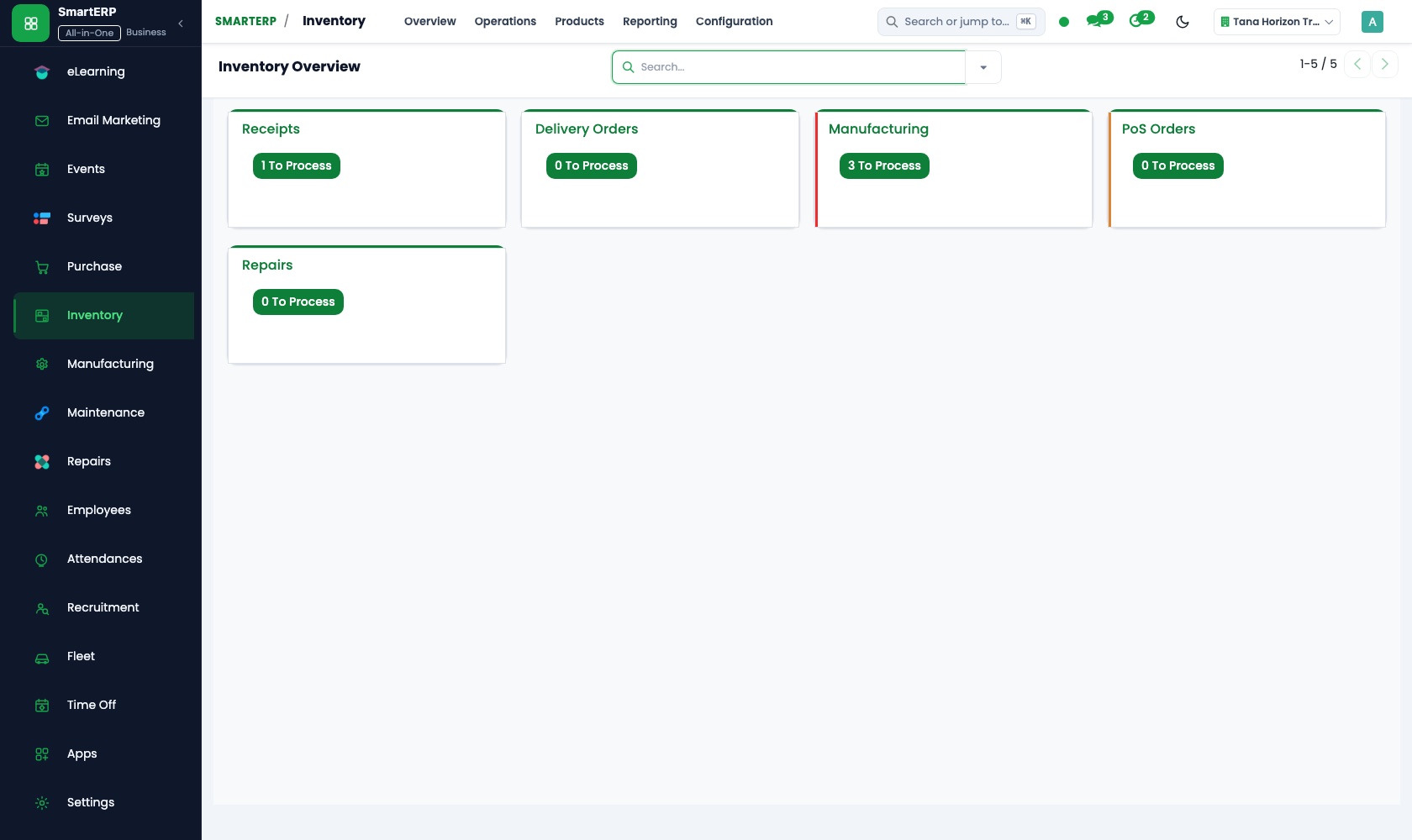
Timber, board and hardware each have a minimum in the store, so a shortage shows before a job is held up. Sheets and planks are checked against the order on receipt.
Purchase
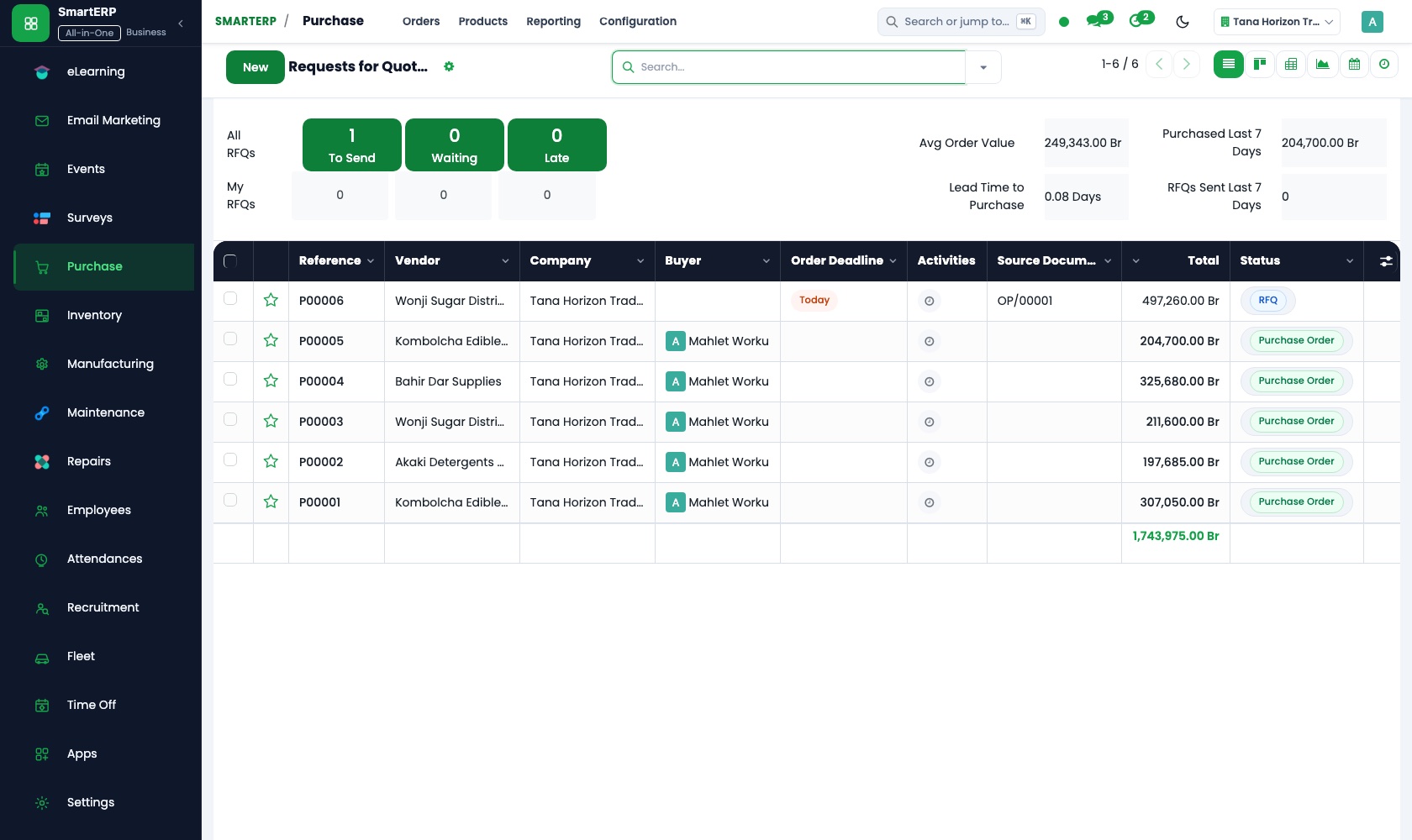
The timber merchant and the hardware supplier are asked for prices on a request for quotation before an order is confirmed. Vendor records keep price history for comparison.
CRM
Showroom visitors and guest-house or office clients are logged as opportunities, each with a next step, and a quotation is created straight from the opportunity.
How the work runs on SmartERP
A made-to-order wardrobe from deposit to workshop
A confirmed order with a deposit becomes a bill of materials and a manufacturing order, and the materials leave stock as they are used.
- Sales: Quotations and sales orders Quote the wardrobe with the dimensions and finish agreed in the showroom and confirm it on acceptance.
- Accounting: Customer invoices and credit notes Invoice the deposit that lets the carpenter start, and the balance when the piece is delivered.
- Manufacturing: Bills of materials List the boards, hinges, handles and finish each wardrobe needs, so its cost and stock needs are known.
- Manufacturing: Manufacturing orders Open the job for the workshop for the confirmed wardrobe, with its due date.
- Manufacturing: Component consumption Record the boards and fittings actually used, so stock falls with the job.
Keeping timber, board and fittings in stock
Materials that fall below their minimum are reordered from suppliers, received into the store, and offcuts from cutting are recorded.
- Inventory: Reorder rules Set a minimum for timber, board and hardware so a shortage shows before a job is held up.
- Purchase: Requests for quotation Ask the timber merchant and the hardware supplier to price the shortfall before ordering.
- Purchase: Purchase orders Confirm the order with the merchant you chose so the store expects the delivery.
- Inventory: Receipts and deliveries Check the sheets and planks that arrive against the order before they are shelved.
- Manufacturing: Scrap and by-products Record offcuts and spoiled boards so the material cost of each piece stays honest.
Your first month
- First week. We list your ready pieces and made-to-order lines, start bills of materials for the pieces you build most, and load customers and suppliers.
- Second week. The store gets its locations and an opening count of timber, board and fittings, with minimums set. Your accountant helps set the chart of accounts and bank accounts.
- Third week. The showroom quotes a real order and invoices its deposit, and the workshop runs it as a manufacturing order with materials consumed and offcuts recorded.
- After go-live. We review the first finished pieces with the owner and adjust bills of materials, minimums and quotation templates.
What to have ready
- Your ready pieces and made-to-order items, with the prices you quote
- The boards, timber, hinges and finishes each usual piece needs
- Suppliers of timber, board and hardware, with contacts
- Customers with open orders and the deposits already paid
- Opening counts of timber, board and fittings, and your bank account details
The applications on screen
Real SmartERP screens with sample data.


Who uses it
- Business owner or general managerSee the whole business and keep every department working on the same records.
- Sales and customer serviceLeads, quotations, orders and follow-up.
- Purchasing and storesBuy, receive and control stock.
- Operations and productionPlan production, maintain equipment, deliver on time.
Company sizes
- Up to 10 people
- 11 to 50 people
- 51 to 100 people
What SmartERP does not cover for this industry
SmartERP does not produce design drawings or cutting layouts, and it does not schedule delivery and assembly crews. Keep drawings in your design tool; SmartERP records the order, the materials, the production and the payment.
Questions about SmartERP for carpenter
Does SmartERP make design drawings or schedule assembly crews?
No. SmartERP does not produce design drawings or cutting layouts and does not schedule delivery or assembly crews. Keep drawings in your design tool; SmartERP records the order, materials and payment.
Can a customer pay a deposit first and the balance later?
Yes. Invoice the deposit from the confirmed sales order and the balance at delivery. Each payment is matched in Accounting, so the workshop sees which jobs are covered.
How are the materials and offcuts of a wardrobe job recorded?
The bill of materials lists the components, the manufacturing order consumes what was used, and scrap records the offcuts, so stock follows the job. Stock valuation passes the value to Accounting.
How do the showroom, the workshop and the store work together?
A quotation becomes a sales order, which leads to a manufacturing order drawing components from Inventory. Reorder rules flag shortages, Purchase places the order, and Accounting posts the bills.
Can customers pay by card or telebirr on the online catalogue?
No. Online card and mobile-money payment providers are not offered today. For orders from E-commerce, bank transfer and cash on delivery are the practical options.
See it before you decide
A made-to-order wardrobe from showroom quotation to workshop
The walkthrough confirms a wardrobe with a deposit for an invented showroom, builds its bill of materials and manufacturing order, and shows the boards consumed.
There is no self-service sandbox. The demo is a guided walkthrough on sample data, or you can start a trial workspace.
Pricing
SmartERP has an industry edition for this sector (Manufacturing). The applications listed above are its applications, and the editions, their staff bands and the current prices are on the pricing page. This page shows no price.
See plans and pricingA website for your business
SmartERP can also set up a starter website for this kind of business, offered as part of a website project: Home, Shop, By Room, Made to Order, Delivery & Assembly, Design Consultation, Contact. How the website tools work.
Start with what your business needs first
Tell us your industry and we carry it through the guided set-up, or talk to us first.
Start SmartERP Book a demo