Job quotes, paper stock and press runs for a print and packaging house
A print job passes from estimator to prepress to press to finishing, and every hand-over is a chance to lose the specification. SmartERP holds the quotation, the bill of materials for paper, ink and board, and the production order together. It does not proof artwork or drive the press.
Begin with Sales, Manufacturing and Inventory for paper and board. Add Purchase for reels and sheets from merchants, CRM for repeat packaging buyers, and Maintenance for presses and cutters once jobs are flowing.
Typical businesses: Commercial print shops · Label and sticker printers · Carton and box makers · Packaging houses · Book and stationery printers
Problems this industry runs into
Every job is quoted from scratch
Estimators rebuild the price of a familiar label or carton by hand, so the same job is quoted differently on different days and repeat orders are slow to confirm.
Paper and board are counted only when the press stops
Sheets and reels sit in the store with no running record, so a shortage of one stock is found after the plates are already made.
Make-ready waste and trimmings are never recorded
Misprints, setup sheets and cut-off edges go in the bin uncounted, so the real material cost of a job is unknown when the next price is set.
Finished jobs wait days for their invoice
The delivery note comes back with the driver, the job file is closed later, and the invoice waits until someone matches it to the original quotation.
Applications in the Manufacturing edition
These applications are the ones the industry edition's blueprint includes. Each opens its own page.
Often added for this industry
What each application does for corporate Gifts
Accounting
A finished run is invoiced against its accepted quotation once delivery is confirmed, not when the job file closes. Merchant bills and customer payments are matched in one ledger.
Manufacturing
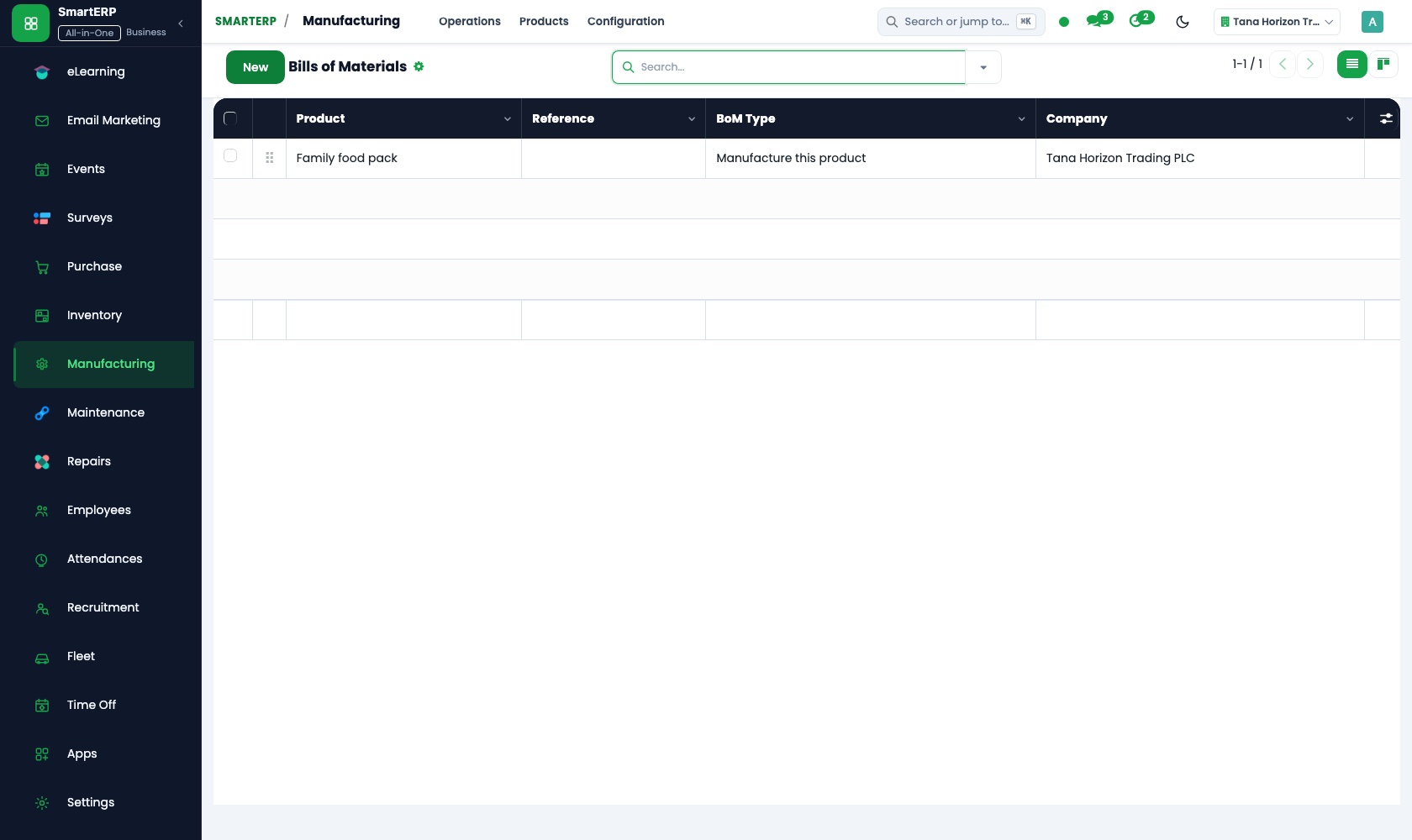
A bill of materials lists the board, film, ink and glue one job consumes. The production order follows the run through cutting, printing and finishing on work centres, and misprints are recorded as scrap.
Sales
The estimator starts a familiar label or carton from a quotation template and changes only its size and quantity. Each order shows whether it is delivered and invoiced.
Inventory
Board, film and ink are held in the paper store with a minimum for each. Every reel or batch has its own lot, and the count is adjusted after each physical check.
Purchase
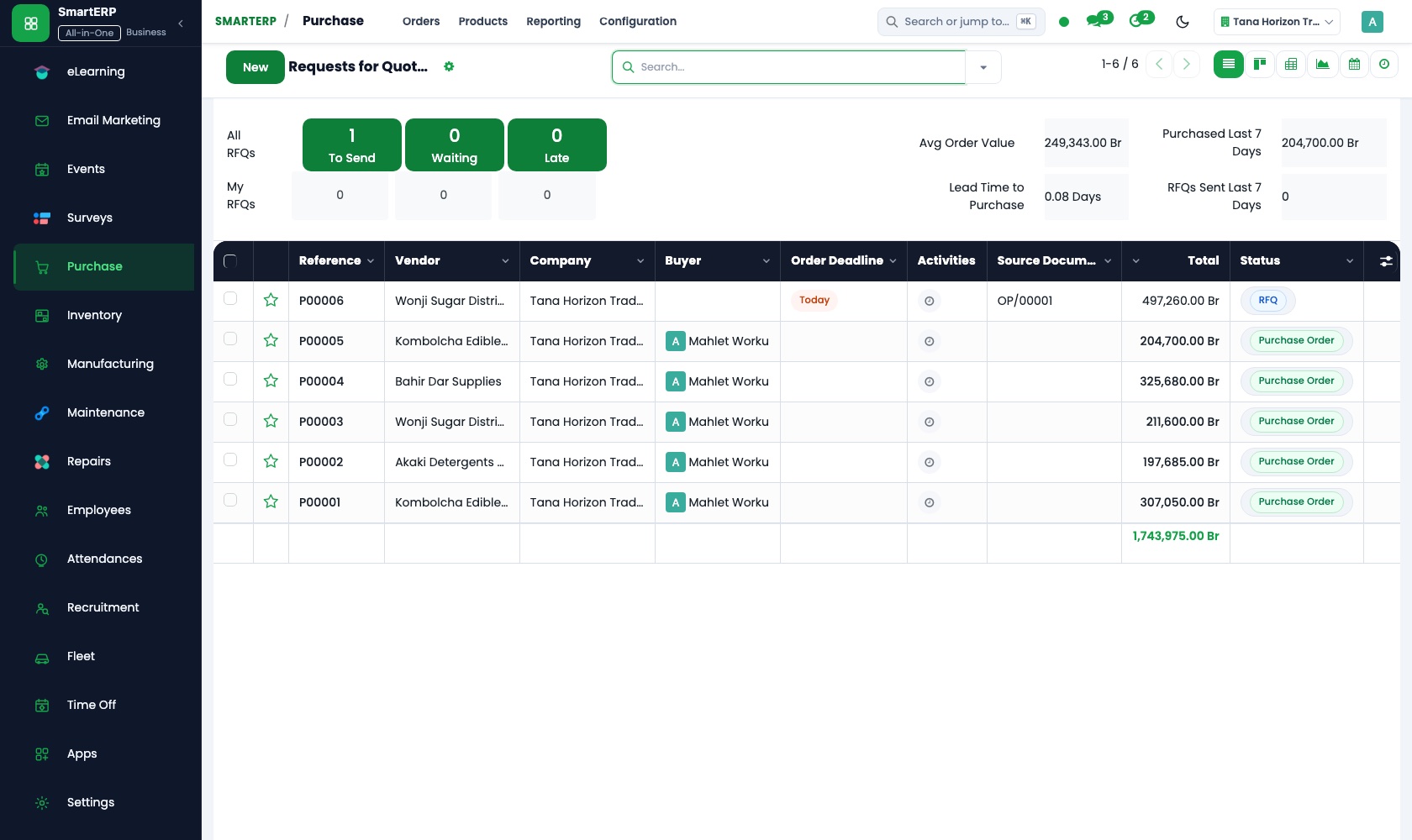
Paper and ink merchants are kept as vendors with their lead times, and a full reel is ordered once on a purchase order. Delivered sheets are checked against the order.
CRM
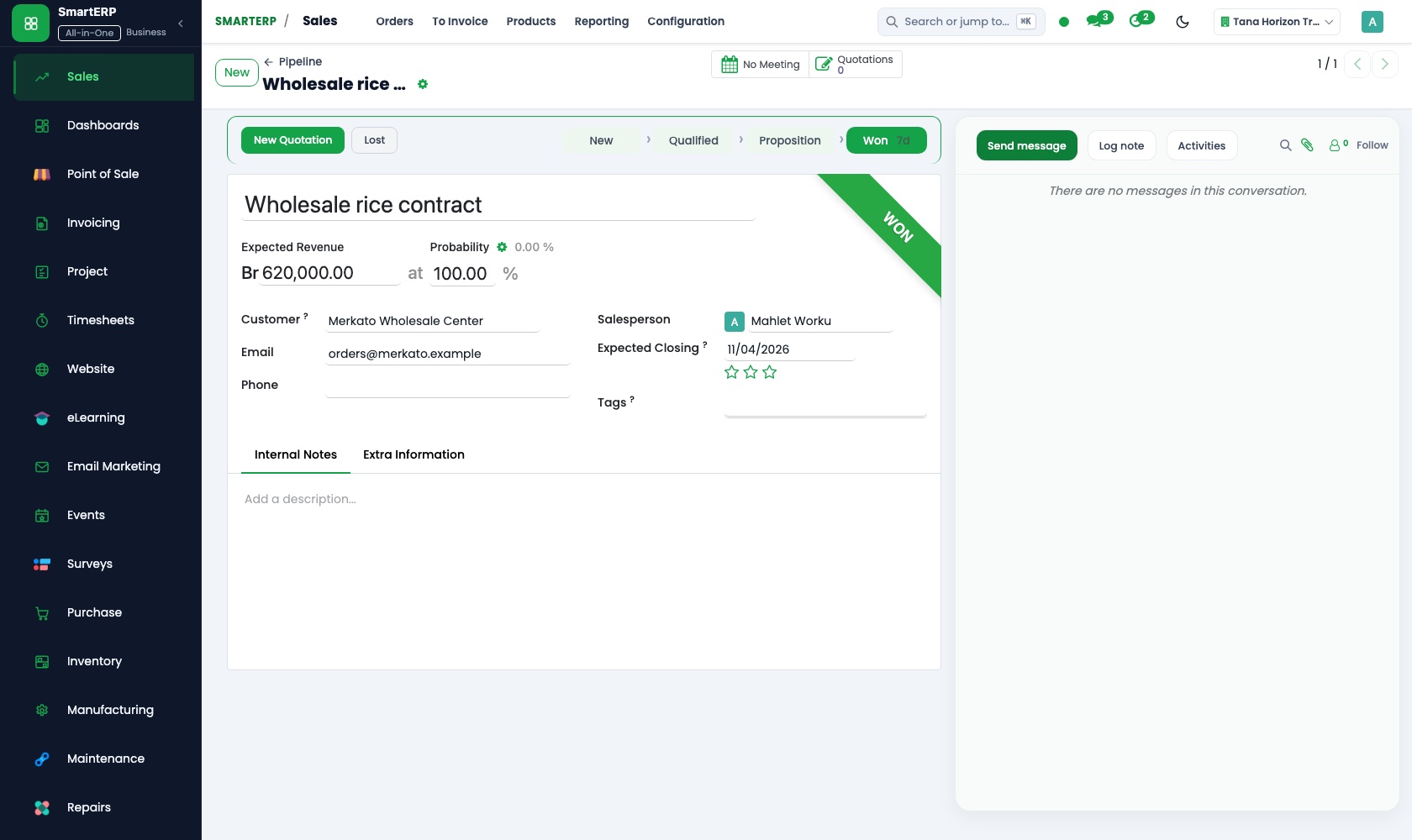
Repeat packaging buyers are followed as opportunities, each with a scheduled next call. When a buyer asks for a new carton, the quotation is created from the opportunity.
How the work runs on SmartERP
From a label quotation to a delivered run
An estimator prices a job from a saved layout, the confirmed order becomes a production order, and the delivered run is invoiced.
- Sales: Quotation templates Start from the saved layout of a familiar label or carton and change only its size and quantity.
- Sales: Quotations and sales orders Turn the price the customer accepts into a job order that the press room can see.
- Manufacturing: Bills of materials List the board, film, ink and glue one job consumes so the paper need is clear at once.
- Manufacturing: Manufacturing orders Open the production order for the run and follow it through cutting, printing and finishing.
- Sales: Delivery and invoicing status See which finished runs are delivered and which are still waiting for their invoice.
From an empty reel to a paid paper merchant
Paper is ordered from a merchant, received by reel or batch so a job can be repeated on the same stock, and paid once matched.
- Purchase: Vendor records Keep each paper and ink merchant with the terms and lead time you have agreed.
- Purchase: Purchase orders Order a full reel or a pallet of sheets once, and let the store and the office read the same order.
- Inventory: Lots and serial numbers Give each reel or batch its own lot so a repeat carton can be run on the same stock.
- Purchase: Receipts and three-way matching Check the delivered sheets against the order and the merchant's bill before paying.
- Accounting: Vendor bills and payments Settle the merchant's account and see what is still owed.
Your first month
- First week. We gather your familiar labels and cartons as quotation templates, list the paper, board, film and ink you stock, and load customers and merchants.
- Second week. Bills of materials are built for repeat jobs, reels are counted into the store with their lots, and your accountant helps set the ledger.
- Third week. The estimator quotes a real job from a template, the press room follows it as a production order, and the delivered run is invoiced.
- After go-live. We look at the first finished jobs with the owner, compare material used against each bill of materials, and adjust templates and minimums.
What to have ready
- Your usual labels, cartons and packs with sizes and the price you quote
- The paper, board, film and ink you stock, with units and current counts
- Paper and ink merchants with contacts and their usual delivery times
- Repeat customers with their agreed prices and discounts
- Your bank account details and opening balances
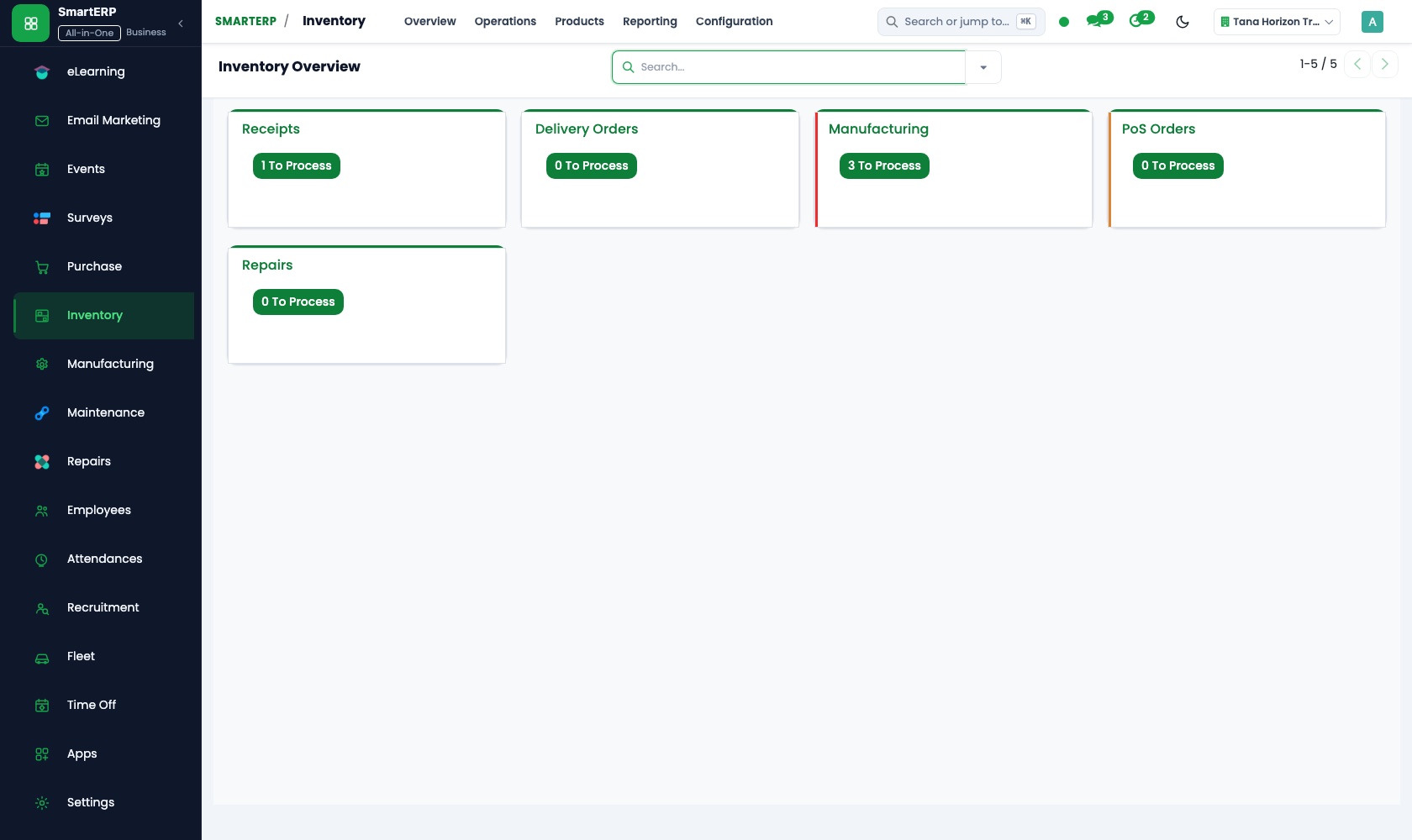
The applications on screen
Real SmartERP screens with sample data.


Who uses it
- Business owner or general managerSee the whole business and keep every department working on the same records.
- Sales and customer serviceLeads, quotations, orders and follow-up.
- Purchasing and storesBuy, receive and control stock.
- Operations and productionPlan production, maintain equipment, deliver on time.
Company sizes
- Up to 10 people
- 11 to 50 people
- 51 to 100 people
What SmartERP does not cover for this industry
SmartERP does not preview or check artwork, record customer sign-off on proofs, impose sheets, connect to prepress or press software, or estimate from machine speeds. Keep those in your design tools; SmartERP carries the job from quotation to invoice.
Questions about SmartERP for corporate Gifts
Does SmartERP check artwork or drive the press?
No. SmartERP does not preview or check artwork, record customer sign-off on proofs, impose sheets or connect to prepress or press software. It carries the job from quotation to invoice.
Can I quote a repeat carton without rebuilding the price?
Yes. Save the familiar layout as a quotation template, then change the size and quantity. The accepted quotation becomes a sales order for the press room.
How do I keep a repeat carton on the same paper stock?
Give each reel or batch its own lot when it is received. Lots track batches, so a repeat carton can be run on the same stock.
How do the estimator, the press room and the paper store connect?
The quotation becomes a sales order, and the bill of materials shows the paper needed. Reorder rules and Purchase cover shortages, and Accounting posts the invoice and the merchant's bill.
Can SmartERP estimate a job from machine speeds?
No. SmartERP does not estimate from machine speeds. A quotation is priced from your product catalogue, price lists and templates, and the bill of materials shows the material needed.
See it before you decide
One carton job from quotation template to finished run
The walkthrough prices a repeat carton from a saved quotation template, confirms it, opens the production order with its board and ink, and checks the delivery and invoice status, on sample data for a fictional print house.
There is no self-service sandbox. The demo is a guided walkthrough on sample data, or you can start a trial workspace.
Pricing
SmartERP has an industry edition for this sector (Manufacturing). The applications listed above are its applications, and the editions, their staff bands and the current prices are on the pricing page. This page shows no price.
See plans and pricingA website for your business
SmartERP can also set up a starter website for this kind of business, offered as part of a website project: Home, Print Products, Packaging, Labels and Signs, Artwork Guide, Proofs and Delivery, Get a Quote, Contact. How the website tools work.
Start with what your business needs first
Tell us your industry and we carry it through the guided set-up, or talk to us first.
Start SmartERP Book a demo