Site quotes, cleaning schedules and staff hours for a cleaning company
Cleaning contracts are won on a written scope and kept on a schedule, so the daily work is many small tasks across many sites. SmartERP holds the client, the scope quotation, the tasks by site, the hours logged and the invoice. It does not plan rotas or raise repeat invoices by itself.
Start with CRM, Sales and Project, then add Timesheets to see the hours behind each site's margin. Employees keeps the cleaner directory by supervisor and site, and Accounting holds the client invoices and the supplier bills.
Typical businesses: Cleaning companies · Office cleaning contractors · Facility service firms · Post-construction cleaners · Hotel housekeeping contractors
Problems this industry runs into
Site visits end without a written scope
The supervisor walks a building and agrees rooms and frequency aloud. The quote follows days later from memory, so arguments over scope start with the first invoice.
Nobody sees which site loses money
Hours spent by cleaners at each client are known only to their supervisor, so a contract priced too low keeps running for months.
One-off requests are forgotten and never billed
A client phones for a window wash or a clean after an event. The request is not recorded, the work is done, and no invoice follows.
Cleaners move between sites with no single list
Which cleaner belongs to which supervisor and site is kept in a notebook, and covering an absent person means a round of phone calls.
A recommended starting set of applications
There is no packaged edition for this industry yet. These applications are our recommendation for a business of this kind, not a fixed bundle.
What each application does for HVAC Services
Accounting
Each client is invoiced the contract amount plus any extras, and a visit the client says was missed is credited. Aged receivables show which clients are late.
Sales
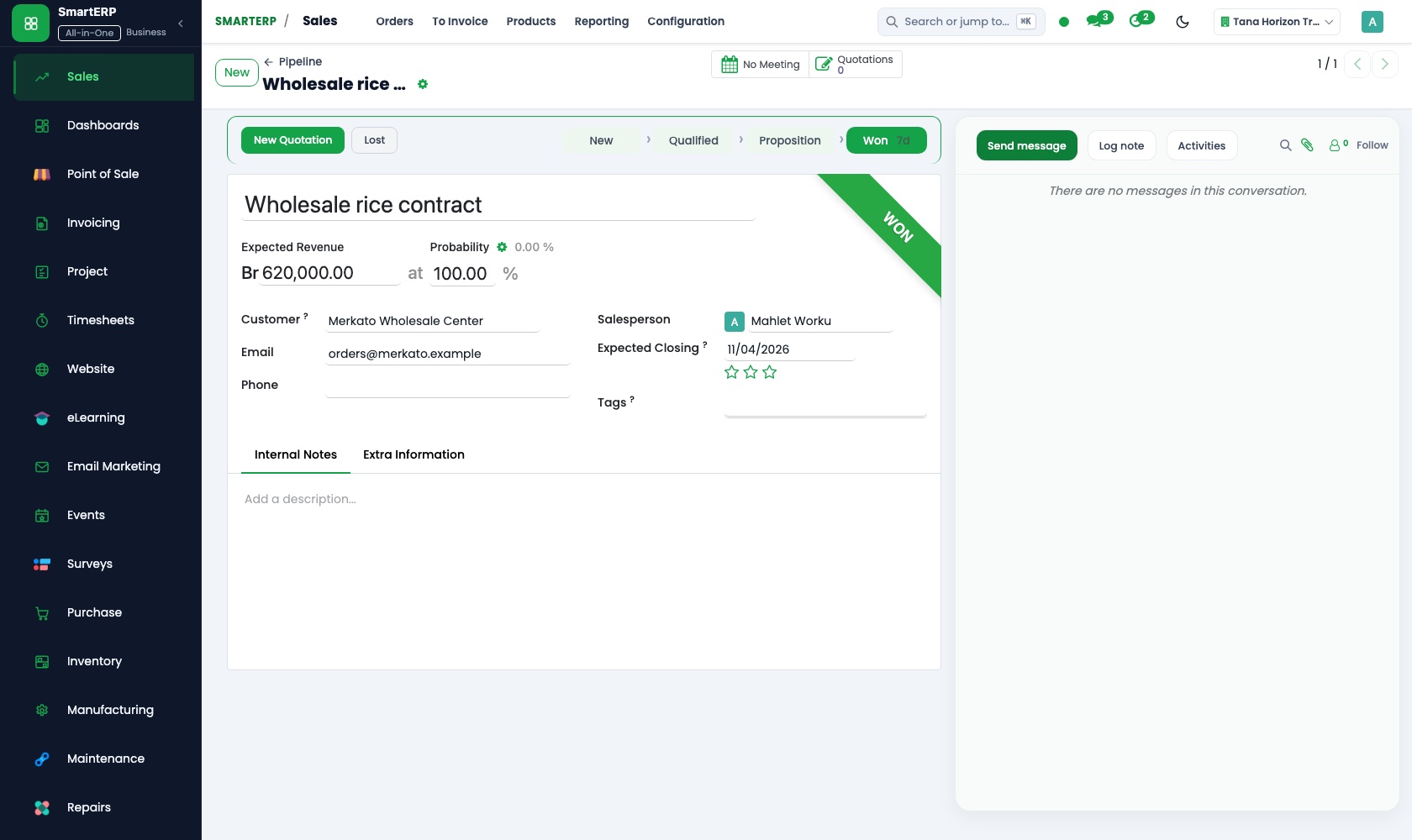
A standard scope quotation lists rooms, frequency and supplies included, and is adjusted to the building. The agreed scope becomes a sales order, so the first invoice starts no argument.
CRM
The office, clinic or hotel that asked for cleaning is logged as a lead with its size and visit frequency. Scheduled activities book the walk-through.
Project
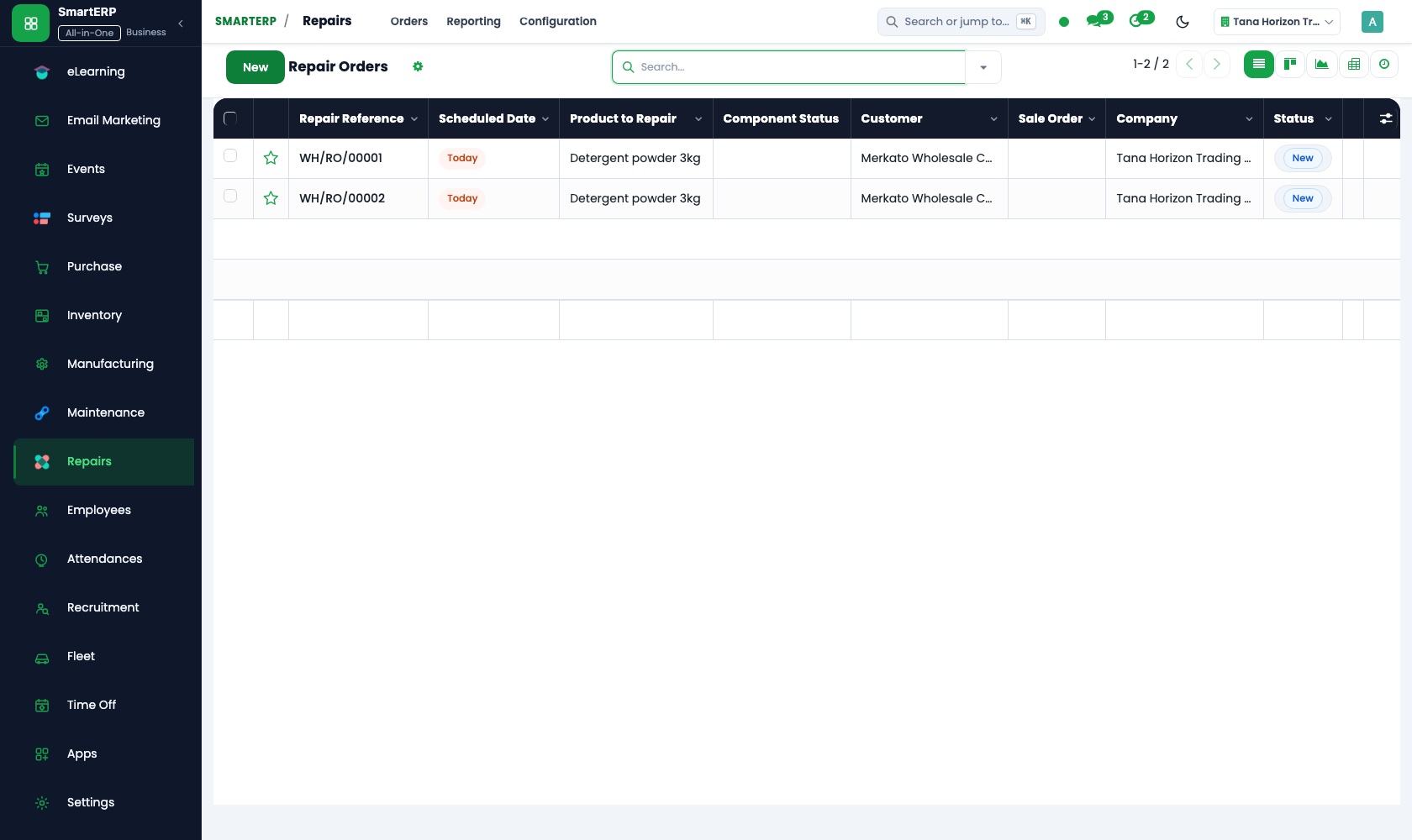
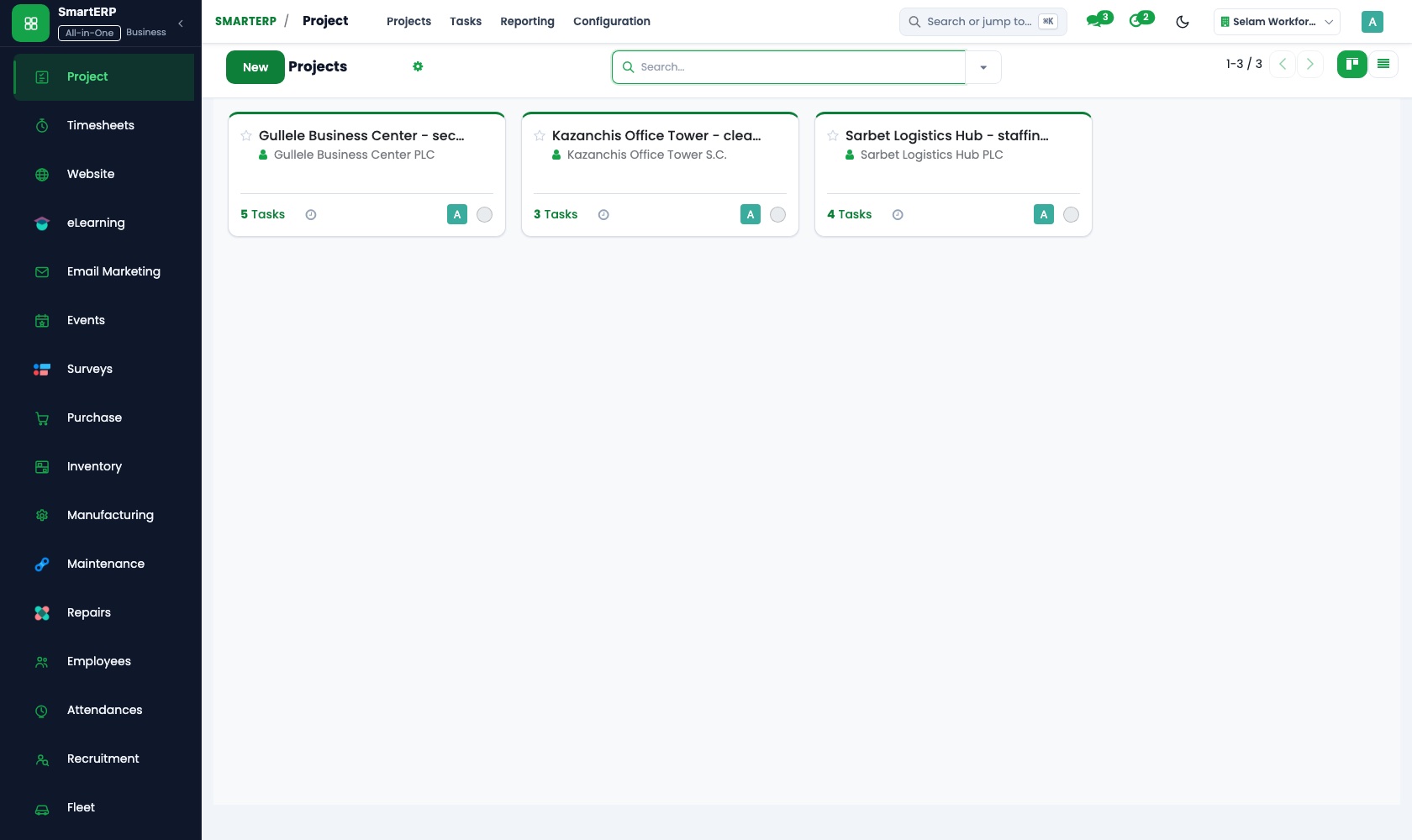
Each contract is a project with its regular tasks, such as floors, toilets and windows, listed for the site. A one-off event clean is added as its own task.
Timesheets
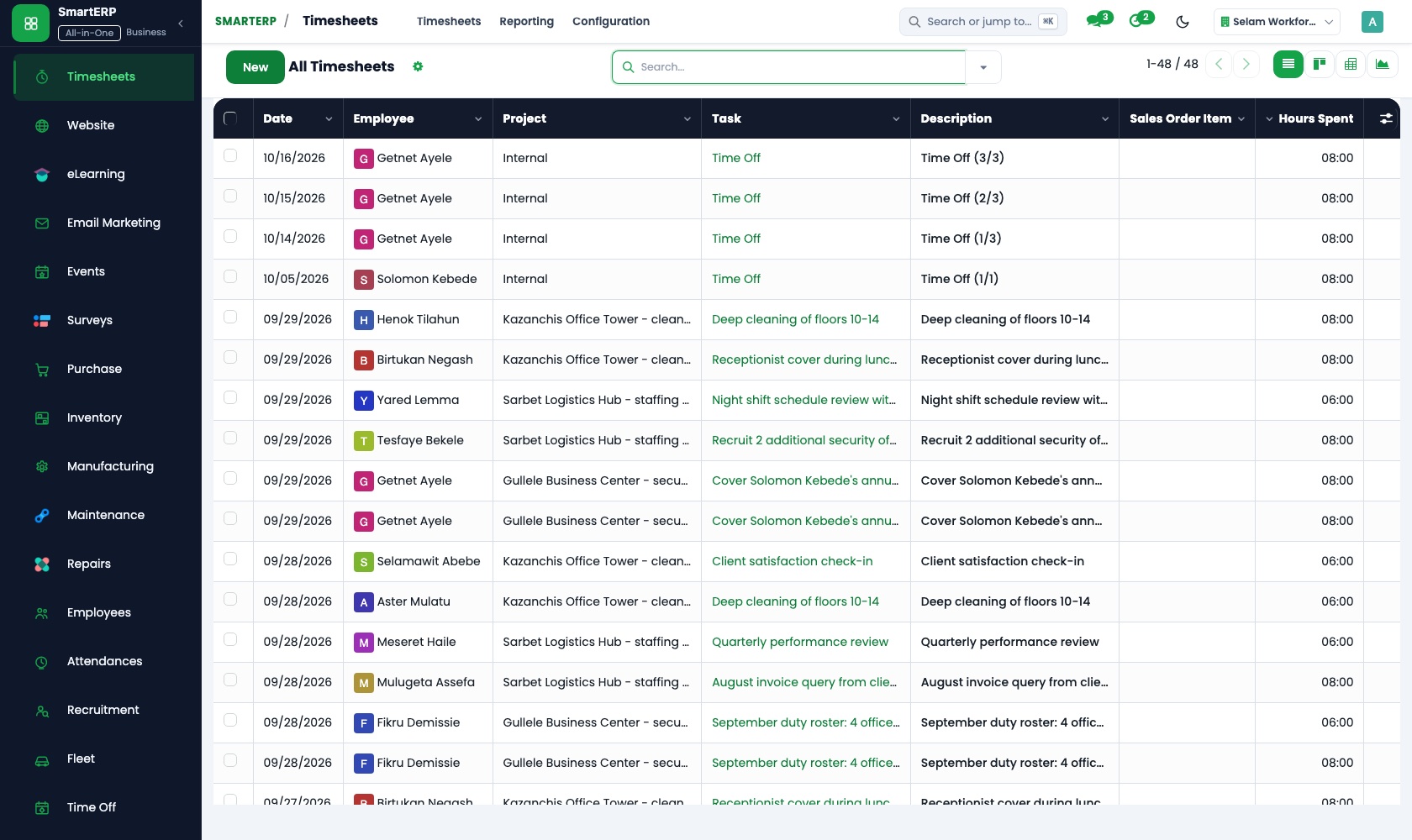
After each shift the supervisor or cleaner logs hours on that site's tasks. Cost and profitability sets hours against the contract price, and billable time marks the deep clean charged by the hour.
Employees
Each supervisor's team can be modelled as a department, so every cleaner sits under a named supervisor and absences are covered from one list.
How the work runs on SmartERP
From a site visit to an agreed cleaning scope
An office, clinic or hotel asks for cleaning, the site is visited, a scope is quoted and agreed, and the contract is set up as tasks.
- CRM: Leads and opportunities Log the office, clinic or hotel that asked for cleaning, then add its size and how often it needs a visit.
- CRM: Scheduled activities Book the walk-through and the follow-up call, so the enquiry does not wait in someone's notebook.
- Sales: Quotation templates Start from a standard scope listing rooms, frequency and supplies included, and adjust it to the building.
- Sales: Quotations and sales orders Confirm the written scope and price as an order the client has agreed to.
- Project: Projects and tasks Set up the contract as a project with each regular task, such as floors, toilets and windows, listed for the site.
From cleaning hours on site to the client invoice
Hours are logged against each site's tasks, compared with the agreed price, and billed with any extra work.
- Timesheets: Log time on tasks After each shift the supervisor or cleaner records the hours spent on that site's tasks.
- Timesheets: Billable time Mark the deep clean or event clean that the client agreed to pay for by the hour.
- Timesheets: Cost and profitability Set the hours worked at a site against the contract price to see where the margin is thin.
- Accounting: Customer invoices and credit notes Invoice the contract amount plus the billable extras, and credit a visit the client says was missed.
Your first month
- First week. We write a standard scope for the buildings you clean most, with rooms, frequency and supplies, and load your clients and cleaner directory.
- Second week. Each running contract becomes a project with its regular tasks. Your accountant confirms the accounts, and supervisors learn to log hours after a shift.
- Third week. The office quotes a site visit from the scope template, confirms it and opens the project, while supervisors log real hours at real sites.
- After go-live. At the first month's close the owner sets hours at each site against the contract price and decides which prices to raise or scopes to tighten.
What to have ready
- Client sites with the contract price, the scope and how often each is cleaned
- Cleaners' names, positions and the supervisor and site each belongs to
- The standard tasks for offices, clinics, hotels and after-event cleans
- Any one-off services you charge by the hour, with the rate
- Your bank details and the balances your accountant will start from
The applications on screen
Real SmartERP screens with sample data.


Who uses it
- Business owner or general managerSee the whole business and keep every department working on the same records.
- Finance and accountingInvoices, bills, bank and reports from one ledger.
- Operations and productionPlan production, maintain equipment, deliver on time.
- Project and service managersPlan projects and bill the time.
Company sizes
- Up to 10 people
- 11 to 50 people
- 51 to 100 people
What SmartERP does not cover for this industry
SmartERP does not build cleaner rotas, verify presence at a site by location, or issue the same invoice automatically each month; standing contracts are invoiced by hand. It also has no stock control for cleaning chemicals in this set.
Questions about SmartERP for HVAC Services
Can SmartERP plan cleaner rotas or check they are on site?
No. SmartERP does not build rotas or verify presence at a site by location. Supervisors keep planning shifts, then log the hours worked against each site's tasks.
Will a standing contract invoice itself every month?
No. SmartERP does not raise the same invoice automatically each month; standing contracts are invoiced by hand. Recurring billing is available only through an implementation project.
How do we know which site loses money?
Log hours on each site's tasks, and Timesheets compares the cost of that time with the project's revenue, so a site priced too low stands out.
Can we keep stock of cleaning chemicals in SmartERP?
Not in the starting set: it has no stock control for cleaning chemicals, and supplier bills are paid in Accounting. Shelf counts would need a stock application added.
How do CRM, Sales and Project take a new client through to billing?
The walk-through is logged in CRM, the scope becomes a quotation and a sales order, and the order opens a project of tasks. Timesheets holds the hours and Accounting invoices the client.
See it before you decide
Hours by site against the agreed price for a fictional cleaning company
The walkthrough logs a week of cleaner hours against two client sites, shows which site's margin is thin, and invoices one contract with a billable deep clean, on sample data.
There is no self-service sandbox. The demo is a guided walkthrough on sample data, or you can start a trial workspace.
Pricing
This industry has no packaged edition yet. You can start on a per-user plan with the recommended applications, or ask for a quote. Current plans and prices are on the pricing page.
See plans and pricingA website for your business
SmartERP can also set up a starter website for this kind of business, offered as part of a website project: Home, Office Cleaning, Home Cleaning, Industrial Cleaning, Facility Maintenance, Schedules & Scope, Site Visit, Contact. How the website tools work.
Start with what your business needs first
Tell us your industry and we carry it through the guided set-up, or talk to us first.
Start SmartERP Book a demo