Service requests, fees and office projects for a public office on one set of records
A public office serves residents through counters, phone calls and letters. SmartERP is not a citizen portal or a treasury system. It gives a service office one place to log requests, price and invoice fees, give work to sections and record staff hours.
Start with CRM for requests, Sales and Accounting for fees, and Project with Timesheets for works and campaigns. Employees holds the directory of sections and positions.
Typical businesses: Woreda offices · Sub-city offices · Municipal service centres · City bureaus · Public agencies
Problems this industry runs into
Requests reach the office by three routes and no record joins them
A resident who returns to ask where a request stands gets an answer from memory, because the counter, the phone and the letter tray each keep their own notes.
Service fees are collected with no matching record
Cash taken at the counter and transfers to the office account are listed apart from the service they paid for, so the day's collection cannot be tied to the requests served.
Works and campaigns run without one shared task list
A road repair, a census drive or a clean-up week involves several sections, yet each keeps its own checklist and the head of office hears of delays late.
Nobody can say which section gave the hours
Staff move between routine counter work and special projects, and the hours spent on each are not recorded, so workload complaints cannot be settled with facts.
A recommended starting set of applications
There is no packaged edition for this industry yet. These applications are our recommendation for a business of this kind, not a fixed bundle.
What each application does for public Institution
Accounting
The fee taken at the counter is recorded against its invoice, paid in cash or by transfer to the office account. A credit note records a fee that is returned.
Sales
Published fees sit on a price list, so every officer charges the same amount for the same service. Sales reporting shows what each service brought in.
CRM
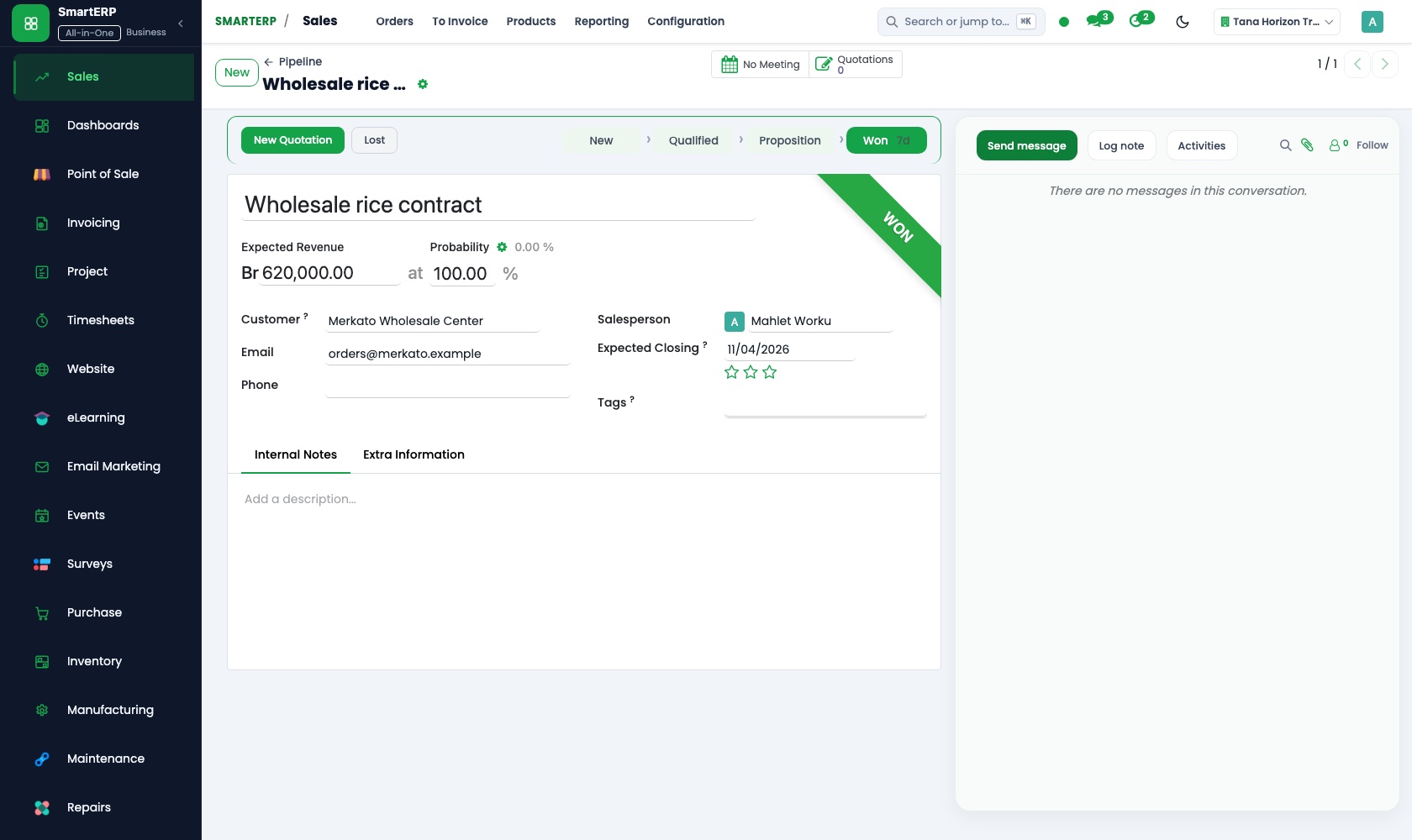
A request taken at the counter, by phone or by letter becomes one record. The pipeline by stage shows if it is received, under review or ready.
Project
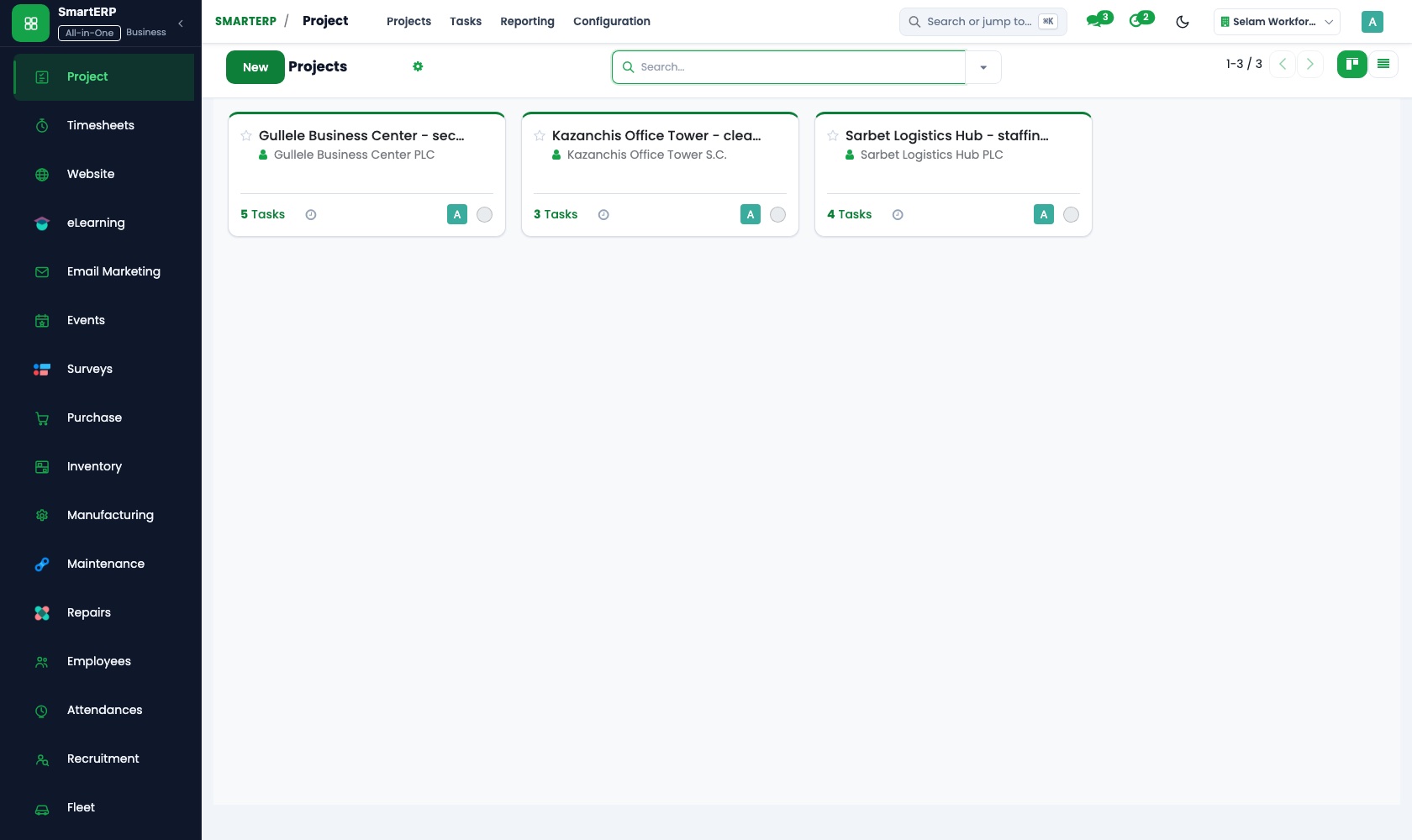
A road repair or a clean-up week is a project with tasks, each with an owner and a deadline. Kanban stages show what is planned, in progress and complete.
Timesheets
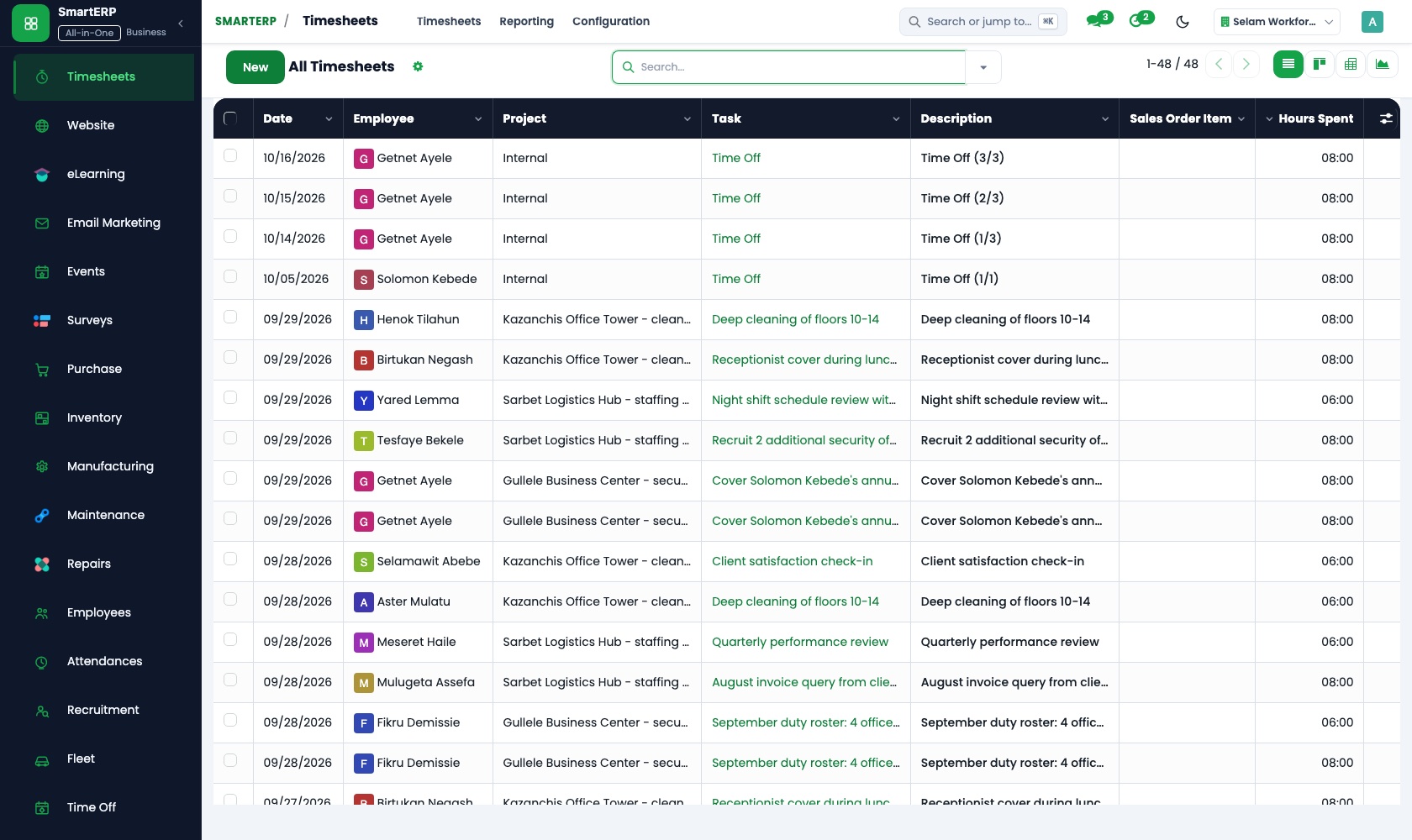
Staff log hours on project tasks next to their counter work. Timesheet reports show hours by employee, project and period, so workload complaints are settled with facts.
Employees
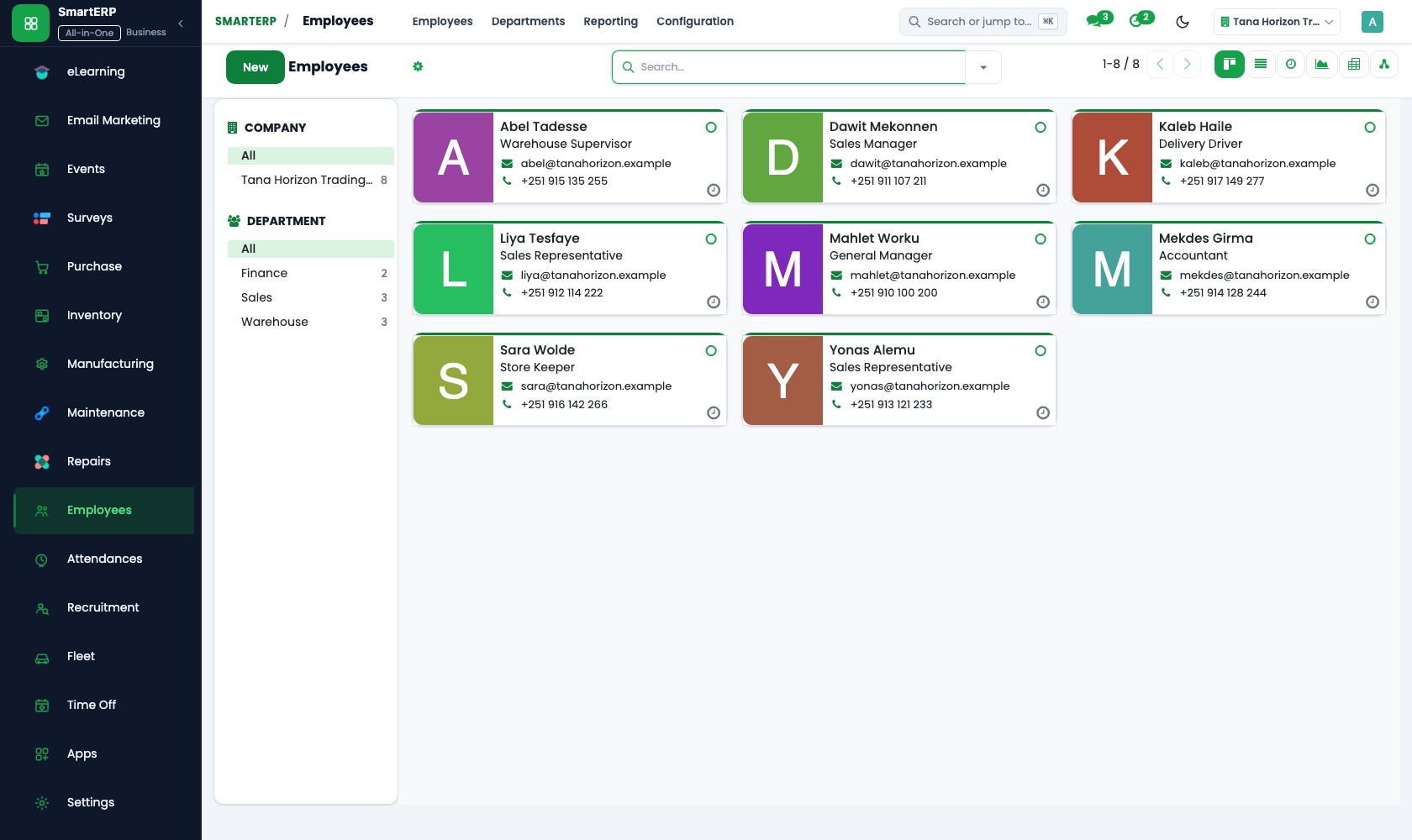
The directory lists each section with its positions and staff, and the org chart shows reporting lines. Private details stay restricted to HR officers.
How the work runs on SmartERP
From a resident's request to the service fee collected
A request is logged, moves through its stages, the published fee is invoiced and the payment is recorded against it.
- CRM: Leads and opportunities Log each request taken at the counter, by phone or by letter as one record with the resident's details.
- CRM: Pipeline by stage Move the request from received to under review to ready, so any officer can answer a follow-up.
- Sales: Price lists and discounts Hold the office's published fee for each service so every officer quotes the same amount.
- Accounting: Customer invoices and credit notes Issue the fee invoice, and a credit note when a fee is returned.
- Accounting: Bank and cash Record the cash paid at the counter or the transfer to the office account against that invoice.
From a works plan to staff hours by section
A public works or campaign plan is set up with tasks for each section, and staff hours are logged against them.
- Employees: Departments and org chart Show which sections take part, so each task goes to a named section and its head.
- Project: Projects and tasks Set the repair, drive or clean-up up as a project and break it into tasks with owners.
- Project: Kanban stages Track tasks through planned, in progress and complete so delays surface before the deadline.
- Timesheets: Log time on tasks Staff log the hours they give to the project alongside their routine counter work.
- Timesheets: Timesheet reports Read the hours by section and by person before planning the next campaign.
Your first month
- First week. We list the services with their published fees, agree the stages a request passes through, and load the staff directory, sections and positions.
- Second week. Price lists, accounts and the office bank account are set up with the finance officer. Counter staff learn to log each request as one record.
- Third week. The counter practises real requests from receipt to fee collected, while a section head sets up one live works project and staff log hours on it.
- After go-live. The head of office reviews open requests, fees collected and hours given to the works project, and we adjust stages and price lists.
What to have ready
- The services the office offers, with the published fee for each
- The sections of the office, their heads and the positions in each
- A staff list with sections, positions and contact details
- The books and bank account details your finance officer keeps
- One or two works or campaign plans under way now
The applications on screen
Real SmartERP screens with sample data.


Who uses it
- Business owner or general managerSee the whole business and keep every department working on the same records.
- Finance and accountingInvoices, bills, bank and reports from one ledger.
- Human resourcesStaff records, hiring, leave and attendance.
- Project and service managersPlan projects and bill the time.
Company sizes
- 11 to 50 people
- 51 to 100 people
- 101 to 200 people
What SmartERP does not cover for this industry
SmartERP does not include a resident case-management system built to statutory rules, public financial management and treasury reporting, public tender rules or salary calculation. It suits an office's own requests, fees and projects.
Questions about SmartERP for public Institution
Does SmartERP replace the public finance and case systems we must use?
No. SmartERP does not include a resident case-management system built to statutory rules, public financial management and treasury reporting, or public tender rules. It records requests, fees and projects alongside them.
Can residents pay service fees online or follow their request?
Not by card or mobile money today; bank transfer is available, and cash paid at the counter is recorded against the invoice. SmartERP is not a citizen portal, so an officer looks the request up.
Can each section see its own tasks and hours?
Yes. Tasks go to named owners from the employee directory, and timesheet reports show hours by employee, project and period.
Does SmartERP calculate salaries for public staff?
Payroll is not part of the standard cloud service and SmartERP does not calculate salaries; it is available only through an implementation project.
How do requests, fees and works connect in the starting set?
A request in CRM carries its fee through Sales and Accounting: the price list sets the amount and the payment is matched to the invoice. Works run in Project with hours from Timesheets.
See it before you decide
One resident request from counter to collected service fee
The walkthrough logs a request for a fictional office, moves it through its stages, invoices the published fee and records the counter payment.
There is no self-service sandbox. The demo is a guided walkthrough on sample data, or you can start a trial workspace.
Pricing
This industry has no packaged edition yet. You can start on a per-user plan with the recommended applications, or ask for a quote. Current plans and prices are on the pricing page.
See plans and pricingA website for your business
SmartERP can also set up a starter website for this kind of business, offered as part of a website project: Home, Services, How to Request, Public Notices, Find an Office, Accessibility, Ask or Complain, Contact. How the website tools work.
Start with what your business needs first
Tell us your industry and we carry it through the guided set-up, or talk to us first.
Start SmartERP Book a demo