A trading desk that keeps buyer requests, supplier quotes and margins together
A trading company earns its margin between a buyer's request and a supplier's price, and that margin is easily lost in chat threads and spreadsheets. SmartERP keeps the request as a lead, the supplier prices as purchase requests and the offer as a quotation, then carries the goods through stock, invoice and payment.
Begin with CRM, Purchase and Sales for the sourcing side. Bring in Inventory when you hold goods before handing them over, and Accounting for invoices, supplier bills and bank matching. Shipping, customs and overseas transfers are handled outside SmartERP.
Typical businesses: Trading houses · Import traders · Sourcing agents · Distribution agencies · Supply contractors
Problems this industry runs into
Buyer requests arrive by phone and chat and get forgotten
A contractor or hotel asks for goods in a voice note or a short text. With no single record per request, follow-ups slip and nobody knows which enquiries became orders.
Supplier quotes sit in message threads
Prices from local and overseas suppliers have to be scrolled back through when an offer is due, so comparing them takes time and the chosen price is hard to explain later.
The margin on a trade is known only after the money moves
Purchase cost, transport and the selling price are written in different places, so the owner cannot say early enough whether a trade earned enough to repeat.
Goods pass through the store without a clear record
Items bought for one buyer are received, held and released on handwritten slips, so a shortage or a wrong delivery surfaces only when the buyer complains.
Applications in the Trading and Distribution edition
These applications are the ones the industry edition's blueprint includes. Each opens its own page.
What each application does for trading and distribution
Accounting
The buyer is invoiced at the offer price and the supplier's bill is registered against the order. The buyer's payment is matched to the invoice in whichever account received it.
Sales
The accepted quotation becomes a confirmed order, so buying starts against a request the buyer agreed to. Sales reporting shows revenue and margin by customer and product.
Inventory
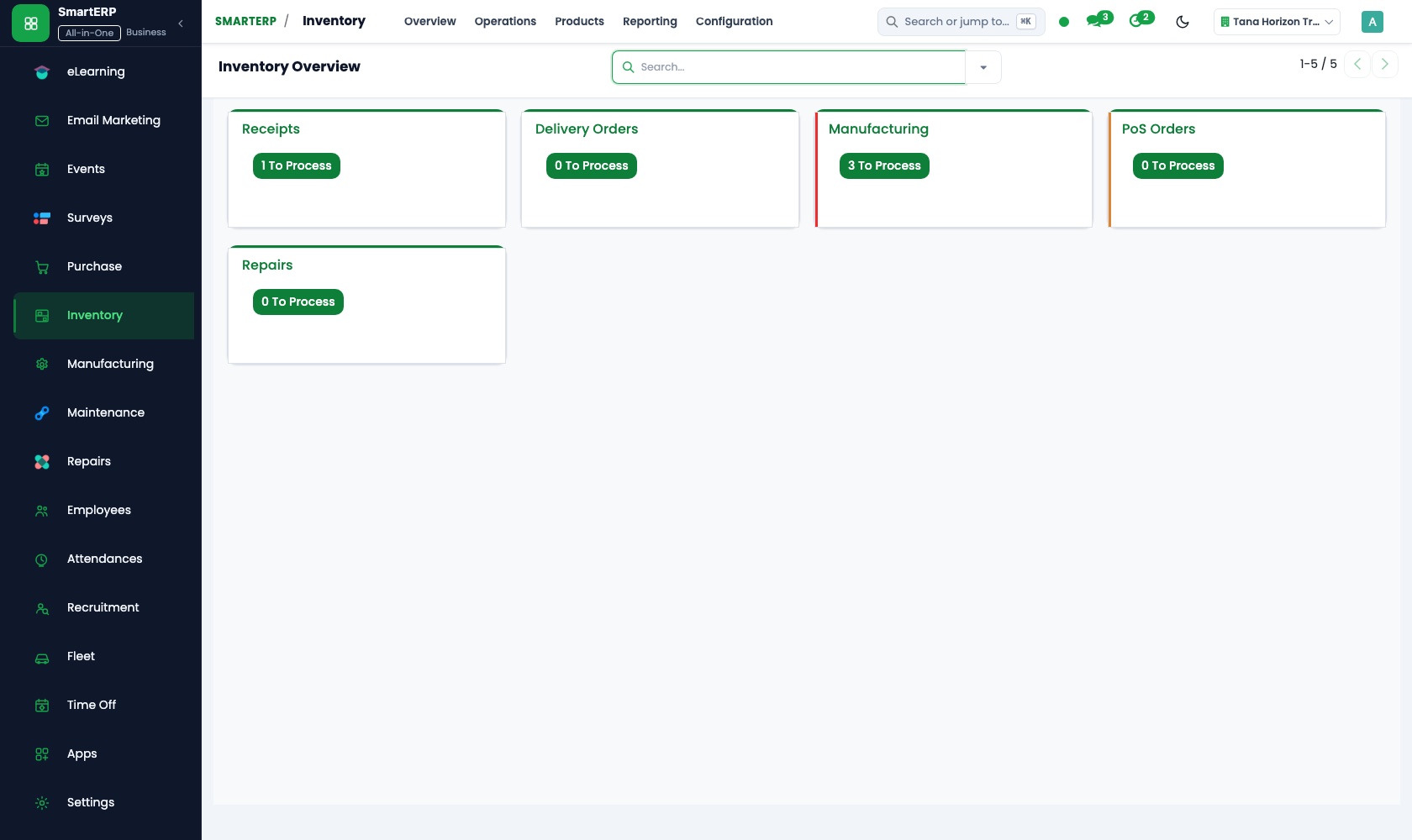
Goods bought for a buyer are received, held and released through receipts and deliveries, not handwritten slips. A shortage is recorded when goods arrive, not when the buyer complains.
Purchase
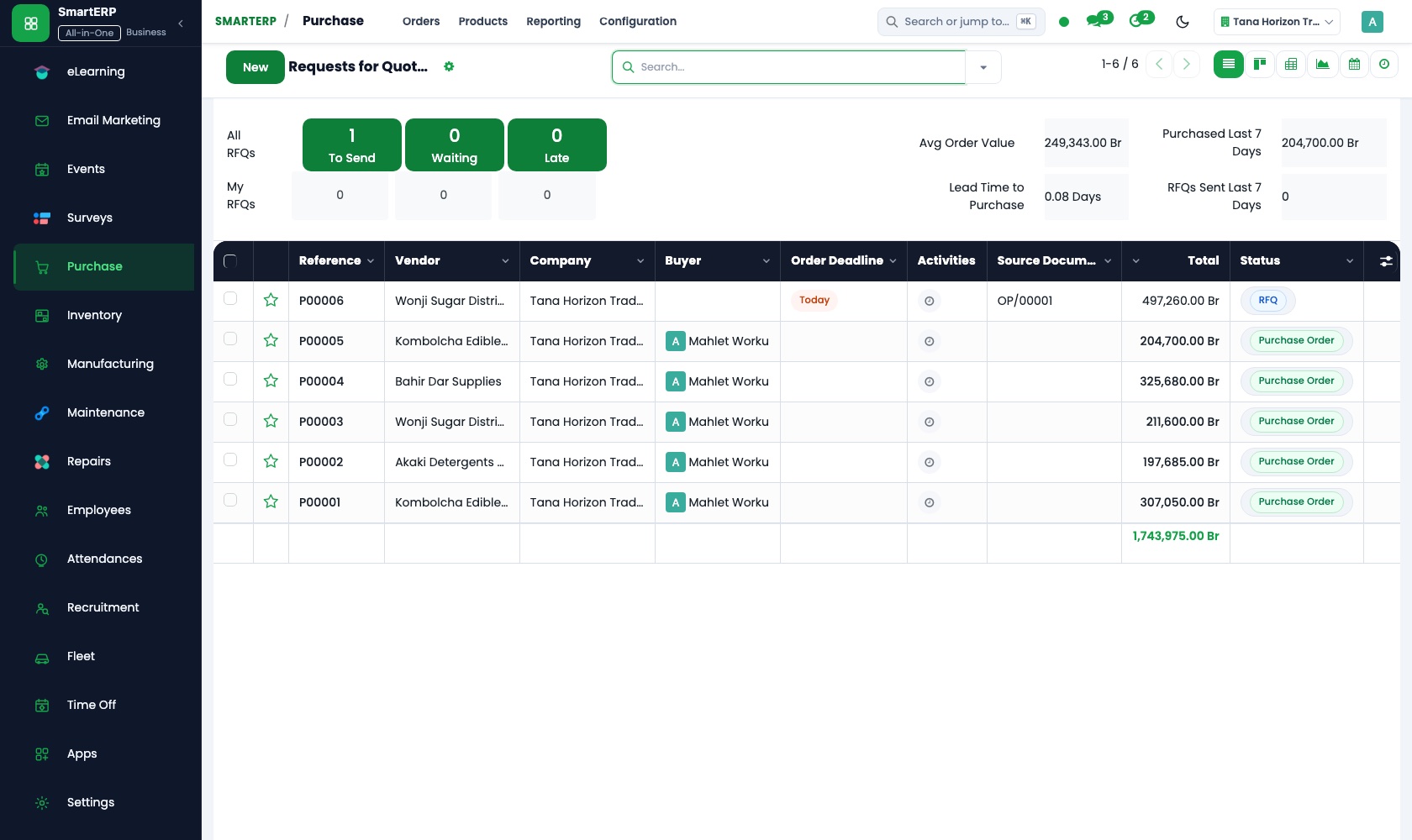
Requests for quotation go to local and overseas suppliers for the same list, and their replies sit side by side. The chosen price becomes a purchase order.
CRM
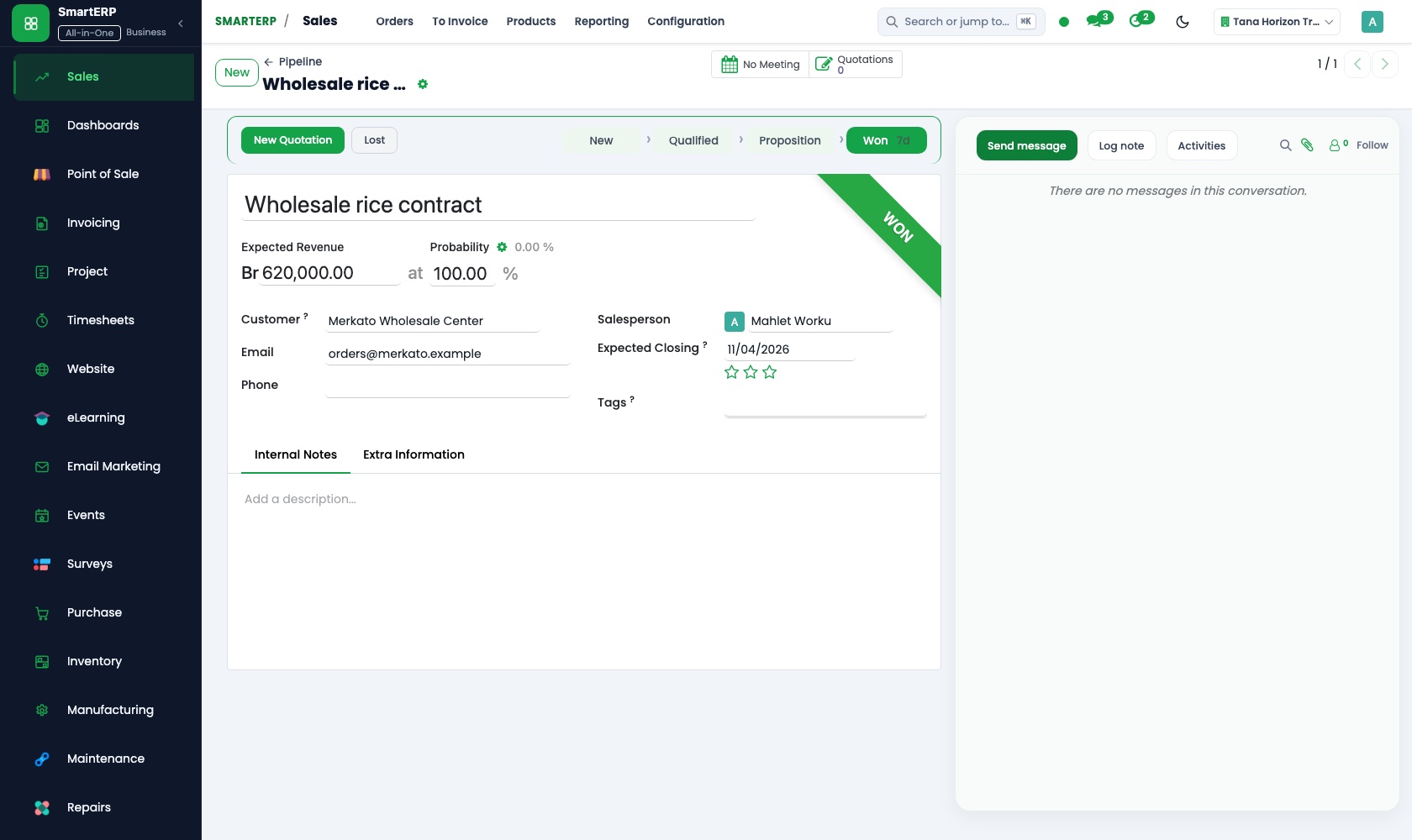
A contractor's request sent as a voice note becomes an opportunity with items, delivery date and a named owner, and carries into the quotation where the margin is added.
More that runs with it
Also included in the platform
Approvals
One approval engine for purchase orders, vendor bills and petty cash, with levels and a record of who decided and when.
Documents
A shared drive with versions, share links, PDF split and merge, and document requests to customers and staff.
Balanced scorecard and BI
A balanced scorecard with objectives, indicators and initiatives, and dashboards built on your own records.
AI assistant
An assistant for staff on Telegram and WhatsApp for leave, approvals and quick questions, with tools that answer from your documents.
Lead generation
Prospect lists researched with AI and reviewed by a person before they enter CRM.
How the work runs on SmartERP
From a buyer's request to a written offer
A request from a contractor or institution is logged, priced against supplier replies and sent back as a quotation.
- CRM: Leads and opportunities Log the request with the buyer, the items wanted and the delivery date they gave, so it has a named owner.
- Purchase: Requests for quotation Ask local and overseas suppliers to price the same list and keep their replies side by side.
- CRM: Quotations from opportunities Turn the opportunity into a quotation, adding your margin to the supplier price you chose.
- Sales: Quotations and sales orders When the buyer accepts, confirm the order so buying and delivery start against it.
From supplier delivery to buyer invoice and payment
Goods bought for a trade are ordered, received, handed over and invoiced, and both the supplier and the buyer are settled.
- Purchase: Purchase orders Place the order with the chosen supplier for the quantity the buyer accepted.
- Inventory: Receipts and deliveries Record what actually arrived, then the handover to the buyer or their transporter.
- Accounting: Customer invoices and credit notes Invoice the buyer at the offer price; a credit note covers any part of the delivery that is refused.
- Accounting: Bank and cash Match the buyer's transfer or cash payment to the invoice, whichever account received it.
- Accounting: Vendor bills and payments Register the supplier's bill against the order and pay it once the buyer's money is in.
Your first month
- First week. We list regular buyers and suppliers, agree how a request is logged and who owns it, and load the goods you trade with usual prices.
- Second week. Store locations are set up for goods held between receipt and handover, your accountant prepares the accounts, and opening balances are entered.
- Third week. The desk logs real requests, asks suppliers to price them, quotes one with a margin added, and follows it through order, receipt, invoice and supplier bill.
- After go-live. With the owner we review the first trades, comparing price paid with price sold, and adjust how the margin is added.
What to have ready
- Buyer requests still open, with items and dates asked for
- Supplier quotes you hold now, local and overseas
- Your usual margin or mark-up for each kind of goods
- Goods held in the store, with the buyer each was bought for
- Opening balances for what buyers owe and you owe suppliers
The applications on screen
Real SmartERP screens with sample data.


Who uses it
- Business owner or general managerSee the whole business and keep every department working on the same records.
- Finance and accountingInvoices, bills, bank and reports from one ledger.
- Sales and customer serviceLeads, quotations, orders and follow-up.
- Purchasing and storesBuy, receive and control stock.
Company sizes
- Up to 10 people
- 11 to 50 people
What SmartERP does not cover for this industry
SmartERP does not track shipments or customs clearance, store scanned paperwork, or send foreign-exchange payments to overseas suppliers. Those stay with your agent and your bank; SmartERP records what the goods cost once you know it.
Questions about SmartERP for trading and distribution
Does SmartERP handle shipping, customs or payments to overseas suppliers?
No. SmartERP does not track shipments or customs clearance, store scanned paperwork or send foreign-exchange payments. Your agent and bank do that; SmartERP records what the goods cost.
Can we compare several supplier prices for one request?
Yes. Purchase sends requests for quotation to several suppliers for the same list and keeps replies side by side. The chosen price becomes a purchase order.
How do we see the margin on a trade before repeating it?
Sales reporting lists revenue and margin by customer and product, and Purchase reporting lists spend by vendor and product, so the two can be set against each other.
Do a buyer's request, the purchase and the invoice stay connected?
Yes. The CRM opportunity becomes the quotation and order in Sales. Purchase orders the goods, Inventory receives and hands them over, and Accounting posts both invoice and bill.
Are invoices in birr, and do they show VAT?
Yes. Invoices are in Ethiopian birr and show VAT, and can be emailed. E-invoicing to the tax authority is not part of SmartERP.
See it before you decide
One buyer request followed through to a written offer
The walkthrough logs a contractor's request, collects two supplier prices and issues the quotation, using sample records for an invented trading company.
There is no self-service sandbox. The demo is a guided walkthrough on sample data, or you can start a trial workspace.
Pricing
SmartERP has an industry edition for this sector (Trading and Distribution). The applications listed above are its applications, and the editions, their staff bands and the current prices are on the pricing page. This page shows no price.
See plans and pricingA website for your business
SmartERP can also set up a starter website for this kind of business, offered as part of a website project: Home, Product Groups, How We Trade, Checks and Terms, Trade Request, For Suppliers, Contact. How the website tools work.
Start with what your business needs first
Tell us your industry and we carry it through the guided set-up, or talk to us first.
Start SmartERP Book a demo