Stage-based fees, project stages and logged time for a design practice
A design practice sells hours and judgement, and loses money when a stage runs past what was quoted. SmartERP keeps the fee proposal, the project stages, the hours logged and the invoice for each commission together. It does not store drawings or track permit submissions.
Start with Sales, Project and Accounting. Add Timesheets so hours are logged against stages, CRM for plot owners and developers who are still deciding, and Purchase for interiors and fit-out orders placed for a client.
Typical businesses: Architecture practices · Interior design studios · Landscape design studios · Urban design consultants · Design and supervision firms
Problems this industry runs into
Fees are agreed in conversation and forgotten at invoice time
The fee for concept, permit drawings and supervision is settled aloud, and later nobody checks whether each stage was invoiced as agreed.
No one knows how many hours a commission has used
Designers and draughtspeople move between plots and clients, and time is recalled at month end, so an overrunning stage is noticed after the fee is spent.
Client change requests are scattered across chats and sketches
Comments arrive by message and marked-up print, so the team cannot tell which revision is still open, who owns it and whether it was in the original scope.
Consultants and fit-out suppliers are paid without a project link
Engineers, printers and interior suppliers are paid from the office account, so the practice cannot see what a commission truly cost or what to recharge.
Applications in the Construction edition
These applications are the ones the industry edition's blueprint includes. Each opens its own page.
Often added for this industry
What each application does for architecture Firm
Accounting
A stage fee is invoiced when the stage closes, with a credit note if scope shrinks. Consultants' bills are vendor bills, and financial reports show income and cost across commissions.
Project
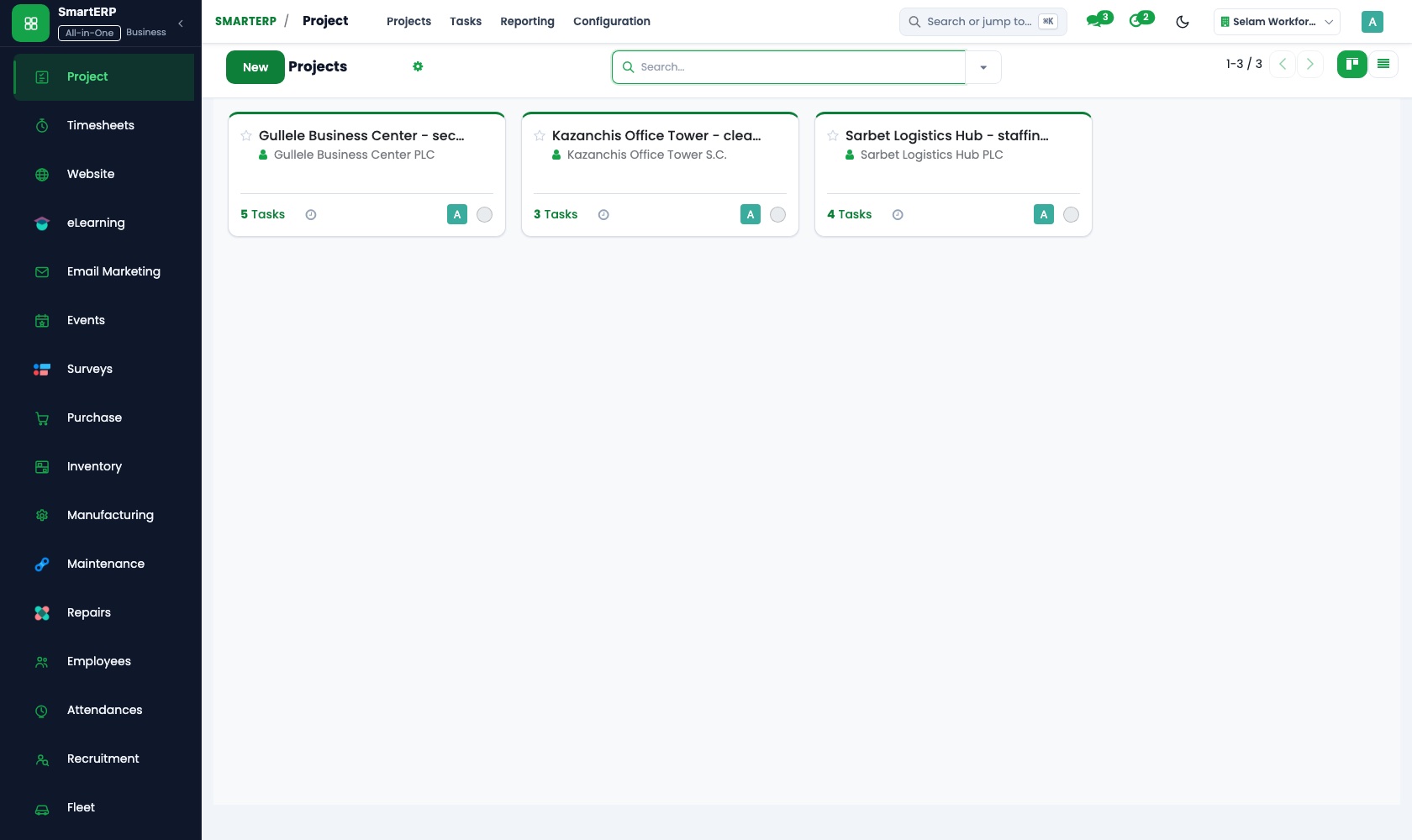
Each commission is a project with tasks for survey, concept, permit drawings and tender. The kanban board moves it across stages, and revision requests stay on the task they belong to.
Sales
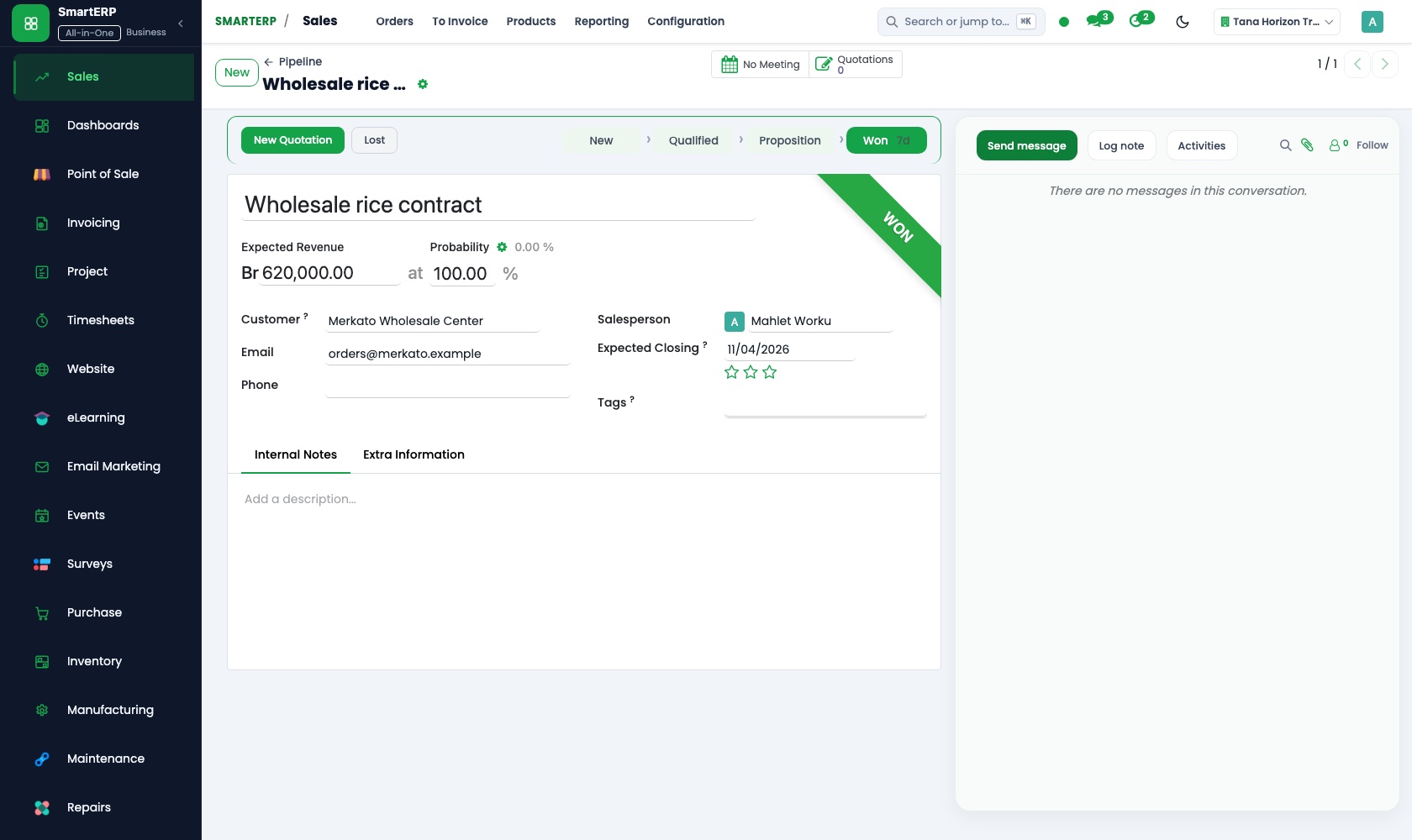
A quotation template holds the usual design stages, so only the scope of this plot changes. The owner's acceptance becomes a sales order that records each stage's fee.
Purchase
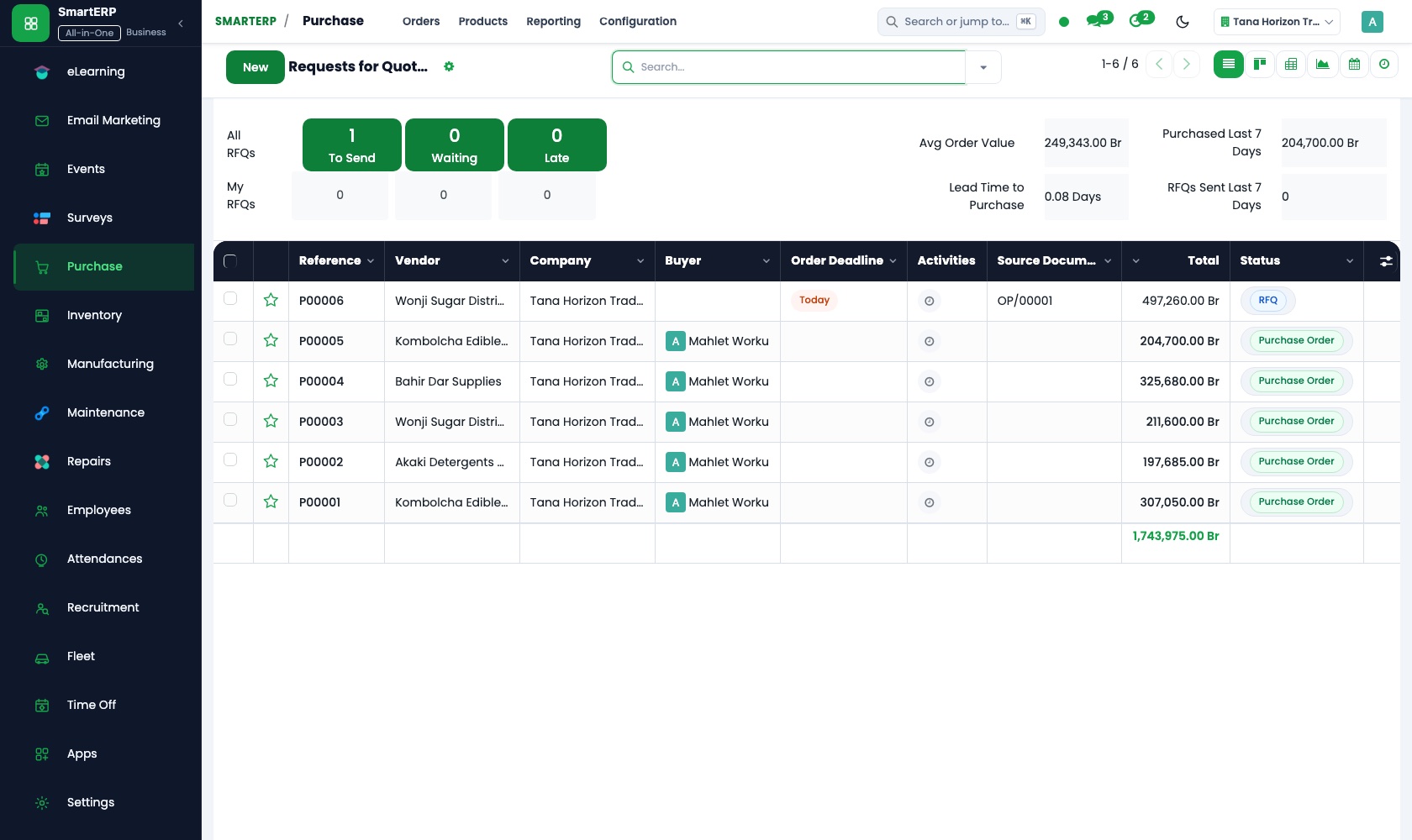
Structural consultants, printers and interior suppliers are ordered on purchase orders, and each vendor bill is compared with its order before payment.
Inventory
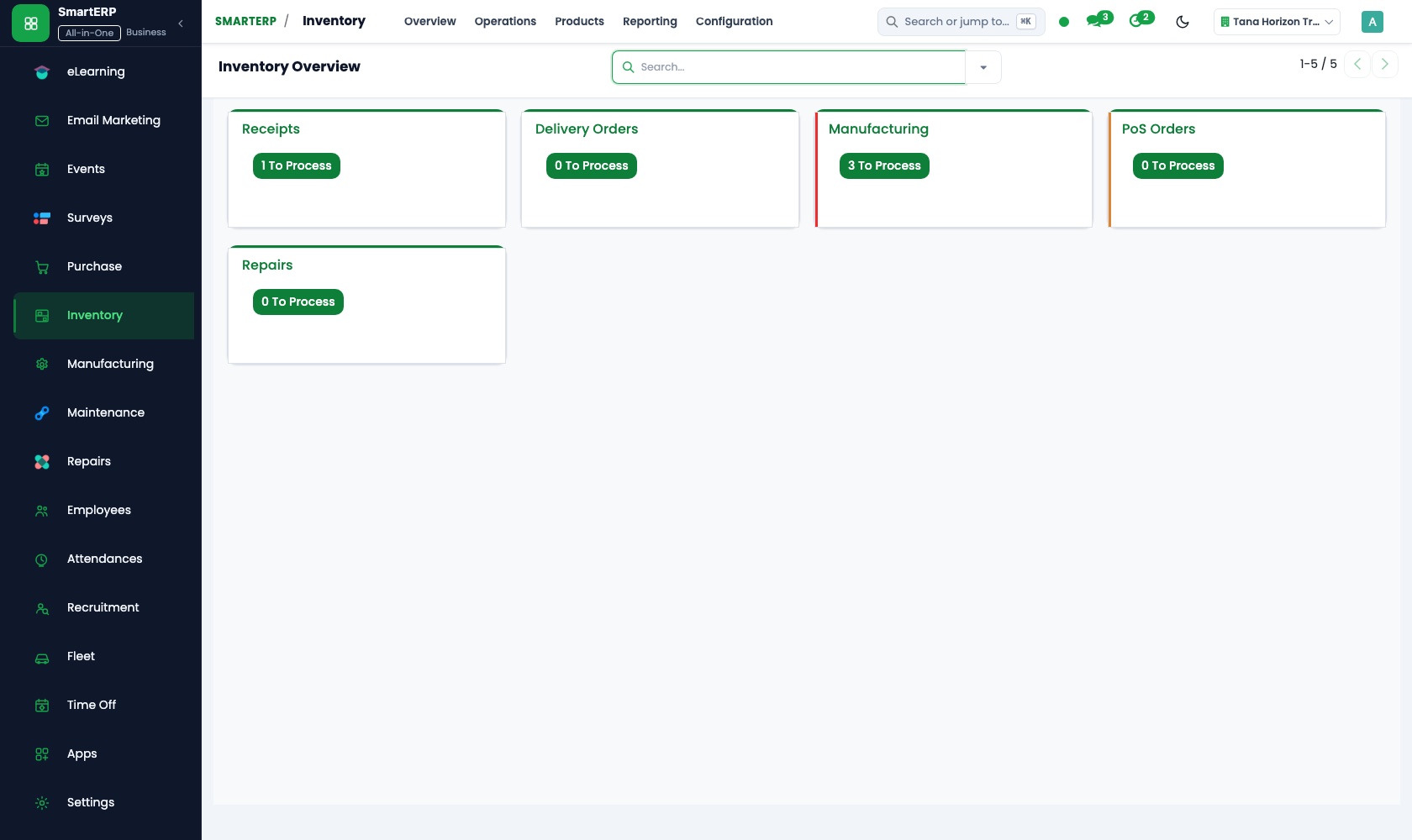
Finishes and fittings bought for a fit-out are received against the order and delivered to site on a delivery document, and stock reports show what still waits in store.
How the work runs on SmartERP
From a stage-based fee proposal to the first fee invoice
A fee proposal is built from a saved layout of design stages, confirmed, run as a project, and invoiced as each stage closes.
- Sales: Quotation templates Start from a saved fee proposal with the usual design stages and change only the scope for this plot.
- Sales: Quotations and sales orders Confirm the proposal the owner accepts, so the agreed fee for each stage is on record.
- Project: Projects and tasks Open a project for the commission with tasks for survey, concept, permit drawings and tender.
- Project: Kanban stages Move the commission across the board as each design stage is finished and shown to the client.
- Accounting: Customer invoices and credit notes Invoice the fee for the stage just completed, matching what was agreed in the proposal.
From logged hours to what a commission really earned
Designers log time against the stages of a commission, billable hours are separated, and profit is read at the close of each stage.
- Project: Collaboration on the task Keep the client's revision requests and the team's replies on the task they belong to.
- Timesheets: Log time on tasks Let each designer record hours against the stage of the commission they worked on that day.
- Timesheets: Billable time Separate hours covered by the fee from extra revisions that fall outside the agreed scope.
- Timesheets: Cost and profitability Compare the hours spent with the fee agreed, before the next stage is started.
- Accounting: Financial reports Read the practice's income and costs across all commissions at the end of the month.
Your first month
- First week. We agree the design stages you quote and write them into one fee proposal template, then load owners, developers, consultants and suppliers.
- Second week. The accountant sets up the chart of accounts and banks, and a project board is built with your usual stages, from survey to tender.
- Third week. The principal quotes a live commission from the template and opens its project. The team logs hours on the stages, and one consultant is paid against a purchase order.
- After go-live. At the close of the first stage we compare the fee agreed with the hours used, check the invoice against the proposal, and adjust the stages.
What to have ready
- Your standard design stages and the share of the fee charged at each
- Current commissions with client, agreed fee and the stage reached
- Plot owners, developers and consultants, with contact and billing details
- Suppliers of fit-out items and printing, with usual prices
- Bank account details and opening balances, from your accountant
The applications on screen
Real SmartERP screens with sample data.


Who uses it
- Business owner or general managerSee the whole business and keep every department working on the same records.
- Finance and accountingInvoices, bills, bank and reports from one ledger.
- Sales and customer serviceLeads, quotations, orders and follow-up.
- Project and service managersPlan projects and bill the time.
Company sizes
- Up to 10 people
- 11 to 50 people
What SmartERP does not cover for this industry
SmartERP does not include drawing or model storage with revision control, permit submission tracking with the authorities, quantity take-off or bill-of-quantities pricing. Keep drawings in your design tools; SmartERP handles fees, time and purchasing.
Questions about SmartERP for architecture Firm
Can SmartERP store our drawings and track permit submissions?
No. SmartERP does not store drawings or models with revision control, track permit submissions or do quantity take-off and bill-of-quantities pricing. Keep those in your design tools.
Can we invoice a design fee stage by stage?
Yes. The proposal in Sales lists each stage, and as a stage closes in Project its fee is invoiced in Accounting, in Ethiopian birr with VAT shown.
How do we see whether a stage is running over its fee?
With Timesheets added, designers log hours on the task and billable hours are kept apart from extra revisions. Cost and profitability compare time cost with revenue.
Can a client follow the progress of their commission?
Yes. Selected projects are shared with the client through the portal, so an owner follows the stages without phoning the office.
Do the fee proposal, project and invoice stay connected?
Yes. A project can be opened from a confirmed sales order, hours come from Timesheets, and the invoice is raised in Accounting, all on linked records.
See it before you decide
A house design commission from fee proposal to stage invoice
The walkthrough builds a stage-based fee proposal for a private plot from a saved template, opens the commission as a project, and invoices the concept stage, on sample data for a fictional practice.
There is no self-service sandbox. The demo is a guided walkthrough on sample data, or you can start a trial workspace.
Pricing
SmartERP has an industry edition for this sector (Construction). The applications listed above are its applications, and the editions, their staff bands and the current prices are on the pricing page. This page shows no price.
See plans and pricingA website for your business
SmartERP can also set up a starter website for this kind of business, offered as part of a website project: Home, Work, Services, Design Process, Studio, Share Your Brief, Contact. How the website tools work.
Start with what your business needs first
Tell us your industry and we carry it through the guided set-up, or talk to us first.
Start SmartERP Book a demo